
Apple Seeds watchOS 26.6, tvOS 26.6 and visionOS 26.6 Release Candidates
Apple's Latest Software Updates: Release Candidates for watchOS 26.6, tvOS 26.6, and visionOS 26.6 Unveiled
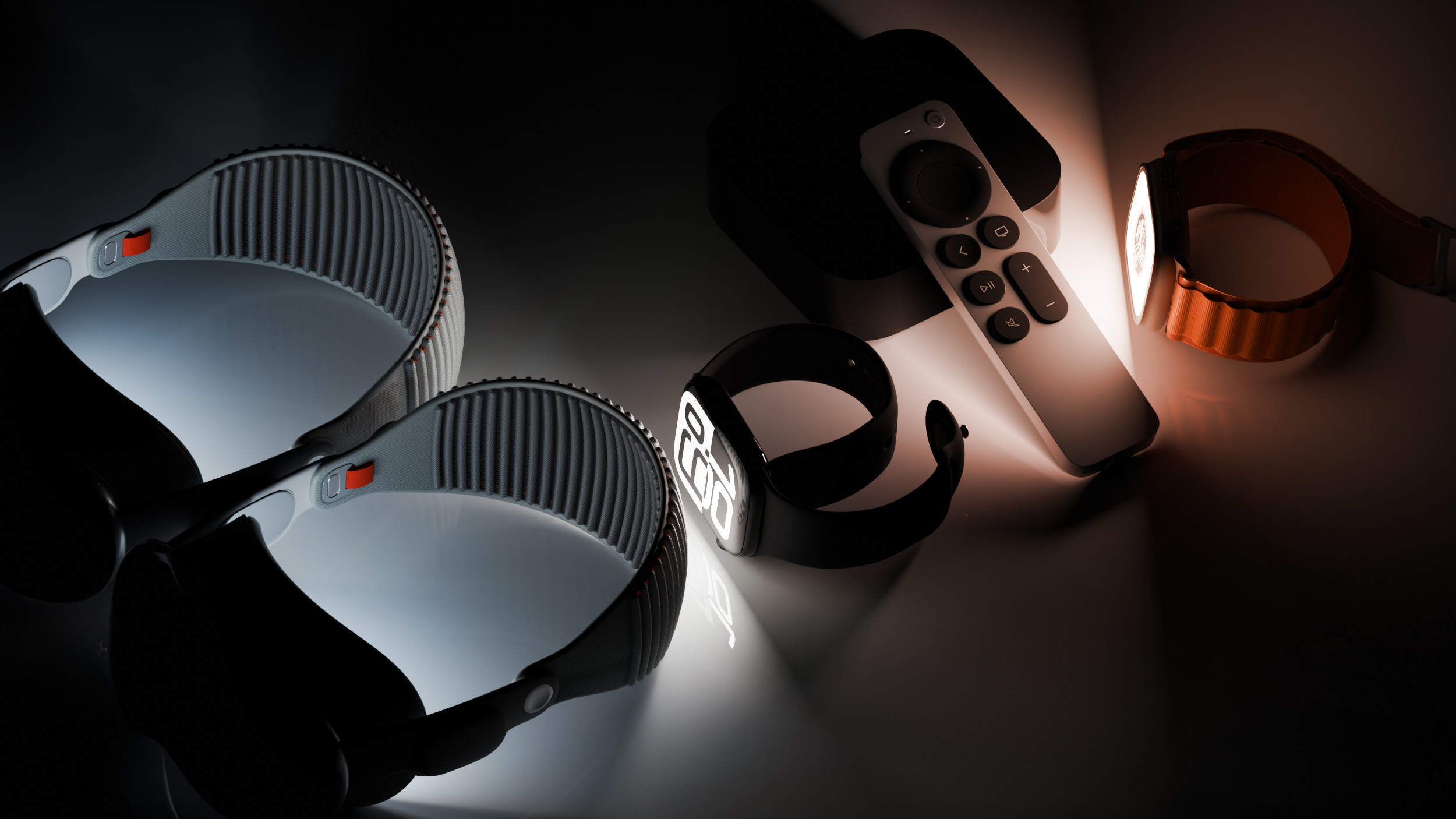
Apple continues its relentless pursuit of perfection across its diverse ecosystem of devices, regularly providing developers with early access to upcoming software versions. Today marks a significant step in this ongoing process as the Cupertino giant has released the Release Candidate (RC) versions of watchOS 26.6, tvOS 26.6, and visionOS 26.6 to developers for final testing. This crucial stage comes just a week after the distribution of the fifth beta iterations, signaling that these updates are nearing their public debut. For many, a Release Candidate means the software is essentially feature-complete and stable, representing the version that will eventually be rolled out to users worldwide, provided no critical bugs are discovered during this ultimate review period.
These updates, while often less glamorous than major annual releases packed with new features, are fundamental to the long-term health and stability of Apple's platforms. They ensure a smooth, reliable, and secure experience for millions of users across their Apple Watch, Apple TV, and the groundbreaking Apple Vision Pro. For developers, this is a critical moment to fine-tune their applications against the most stable pre-release build, ensuring compatibility and optimal performance ahead of the general public release.
The journey from an initial developer beta to a Release Candidate is a meticulous process involving countless hours of testing, feedback, and refinement. Each beta cycle allows Apple to identify and rectify issues, enhance underlying performance, and prepare its operating systems for the demands of its user base. The 26.6 series for watchOS, tvOS, and visionOS exemplifies this iterative approach, focusing on the foundational elements that underpin a superior user experience.
Understanding Release Candidates: The Final Frontier of Software Testing
What Does "Release Candidate" Mean for Apple Software?
In the world of software development, a "Release Candidate" (RC) holds a special significance. It's not just another beta; it's effectively the finished product, poised for its public launch. When Apple labels a software build as an RC, it means the company believes this version is stable enough to be released to all users. The "candidate" part implies a final check: developers and internal testers are given one last opportunity to scrutinize the software for any critical flaws or regressions that might have slipped through previous testing phases.
Think of the software development lifecycle as a journey. It typically starts with internal alpha builds, which are highly experimental and often unstable. These then progress to developer betas, which are shared with registered developers to gather wider feedback and bug reports. Following developer betas, public betas might be released, allowing even more users to test the software. The Release Candidate emerges at the very end of this cycle. It's the moment when the development team feels confident that all major bugs have been squashed, and the performance is optimized to meet Apple's high standards.
The primary goal during the RC phase is to validate stability. While earlier betas might introduce new features or significant changes, RCs are all about ensuring that everything works as intended, without unexpected crashes, performance hiccups, or critical security vulnerabilities. If no major, show-stopping bugs are reported by developers during this final testing window, this Release Candidate version typically becomes the very same build that Apple releases to the general public shortly thereafter.
The Journey from Beta to Release Candidate: A Week of Refinement
The fact that these RCs arrive just one week after the fifth beta highlights the rapid pace of development and refinement at Apple. Each beta release, from the first to the fifth, allows Apple's engineers to collect invaluable telemetry data and bug reports from developers. This feedback loop is crucial. Developers actively test their apps against these pre-release builds, identifying compatibility issues, performance bottlenecks, and unexpected behaviors. Apple then uses this information to iterate quickly, fixing identified problems and optimizing the code.
By the time a software version reaches its fifth beta, most major new features (if any were planned for this specific update) would have been integrated, and the focus would have already shifted heavily towards stability and performance. The jump from beta 5 to Release Candidate suggests that the bulk of the identified issues from previous betas have been addressed, and Apple is now confident enough to present what it believes is the final, polished product. This quick turnaround underscores Apple's commitment to delivering robust and reliable software updates to its expansive user base.
For developers, testing an RC is a significantly different experience from testing an early beta. Early betas are for exploring new APIs and identifying breaking changes. RCs are for ensuring that their applications run perfectly on what will soon be the public operating system version. This final testing period is vital for developers to ensure a seamless experience for their users on launch day.
Getting Your Hands on the Updates: For Developers
How to Access the Release Candidates
For developers eager to get their hands on these Release Candidates, the process is straightforward and consistent across Apple's platforms. The software updates are readily available through the dedicated Settings app on each respective device:
- Apple Watch: On your paired iPhone, open the Watch app, navigate to General > Software Update.
- Apple TV: On your Apple TV, go to Settings > System > Software Updates.
- Apple Vision Pro: On your Vision Pro, access the Settings app and look for the Software Update section.
It's important to remember that these are specifically developer betas (and now RCs). This means that to access and install them, you must have a registered and active Apple Developer Account. While there is a free tier for an Apple Developer Account that allows for certain development activities, typically installing pre-release beta profiles requires enrollment in the paid Apple Developer Program, which costs $99 per year. This program grants access to all beta software, development tools, and resources needed to build and distribute applications on Apple's App Stores.
Once your device is enrolled for beta updates through the developer profile, the Release Candidate versions will appear as an available update, just like any standard software update. It's always a good practice to ensure your device is sufficiently charged (or connected to power) and has a stable Wi-Fi connection before initiating the update process to prevent any interruptions.
A Note of Caution for Beta Software, Even RCs
Even though Release Candidates are considered highly stable, they are still technically pre-release software. For this reason, Apple and experienced developers often advise against installing beta software on primary, mission-critical devices. While the risk of major issues is significantly reduced with an RC compared to earlier betas, there's always a slight chance of encountering unexpected bugs or compatibility problems that could impact your daily workflow or device functionality.
For developers, testing on secondary devices is ideal. However, for those who do choose to install an RC on a primary device, it's paramount to back up your data beforehand. This precaution ensures that in the unlikely event of data loss or a major software issue, you can restore your device to its previous stable state. This is particularly relevant for the iPhone paired with an Apple Watch, as watchOS updates are managed through the iPhone.
A Deeper Look at Each Operating System's Focus
While specific new features for watchOS 26.6, tvOS 26.6, and visionOS 26.6 have not been announced – and are generally not expected in minor point releases like this – the updates are primarily centered around bug fixes and performance improvements. This focus is vital for maintaining a robust and enjoyable user experience across all devices. Let's explore why these aspects are so important for each platform.
watchOS 26.6: Elevating Your Apple Watch Experience
What is watchOS? watchOS is the powerful operating system that powers the Apple Watch, the world's leading smartwatch. It seamlessly integrates health and fitness tracking, communication features, convenience tools, and access to a vast ecosystem of apps directly on your wrist. From monitoring your heart rate and tracking workouts to receiving notifications, making payments, and controlling smart home devices, watchOS enables the Apple Watch to be an indispensable companion.
Expected Focus of 26.6: Bug Fixes and Performance Improvements. For an always-on, highly personal device like the Apple Watch, performance and reliability are paramount. Users expect instant responsiveness, accurate data collection, and excellent battery life. Minor updates like watchOS 26.6 play a critical role in delivering on these expectations.
Why Performance Matters on Apple Watch:
- Battery Life: Efficient software runs more smoothly and consumes less power, directly impacting how long your Apple Watch can last on a single charge. Bug fixes can eliminate processes that drain the battery unnecessarily.
- Responsiveness: Quick app loading, fluid animations, and immediate response to taps and swipes are essential for a good user experience on a small screen. Performance enhancements ensure the watch feels snappy and never sluggish.
- Workout Tracking Accuracy: For fitness enthusiasts, precise tracking of activities, heart rate, and GPS data is critical. Bug fixes can address inaccuracies in sensor readings or data synchronization.
- Seamless Interaction: Receiving notifications without delay, making Apple Pay transactions quickly, and controlling media playback effortlessly all rely on a stable and performant operating system.
- Third-Party App Stability: Developers rely on a stable watchOS to ensure their applications run reliably, preventing crashes or freezes that frustrate users.
Potential Areas of Improvement (General): While specific changes are unknown, watchOS updates often target areas like improved Siri responsiveness, better stability for communication features (calls, messages), refined haptic feedback, and enhanced reliability for health sensors (ECG, blood oxygen, temperature). These iterative improvements ensure the Apple Watch remains the gold standard for smartwatches.
tvOS 26.6: Enhancing Your Apple TV Home Entertainment
What is tvOS? tvOS is the dedicated operating system for Apple TV, Apple's powerful streaming device that transforms any television into a smart entertainment hub. tvOS provides access to a vast library of movies and TV shows through services like Apple TV+, Netflix, Disney+, and many more. It also supports gaming with Apple Arcade, offers robust HomeKit integration for smart home control, and facilitates content sharing via AirPlay.
Expected Focus of 26.6: Bug Fixes and Performance Improvements for a Smooth Viewing Experience. In the realm of home entertainment, nothing is more frustrating than a slow, buggy, or unresponsive system. tvOS updates, even minor ones, are crucial for ensuring a premium, uninterrupted entertainment experience.
Why Performance is Key for Apple TV:
- Smooth Streaming: Reliable and high-quality video playback is paramount. Performance improvements can address buffering issues, dropped frames, or audio synchronization problems.
- Quick App Switching: Users frequently jump between different streaming apps, games, and other content. A performant tvOS ensures these transitions are seamless and quick.
- Gaming Responsiveness: For Apple Arcade and other games, low latency and high frame rates are essential for an enjoyable gaming experience. Bug fixes can resolve graphical glitches or input lag.
- Remote Control Accuracy: The Siri Remote relies on accurate input processing. Performance enhancements can improve the responsiveness and reliability of swipes, clicks, and voice commands.
- HomeKit Interactions: If Apple TV is used as a HomeKit hub, a stable tvOS ensures reliable control and automation of smart home accessories.
- User Interface Fluidity: Navigating through menus, browsing content libraries, and searching for media should be a fluid and enjoyable experience. Performance boosts keep the interface feeling responsive.
Potential Areas of Improvement (General): tvOS updates often focus on enhancing video playback codecs, improving Wi-Fi stability for streaming, refining Siri voice commands for content search, and strengthening compatibility with various smart home devices and third-party streaming services. These cumulative improvements make Apple TV a more reliable and enjoyable centerpiece for home entertainment.
visionOS 26.6: Refining the Spatial Computing Frontier
What is visionOS? visionOS is Apple's revolutionary spatial operating system, designed specifically for the Apple Vision Pro. It merges digital content with the physical world, creating immersive and interactive experiences that transcend traditional screens. From working in a multi-window spatial environment to watching movies on a giant virtual screen or experiencing immersive 3D content, visionOS redefines how we interact with technology and reality.
Expected Focus of 26.6: Bug Fixes and Performance Improvements – Crucial for a New, Complex Platform. As a brand-new and incredibly sophisticated platform, visionOS has an immense need for continuous refinement. Every bug fix and performance enhancement is critical, not just for user satisfaction but for the very comfort and immersion of the spatial computing experience.
Why Performance is Critical for Vision Pro:
- Preventing Motion Sickness: Any lag or stutter in the visual experience can be disorienting and lead to motion sickness. VisionOS must maintain extremely low latency and high frame rates to ensure comfort.
- Maintaining Immersion: Seamless integration of digital content with the real world is key to immersion. Performance issues like dropped frames or visual glitches can break this illusion.
- Precise Hand and Eye Tracking: The primary input methods for Vision Pro are hand gestures and eye movements. These demand incredibly accurate and responsive software processing to feel natural and intuitive.
- Complex App Rendering: Spatial apps can be graphically intensive, rendering multiple windows and 3D objects simultaneously. Performance improvements ensure these applications run smoothly without taxing the hardware.
- Persona Quality: The Persona feature, which creates a digital representation of the user, relies on complex processing. Updates can improve its realism and responsiveness.
- Passthrough Accuracy: The ability to seamlessly view the real world through the device (passthrough) needs to be as clear and distortion-free as possible. Bug fixes can address any visual artifacts or latency.
- Battery Optimization: Given the power-intensive nature of spatial computing, every software optimization helps extend the external battery pack's life.
Potential Areas of Improvement (General): visionOS updates are likely to focus on improving gesture recognition robustness, enhancing eye-tracking precision, refining the visual quality of passthrough and virtual environments, ensuring stability for demanding spatial apps, and optimizing resource management to improve overall system fluidity and battery performance. As Apple's newest platform, visionOS benefits immensely from every incremental update, laying the groundwork for its future evolution.
The Importance of Bug Fixes and Performance Enhancements
Beyond New Features: Why Stability is Paramount
While users often crave exciting new features, the truth is that a stable, reliable, and performant operating system is far more crucial for long-term user satisfaction. A device packed with features but plagued by bugs or slow performance quickly becomes frustrating to use. Minor updates like the 26.6 series for watchOS, tvOS, and visionOS embody this philosophy by prioritizing the user experience over flashy additions.
Bug fixes address those annoying glitches that disrupt daily usage: an app crashing unexpectedly, a feature not working consistently, or a device becoming unresponsive. These small irritations can accumulate, leading to a diminished overall perception of the product. By systematically eradicating these bugs, Apple ensures that its devices perform reliably, building trust and confidence with its users.
Performance enhancements, on the other hand, make everything feel smoother and faster. They reduce loading times, improve responsiveness to input, and ensure animations are fluid. This makes devices more enjoyable to interact with, whether you're quickly checking a notification on your watch, navigating a streaming service on your TV, or immersing yourself in a spatial environment with Vision Pro. A fast and responsive device feels more premium and efficient.
User Experience (UX), Security, and Developer Ecosystem
The impact of bug fixes and performance improvements extends across several critical areas:
- User Experience (UX): At its core, these updates are about refining the user experience. A device that works flawlessly, without hitches or delays, makes technology feel invisible, allowing users to focus on their tasks or entertainment rather than struggling with the device itself.
- Security Implications: Many bug fixes aren't just about functionality; they often include critical security patches. Vulnerabilities discovered in the software can be exploited by malicious actors. Regular updates help to close these security holes, protecting user data and device integrity. Keeping your software up to date is one of the most fundamental steps in maintaining digital security.
- Developer Ecosystem: For developers, a stable platform is a healthy platform. When Apple provides consistent and reliable operating system builds, developers can build more robust and feature-rich applications without constantly battling system-level instabilities. This fosters a vibrant ecosystem of third-party apps, which in turn enhances the value of Apple's devices for users.
In essence, these "behind-the-scenes" updates are the backbone of a premium technology experience. They ensure that the innovative hardware and captivating features remain accessible, reliable, and enjoyable day in and day out.
What Happens Next? The Public Release Awaits
From Release Candidate to General Availability (GA)
The release of the watchOS 26.6, tvOS 26.6, and visionOS 26.6 Release Candidates signifies that the public launch is imminent. The next step in this journey is the "General Availability" (GA) release, which is when the updates become available to all eligible users, not just registered developers.
The transition from RC to GA is typically very swift. If Apple's internal teams and the wider developer community do not report any major, critical bugs during this final testing period, the Release Candidate build will likely become the official public release. This usually happens within a few days to a week after the RC is seeded to developers. The stability of the RC phase means that Apple is confident in pushing this software to its entire user base.
Once the GA version is released, users will be notified on their devices that a software update is available. For most users, these updates can be downloaded and installed directly from the Settings app on their Apple Watch (via iPhone), Apple TV, or Apple Vision Pro. Many users also have automatic updates enabled, meaning their devices will download and install the software overnight when connected to power and Wi-Fi.
Preparing for the Upcoming Public Update
While these are minor point updates, it's always good practice to follow a few steps to ensure a smooth update process once the public versions are released:
- Ensure Sufficient Battery: Make sure your Apple Watch is charged to at least 50% and connected to its charger during the update. Your Apple TV and Vision Pro should, of course, be connected to power.
- Stable Internet Connection: A reliable Wi-Fi connection is essential for downloading the update files without interruption.
- Paired iPhone (for Apple Watch): The Apple Watch update process requires the paired iPhone to be nearby and connected to Wi-Fi.
- Backup (Optional but Recommended): For major updates, backing up your iPhone (which backs up your Apple Watch data) is always a good idea. For Apple TV and Vision Pro, data is often cloud-synced, reducing the need for explicit device backups, but it's still a wise precaution if you have critical local data.
By taking these simple steps, users can ensure a hassle-free transition to the latest and most stable versions of watchOS, tvOS, and visionOS, benefiting from the enhanced performance and bug fixes that these updates bring.
Looking Ahead: The Future of Apple's Ecosystem
These 26.6 updates, while focused on refinement, are part of a much larger and continuous cycle of innovation at Apple. Each year, the company unveils major new versions of its operating systems – typically at its Worldwide Developers Conference (WWDC) – bringing groundbreaking features and significant advancements to all its platforms. These minor point releases, like the current 26.6 series, serve as critical stepping stones, ensuring that the existing software remains robust, secure, and performant as development continues on the next big releases.
The interconnectedness of Apple's devices and software is a core tenet of its ecosystem. Enhancements in watchOS can complement features in iOS, while tvOS continues to integrate deeper with HomeKit, and visionOS charts a completely new course for spatial computing, building on foundational technologies from all other platforms. The stability provided by these RC updates ensures that this intricate web of devices and services operates harmoniously, delivering a seamless and powerful experience to users.
As Apple continues to push the boundaries of technology, from health tracking on the wrist to immersive spatial environments, the reliability of its software is non-negotiable. These Release Candidate versions are a testament to Apple's commitment to quality, ensuring that even the smallest updates contribute significantly to the overall user experience.
Explore More About Apple's Ecosystem and Discuss the Updates
Stay informed about the latest developments and dive deeper into the world of Apple products with our comprehensive resources:
This article, "Apple Seeds watchOS 26.6, tvOS 26.6 and visionOS 26.6 Release Candidates" first appeared on MacRumors.com
Discuss this article in our forums
from MacRumors
-via DynaSage
