
Apple Releases visionOS 26.6
Apple Releases visionOS 26.6: Essential Updates for Your Vision Pro
Apple has just rolled out visionOS 26.6, the sixth update to its groundbreaking visionOS 26 operating system. This release comes a couple of months after visionOS 26.5 and is a vital update for all Apple Vision Pro users. It focuses on keeping your device running smoothly and securely, while also preparing it for future big changes.
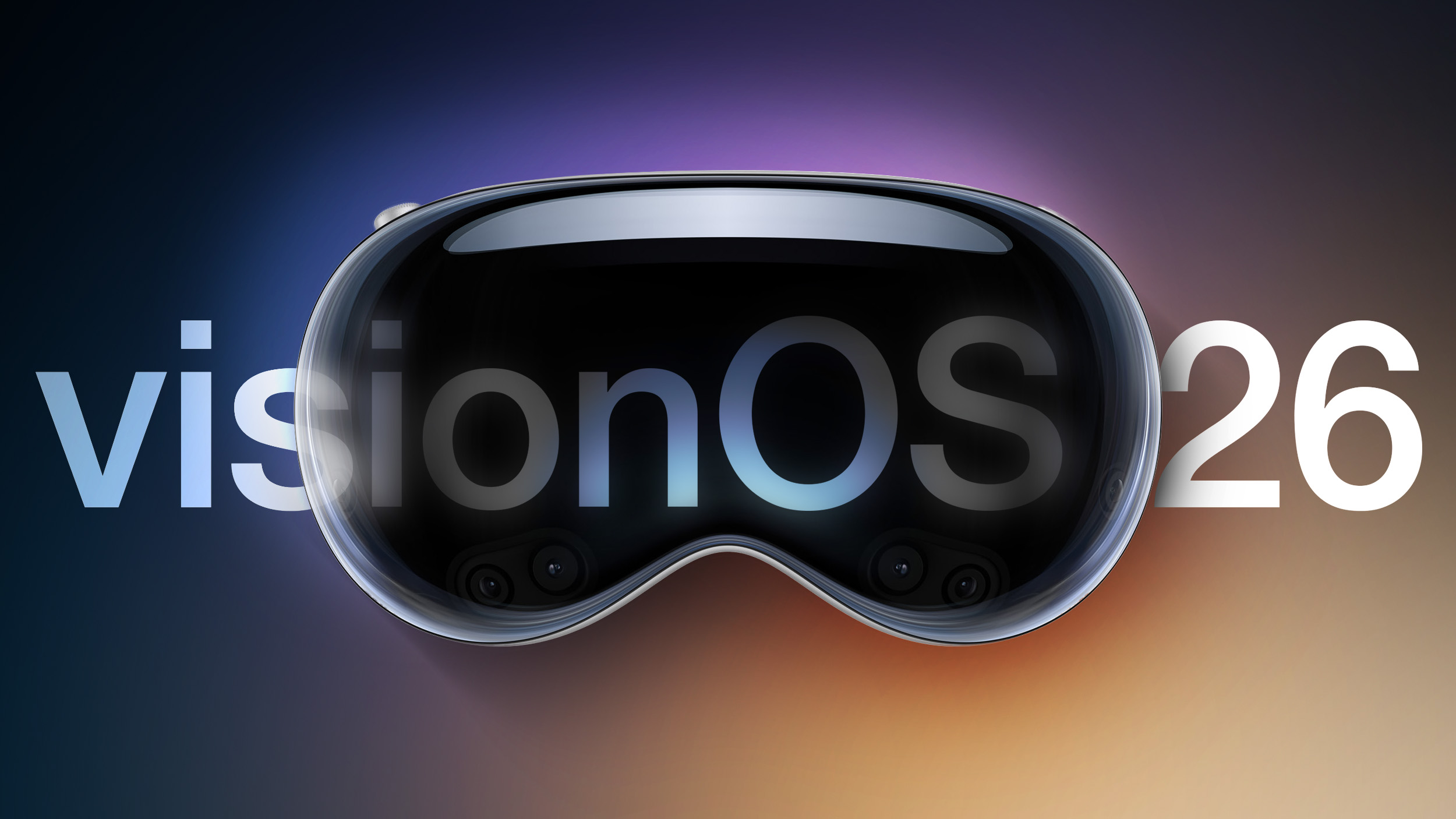
In the world of advanced technology like the Vision Pro, regular updates are key. visionOS 26.6 is highly recommended because it brings crucial bug fixes and security improvements. Think of it as a tune-up for your spatial computer, making sure it’s protected and performs at its best. Plus, it includes an important step to get your Vision Pro ready for the next major software, visionOS 27.
What's New in visionOS 26.6? Simple Enhancements for a Better Experience
While visionOS 26.6 might not introduce brand-new features you can immediately see, its updates are incredibly important. Apple's notes highlight a few key areas:
- Bug Fixes: These are like patching small holes. They fix unexpected issues that can cause apps to crash or the system to act strangely. By fixing these, your Vision Pro becomes more reliable and easier to use, ensuring your immersive experiences aren't interrupted.
- Security Improvements: This is about protecting your device and your personal information. Apple constantly works to block new threats and keep your Vision Pro safe from harm. These updates help shield your private data and ensure your device remains secure, which is especially important for a device that understands your personal space.
- Optimizing the Spotlight Index for visionOS 27: This is a preparation step for the future. Spotlight is your Vision Pro's powerful search tool. By optimizing its index now, Apple is making sure that when the much larger visionOS 27 update arrives, your search function will work faster and more efficiently right away. It suggests that visionOS 27 will bring significant changes that need this kind of groundwork, highlighting Apple's forward-thinking approach.
In short, visionOS 26.6 ensures your Vision Pro is stable, secure, and ready for the big advancements coming with visionOS 27. Updating is a simple way to get these essential benefits.
Why Updates Matter: Keeping Your Vision Pro Safe and Smooth
Regular software updates, like visionOS 26.6, are incredibly important for your Apple Vision Pro. They do much more than just add new features; they keep your advanced spatial computer performing at its best and protect your privacy. Here’s why you should always install the latest updates:
- Top-Notch Security: New digital threats emerge constantly. Updates contain vital security fixes that block these threats, keeping your personal data and your Vision Pro safe from hackers. For a device that understands your environment and movements, strong security is essential.
- Better Performance and Stability: Updates fix glitches that can make apps crash or slow down your Vision Pro. With these fixes, your device runs smoother, faster, and more reliably, leading to a much better and more immersive experience.
- Improved Efficiency: Sometimes, updates include changes that help your Vision Pro use less power, which can lead to better battery life. They also ensure the system runs as efficiently as possible.
- Ready for the Future: Updates often lay the groundwork for major upcoming features. By staying updated, your Vision Pro is always ready to embrace the next big innovations from Apple, ensuring a seamless transition to future versions like visionOS 27.
Ultimately, updating your Vision Pro ensures it remains a secure, high-performing, and cutting-edge device, ready for everything spatial computing has to offer.
Easy Steps to Install visionOS 26.6 on Your Apple Vision Pro
Updating your Apple Vision Pro to visionOS 26.6 is a simple process. Just follow these steps to ensure a smooth installation:
Before You Start:
- Charge Up: Make sure your Vision Pro has at least 50% battery or is plugged in.
- Good Wi-Fi: Connect to a strong and stable Wi-Fi network for downloading the update.
Installation Guide:
- Wear Your Vision Pro: Put on your headset to start.
- Open Settings: Find and select the "Settings" app icon.
- Go to General: Inside Settings, tap on "General."
- Choose Software Update: Select "Software Update." Your Vision Pro will then check for the new version.
- Download and Install: Follow the on-screen prompts to download visionOS 26.6. Once downloaded, choose to install it.
- Remove Your Headset: When prompted, take off your Vision Pro headset. This is important for the installation to begin.
- Watch the Progress: A progress bar will appear on the outside EyeSight display of your Vision Pro, showing the update's status. Let the process complete without interruption; your device may restart a few times.
Once the update is finished and your Vision Pro restarts, you can put it back on. Your device will now be running the latest visionOS 26.6, complete with all the essential bug fixes and security enhancements.
Understanding Apple Vision Pro: A Quick Look at Spatial Computing
The Apple Vision Pro, powered by visionOS, represents Apple's bold leap into spatial computing. This innovative device seamlessly blends digital content with your real-world environment, changing how we interact with technology.
What is Vision Pro?
Imagine your apps and movies appearing as 3D objects floating around you, instead of being confined to a screen. That's the Vision Pro. It’s an augmented reality (AR) headset controlled by your natural hand gestures, eye movements, and voice. Whether you're watching a movie on a huge virtual screen or working with multiple digital displays in your living room, the Vision Pro creates an incredibly immersive and natural experience.
The Role of visionOS
visionOS is the specially designed operating system that makes all this possible. It's built on Apple's trusted software foundations but optimized for spatial interactions. Each update, like visionOS 26.6, makes this system even better, improving everything from how virtual objects look to how smoothly your eye and hand movements are tracked.
Ways to Use Vision Pro:
- Entertainment: Experience movies and games in breathtaking new ways.
- Work and Productivity: Create a personalized workspace with endless virtual screens.
- Communication: Enjoy lifelike video calls with "Personas" that make remote interactions feel closer.
The ongoing development of visionOS ensures that the Vision Pro continues to evolve, offering new possibilities and a more refined experience with every update. It truly is a glimpse into the future of computing.
The Evolution of visionOS 26: A Story of Steady Improvement
visionOS 26.6 is the latest in a series of updates since visionOS 26 first launched in September. Being the sixth update, it highlights Apple's dedication to continuously improving its new spatial computing platform based on real-world usage and feedback.
From its initial release, visionOS 26 introduced a revolutionary way to interact with technology. As with any new platform, there were natural areas for refinement. Over the past months, through updates like 26.1, 26.2, 26.3, 26.4, and 26.5, Apple has been steadily working to make the system more robust.
These incremental updates typically bring:
- Better Performance: Making apps run faster and the system feel more responsive.
- Longer Battery Life: Optimizing the software to help your Vision Pro last longer on a charge.
- Fewer Bugs: Fixing small errors that could cause apps to misbehave or the system to glitch.
- Smoother User Experience: Fine-tuning how you interact with the Vision Pro, making gestures and controls more intuitive.
Each update, including 26.6, builds upon the last, making the Vision Pro more stable, efficient, and enjoyable to use. It’s a clear sign of Apple's long-term commitment to perfecting spatial computing, constantly enhancing the foundation for future innovations.
Looking Ahead to visionOS 27: What's Next for Vision Pro
The mention of "optimizing the Spotlight index for the upcoming visionOS 27 launch" in the 26.6 update is a clear signal from Apple about what's next for the Vision Pro. It tells us that a big update, visionOS 27, is on its way, and Apple is already laying the groundwork.
Why Prepare Spotlight Now?
Spotlight is the central search tool on your Vision Pro. Getting it ready for visionOS 27 means that the next major software update likely includes:
- New Types of Content: visionOS 27 might introduce new kinds of files or spatial data that need to be searchable.
- Smarter Search: Expect Spotlight to become even better at finding exactly what you need, perhaps with new ways to search within your spatial environment.
- Big System Changes: Major updates often involve big changes to how the operating system works. By preparing Spotlight ahead of time, Apple ensures that your search experience remains fast and smooth after the update.
What Could visionOS 27 Bring?
While we can only guess, based on Apple's history and the potential of spatial computing, visionOS 27 could deliver:
- Exciting New Features: Expect significant new ways to interact with your digital and physical worlds. This could include advanced shared spatial experiences or deeper links with other smart devices.
- More Apps: New tools for developers will likely lead to an explosion of even more powerful and immersive apps.
- Even Better Control: Refinements to hand gestures, eye-tracking, and how spatial elements look and feel, making interactions even more natural.
- Performance Boosts: Major updates usually mean faster performance, smoother animations, and potentially better battery life.
- More Ways to Personalize: Users might get more options to customize their spatial environment to their liking.
The fact that Apple is preparing for visionOS 27 now shows their long-term vision for the Vision Pro. By updating to visionOS 26.6, you're not just getting current fixes; you're also making sure your device is perfectly set up for the exciting future of spatial computing.
Protecting Your World: Security and Privacy on Vision Pro
The Apple Vision Pro, which blends digital content with your personal space, brings unique considerations for security and privacy. The "security improvements" in visionOS 26.6 highlight Apple's ongoing promise to keep your data safe on this new platform.
Why Spatial Computing Needs Special Privacy Focus:
Your Vision Pro understands a lot about your environment and how you move and look. This means:
- Knowing Your Surroundings: The device constantly scans your room. Protecting this data from being misused is crucial.
- Tracking Your Eyes and Hands: These are very personal inputs. Apple ensures this data isn't shared with apps or websites.
- Your Digital Self (Persona): The realistic digital avatars used in calls are sophisticated. They must be secure and used only with your clear permission.
How Apple Keeps You Safe:
Apple builds privacy and security into the core of visionOS:
- Data Stays on Your Device: Much of the sensitive data, like eye and hand tracking, is processed directly on your Vision Pro, not sent to the cloud. This keeps it private.
- Clear Permissions: Apps must always ask your permission before using sensitive features like your camera or microphone.
- Regular Security Updates: Updates like visionOS 26.6 are vital. They quickly fix any newly found weaknesses, acting as a shield against digital threats like malware.
These continuous security enhancements reassure Vision Pro users that their immersive experiences are not only amazing but also safe and private. Updating to visionOS 26.6 is a direct way to benefit from these protections.
Connect and Learn: The Apple Vision Pro Community
Being part of a community can greatly enhance your Vision Pro experience. Connecting with other users allows you to share tips, find solutions, and stay informed about this cutting-edge technology.
For in-depth discussions, troubleshooting help, or just to chat about the future of spatial computing, the Apple Vision Pro forums are an excellent place to start. You’ll find a supportive community ready to engage.
If you're considering buying a Vision Pro, the Vision Pro Buyer's Guide offers a balanced view to help you make an informed decision. And for all the latest news and developments, the Apple Vision Pro Roundup is your go-to resource.
We invite you to discuss this article in our forums. Share your thoughts on visionOS 26.6, your Vision Pro experiences, and what you hope to see in visionOS 27!
Conclusion: A Small Update with Big Impact
visionOS 26.6 might not be flashy, but it's a very important update for every Apple Vision Pro owner. It shows Apple's continuous effort to keep its spatial computing platform stable, secure, and ready for what's next. With essential bug fixes and security improvements, your Vision Pro stays reliable and safe for all your immersive moments.
The extra step of optimizing Spotlight for visionOS 27 is also exciting, hinting at major advancements on the horizon. We highly recommend updating your Vision Pro right away. It's an easy process that brings immediate benefits in security and performance, ensuring you're always using the best and safest version of visionOS. Every update, big or small, plays a role in making the Vision Pro a more robust and magical device.
This article, "Apple Releases visionOS 26.6" first appeared on MacRumors.com
from MacRumors
-via DynaSage
