
CalDigit TS5 and Element 5 Hub Review: Two Thunderbolt 5 Docks for Apple's Latest Macs
Unlocking Your Mac's Full Potential: A Deep Dive into CalDigit's Thunderbolt 5 Docks
In the world of Apple Macs, especially the powerful new models, connectivity is key. While Apple's designs are sleek, they often come with a limited selection of ports, leaving many users scrambling for ways to connect their essential peripherals, high-resolution monitors, and fast external storage. This is where high-quality docking stations and hubs become indispensable. CalDigit has long been a trusted name in this space, renowned for creating robust and reliable solutions that expand your Mac's capabilities.
CalDigit has recently launched two compelling options specifically designed to complement Apple's latest Macs, which feature the cutting-edge Thunderbolt 5 technology. Last summer, we explored the larger, more feature-rich CalDigit TS5 Plus, a premium 20-port behemoth priced at $500. For the past few weeks, we've had the opportunity to rigorously test its slightly more compact sibling, the 15-port TS5, which launched a little later and comes with a $400 price tag. Alongside it, we've also been putting the smaller, more travel-friendly $250 Element 5 Hub through its paces. In this comprehensive review, we'll break down what makes each of these CalDigit Thunderbolt 5 solutions stand out, helping you decide which one is the perfect fit for your workflow.
Introducing the CalDigit TS5: The Everyday Thunderbolt 5 Dock
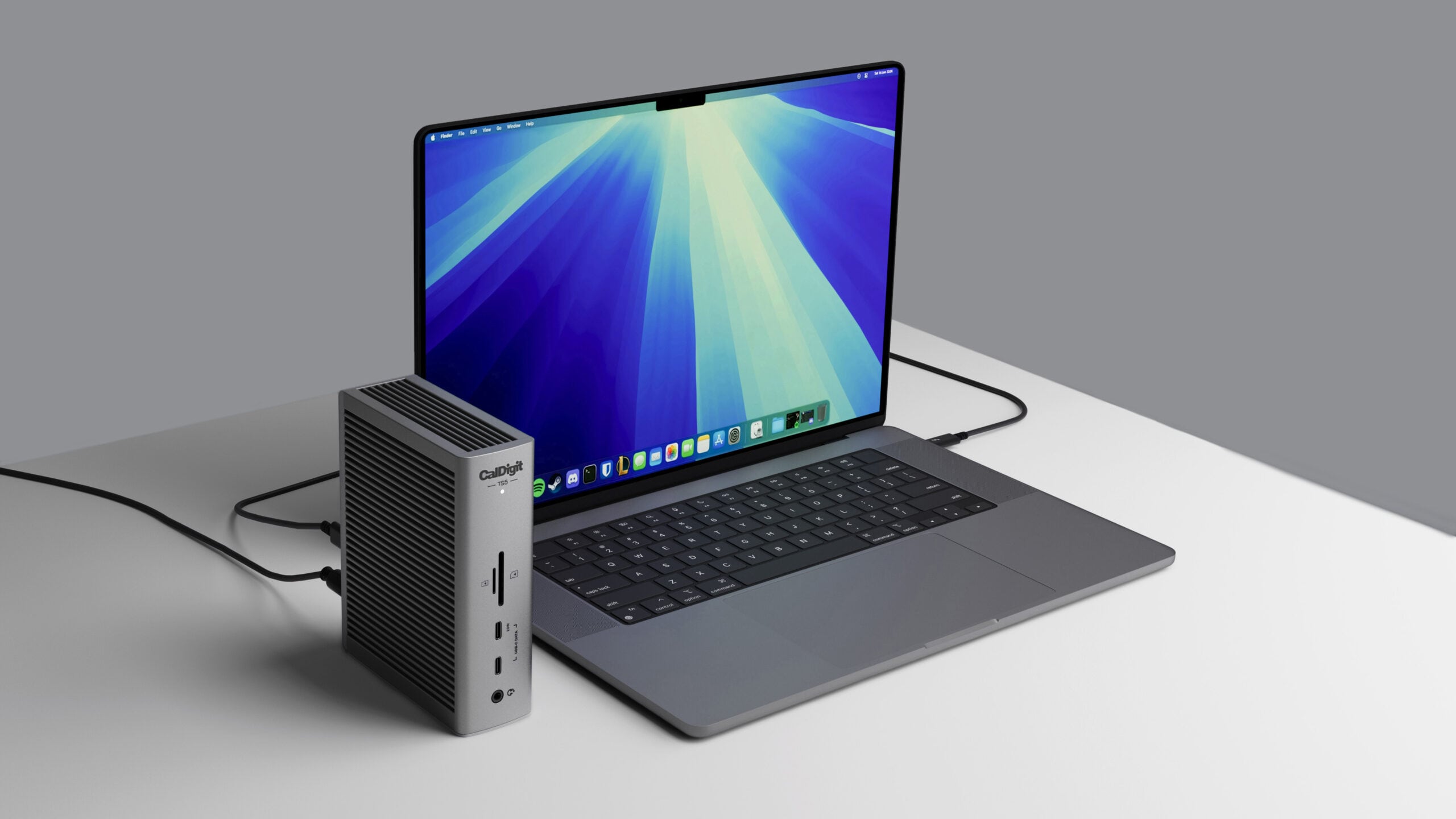
If you were to stop me on the street and ask for a recommendation for a Thunderbolt 5 dock, my immediate answer would likely be the CalDigit TS5. It strikes an excellent balance between performance, port selection, and desk footprint, making it an ideal choice for a wide range of users. Unlike some of its competitors, the TS5 boasts a fanless design, ensuring silent operation – a huge plus for anyone working in a quiet environment. Its thoughtful selection of 15 ports covers most users' needs, offering a significant expansion over what a typical Mac provides out of the box.
Why Thunderbolt 5 Matters: Powering the Future of Mac Connectivity
Thunderbolt 5 technology represents a significant leap forward in connectivity standards. It's designed to meet the increasing demands of modern professionals, particularly those working with high-resolution displays, massive data files, and multiple high-bandwidth peripherals. While the CalDigit TS5 is perfectly suited for Apple's latest Thunderbolt 5 Macs – specifically those equipped with the M4 Pro, M4 Max, M5 Pro, and M5 Max chips – its versatility extends beyond the newest hardware. Thanks to backward compatibility, the TS5 seamlessly integrates with older Thunderbolt 3 and Thunderbolt 4 Macs. This means you can invest in a future-proof dock today and still benefit from its expanded port selection, whether you're connecting extra displays or a range of accessories, regardless of your Mac's generation.
At its core, Thunderbolt 5 offers staggering data transfer speeds of up to 80 Gigabits per second (Gb/s), with a special bandwidth boost that can push this even further to an incredible 120 Gb/s specifically for displays. To put this into perspective, this is double the bandwidth offered by Thunderbolt 4. This massive increase translates directly into a smoother, more responsive experience when driving multiple high-resolution monitors, transferring gigabytes of data in seconds, or running demanding external graphics solutions. For creative professionals, gamers, or anyone pushing their Mac to its limits, Thunderbolt 5 isn't just a luxury; it's a necessity for optimal performance.
A Closer Look at the TS5's Port Selection
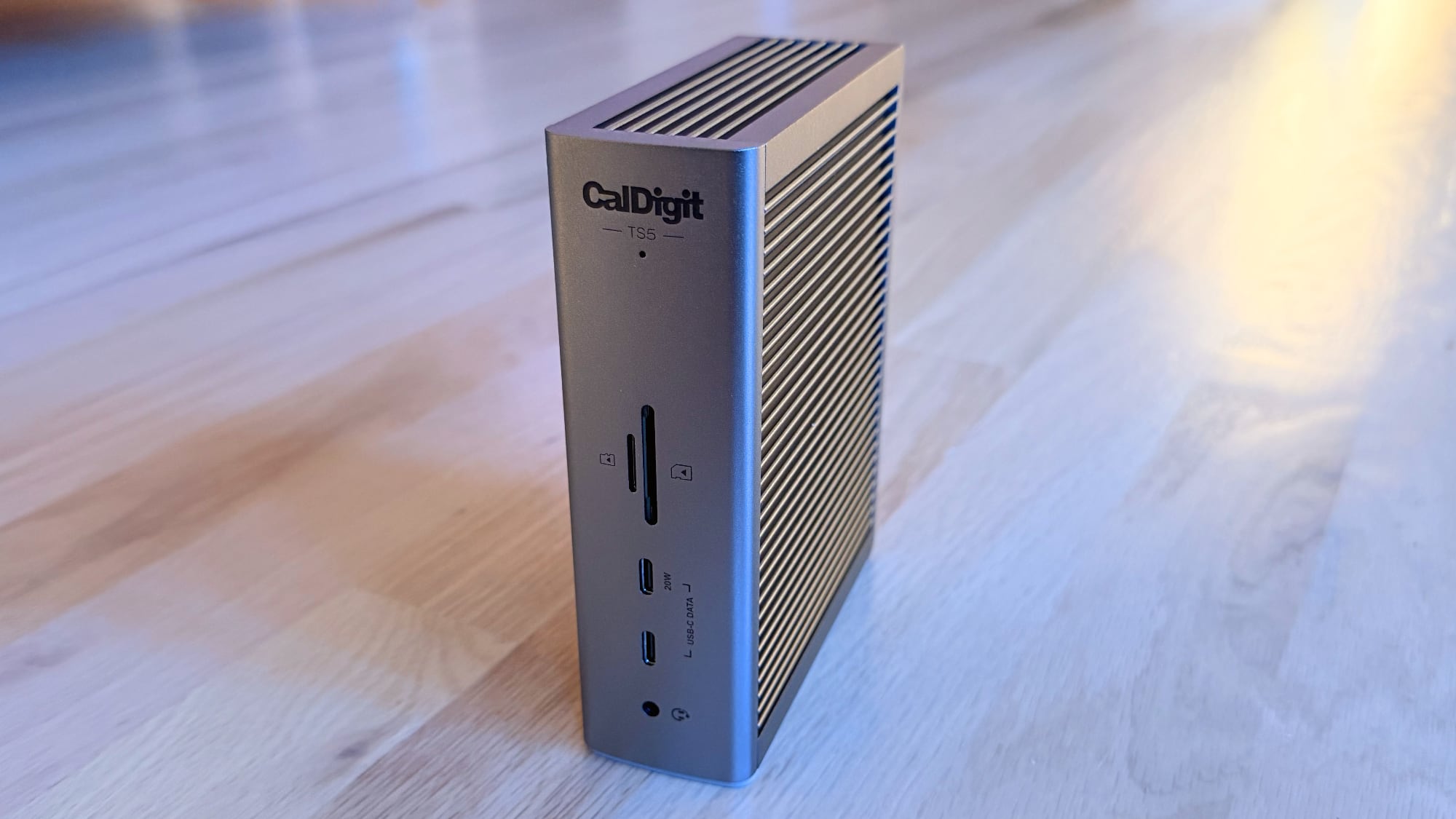
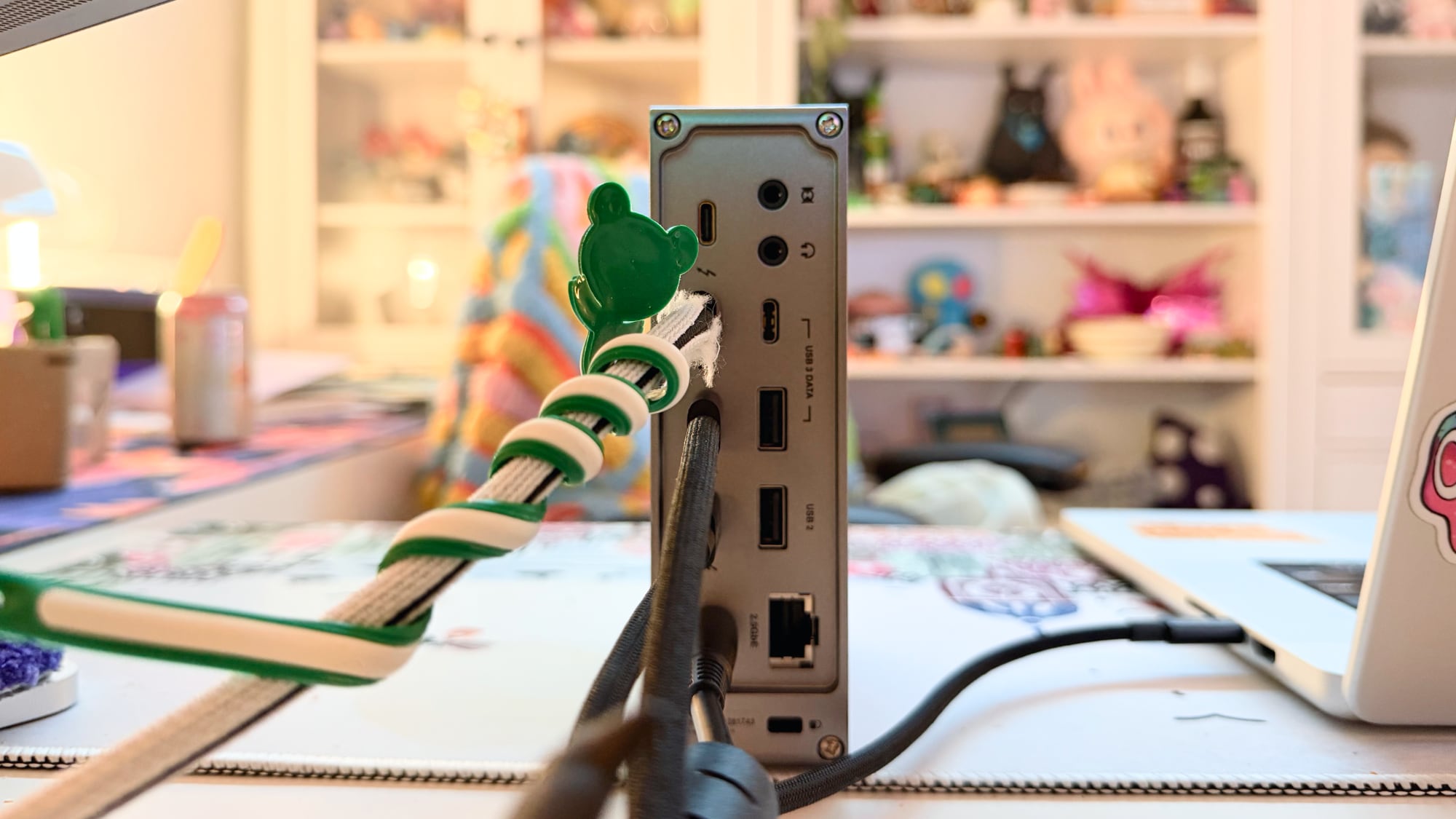
The strategic placement and variety of ports on the CalDigit TS5 are designed for maximum convenience and functionality. It offers a mix of front-facing ports for easy access to frequently used devices and rear-facing ports for a cleaner, more permanent setup.
Front-Facing Ports (For Quick Access):
- Audio Jack: A convenient 3.5mm jack for connecting headphones, earbuds, or a microphone for quick audio input/output, perfect for video calls or listening to music.
- USB-C Port (10Gb/s, 7.5W): This versatile port offers fast data transfer speeds of 10 Gigabits per second, ideal for connecting modern USB-C SSDs, flash drives, or other high-speed peripherals. It also provides 7.5 Watts of power, enough to charge smaller devices like smartphones or power certain accessories.
- USB-C Port (10Gb/s, 20W): Another high-speed USB-C port, also at 10Gb/s, but with increased power delivery of 20 Watts. This makes it suitable for charging larger devices like tablets or providing more stable power to demanding USB-C accessories.
- MicroSD Card Slot (UHS-II): An essential feature for photographers, videographers, and drone pilots, this slot supports UHS-II speeds, enabling incredibly fast transfers from your microSD cards. This means less time waiting for files to copy and more time creating.
- SD Card Slot (UHS-II): Similar to the MicroSD slot, this full-size SD card slot also supports UHS-II, providing blazing-fast data transfer for professional camera cards and other SD card-based media. This is a crucial addition for anyone dealing with large media files regularly.
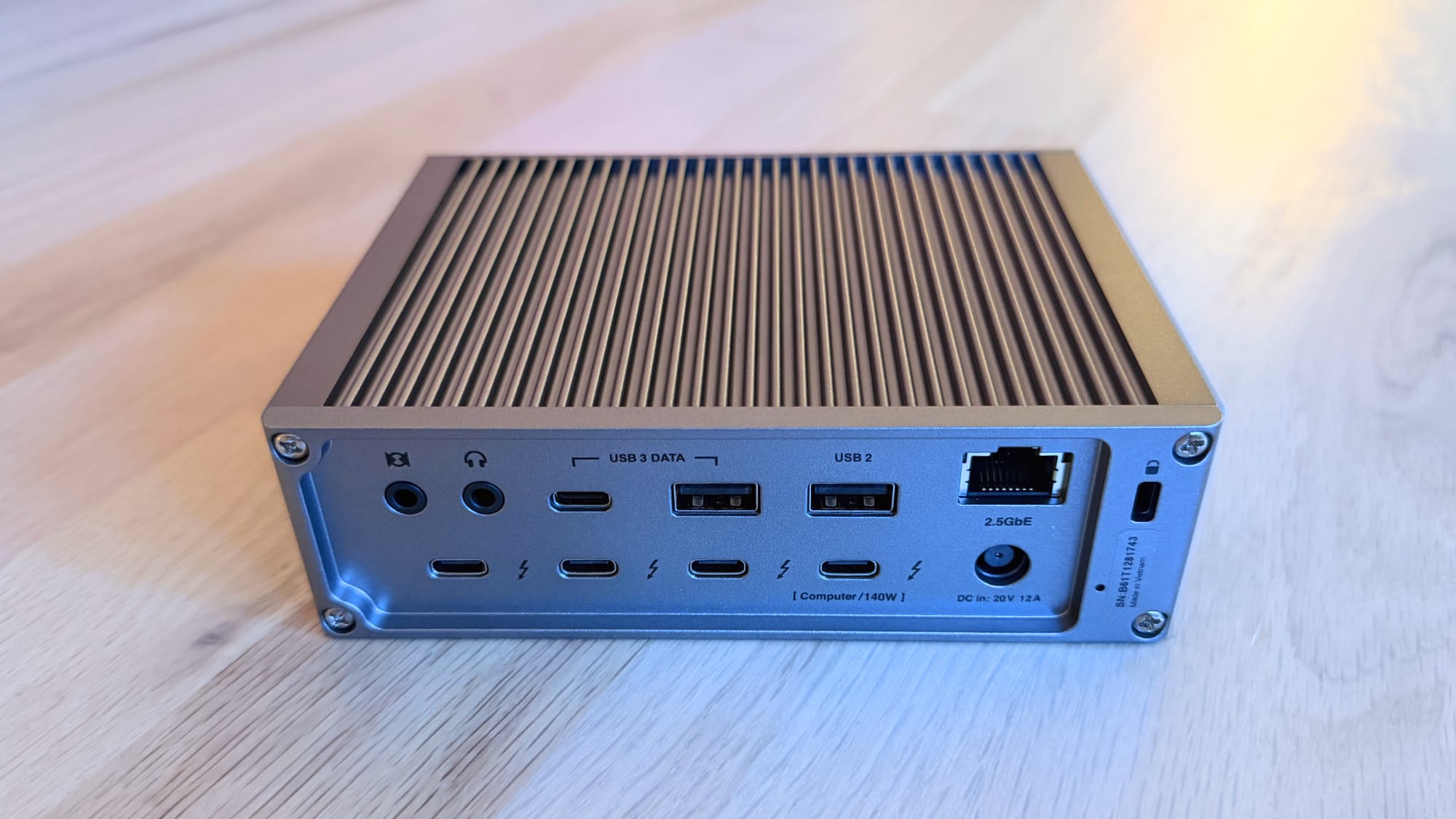
Rear-Facing Ports (For Permanent Connections):
- Audio In/Out: Separate 3.5mm jacks for dedicated audio input (e.g., a desktop microphone) and audio output (e.g., external speakers), offering more flexibility than the combined front jack.
- USB-C Port (10Gb/s, 7.5W): Another high-speed USB-C port for connecting peripherals or external drives that you might want to leave permanently attached, maintaining a tidy desk.
- USB-A Port (10Gb/s, 7.5W): For your legacy USB-A devices that still require fast data transfer. This is perfect for external hard drives, high-speed flash drives, or older peripherals that haven't transitioned to USB-C yet.
- USB-A Port (480Mb/s, 7.5W): A standard USB-A port operating at USB 2.0 speeds (480 Megabits per second). While slower, it's perfectly adequate for connecting peripherals like keyboards, mice, printers, or webcams where high-speed data transfer isn't critical.
- 2.5 Gigabit Ethernet (2.5GbE): This port provides a wired internet connection that's 2.5 times faster than standard Gigabit Ethernet. This is excellent for ensuring a stable, high-speed network connection for gaming, video conferencing, or transferring large files over a local network, offering a significant upgrade over typical Wi-Fi.
- Three Downstream Thunderbolt 5 Ports (15W Charging Each): These are the star attractions, allowing you to daisy-chain multiple Thunderbolt 5 devices, connect high-resolution displays, or link extremely fast external SSDs. Each port provides 15 Watts of power, sufficient for many Thunderbolt accessories.
- One Upstream Thunderbolt 5 Port (140W Charging): This is the port that connects directly to your Mac. Crucially, it provides up to 140 Watts of power delivery, which is more than enough to fully charge even the most power-hungry Apple notebooks, including the 16-inch MacBook Pro, ensuring your laptop stays powered throughout your workday without needing a separate charger.
TS5 vs. TS5 Plus: Understanding the Key Differences
While both the TS5 and TS5 Plus are premium Thunderbolt 5 docks from CalDigit, they cater to slightly different needs and budgets. The $500 TS5 Plus is CalDigit's top-tier offering, and it comes with a few extra features that justify its higher price point for power users. Understanding these distinctions is crucial for making the right choice:
- USB Controllers: The TS5 Plus features dual USB controllers, which means it can handle multiple high-speed USB devices simultaneously without bottlenecks. The TS5 has a single controller, which might be a minor consideration for users who frequently connect many high-bandwidth USB drives.
- Ethernet Speed: The TS5 offers 2.5 Gigabit Ethernet (2.5GbE), which is a significant upgrade over standard Gigabit Ethernet. However, the TS5 Plus takes it a step further with 10 Gigabit Ethernet (10GbE), providing even faster network speeds for professional environments or users with extreme network demands.
- DisplayPort: The TS5 does not include a dedicated DisplayPort. Instead, it relies on its Thunderbolt 5 ports for display connectivity, which are highly versatile. The TS5 Plus, however, includes a dedicated DisplayPort, which can be useful for specific monitor setups or older displays that primarily use DisplayPort.
- USB-A and USB-C Ports: For those who rely heavily on USB-A peripherals, the TS5 Plus offers a more generous selection with five USB-A ports compared to the TS5's two. Similarly, the TS5 Plus provides two more USB-C ports than the TS5.
- Downstream Thunderbolt 5 Ports: Interestingly, the TS5 actually has an advantage here, offering three downstream Thunderbolt 5 ports, whereas the higher-end TS5 Plus has only two. This means the TS5 provides greater flexibility for connecting multiple Thunderbolt devices or displays in a daisy-chain.
- Charging Power for Downstream Ports: While the TS5 provides 15W charging through its downstream Thunderbolt 5 ports, the TS5 Plus offers more robust charging. Its front USB-C port provides 36W, and its two downstream Thunderbolt 5 ports also deliver 36W each. This extra power is beneficial for charging larger accessories or ensuring more power-hungry Thunderbolt devices operate optimally.
In essence, if you need the absolute maximum in terms of traditional USB ports, dedicated DisplayPort, the fastest Ethernet, and higher power delivery for downstream devices, the TS5 Plus is the more comprehensive solution. However, the TS5 provides an excellent feature set for most users, particularly with its advantage in the number of downstream Thunderbolt 5 ports.
Design and Thermal Management: Quiet Efficiency
The CalDigit TS5 proudly continues the design language established by previous CalDigit docks. It features a sleek, space gray aluminum enclosure, a color choice that generally blends well with most modern desk setups, particularly those featuring Apple products. The ribbed texture on the top and sides isn't just for aesthetics; it plays a crucial role in heat dissipation. This thoughtful design allows the TS5 to operate entirely without a fan, meaning it's completely silent. During my extensive testing, I was genuinely impressed by how cool the TS5 remained, rarely getting beyond lukewarm even under heavy load. This is a significant improvement over the TS5 Plus, which I found ran noticeably warmer during my previous review.
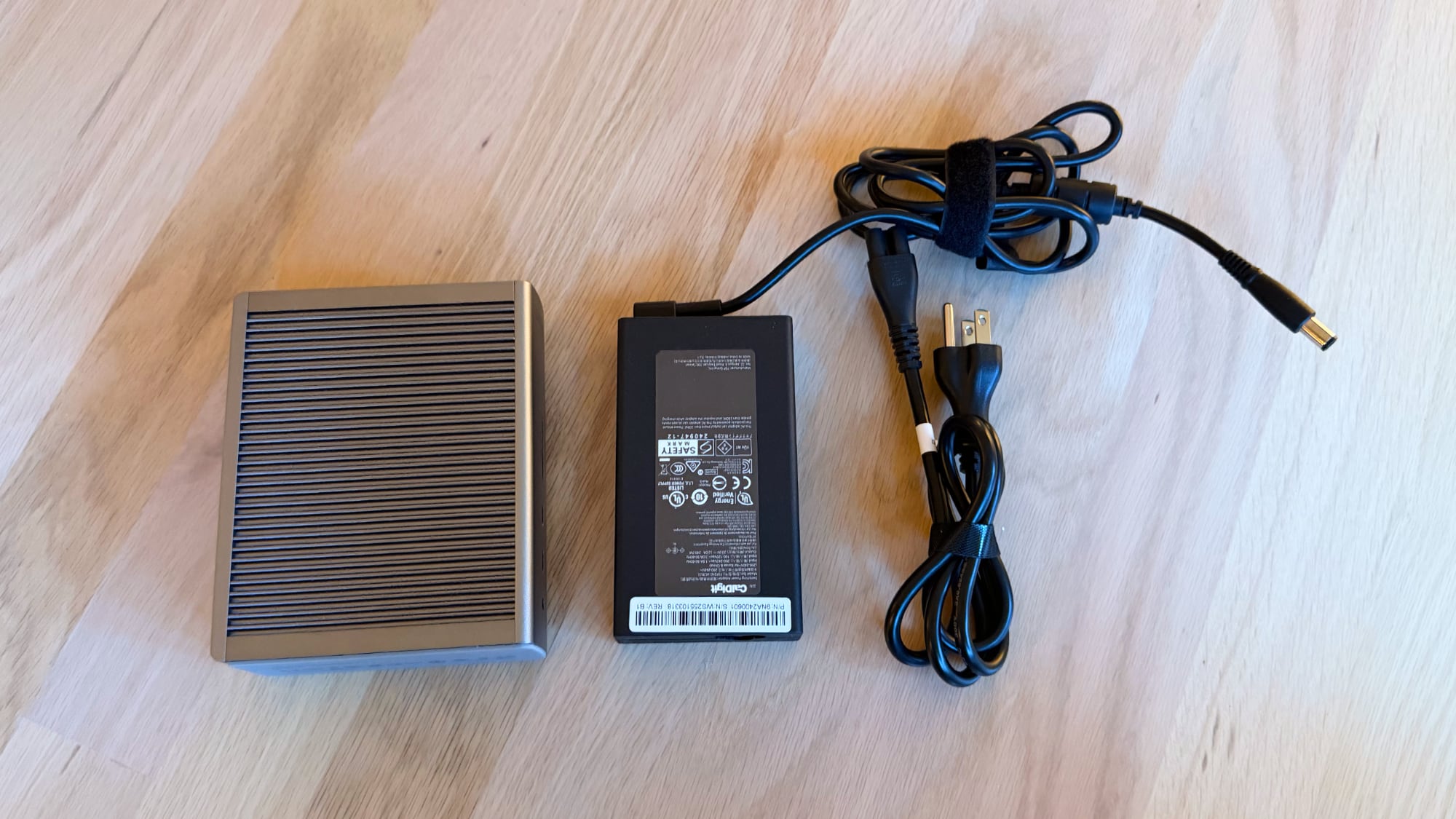
While I personally wish accessory makers would venture into more adventurous color palettes beyond the ubiquitous gray and black, the TS5's understated design is undeniably functional and discreet. It won't be the centerpiece of your desk, but it integrates seamlessly, allowing your workspace to remain professional and uncluttered. The unit itself is quite compact, measuring approximately 5.5 inches tall, 4.5 inches wide, and just under two inches thick. This allows for flexible placement, fitting comfortably under a display or positioned vertically or horizontally on your desk. It does come with a separate 240W power brick, which is standard for most high-performance Thunderbolt 5 docks given the substantial power delivery they offer to your Mac and connected devices.
CalDigit also includes a high-quality braided 1-meter Thunderbolt 5 cable, a detail that many users will appreciate. This premium cable ensures reliable connectivity and durability, a small but significant upgrade that not all dock manufacturers provide with their products.
Demystifying Display Support: CalDigit's Clear Approach
One aspect of docks and hubs that can often be confusing for the average user is understanding display compatibility – how many external monitors a dock can support, at what resolutions, and with which specific Mac model. CalDigit excels in this area by providing exceptionally clear and detailed information on its website. They offer an extensive chart that lists all Apple silicon Macs and their corresponding display support when used with the TS5. This transparency is incredibly valuable, as it removes much of the guesswork and ensures you know exactly what to expect from your setup.
As mentioned, Thunderbolt 5 is a powerhouse, offering up to 80Gb/s speeds, with a dynamic bandwidth boost to 120Gb/s specifically for displays. This advanced capability allows the TS5 to drive multiple high-resolution, high-refresh-rate displays simultaneously, truly elevating your multi-monitor workstation experience.
Here’s a breakdown of the TS5’s impressive display support, tailored to different Mac chips:
- M5 Max Chip Macs: For users with the pinnacle of Apple silicon, the TS5 can support an incredible four 6K 60Hz displays. Alternatively, it can power dual 8K 60Hz displays, dual 4K 240Hz displays (perfect for serious gamers or video editors), or four 4K displays at up to a 144Hz refresh rate. This level of versatility is unmatched and allows for highly immersive and productive workspaces.
- M5 Pro Chip Macs: With an M5 Pro Mac, the dock still delivers impressive display capabilities, supporting up to three 6K 60Hz displays. This is more than sufficient for most professional workflows.
- M4 Max or M5 Max Macs: These powerful machines can drive dual 8K 60Hz displays using the TS5, offering an incredibly sharp visual experience.
- Other Pro/Max Chips (e.g., M1 Pro/Max, M2 Pro/Max, M4 Pro): Macs with earlier Pro/Max chips are generally limited to supporting two external displays through the dock. However, these machines can still power two 6K 60Hz displays, which is excellent for most users.
- Base M-series Chips (M4 and M5): The newer base M4 and M5 chips benefit from improved display engine capabilities, allowing them to support two external displays up to 6K at 60Hz when connected via the TS5.
- Older Base M-series Chips (M1 and M2): Unfortunately, the original M1 and M2 base chips have more restrictive display support, typically only handling one external display through the dock.
- M3 Base Chip: The M3 base chip is a unique case. It supports two external displays when your Mac is in "clamshell mode" (closed lid, using external keyboard/mouse/monitor), but only one external display when the Mac's built-in screen is also open.
My own testing involved connecting a Studio Display (a 5K display) and a Studio Display XDR (another 5K display), which worked flawlessly. I also experimented with a Studio Display paired with a 32-inch 120Hz OLED display, and again, the TS5 handled both setups without any hitches, providing crisp visuals and smooth refresh rates.
It's important to note one specific limitation for potential buyers regarding 5K displays: the TS5 does not support dual LG UltraFine 5K monitors unless you are using an M5 Max MacBook Pro. If you have this specific monitor setup with an older Mac, you might need to reconsider or adjust your expectations.
A Noteworthy Hiccup: SSD Connectivity
During my testing, while the overall performance of the TS5 was excellent across various peripherals and display configurations, I did encounter an intermittent and somewhat frustrating issue with SSD recognition. Specifically, external solid-state drives (SSDs) connected to the two standard USB-C ports on the dock sometimes failed to appear on my Mac. Interestingly, a dedicated Thunderbolt 5 SSD connected to one of the Thunderbolt ports worked perfectly fine. When this problem occurred, simply unplugging and re-plugging the dock didn't resolve it; a full restart of my Mac was necessary.
Over time, the issue became less severe, with unplugging and re-plugging the dock sometimes working, but the inconsistency was definitely a hassle. Losing SSD connectivity, especially for drives used for active projects or backups, can be disruptive to a workflow. While this problem didn't occur every single time, its presence is worth noting for users who rely heavily on USB-C connected SSDs. It's unclear whether this is an isolated issue with my specific review unit, a software quirk, or a broader compatibility challenge, but it's a factor to consider.
Powering Your Devices: Host and Offline Charging
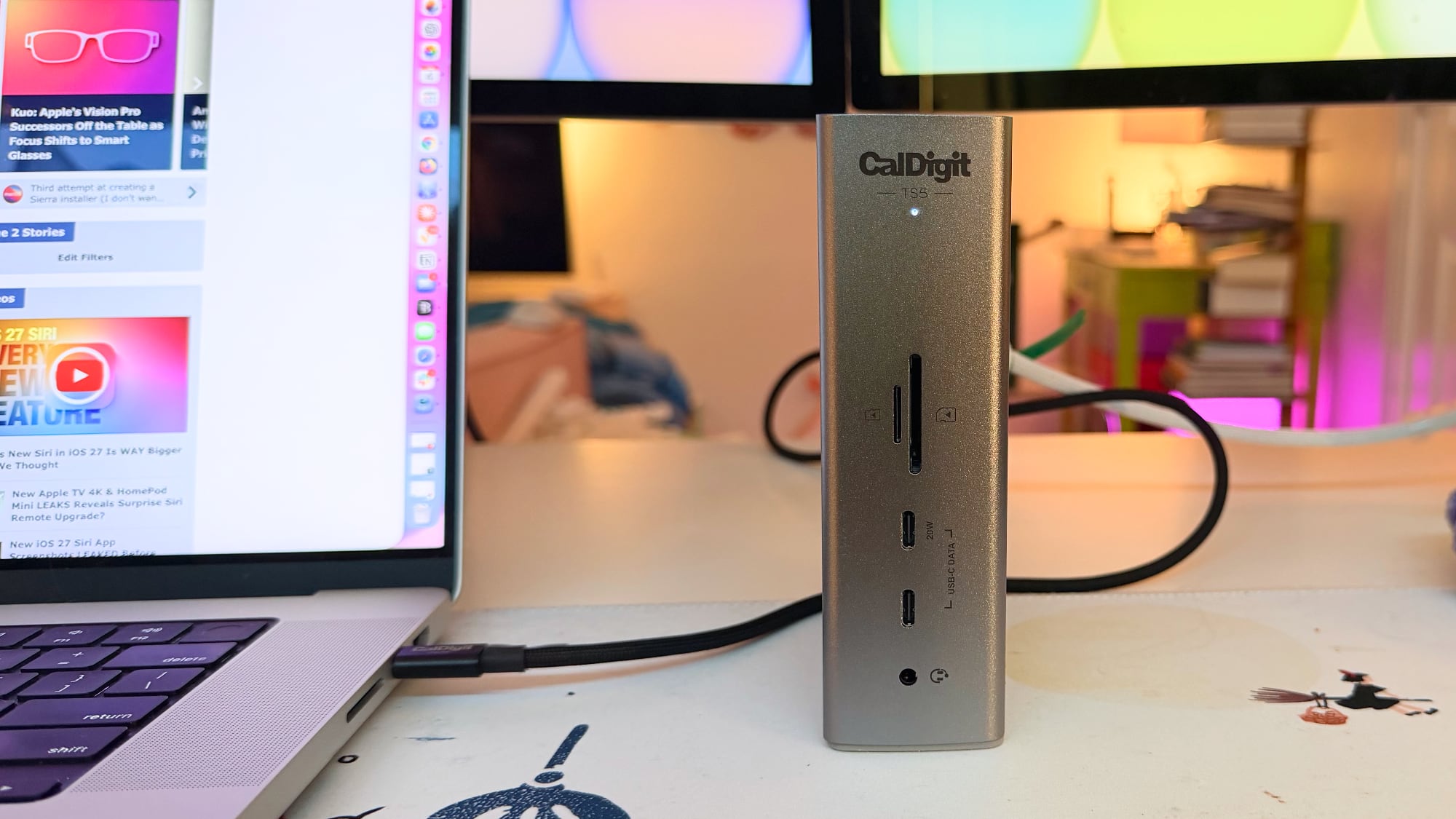
The CalDigit TS5 provides an impressive 140W of host charging through its upstream Thunderbolt 5 port. This is more than sufficient to power and charge all of Apple's current and future notebooks, including the most demanding 16-inch MacBook Pro models. This means you can keep your laptop fully charged while simultaneously using all your connected peripherals and displays, eliminating the need for your Mac's own power adapter and reducing cable clutter.
Beyond charging your Mac, the TS5 also supports offline charging. This convenient feature allows the Thunderbolt 5 ports and the 10Gb/s USB-C and USB-A ports to continue providing power to your accessories even when your Mac is disconnected from the dock. This is incredibly useful for charging your phone, headphones, or other USB-powered gadgets overnight, or simply keeping them topped up without needing your computer actively connected.
Introducing the CalDigit Element 5 Hub: Compact Powerhouse
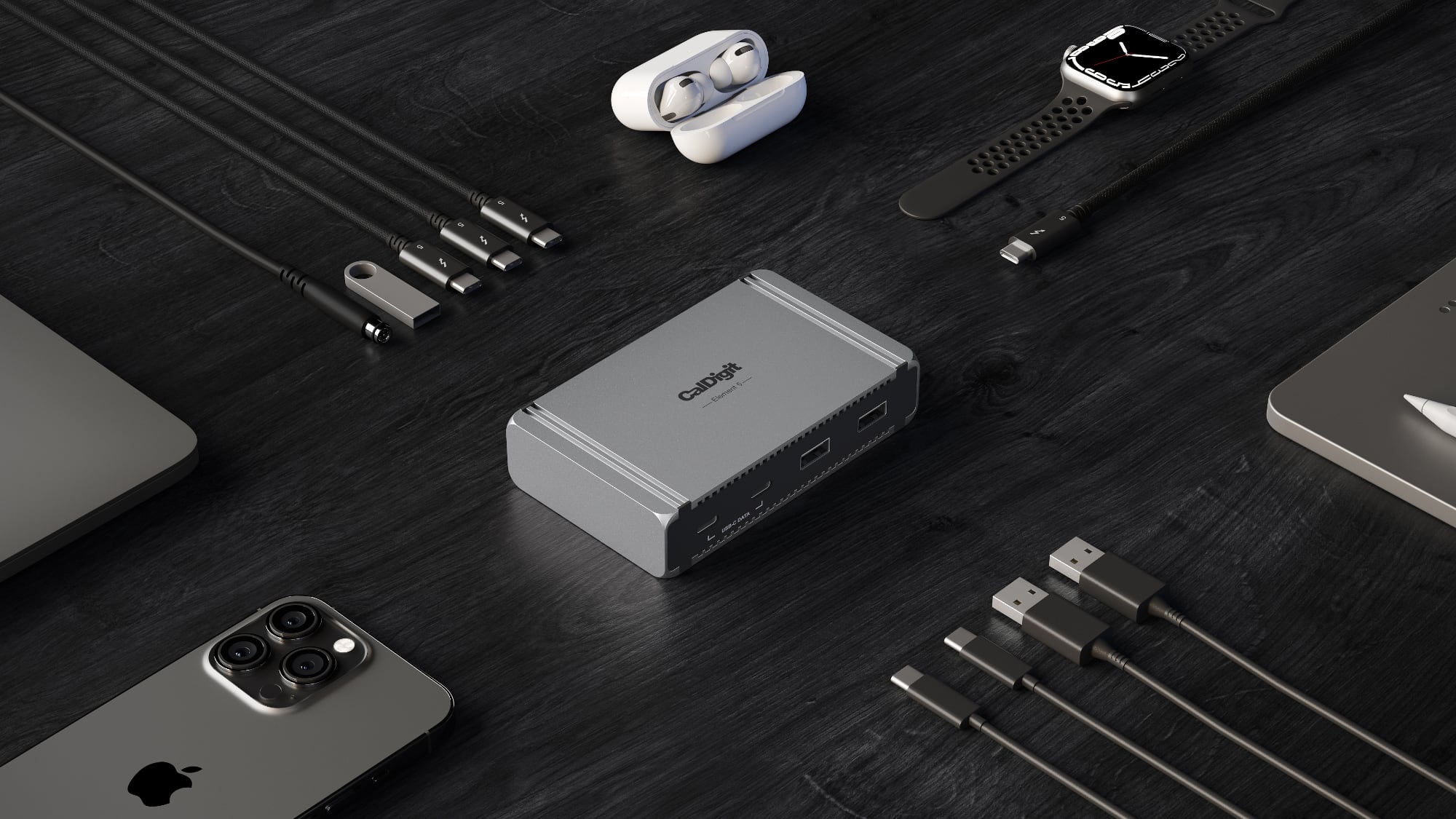
For users who appreciate minimalism and portability without sacrificing the core benefits of Thunderbolt 5, the CalDigit Element 5 Hub is an impressive contender. Priced at $250, this compact device spent a brief but impactful period on my desk, showcasing its capabilities as a powerful yet tiny solution. Its small size is truly remarkable – it's no bigger than the 180W power brick it comes with, making it an excellent choice if your primary need is essential port expansion in a tiny footprint.
Element 5 Hub: Ports and Power
Despite its diminutive size, the Element 5 Hub packs a punch in terms of connectivity:
- Four Thunderbolt 5 Ports: This includes one upstream port to connect to your Mac and three downstream ports for your Thunderbolt 5 accessories and displays. This is the same number of downstream Thunderbolt 5 ports as the larger TS5, offering surprising display flexibility for such a small device.
- Two USB-C Ports: For connecting a variety of modern USB-C peripherals.
- Three USB-A Ports: Ensuring compatibility with your existing USB-A devices like keyboards, mice, or older external drives.
The Element 5 Hub provides 90W of host charging for your connected Mac. While slightly less than the TS5's 140W, 90W is still ample power to keep a 16-inch MacBook Pro charged under most workloads, and more than enough for smaller MacBook Air or 14-inch MacBook Pro models. The downstream Thunderbolt 5 ports offer 15W each for accessories, and the USB-C ports provide 7.5W, ensuring your peripherals receive adequate power. Like the TS5, the Element 5 Hub also features offline charging, meaning its ports remain active for charging even when not connected to a host computer.
Because it offers three downstream Thunderbolt 5 ports, the Element 5 Hub is capable of driving the same number of displays as the larger TS5. This is a significant advantage for a hub of this size, making it a powerful solution for multi-monitor setups despite its compact form factor. The trade-offs, however, are fewer USB-C ports, the absence of dedicated SD card slots, and no audio jack. But if your primary requirement is Thunderbolt connectivity and a few essential USB-C/USB-A ports, the Element 5 Hub is an incredibly compelling option.

I genuinely appreciate how little space the Element 5 Hub occupies on my desk. Its tiny footprint makes it almost disappear, which is a huge benefit in a cluttered workspace. Its dimensions are approximately 2.75 inches wide, 4.5 inches long, and just an inch thick. This makes it comparable in size to a Thunderbolt 5 SSD and even smaller than an iPhone, showcasing its remarkable portability. While I do regularly use SD card slots, the sheer compactness of the Element 5 might be a worthwhile compromise for those prioritizing desk space and minimal clutter. If you're looking for an incredibly compact yet powerful Thunderbolt 5 solution, this hub is definitely worth considering.
The Bottom Line: Choosing Your CalDigit Thunderbolt 5 Companion
After thoroughly testing both the CalDigit TS5 and the Element 5 Hub, alongside my previous experience with the TS5 Plus, it’s clear that CalDigit offers high-quality solutions for various needs. Each product has its strengths, making the "best" choice highly dependent on your individual workflow and priorities.
TS5 vs. TS5 Plus: A Deeper Consideration
My personal preference leans towards the TS5 over the more expensive TS5 Plus, primarily due to the TS5's inclusion of an extra downstream Thunderbolt 5 port. This seemingly small detail makes a big difference in my setup: I can connect two high-resolution displays and still have a dedicated Thunderbolt 5 port free for an ultra-fast Thunderbolt 5 SSD. This isn't possible with the TS5 Plus, which only has two downstream Thunderbolt 5 ports. For users who prioritize extensive Thunderbolt connectivity for displays and cutting-edge storage, the TS5 offers superior flexibility in this regard.
However, the TS5 isn't without its quirks. As mentioned, I consistently encountered an intermittent issue where external SSDs connected to the dock's standard USB-C ports would not be recognized. While Thunderbolt 5 SSDs and USB-C SSDs connected via a Thunderbolt port worked fine, the inconsistency with the direct USB-C ports was a real hassle. Having to restart my Mac or unplug/re-plug the dock just to get storage recognized is not ideal for a device designed to streamline your workflow. This issue makes it challenging to wholeheartedly recommend the TS5 to users who rely heavily on USB-C connected external storage for critical work. If you plan to purchase the TS5, I strongly advise buying it from a retailer with a flexible return policy, just in case you experience similar connectivity issues.
For certain power users, the more expensive CalDigit TS5 Plus might still be the superior option. It's the better choice if your workflow demands a dedicated DisplayPort 2.1, incredibly fast 10 Gigabit Ethernet (10GbE), or an extensive number of traditional USB-A ports (five on the TS5 Plus compared to just two on the TS5). Furthermore, the TS5 Plus features dual 10Gb/s USB controllers, which is a significant advantage if you need to run multiple high-speed USB SSDs or external drives simultaneously without any performance degradation.
The Element 5 Hub: For the Minimalist Power User
If your needs are more modest and you prioritize a compact, desk-friendly solution, I wholeheartedly recommend checking out the Element 5 Hub. It's an engineering marvel for its size, managing to pack four Thunderbolt 5 ports (one upstream, three downstream), three USB-A ports, and two USB-C ports into an incredibly small footprint. It's perfect for users who need core Thunderbolt 5 capabilities for displays and high-speed devices, along with a few general-purpose USB ports, without the bulk of a full-fledged dock. Crucially, during my testing, I did not experience the same intermittent SSD connectivity problem with the Element 5 Hub (or the TS5 Plus for that matter) that plagued the TS5.
CalDigit vs. The Competition: A Silent Advantage
When comparing CalDigit's Thunderbolt 5 docks to competing options from brands like Anker and Satechi, CalDigit generally stands out for one primary reason: its fanless design. The silent operation of CalDigit docks is a significant advantage in any workspace, allowing for a focused and distraction-free environment. While other docks might offer similar port selections, the absence of fan noise is a premium feature that CalDigit consistently delivers.
However, the market is rich with excellent alternatives, each with unique strengths. If you're looking for a dock that doesn't require an external power supply, Anker's Prime Thunderbolt 5 dock is a noteworthy contender. Its ability to operate solely from bus power can be a game-changer for portability or minimalist setups. Alternatively, if aesthetics and integration with specific Apple hardware are important, Satechi's CubeDock is an interesting option, especially if you want a built-in SSD solution or a dock that visually complements your Mac mini.
Thunderbolt 4 vs. Thunderbolt 5: Investing in the Future
While Thunderbolt 4 docks are currently more affordable than their Thunderbolt 5 counterparts, the decision to opt for Thunderbolt 5 is an investment in future-proofing your setup. If you currently own a Thunderbolt 5 Mac (like the latest M4/M5 Pro or Max models) or anticipate upgrading to one within the next year or two, choosing a Thunderbolt 5 dock like the CalDigit TS5 or Element 5 Hub is highly recommended. The significant upgrade in bandwidth (double that of Thunderbolt 4) ensures that your dock will handle the demands of future high-resolution displays, even faster external storage, and more complex peripheral setups with ease, providing longevity and value for your investment.
How to Purchase Your CalDigit Thunderbolt 5 Dock
Ready to upgrade your Mac's connectivity? Both the CalDigit TS5 and Element 5 Hub are readily available through official channels:
- The CalDigit TS5 can be purchased directly from the CalDigit website or from Amazon for $400.
- The Element 5 Hub is available from the CalDigit website or from Amazon for $250.
This article, "CalDigit TS5 and Element 5 Hub Review: Two Thunderbolt 5 Docks for Apple's Latest Macs" first appeared on MacRumors.com
Discuss this article in our forums
from MacRumors
-via DynaSage
