
Notepad++ Mac Port Renamed Nextpad++ After Trademark Row
From Controversy to Creation: The Nextpad++ Story – A Native Mac Editor Rises
The world of software development is often filled with innovation, passion, and sometimes, unexpected twists. For years, users on Apple's macOS platform have envied their Windows counterparts for one particular tool: Notepad++. This lightweight yet powerful code editor has carved out a niche as an indispensable utility for developers, writers, and power users alike. Its absence on Mac has been a long-standing point of contention and desire.
Recently, a glimmer of hope appeared for Mac users with the emergence of an unofficial port. However, this promising development was quickly overshadowed by a significant legal challenge. The original developer of Notepad++, Don Ho, raised concerns over trademark infringement. What followed was a public dispute, an important discussion about intellectual property in the open-source community, and ultimately, a peaceful resolution that led to a rebrand. This is the story of how an eagerly awaited Mac application, initially caught in a legal tangle, found its new identity as Nextpad++, promising a familiar experience to a new audience.
The Enduring Legacy of Notepad++: A Windows Workhorse
To truly understand the excitement and the subsequent controversy surrounding its Mac port, one must appreciate the phenomenon that is Notepad++. Launched in 2003 by Don Ho, Notepad++ quickly distinguished itself from the basic text editors prevalent at the time. It wasn't just a Notepad replacement; it was a significant upgrade, offering a robust set of features that catered specifically to developers and advanced users.
What Made Notepad++ So Popular?
Its appeal lies in a combination of factors that, even two decades later, continue to make it a go-to tool for millions:
- Lightweight and Fast: Unlike many modern IDEs (Integrated Development Environments) that can be resource-intensive, Notepad++ is famously nimble. It launches quickly, consumes minimal memory, and performs operations at lightning speed, making it ideal for quick edits or working on older hardware.
- Syntax Highlighting: A cornerstone feature for any code editor, Notepad++ supports syntax highlighting for dozens of programming, scripting, and markup languages. This visual cue makes code much easier to read and understand, differentiating keywords, comments, strings, and more with distinct colors.
- Tabbed Interface: The ability to open multiple files in separate tabs within a single window was revolutionary for many users, greatly improving workflow and organization compared to single-document interfaces.
- Powerful Search and Replace: Beyond simple text searches, Notepad++ offers robust regular expression support, allowing users to perform complex find and replace operations across single files or entire directories. This is invaluable for refactoring code or making large-scale text manipulations.
- Plugin Architecture: A thriving plugin ecosystem extends Notepad++'s functionality far beyond its core features. Users can add FTP clients, spell checkers, code auto-completion tools, and much more, tailoring the editor to their specific needs.
- Open Source and Free: Being open-source and freely available under the GPL license contributed immensely to its widespread adoption. This philosophy fostered a strong community around the software, encouraging contributions and transparency.
- Customization: Users can personalize almost every aspect of the editor, from color schemes and fonts to keyboard shortcuts and toolbar buttons, creating a truly bespoke working environment.
Don Ho's dedication to the Windows platform ensured that Notepad++ remained optimized and feature-rich for its primary user base. For years, this meant that Mac users, despite their fervent desire, had to look for alternatives or resort to virtual machines to access their beloved editor.
The Mac Dilemma: A Long-Awaited Port
The yearning for a native Notepad++ experience on macOS wasn't just a niche demand; it was a persistent plea across developer forums and tech communities. Mac users, many of whom are also developers or power users, recognized the efficiency and simplicity Notepad++ offered, a combination not always perfectly replicated by native Mac alternatives.
Why the Delay? Technical Hurdles and Developer Focus
Porting a complex application like Notepad++ from Windows to macOS is no trivial task. The two operating systems are fundamentally different in their underlying architectures and UI frameworks. Notepad++ relies heavily on Windows-specific APIs (Application Programming Interfaces) and libraries, most notably the Scintilla editing component, which itself is often integrated with Win32 API calls.
- Windows-Centric Architecture: The original Notepad++ was built from the ground up for Windows, leveraging its native controls and system calls. Replicating this behavior on macOS would require extensive re-engineering, not just a simple recompile.
- UI Frameworks: macOS applications typically use Apple's Cocoa framework (Objective-C or Swift), which is vastly different from the Win32 API or MFC (Microsoft Foundation Classes) used on Windows. Building a native Mac app means adhering to Apple's Human Interface Guidelines, ensuring it "feels" like a Mac application.
- Scintilla Integration: While Scintilla itself is cross-platform, its integration into a specific UI framework (like Win32 or Cocoa) requires dedicated effort. Adapting Scintilla to work seamlessly within a Cocoa application takes considerable development work.
- Developer Resources: Don Ho, as the primary developer, understandably focused his efforts on the Windows version, ensuring its stability, security, and feature set. Diverting resources to build and maintain a completely separate macOS version would be a massive undertaking, potentially impacting the quality of the primary Windows product.
While Mac users had excellent alternatives like Sublime Text, Visual Studio Code, Atom, BBEdit, and TextMate, none perfectly captured the specific blend of lightweight performance, customization, and open-source ethos that defined Notepad++. The demand for a true, native Notepad++ on Mac remained strong, fueling the hope that one day, such a project would materialize.
The Unofficial Arrival: Hope and Immediate Controversy
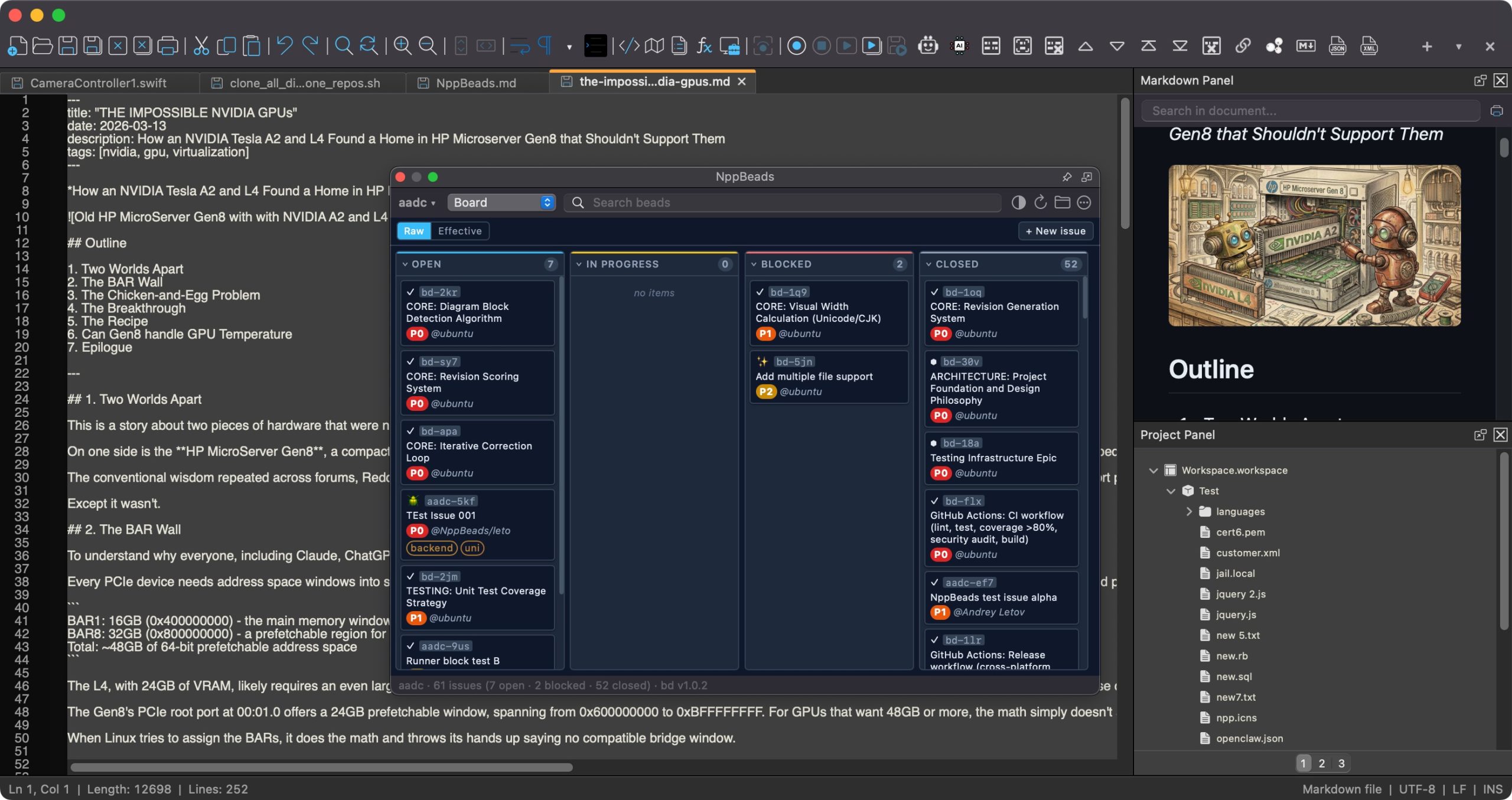
This long-standing desire for a Mac version reached a fever pitch last month when Andrey Letov released an application dubbed "Notepad++" for macOS. The news spread like wildfire through tech communities. Finally, it seemed, Mac users had their beloved editor.
The Release and Initial Reception
Andrey Letov’s initiative was met with initial excitement. Users flocked to download and try out the new port, eager to experience the familiar interface and powerful features on their Apple machines. For many, it felt like a significant moment, bridging a long-standing gap in the macOS software ecosystem. The application was presented as a direct port, even including details such as Don Ho's name and biography on its author page, implying a direct connection or endorsement from the original creator.
The Trademark Tangle: A Call for Protection
However, the celebration was short-lived. The use of the "Notepad++" name and associated branding, without explicit authorization, quickly drew the attention of Don Ho, the original creator. Ho publicly expressed his strong objection, citing clear trademark violation. Trademarks are crucial for brand protection; they identify the source of goods or services and prevent consumer confusion. For an open-source project like Notepad++, the name itself is a valuable asset, representing years of development, community trust, and user recognition.
Don Ho's objections were specific and pointed:
- Unauthorized Name Usage: The most significant point of contention was the direct use of "Notepad++," a registered trademark, for an application he had no involvement in creating or endorsing. This could mislead users into believing it was an official product.
- Inclusion of Personal Details: The fact that Letov's app included Don Ho's name and biography on its author page further compounded the issue. This wrongly suggested that Ho was directly involved or had approved the port, blurring the lines of authorship and responsibility.
- Protection of Intellectual Property: For creators, protecting intellectual property is paramount. Allowing an unauthorized port to use the same name could dilute the brand, confuse users, and potentially open the door for malicious clones or subpar versions that would reflect negatively on the original project.
- Maintaining Quality Control: While open-source projects thrive on community contributions, maintaining quality control and ensuring a consistent user experience are also vital. An unofficial port, especially one using the original name, could tarnish the reputation of the original if it introduced bugs or security vulnerabilities.
Publicly objecting to the unofficial app's use of his trademark, Don Ho initiated a necessary dialogue, highlighting the importance of respecting intellectual property, even within the typically collaborative open-source world. This move underscored that while the spirit of sharing and community is vital, it must operate within legal frameworks that protect creators and consumers.
From Dispute to Dialogue: The Rebirth as Nextpad++
The public objection from Don Ho created a moment of uncertainty. Would the Mac port be forced to shut down? Would the dream of a native Notepad++ for macOS evaporate? Fortunately, the story took a positive turn. Instead of escalating into a prolonged legal battle, a resolution was found through dialogue and mutual understanding.
Settling the Dispute: A Collaborative Spirit
The details of the discussions between Andrey Letov and Don Ho were not widely publicized, but the outcome speaks volumes about a shared commitment to the open-source ethos and respect for intellectual property. The core issue was not the existence of a Mac port itself, but rather the unauthorized use of a protected brand. Once this distinction was clarified, a path forward became clear: rebranding.
The agreement reached led to the application being renamed Nextpad++. This new name gracefully addresses the trademark concerns while still paying homage to its inspiration. The "Next" suggests a continuation, an evolution, and a look towards the future, while retaining the "pad++" familiar to millions of users. It’s a clever rebranding that communicates both lineage and independence.
Nextpad++: An Independent Community Port
With the dispute settled, the focus shifted entirely to the newly christened Nextpad++. The official website for Nextpad++ underwent a thorough update, now clearly stating its new identity and purpose. It proudly declares itself an "open-source and independent community port of Notepad++ to macOS." This statement is crucial:
- Open-Source: Reinforces transparency, allowing anyone to inspect the code, contribute, and verify its integrity. This aligns with the original Notepad++'s philosophy.
- Independent Community Port: Emphasizes that this is a project driven by the community, specifically for macOS, and operates separately from the official Windows Notepad++ project. This distinction clarifies its relationship with Don Ho's original work while celebrating its roots.
Andrey Letov's updated About page provides further technical details, painting a picture of a robust, natively built Mac application. It describes the project as a Mac port of the Notepad++ GPL codebase, indicating that it leverages the core logic and features that made the Windows version so successful.
Under the Hood: Technical Foundations of Nextpad++
The technology stack chosen for Nextpad++ is significant for Mac users:
- Objective-C++: This programming language allows developers to combine the object-oriented features of Objective-C (the primary language for macOS and iOS apps for many years) with the power and performance of C++. This choice is often made when integrating C++ libraries (like Scintilla) into a Cocoa application, allowing for a native Mac user interface while leveraging existing C++ codebases.
- Scintilla: As the core text editing component that powers Notepad++, Scintilla is a testament to its functionality. Its inclusion means that the Mac port aims to replicate the advanced editing capabilities – syntax highlighting, code folding, margin annotations – that users expect. Integrating Scintilla within a Cocoa environment is a key technical achievement for Nextpad++.
- Cocoa: Apple's native application framework for macOS. Building with Cocoa ensures that Nextpad++ integrates seamlessly with the macOS environment, adhering to its visual design, system services, and user experience paradigms. This promises a true "Mac-like" feel, rather than a mere cross-platform wrapper.
- Universal Binary: Perhaps one of the most forward-thinking aspects of Nextpad++ is its distribution as a universal binary. This means the application contains code optimized for both Apple silicon (M1, M2, M3 chips) and older Intel-based Macs. Users don't need to worry about compatibility; the app will run natively and efficiently on virtually any modern Mac, taking full advantage of the underlying hardware's performance.
And, of course, a new app deserves a new look. Nextpad++ also boasts a new icon, visually separating it from its predecessor while maintaining a professional and recognizable aesthetic. This complete package – a new name, clear independent identity, and solid technical foundation – marks the true beginning of Nextpad++'s journey on macOS.
The Critical Eye: John Gruber's "Unholy" Assessment
While the Mac community generally welcomed the resolution and the arrival of Nextpad++, not all reactions were universally positive. John Gruber, a highly respected and influential voice in the Apple ecosystem through his Daring Fireball blog, offered a rather candid and somewhat scathing assessment. His reaction, though perhaps harsh, provides valuable insight into the expectations and standards within the macOS development community.
"Less Than Charmed" and "Unholy"
Gruber described the app as feeling "unholy," a strong word often used to convey a sense of something being fundamentally wrong or out of place within the Mac user experience. To seasoned Mac users and developers, a native application isn't just about functionality; it's about adhering to a certain aesthetic, responsiveness, and interaction model that defines the platform. An "unholy" app often means it feels alien, clunky, or simply doesn't conform to these long-established expectations.
This feeling can stem from several factors:
- UI/UX Inconsistencies: A common pitfall for cross-platform ports or rapidly developed native apps is failing to adopt macOS-specific UI elements and interaction patterns. Buttons might look or behave differently, menus might be oddly organized, or keyboard shortcuts might not align with Mac conventions.
- Performance Anomalies: While the goal of a native port is performance, early versions can sometimes exhibit unexpected lag, strange redraw issues, or excessive resource consumption if optimization is still ongoing.
- Non-Native Elements: Even with Cocoa, if core components are merely wrapped or emulated rather than deeply integrated, the app can lose that "native" sparkle that Mac users often cherish.
The "AI Vibe-Coding Tools" Speculation
Further adding to his critique, Gruber suggested that the rapid port could only have been built with "AI vibe-coding tools." This comment, while possibly hyperbolic, points to a deeper concern about the quality and thoughtful craftsmanship of the application. Given that development reportedly began on March 10 – just over two months before the rebranding announcement – the speed is indeed remarkable.
What might "AI vibe-coding" imply in this context?
- Lack of Human Polish: It could suggest that the app feels generic, lacking the subtle touches, attention to detail, and intuitive design that come from experienced human developers meticulously crafting a user experience.
- Automated, Not Optimized: If AI tools were heavily involved, it might imply that code was generated quickly but perhaps not optimally, leading to inefficiencies or less-than-ideal architectural choices.
- Quick Assembly vs. Deep Integration: The speed might suggest that existing components were assembled rapidly, rather than being deeply integrated and re-thought for the macOS environment from the ground up.
It's important to remember that such criticisms, especially from a figure like Gruber, serve to hold developers to a high standard. While challenging to hear, they can also act as a catalyst for improvement. Rapid development is often a hallmark of open-source projects, driven by passion and quick iteration. The initial version of any application, particularly a complex port, is rarely perfect. The true test of Nextpad++ will be how its developers address such feedback and continue to refine the application over time, evolving it into a truly "Mac-native" experience that not only functions well but also feels right to even the most discerning users.
The Road Ahead for Nextpad++: Community, Evolution, and Competition
The journey of Nextpad++ is just beginning. Having successfully navigated the treacherous waters of trademark disputes and established its independent identity, the focus now shifts entirely to development, refinement, and carving out its niche in the competitive macOS text editor landscape.
Community-Driven Development
As an "open-source and independent community port," Nextpad++ has the potential to thrive on the collaborative efforts of developers and users. This model typically involves:
- Bug Reporting and Fixing: Early versions of any software inevitably have bugs. A strong community can quickly identify issues, contribute fixes, and improve stability.
- Feature Contributions: Developers passionate about specific functionalities can contribute new features, expanding the editor's capabilities beyond its initial scope.
- Localization: Community members can help translate the interface into various languages, making Nextpad++ accessible to a global audience.
- Documentation: Comprehensive user guides and developer documentation are essential for long-term success, and the community can play a vital role in creating and maintaining these resources.
The success of many open-source projects, including the original Notepad++, is built on this foundation of collective effort. Nextpad++ will need to foster an active and welcoming community to ensure its continued growth.
Evolving Towards a True Mac Experience
Addressing criticisms like John Gruber's will be key to Nextpad++'s evolution. This means a continuous effort to:
- Refine UI/UX: Iterating on the user interface to align more closely with macOS Human Interface Guidelines, ensuring a familiar and intuitive experience for Mac users.
- Optimize Performance: Further optimizing code for Apple silicon and Intel Macs, ensuring the app remains as lightweight and fast as its Windows inspiration.
- Deep Cocoa Integration: Exploring deeper integration with macOS system services, such as Quick Look, Services menu, and perhaps even iCloud document syncing.
- Plugin Ecosystem: While replicating the entire Windows Notepad++ plugin ecosystem might be challenging, fostering a new, Mac-native plugin architecture or adapting popular plugins would be a significant step.
Competing in a Crowded Field
Nextpad++ enters a macOS market that is already rich with powerful and popular text editors and IDEs. Its main competition includes:
- Visual Studio Code: Hugely popular, free, open-source, and highly extensible, albeit cross-platform (Electron-based) rather than purely native.
- Sublime Text: Fast, powerful, and highly customizable, with a strong following, but proprietary.
- BBEdit/TextWrangler: Long-standing native Mac editors known for their robustness and text manipulation power (BBEdit is paid, TextWrangler discontinued).
- Atom: Another Electron-based editor, once very popular but now less actively developed.
Nextpad++'s unique selling proposition will be its lineage to Notepad++ and its commitment to a native macOS experience, potentially appealing to users who specifically miss the Notepad++ workflow and prefer a non-Electron solution.
Conclusion: A New Chapter for Mac Text Editing
The journey of Notepad++ to macOS, culminating in the rebrand to Nextpad++, is a fascinating narrative of technological aspiration, intellectual property challenges, and community-driven resolution. It highlights the enduring demand for powerful, lightweight editing tools and the complex dynamics of bringing beloved software to new platforms.
From the initial excitement of an unofficial port to the necessary, albeit challenging, trademark dispute, and finally to its rebirth as Nextpad++, this application represents a significant moment for Mac users. It's an open-source project built with modern Apple technologies like Objective-C++, Scintilla, and Cocoa, distributed as a universal binary ready for all contemporary Macs.
While early critical assessments may point to areas for improvement, this is often the nature of ambitious open-source projects. The opportunity for Nextpad++ to evolve, mature, and establish itself as a truly indispensable native Mac text and code editor is immense. Its success will depend on continued development, a responsive community, and its ability to refine the user experience to meet the high standards of the macOS platform.
Have you tried out Nextpad++ for Mac? What are your first impressions? Do you think it lives up to the Notepad++ legacy? Or does it carve out its own unique identity for macOS users? Let us know what you think in the comments below!
This article, "Notepad++ Mac Port Renamed Nextpad++ After Trademark Row" first appeared on MacRumors.com
Discuss this article in our forums
from MacRumors
-via DynaSage
