
Apple Releases New Firmware for AirPods Max 2
Apple Updates AirPods Max 2: What You Need to Know
Apple has just released a new software update, known as firmware, for its high-end headphones, the AirPods Max 2. This new version is 8E258, which is a small step up from the previous 8E251 firmware that was available right before the AirPods Max 2 officially launched. While Apple doesn't always provide a detailed list of changes for these updates, they typically focus on making your headphones work better by fixing small issues and improving overall performance.
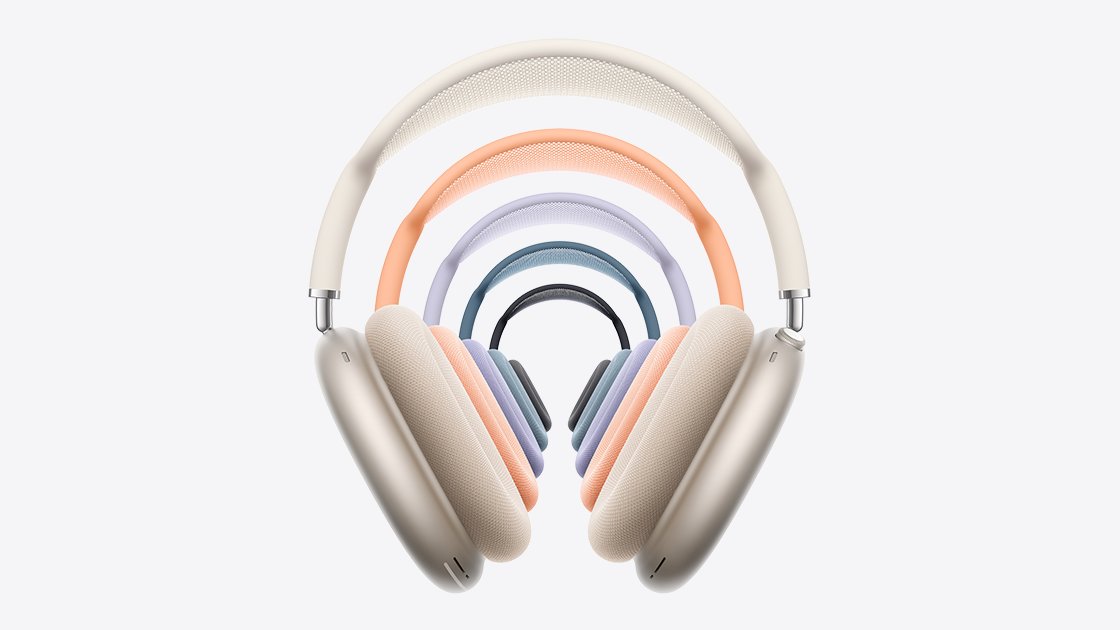
What's New with the AirPods Max 2?
The AirPods Max 2 are quite special, thanks to their advanced H2 chip. This chip is a big improvement over the H1 chip found in older models, bringing a host of exciting new features designed to enhance your listening experience and how you interact with your audio. Some of these notable features include:
- Live Translation: Imagine having conversations in different languages, with your AirPods helping you understand in real-time.
- Adaptive Audio: Your headphones can now intelligently adjust the sound based on your surroundings, ensuring you always get the best audio experience without needing to manually change settings.
- Loud Sound Reduction: This feature helps protect your ears by automatically lowering the volume of very loud noises around you, making your listening experience safer and more comfortable.
- Voice Isolation: When you're on a call, Voice Isolation works to make your voice clearer by reducing background noise, so the person on the other end hears you, not the distractions around you.
- And More: Beyond these main features, the H2 chip powers various other improvements that make the AirPods Max 2 smarter and more capable in day-to-day use.
These features collectively make the AirPods Max 2 a truly premium audio device, offering a blend of high-fidelity sound with cutting-edge smart technology.
How to Update Your AirPods Max 2 Firmware
Updating the software on your AirPods Max 2 is a straightforward process, though it requires a bit of patience. Here’s a simple guide to ensure your headphones are running the latest firmware:
- Stay Close to Your Apple Device: First, make sure your AirPods Max are within Bluetooth range of your iPhone, iPad, or Mac. They need to be connected to one of these devices via Bluetooth.
- Connect to Wi-Fi: Ensure the Apple device (iPhone, iPad, or Mac) you're using is connected to a stable Wi-Fi network. This is crucial for downloading the update.
- Plug In Your AirPods Max: Connect your AirPods Max to power using a USB-C cable. This helps ensure they don't run out of battery during the update process, which could interrupt it.
- Maintain Bluetooth Connection and Wait: Keep your AirPods Max within Bluetooth range of your Apple device. It’s best to simply leave them alone for at least 30 minutes. The update happens automatically in the background.
- Check the Firmware Version: After waiting, reconnect your AirPods Max to your Apple device. You can then check the firmware version to confirm the update has been installed. You can typically find this information in your device's settings under Bluetooth, by tapping the "i" icon next to your AirPods Max.
If, for any reason, the firmware doesn't seem to install correctly, Apple suggests restarting your AirPods Max 2 and trying the process again. A simple restart can often resolve minor glitches and allow the update to proceed smoothly.
Why Firmware Updates Matter
Firmware updates are like software updates for your physical devices. They are important because they bring various improvements, even if they aren't always visible or explained in detail. These can include:
- Bug Fixes: Addressing small issues or glitches that might be affecting performance or stability.
- Performance Enhancements: Making your headphones respond faster, improving battery life, or optimizing audio quality.
- Security Improvements: Strengthening the security of your device against potential vulnerabilities.
- New Features: Occasionally, firmware updates can enable new features or improve existing ones, just like the H2 chip brought new capabilities to the AirPods Max 2.
Keeping your AirPods Max 2 up to date ensures you’re getting the best possible experience, with all the latest improvements and features Apple has to offer.
Exploring the AirPods Max Ecosystem
The AirPods Max 2 are a premium addition to Apple's audio lineup, designed for users who prioritize exceptional sound quality, comfort, and seamless integration with their Apple devices. Their robust design, combined with advanced features like Active Noise Cancellation, Transparency Mode, and Spatial Audio, makes them versatile for various listening environments.
The integration with the Apple ecosystem is a key selling point. Switching between your iPhone, iPad, and Mac is effortless, allowing for a continuous audio experience no matter which device you're using. This fluid transition is powered by the same advanced chip technology that enables many of the new features discussed earlier.
For those looking to dive deeper into discussions, reviews, and user experiences related to these headphones, there are dedicated resources available:
Final Thoughts on Keeping Your AirPods Max 2 Current
In summary, Apple's latest firmware update for the AirPods Max 2 (version 8E258) is a testament to the company's commitment to refining and enhancing its products even after their release. While specific details of what's included in this particular update are not fully disclosed, it's safe to assume it brings improvements in performance, stability, and possibly minor bug fixes, building upon the already impressive foundation laid by the H2 chip and its suite of innovative features.
Regularly updating your AirPods Max 2 is a simple yet effective way to ensure you're always getting the best out of your investment. It guarantees access to the latest optimizations, security patches, and any new functionalities that Apple might introduce. The process itself is mostly automated, requiring just a few preparatory steps and a bit of waiting time.
So, take a moment to connect your AirPods Max 2 to power, keep them near your Apple device, and let the magic of background updates do its work. You’ll be enjoying an even better audio experience in no time.
This article, "Apple Releases New Firmware for AirPods Max 2" first appeared on MacRumors.com
Discuss this article in our forums
from MacRumors
-via DynaSage
