
Apple Releases HomePod Software 26.5
Apple Boosts Smart Home Experience: HomePod Software 26.5 Released
Apple continues its commitment to enhancing user experience across its entire ecosystem. Alongside significant updates like iOS 26.5, iPadOS 26.5, and macOS Tahoe 26.5, the tech giant has also rolled out new HomePod 26.5 software. This crucial update is available for both the original HomePod and the more compact HomePod mini, ensuring that Apple's smart speakers remain at the forefront of innovation and reliability. This release follows just over a month after the previous HomePod Software 26.4, highlighting Apple's continuous development cycle for its popular smart home devices.
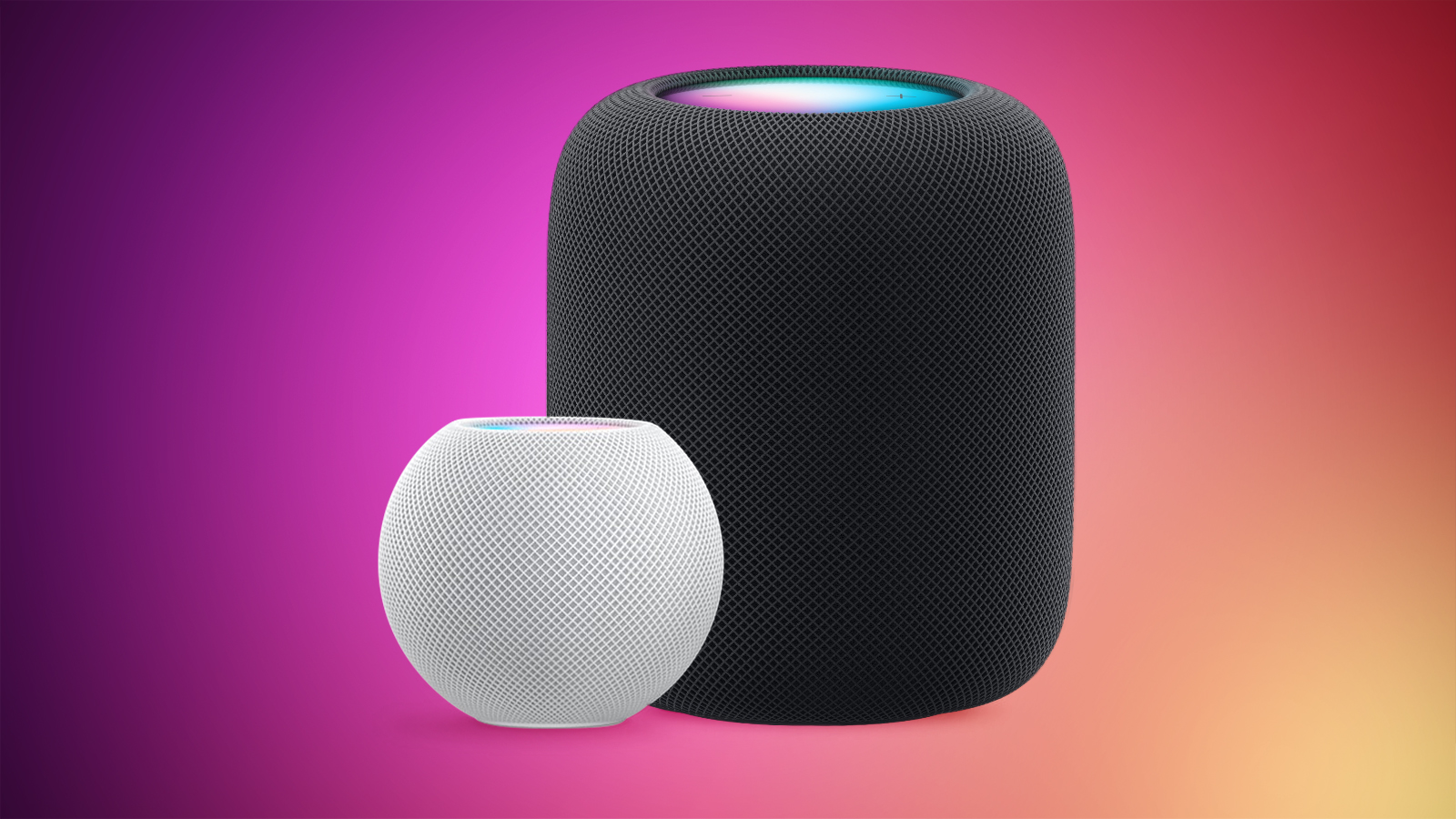
What's New in HomePod Software 26.5? Performance and Stability at Its Core
According to Apple's official release notes, HomePod Software 26.5 primarily focuses on "performance and stability improvements." While this might sound like a general statement, for a device like the HomePod, these improvements are fundamental to the daily user experience. They can translate into a multitude of tangible benefits that make your smart speaker work more smoothly and reliably than ever before.
Imagine your HomePod responding to Siri commands faster, playing music without interruptions, maintaining a more consistent connection with other Apple devices, or seamlessly managing your smart home accessories. These are the kinds of enhancements that fall under the umbrella of performance and stability. A more stable system means fewer glitches, fewer dropped connections, and a more consistent, enjoyable interaction with your device. Improved performance ensures that tasks are executed more efficiently, from processing complex audio to managing multiple HomeKit commands simultaneously.
For dedicated HomePod users, even subtle improvements can significantly elevate the overall experience, reinforcing the HomePod's role as a dependable and high-quality centerpiece of their smart home. This continuous refinement through software updates is a hallmark of Apple's product strategy, ensuring that even established devices continue to evolve and offer better service over time.
The Importance of Software Updates: Keeping Your HomePod Smart and Secure
Regular software updates are vital for any smart device, and the HomePod is no exception. They are not merely about adding flashy new features; they are crucial for maintaining the security, functionality, and longevity of your device. Here’s why keeping your HomePod up to date, especially with releases like HomePod Software 26.5, is so important:
Enhanced Security
In an increasingly connected world, digital security is paramount. Software updates frequently include patches for security vulnerabilities that could potentially be exploited by malicious actors. By updating your HomePod, you're ensuring that it has the latest defenses against potential threats, protecting your privacy and your home network from unauthorized access. Since HomePod handles personal requests, smart home control, and acts as a HomeKit hub, its security is directly tied to the safety of your personal data and your living space.
Improved Performance and Responsiveness
As noted for version 26.5, updates often bring "performance and stability improvements." This means your HomePod can become more responsive to Siri commands, handle multi-room audio with greater synchronization, or stream music more reliably without buffering. Optimized software can also improve the speed at which your HomePod connects to Wi-Fi, recognizes voices, or processes HomeKit automations, leading to a smoother and more fluid user experience.
Bug Fixes and Reliability
No software is perfect, and bugs can occasionally surface, leading to unexpected behavior or minor annoyances. Software updates are Apple's way of addressing these issues. By installing the latest version, you're resolving known bugs that might have been causing intermittent problems, such as dropped connections, Siri misinterpretations, or issues with specific audio services. This translates to a more reliable device that consistently performs as expected.
New Features and Capabilities (Though Not Primary in 26.5)
While HomePod 26.5 focuses on stability, many past updates have introduced exciting new features. These could range from new Siri capabilities, support for additional music services, enhanced HomeKit functionality, new Intercom features, or even improved audio processing techniques. Keeping your HomePod updated ensures you don't miss out on these advancements, unlocking its full potential and making it more versatile over time. It's how Apple extends the value of your existing hardware.
Compatibility with Other Apple Devices
Apple's ecosystem is designed to work seamlessly together. Updates to HomePod software often ensure continued compatibility and improved integration with your iPhone, iPad, Apple Watch, Apple TV, and Mac. This synergy is crucial for features like Handoff, AirPlay 2, and synchronized personal requests across devices. Maintaining current software versions across all your Apple products ensures that these integrated experiences remain fluid and trouble-free.
In essence, updating your HomePod isn't just a recommendation; it's a best practice that ensures you're getting the most secure, stable, and feature-rich experience from your smart speaker. It safeguards your investment and keeps your smart home operating at its peak.
Understanding the HomePod Ecosystem: More Than Just a Speaker
The HomePod and HomePod mini are much more than simple smart speakers; they are integral components of Apple's smart home vision, offering a blend of premium audio, intelligent assistant capabilities, and robust smart home control. Introduced to offer an unparalleled audio experience, the original HomePod (and its second-generation successor) focused on high-fidelity sound, while the HomePod mini brought many of those smart features into a more compact and affordable package.
The Power of Sound
Both HomePod models are engineered to deliver impressive audio. The larger HomePod utilizes advanced computational audio technology to analyze a room's acoustics and optimize sound output, producing rich bass, clear mids, and detailed highs. The HomePod mini, despite its small size, offers surprisingly full sound with 360-degree audio, thanks to its acoustic waveguide and computational audio capabilities. Software updates continually fine-tune these audio profiles, ensuring the best possible listening experience.
Siri, Your Intelligent Assistant
At the heart of the HomePod experience is Siri. With "Hey Siri" always listening, you can control your music, get answers to questions, set timers, check the weather, and much more. Siri on HomePod is designed for personalized requests, allowing different family members to get their own calendar updates, messages, and music preferences. Software updates frequently enhance Siri's intelligence, language understanding, and ability to integrate with new services or features.
HomeKit Hub: The Brain of Your Smart Home
Perhaps one of the most underrated features of the HomePod is its role as a HomeKit hub. This means it can securely connect and control all your HomeKit-compatible smart home devices, even when you're away from home. It allows you to set up automations—like turning on lights when you arrive, or adjusting the thermostat at specific times. This central role ensures that your smart home operates reliably and securely, with all communications encrypted and handled locally whenever possible.
Seamless Integration with Apple's Ecosystem
The HomePod excels at integrating with other Apple devices and services. Stream music directly from Apple Music, use AirPlay 2 to send audio from your iPhone or iPad, or even connect it to your Apple TV for an immersive home theater experience. Features like Handoff allow you to seamlessly transfer audio from your iPhone to your HomePod by simply holding your phone near the speaker. This deep integration is continually refined and expanded through software updates.
Multi-room Audio and Stereo Pairing
Thanks to AirPlay 2, you can use multiple HomePods (or other AirPlay 2-compatible speakers) to create a multi-room audio system, playing the same music throughout your home or different music in different rooms. For an even more immersive experience, you can pair two HomePods of the same generation and model (e.g., two HomePod minis) for true stereo sound, significantly widening the soundstage and enhancing audio fidelity.
The HomePod's evolution, driven by continuous software development, highlights Apple's vision for a cohesive, intelligent, and secure smart home environment. Each update, including HomePod Software 26.5, contributes to realizing this vision, making the devices more capable and integrated with your daily life.
Diving Deeper into HomePod Features: How Software Updates Enhance Them
While HomePod Software 26.5 focuses on performance and stability, it's crucial to understand how such underlying improvements contribute to the rich set of features that make HomePod a beloved device. Software is the soul of the HomePod, constantly refining its capabilities.
Unrivaled Audio Quality Refinement
The core promise of the HomePod is exceptional sound. The original HomePod and its successor, along with the HomePod mini, employ sophisticated technologies to deliver their audio prowess:
- Computational Audio: This isn't just about hardware; it's about software. HomePod uses advanced algorithms to analyze the music playing and the acoustics of the room in real-time. It then adjusts the sound output for optimal clarity, balance, and depth. Updates often include refinements to these algorithms, leading to clearer vocals, punchier bass, and a more immersive soundstage.
- Beamforming: For both music and Siri interactions, beamforming technology directs sound precisely. For music, it ensures consistent sound quality regardless of where you are in the room. For Siri, it helps the HomePod hear your commands even in noisy environments. Performance updates can make these technologies more efficient and accurate.
- Room Sensing: The larger HomePod models automatically detect their placement in a room and adjust their sound profile accordingly. Whether it's against a wall, in a corner, or freestanding, the software ensures the audio is optimized. Stability updates can improve the reliability and speed of this room-sensing calibration.
Ultimately, a "performance improvement" could mean faster processing of audio, leading to more immediate adjustments, a broader dynamic range, or reduced distortion at higher volumes. A "stability improvement" could ensure consistent sound quality without glitches or dropouts, even during long listening sessions or when multiple devices are streaming via AirPlay 2.
Smarter and More Reliable Siri Integration
Siri on HomePod is designed to be your always-available personal assistant. Software updates continually make Siri more capable and dependable:
- Music Control: From specific song requests to creating playlists and adjusting volume, Siri handles music playback effortlessly. Performance updates can make Siri respond faster to these commands, while stability ensures fewer misunderstandings.
- Smart Home Control: As a HomeKit hub, HomePod lets you control lights, thermostats, locks, and other accessories with your voice. Updates can improve Siri's understanding of complex commands ("Set the mood lighting to 'cozy' in the living room") and enhance the reliability of these actions, ensuring your smart home always responds.
- Personal Requests: Siri can read your messages, make calls, check your calendar, and add reminders, all while respecting user privacy and distinguishing between family members' voices. Performance and stability improvements are critical here for quick, accurate, and secure personal interactions.
- Intercom Feature: Introduced in a past update, Intercom allows you to send voice messages from one HomePod to others in your home, or even to family members' iPhones, iPads, or Apple Watches. Stability updates ensure these messages are delivered instantly and clearly.
Version 26.5's focus on stability likely means fewer instances where Siri might mishear a command, struggle to connect to a service, or take longer than expected to perform a task. It ensures Siri is always ready and reliable when you need it.
HomeKit and Smart Home: A Robust Foundation
The HomePod's role as a HomeKit hub is fundamental to Apple's smart home ecosystem. Updates like 26.5 bolster this foundation:
- Remote Access: A stable HomePod ensures you can control your smart home devices even when you're away from home.
- Automations: HomePod processes your HomeKit automations, ensuring that lights turn on at sunset, or the thermostat adjusts when you leave. Performance improvements mean these automations trigger more reliably and on time.
- Security and Privacy: Apple's commitment to privacy is deeply ingrained in HomeKit. Updates maintain and enhance the encryption and security protocols that protect your smart home data, providing peace of mind.
- Thread Networking: For HomePod mini and the second-generation HomePod, built-in Thread radio allows for more robust and responsive connections with compatible smart home accessories, creating a mesh network that improves reliability and range. Stability updates are key to maximizing Thread's potential.
- Matter Support: Future updates are likely to expand HomePod's role with Matter, the new smart home connectivity standard, further broadening compatibility and simplifying setup. While not explicitly in 26.5, a stable software base is crucial for future Matter integrations.
The "performance and stability improvements" in 26.5 directly contribute to a more responsive, secure, and reliable smart home experience, ensuring your devices work together seamlessly.
Seamless Multi-room Audio & Stereo Pairing
These features are what truly transform a single HomePod into a comprehensive audio system:
- AirPlay 2: The technology enabling multi-room audio requires precise synchronization. Performance updates ensure that audio plays perfectly in sync across multiple speakers, without echoes or delays.
- Stereo Pairing: When two HomePods are paired for stereo sound, they need to work as one cohesive unit. Stability updates prevent desynchronization, ensuring a consistent and wide soundstage for an immersive listening experience.
Any improvements to the underlying network communication or audio processing in 26.5 will directly benefit the fluidity and stability of both multi-room audio and stereo pairing, which are highly sensitive to timing and network conditions.
In summary, while HomePod Software 26.5's release notes are brief, the impact of "performance and stability improvements" ripples through every major feature of the HomePod. They ensure that your smart speaker continues to deliver a premium, reliable, and intelligent experience day in and day out.
How to Update Your HomePod to Software 26.5
Updating your HomePod or HomePod mini to the latest software, such as version 26.5, is a straightforward process. Apple has designed the system to be largely automatic, but you also have the option for manual updates if you prefer to have more control. Ensuring your HomePod is running the latest software is crucial for accessing the newest features, security enhancements, and performance improvements.
Automatic Updates (The Default Method)
By default, HomePod software is designed to install automatically. This usually happens overnight when the device is not in use and connected to power. This ensures that your HomePod is always kept up-to-date with minimal effort on your part. For most users, no action is required.
However, if you've previously disabled this feature or just want to confirm your settings, you can check it in the Home app:
- Open the Home app on your iPhone, iPad, or Mac.
- Tap or click the More button (usually a circle with three dots or lines, or a house icon, depending on your device and iOS/iPadOS/macOS version) in the top-left corner.
- Select Home Settings.
- Scroll down and tap Software Update.
- Here, you'll see a toggle for Automatic Updates. Ensure this is turned on if you want your HomePod to update on its own.
If an update is available and Automatic Updates is enabled, your HomePod will download and install it in the background. You might receive a notification when the update is complete.
Manually Updating Your HomePod
If you prefer to initiate the update yourself, or if you believe an automatic update didn't occur, you can manually update your HomePod through the Home app on your iPhone, iPad, or Mac. This gives you immediate control over when the update happens.
Here are the step-by-step instructions for a manual update:
- Ensure your HomePod is plugged in and connected to your Wi-Fi network.
- Open the Home app on your iPhone, iPad, or Mac.
- Tap or click the More button (usually a circle with three dots or lines, or a house icon) in the top-left corner.
- Choose Home Settings from the dropdown menu.
- Select the Software Update option.
- The app will check for available updates. If HomePod Software 26.5 (or a newer version) is available, you will see an option to download and install it.
- Tap Update or Install to begin the process.
- Your HomePod will download the update. During the installation phase, the white spinning light on the top of your HomePod will typically change to green or pulse. Do not unplug your HomePod during this time.
- Once the update is complete, your HomePod may restart, and the light on top will return to its normal state or disappear.
Important Considerations During Update
- Power Connection: Always ensure your HomePod is plugged into a power outlet throughout the entire update process. Unplugging it prematurely can lead to corrupted software and potentially brick your device.
- Wi-Fi Connection: A stable Wi-Fi connection is essential for downloading the update file. If your Wi-Fi is intermittent, try moving your HomePod closer to your router or restarting your router.
- Patience: Software updates can take some time, depending on your internet speed and the size of the update. Do not interrupt the process.
- Home App Version: Make sure your iPhone, iPad, or Mac is running the latest iOS, iPadOS, or macOS version to ensure full compatibility with the Home app's software update features.
By following these steps, you can easily get your HomePod running on the latest software, ensuring you benefit from all the performance, stability, and security improvements that HomePod Software 26.5 has to offer.
Maximizing Your HomePod Experience: Tips and Tricks
Beyond simply updating the software, there are many ways to get the most out of your HomePod or HomePod mini. These tips will help you optimize audio, enhance Siri interactions, and seamlessly integrate your smart speaker into your Apple ecosystem.
Optimal Placement for Superior Sound
Where you place your HomePod significantly impacts its audio quality:
- For larger HomePods: Give it some space. While it can adapt to corners, placing it a few inches from a wall or in the open allows its computational audio to work best, providing a rich, room-filling sound. Avoid placing it in enclosed spaces like cabinets.
- For HomePod mini: Its 360-degree audio means it sounds great in many spots. However, placing it on a solid surface (like a wooden table, not a flimsy shelf) at around ear level can enhance clarity and bass.
- Avoid Obstructions: Make sure there are no large objects directly in front of or very close to the HomePod that could block its sound output or Siri's ability to hear you clearly.
Leveraging Siri to Its Full Potential
Siri on HomePod is more powerful than you might realize:
- Multi-User Support: Set up "Personal Requests" in the Home app (Home Settings > [Your Name] > Personal Requests) so Siri can recognize different voices and provide personalized responses for calendars, messages, and music.
- Intercom Across Your Home: Use "Hey Siri, Intercom [message]" to send a voice message to other HomePods or family members' devices. Specify a room ("Hey Siri, Intercom to the kitchen, dinner's ready!") for targeted messages.
- Advanced Music Commands: Ask Siri to play specific genres, artists, moods, or even "play something I'd like." You can also ask "What song is this?" or "Add this to my workout playlist."
- Smart Home Shortcuts: Create custom scenes in the Home app (e.g., "Good Morning" scene that turns on lights and opens blinds) and then activate them with a simple Siri command like "Hey Siri, Good Morning."
- Timers and Alarms: Set multiple named timers ("Hey Siri, set a pasta timer for 10 minutes").
Seamless Integration with Your Apple Devices
The HomePod truly shines when used with other Apple products:
- AirPlay 2: Easily stream audio from your iPhone, iPad, or Mac to your HomePod. You can also group multiple AirPlay 2 speakers (including other brands) for synchronized multi-room audio.
- Handoff: Simply hold your iPhone near the top of your HomePod to seamlessly transfer audio playback between devices. It's a magical experience.
- Apple TV Home Theater: Pair one or two HomePods (second-gen or original) with an Apple TV 4K for a truly immersive home theater audio experience with Dolby Atmos support. This setup replaces the need for a traditional soundbar.
- Personal Hotspot Fallback: If your home Wi-Fi goes down, your HomePod (second-gen or mini) can automatically connect to your iPhone's Personal Hotspot to maintain essential services like Siri and HomeKit control.
Privacy Settings and Management
Apple emphasizes privacy, and you have control over how your HomePod handles your data:
- Personal Requests: Manage who can make personal requests on your HomePod in the Home app.
- Listening History: Decide whether your HomePod influences your listening history in Apple Music (Home Settings > [Your Name] > Listening History).
- Siri & Dictation History: You can delete your Siri & Dictation History in your iPhone settings (Settings > Siri & Search > Siri & Dictation History > Delete Siri & Dictation History) to remove recordings associated with your Apple ID.
Troubleshooting Common Issues
Even with "performance and stability improvements," minor issues can arise. Here are quick fixes:
- Restart HomePod: Unplug it from power, wait 10 seconds, then plug it back in. This often resolves minor glitches.
- Restart Wi-Fi Router: Sometimes the issue is with your network, not the HomePod.
- Check for Updates: Always ensure your HomePod is running the latest software (like 26.5!).
- Reset HomePod: As a last resort, you can factory reset your HomePod through the Home app (Home Settings > your HomePod > Reset HomePod) and set it up again.
By implementing these tips and regularly updating your device, you'll unlock the full potential of your HomePod, transforming it into an even more indispensable part of your daily life and smart home setup.
The Future of HomePod: Continuous Evolution Through Software
The release of HomePod Software 26.5, with its focus on performance and stability, serves as a strong reminder that the HomePod, like all of Apple's devices, is a product of continuous evolution. Hardware provides the foundation, but software is what truly unlocks its potential, adding new features, improving existing ones, and extending its lifespan. Looking ahead, the future of HomePod will undoubtedly be shaped by further software advancements, integrating it deeper into our homes and digital lives.
Deeper Smart Home Integration with Matter
One of the most significant areas of future development for HomePod lies in its role as a smart home hub, particularly with the advent of Matter. Matter is a new industry standard that aims to simplify smart home connectivity, allowing devices from different brands to work together seamlessly. As a Thread border router and a central HomeKit hub, the HomePod (especially the mini and 2nd-gen models) is perfectly positioned to become a cornerstone of a Matter-enabled smart home. Future software updates will likely expand HomePod's Matter capabilities, making it easier to set up and control a wider array of smart devices, regardless of their manufacturer. This will simplify the user experience and potentially encourage greater adoption of smart home technology, with HomePod at its heart.
Smarter and More Conversational Siri
Siri's capabilities are constantly being refined, and the HomePod is a primary interface for many users' interactions with Apple's intelligent assistant. We can anticipate future software updates bringing more natural language understanding, improved contextual awareness, and potentially even more proactive assistance. Imagine Siri on your HomePod anticipating your needs, offering suggestions based on your routines, or engaging in more complex, multi-turn conversations. Advances in AI and machine learning will drive these improvements, making Siri on HomePod an even more indispensable helper in the home.
Enhanced Audio Capabilities
While the HomePod already offers excellent audio, software can always push the boundaries further. Future updates could introduce new audio processing techniques, support for additional high-resolution audio formats, or even more sophisticated spatial audio experiences. With improvements in computational audio, HomePod might offer even more granular control over sound profiles, adapting not just to room acoustics but also to specific content types or listener preferences. This could mean a more personalized and immersive listening experience than ever before.
Richer Connectivity and Ecosystem Synergy
Apple's strength lies in its ecosystem. Future HomePod software could foster even tighter integration with other Apple devices and services. This might include more advanced handoff features, deeper integration with Apple Watch and health data, or enhanced continuity experiences across devices. For example, HomePod might become an even better hub for family communication, with more robust voice recognition for different users, or more sophisticated parental controls.
Supporting New Services and Technologies
As new streaming services, audio technologies, or communication protocols emerge, software updates will be crucial for HomePod to maintain its relevance. This could mean support for new music platforms, advanced voice technologies, or even integration with emerging augmented reality (AR) experiences as they become more mainstream within the home environment.
Extending Hardware Lifespan
Crucially, ongoing software development ensures that existing HomePod hardware remains relevant and capable for years to come. Performance and stability updates, like 26.5, optimize the existing hardware, making it feel faster and more reliable even as technology advances. This commitment to software-driven improvements is a testament to Apple's dedication to sustainable product design and maximizing the value for its users.
The HomePod's journey is far from over. Each software update, from significant feature rollouts to focused stability improvements like HomePod Software 26.5, is a step towards a more intelligent, seamless, and enjoyable smart home experience. Users can look forward to a continuously evolving device that adapts to their needs and remains a central pillar of their Apple ecosystem.
Conclusion: Embrace the Latest HomePod Software for the Best Experience
The release of HomePod Software 26.5, while emphasizing behind-the-scenes "performance and stability improvements," is a vital part of Apple's ongoing commitment to delivering a premium smart home experience. These seemingly minor updates are fundamental to how reliably and efficiently your HomePod and HomePod mini operate, ensuring faster Siri responses, smoother music playback, and more dependable HomeKit control.
By keeping your HomePod updated, you're not just getting better performance; you're also ensuring your device benefits from the latest security patches, bug fixes, and continuous refinements to its core features like computational audio, multi-room synchronization, and smart home hub capabilities. This commitment to ongoing software development is what keeps your HomePod a valuable and integral part of your Apple ecosystem, constantly evolving to meet modern demands.
Whether you rely on automatic updates or prefer to initiate them manually through the Home app, taking a moment to ensure your HomePod is running version 26.5 is a simple yet impactful step. It ensures you're getting the most secure, stable, and enjoyable experience from your Apple smart speaker, solidifying its role as a cornerstone of your connected home. Embrace the latest software, and let your HomePod continue to elevate your everyday life with its intelligent assistance and incredible sound.
This article, "Apple Releases HomePod Software 26.5" first appeared on MacRumors.com
Discuss this article in our forums
from MacRumors
-via DynaSage
