
Apple's Pixelmator Pro Update Brings iPhone 17 Mockups, Keyboard Shortcuts, and Expanded Camera Support
Pixelmator Pro Gets a Major Boost: iPhone 17 Mockups, Pro Camera Support, and Smart Shortcuts
In a significant move that underscores its commitment to creative professionals and enthusiasts alike, Apple has rolled out a powerful update to Pixelmator Pro, the highly-regarded image editing application it acquired in 2024. This latest version of Pixelmator Pro is packed with enhancements designed to streamline workflows, expand creative possibilities, and ensure users are always working with the most current tools. From broader RAW image support for a wider range of cameras to brand new templates, improved compatibility with essential file formats, and a host of intuitive keyboard shortcuts, this update reinforces Pixelmator Pro's position as a leading choice for image manipulation on Apple devices.
This comprehensive update brings a wealth of new functionalities that cater to various aspects of image editing, photography, and graphic design. Whether you’re a professional photographer looking for robust RAW handling, an app developer needing the latest device mockups, or a graphic designer seeking more efficient workflows, Pixelmator Pro’s newest iteration has something valuable to offer. The focus is clearly on enhancing productivity, expanding creative horizons, and making advanced editing more accessible and intuitive than ever before. This deep dive will explore each major improvement, illustrating how these changes will impact your daily creative tasks.
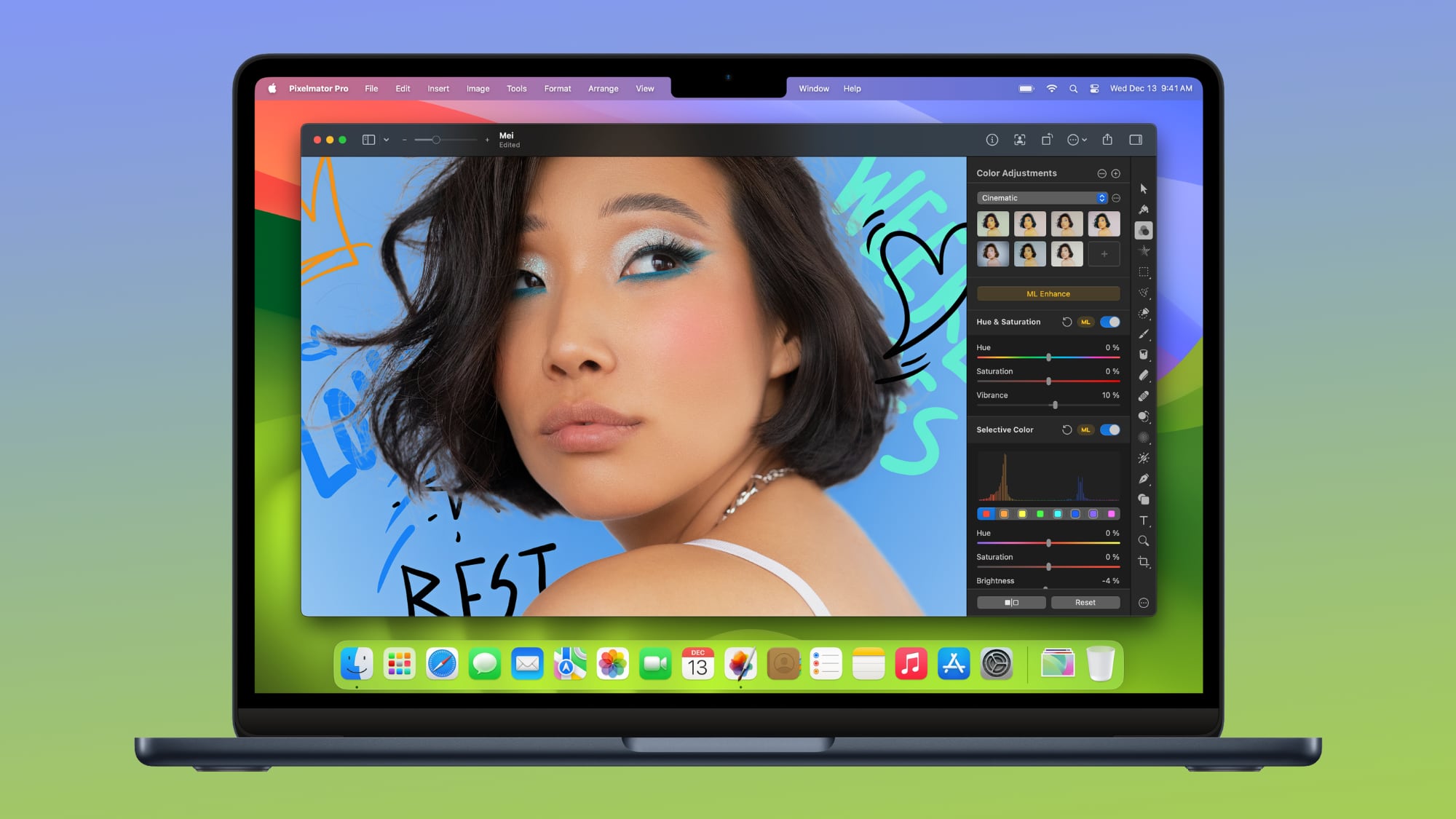
Unlocking New Creative Avenues with Expanded RAW Image Support
For photographers, working with RAW image files is paramount. Unlike standard JPEG images, RAW files contain uncompressed, unprocessed data directly from the camera's sensor, offering maximum flexibility for editing. This rich data allows for greater adjustments to exposure, white balance, shadows, highlights, and color without degrading image quality. Pixelmator Pro has significantly boosted its RAW image capabilities, now providing native support for an even wider array of professional cameras. This expansion means more photographers can seamlessly integrate Pixelmator Pro into their post-processing workflow, moving from capture to edit with greater ease and confidence.
Enhanced Compatibility for Leading Camera Brands
The update specifically introduces full support for compressed RAW images from popular high-end cameras such as the Sony Alpha ILCE-7M5, FUJIFILM GFX 100S II, and FUJIFILM GFX 100RF. This is a crucial improvement for users of these advanced systems, as compressed RAW formats often balance file size with image quality, making workflow more manageable without sacrificing detail. Photographers who rely on these cameras for their detailed, high-resolution output will find Pixelmator Pro now handles their files natively, ensuring accurate color reproduction and robust editing capabilities from the moment they import their shots.
Furthermore, the update extends support to High Efficiency (HE) and High Efficiency Star (HE*) RAW images originating from Nikon Z5II and Nikon Z50II cameras. Nikon's HE RAW formats are designed to offer a balance between image quality and smaller file sizes, which can be a significant advantage for photographers working with large volumes of images. Pixelmator Pro’s ability to process these specialized RAW formats ensures that Nikon users can leverage the full potential of their camera's sensor data, making precise adjustments and bringing their creative visions to life with unparalleled fidelity.
Finally, Panasonic LUMIX DC-S1RM2 camera users will be pleased to find that Pixelmator Pro can now open and edit RAW images captured in High Resolution mode. This specialized mode captures incredibly detailed images by combining multiple exposures, and direct support in Pixelmator Pro means that the integrity and rich detail of these high-resolution files are maintained throughout the editing process. This comprehensive expansion of RAW support reaffirms Pixelmator Pro’s commitment to being a versatile and indispensable tool for a broad spectrum of professional photographers, enabling them to achieve exceptional results with their preferred gear.
Revolutionizing Design with New Templates and Mockups
In today's visually driven world, presenting designs in a compelling and professional manner is crucial. Mockups and templates are invaluable tools for designers, marketers, and app developers, allowing them to showcase their work in realistic contexts. Pixelmator Pro’s latest update significantly enhances its template and mockup section, introducing fresh options that keep pace with the latest technological advancements and design trends. These new additions are not just aesthetically pleasing; they are designed to save countless hours of work by providing ready-to-use, high-quality presentation frameworks.
Staying Current with iPhone 17 Mockups
One of the most anticipated additions is the support for the latest iPhone 17 models in the device mockup section. As Apple continuously innovates its iPhone lineup, designers and app developers need up-to-date mockups to accurately represent their app interfaces or website designs on the newest hardware. This ensures that their portfolio, marketing materials, or client presentations reflect the current user experience. With iPhone 17 mockups now available, users can effortlessly place their app screenshots or designs into realistic device frames, creating polished and professional presentations that are instantly recognizable and relevant.
Beyond device mockups, the updated template categories also include new options for App Screenshot and Bento Grid. App Screenshot templates provide structured layouts specifically tailored for showcasing application interfaces in a clear, engaging, and professional manner, ideal for App Store listings or promotional materials. The introduction of Bento Grid templates taps into a popular modern design trend, offering aesthetically pleasing, modular layouts that are perfect for social media content, website sections, or mood boards. These diverse templates enable users to quickly generate visually stunning content without needing to start from scratch, significantly boosting efficiency and creativity.
The entire template and mockup section has been updated, ensuring a fresh and relevant collection for a variety of design needs. Whether you’re crafting a marketing campaign, preparing a client presentation, or simply aiming to elevate your personal projects, these new templates provide a robust foundation. They empower users to create stunning visuals with minimal effort, allowing them to focus more on the creative aspects of their work rather than the technical setup of their presentations.
Seamless Collaboration with Improved SVG File Export
Vector graphics are fundamental to modern design, offering scalability without loss of quality—a critical feature for everything from logos to web interfaces. SVG (Scalable Vector Graphics) is a widely adopted open standard for vector images on the web. Interoperability between different design software is crucial for collaborative workflows, and Pixelmator Pro has made significant strides in this area. The latest update specifically addresses a common pain point for designers: the compatibility of SVG files when moving between applications.
Enhanced Compatibility with Adobe Illustrator
A notable improvement in this update is the enhanced compatibility of SVG files exported from Pixelmator Pro when opened in Adobe Illustrator. Previously, users might have encountered minor issues, rendering inconsistencies, or difficulties when transferring their vector work between these two powerful applications. With this update, Apple has focused on refining the SVG export process from Pixelmator Pro, leading to fewer issues and a smoother, more reliable transfer of design assets. This means designers can confidently create vector elements in Pixelmator Pro and then seamlessly import them into Illustrator for further refinement, integration into larger projects, or preparation for print without the frustration of unexpected rendering problems.
This improvement is a significant boost for design professionals who often work within an ecosystem of multiple tools. It facilitates a more fluid and efficient workflow, reducing the need for tedious manual adjustments or workarounds when collaborating with others who might use different software. The ability to export clean, compatible SVG files ensures that the integrity of your vector designs is preserved, allowing for hassle-free transitions between design stages and greater confidence in cross-platform project delivery.
Intuitive Workflow Improvements for Precise Editing
Efficiency in image editing isn't just about powerful tools; it’s also about how intuitively those tools can be used. Pixelmator Pro’s latest update introduces several thoughtful workflow enhancements that make precise editing faster, more direct, and more enjoyable. These improvements address common user needs, streamlining the creative process and giving editors better control over their adjustments.
Instant Before & After Comparisons
One of the most valuable new features is the ability to instantly compare before and after edits from Color Adjustments and Effects tools. By simply touching and holding an image on the canvas, users can toggle between the original state of their image and the version with applied adjustments. This immediate visual feedback is incredibly powerful for evaluating the impact of changes. It allows for quick assessments of color corrections, filter applications, or effect强度 without needing to constantly undo and redo actions or manage multiple layer versions. This feature significantly speeds up the decision-making process, enabling users to fine-tune their edits with greater confidence and precision.
For example, if you’re applying a complex color grade or an artistic effect, the ability to see the 'before' state instantly helps you determine if you’ve gone too far, if the effect is too subtle, or if it truly enhances the original image. This direct comparison fosters a more experimental approach to editing, encouraging users to try different adjustments knowing they can quickly evaluate and refine them.
Customizable Tools Sidebar for Personalized Workspaces
Another welcome addition is the customizable Pixelmator Pro Tools sidebar. Users can now personalize their workspace by choosing View > Customize Tools from the menu bar. This flexibility allows editors to arrange their most frequently used tools in an easily accessible manner, tailoring the interface to their specific workflow needs. A cluttered workspace can hinder productivity, while a streamlined, personalized layout can dramatically improve efficiency.
By customizing the sidebar, users can remove tools they rarely use, group related tools together, or highlight their favorites. This level of personalization ensures that the interface is always optimized for their current task, reducing navigation time and allowing for a more focused and fluid editing experience. Whether you primarily work with brushes, selections, or specific adjustment tools, you can now configure your sidebar to reflect your priorities, making every click and drag more purposeful.
Mastering Efficiency with New Keyboard Shortcuts
Keyboard shortcuts are the secret weapon of efficient digital artists. They allow users to execute commands rapidly without moving their hands away from the keyboard, drastically speeding up repetitive tasks and maintaining creative flow. Pixelmator Pro’s update introduces a suite of new keyboard shortcuts, some available across all versions, and some exclusive to the Creator Studio version, designed to enhance productivity and control across both Mac and iPad platforms.
Universal Shortcuts for Enhanced Control
Many of the new shortcuts are universally available and offer immediate benefits to all users. One standout is the ability to easily change layer opacity using number keys 1 through 9. This means you can quickly dial in transparency levels (e.g., '5' for 50%, '9' for 90%) without needing to open a slider or panel, a massive time-saver for compositing and blending. Similarly, cycling through layer blend modes is now a breeze with the Shift-Plus and Shift-Minus keyboard shortcuts, allowing for rapid experimentation with different blending effects to achieve the perfect look.
For layer management, the Command-J keyboard shortcut to duplicate a layer and Command-Shift-J to cut and paste a selected area are invaluable for non-destructive editing and precise object manipulation. Furthermore, the Option-Comma and Option-Period shortcuts offer a rapid way to switch between selecting the topmost and bottommost layers in a document, simplifying navigation in complex multi-layered projects. Finally, for documents containing video layers, the Space bar can now be used to play or pause video playback, bringing a familiar media control shortcut into the editing environment.
Creator Studio Exclusive Shortcuts and Capabilities
Some of the advanced keyboard shortcuts are limited to the Creator Studio version of Pixelmator Pro, offering even deeper control for subscribers. For instance, pressing and holding the Option key when choosing Select Subject will now base the selection on all layers in a document, providing a more comprehensive and intelligent selection across complex compositions. These Creator Studio-exclusive shortcuts, combined with other premium features, offer a more professional-grade experience for those who need the utmost in power and flexibility.
The Creator Studio version of Pixelmator Pro, designed for users who demand the most advanced features, includes these specialized shortcuts among other unique tools. This distinction ensures that the core Pixelmator Pro experience remains excellent for all, while dedicated professionals can unlock even greater potential through the Creator Studio subscription.
Below are the official release notes for the Creator Studio version of Pixelmator Pro, highlighting these and other significant enhancements:
- Enjoy full support for compressed RAW images from Sony Alpha ILCE-7M5, FUJIFILM GFX 100S II, and FUJIFILM GFX 100RF cameras
- Work with High Efficiency (HE) and High Efficiency Star (HE*) RAW images from Nikon Z5II and Nikon Z50II cameras
- Open and edit RAW images from Panasonic LUMIX DC-S1RM2 cameras captured in High Resolution mode
- Discover the updated template and mockup categories, including App Screenshot, Bento Grid, and Devices, now featuring new iPhone 17 mockups
- Open SVG files exported from Pixelmator Pro in Adobe Illustrator with improved compatibility
- Touch and hold an image on the canvas to instantly compare before and after edits from Color Adjustments and Effects tools
- You can now customize the Pixelmator Pro Tools sidebar from the menu bar by choosing View > Customize Tools
iPad App Also Gets a Boost
It's not just the Mac version that's benefiting; the iPad app for Pixelmator Pro has also received a significant update. Many of the powerful keyboard shortcuts previously exclusive to the Mac version have now been brought over to the iPad. This move dramatically enhances the productivity of iPad users who work with external keyboards, allowing them to perform complex actions with greater speed and precision. The synergy between the Mac and iPad versions continues to grow, making Pixelmator Pro an even more versatile tool across Apple's ecosystem.
New Keyboard Shortcuts
- Press and hold the Option key when choosing Select Subject to base the selection on all layers in a document
- Easily change layer opacity using number keys 1 through 9 in all supported tools
- Cycle through layer blend modes using the Shift-Plus and Shift-Minus keyboard shortcuts in all supported tools
- Use the Command-J keyboard shortcut to duplicate and Command-Shift-J to cut and paste the selected area
- Use the Option-Comma and Option-Period keyboard shortcuts to quickly switch between selecting topmost and bottommost layers in a document
- Use the Space bar to play or pause video playback in documents containing video layers
Understanding Pixelmator Pro: Standard vs. Creator Studio
Apple introduced Creator Studio earlier this year, an initiative designed to bundle and enhance its professional creative applications. This has led to two distinct versions of apps like Pixelmator Pro: a standard version and a Creator Studio version. This distinction can sometimes be a source of confusion for users, so it's important to clarify the differences.
The Standard Pixelmator Pro Experience
The standard version of the app, available to all users, includes many of the core enhancements from this update. Specifically, it offers the same expanded RAW image support for new camera models and all the new templates, including the iPhone 17 mockups and Bento Grid layouts. This ensures that even without a Creator Studio subscription, users still gain access to critical compatibility and modern design resources. The standard version remains a powerful and feature-rich image editor perfectly suited for a wide range of tasks, from photo retouching to graphic design, at its standalone purchase price.
Unlocking Advanced Features with Creator Studio
The Creator Studio version of Pixelmator Pro, however, unlocks additional, more advanced features tailored for professional workflows and power users. This version incorporates functionalities that go beyond the standard offering, providing tools for more complex and specialized creative tasks. For Pixelmator Pro, Creator Studio-exclusive features include a powerful warp tool for precise image distortion and manipulation, advanced apparel mockups for product designers, and access to an even more robust and 'dedicated' version of the Pixelmator Pro experience on iPad, offering capabilities beyond the standard iPad app.
Accessing these Creator Studio exclusive features requires a Creator Studio subscription, which is priced at $12.99 per month or $129 per year. This subscription model caters to professionals who heavily rely on Apple's suite of creative tools, as it often includes enhanced versions of apps like Final Cut Pro, Logic Pro, Keynote, Pages, and Numbers. For users who utilize multiple Apple pro apps extensively, the Creator Studio subscription can offer significant value, consolidating advanced features across their creative ecosystem.
Deciding which version is right for you depends on your specific needs. If you require cutting-edge tools for intricate design work, apparel mockups, or comprehensive support across a suite of Apple's pro apps, the Creator Studio subscription might be a worthwhile investment. For those who need a robust and capable image editor with excellent core features, up-to-date camera support, and modern templates, the standard Pixelmator Pro app continues to deliver outstanding value.
The Pixelmator Ecosystem: Photomator Also Updated
The Pixelmator family of apps extends beyond Pixelmator Pro. Photomator, a photo editing sister app designed for quick, powerful photo enhancements and organization, also received a complementary update. In line with Pixelmator Pro, Photomator now boasts the same expanded RAW image support. This ensures that photographers can seamlessly import and process their RAW files with the latest camera compatibility, whether they choose the detailed control of Pixelmator Pro or the streamlined efficiency of Photomator for their initial edits and library management.
This cohesive update across the Pixelmator ecosystem highlights Apple's commitment to providing a consistent and powerful creative experience. Users can rely on both apps to handle their most critical image data with precision, ensuring that their creative workflow is never hampered by compatibility issues or outdated features.
Why This Update Matters for You
This comprehensive update to Pixelmator Pro is more than just a list of new features; it represents a significant enhancement to the creative toolkit available on Apple devices. For photographers, the expanded RAW support means less time converting files and more time perfecting images, ensuring their vision translates accurately from camera to final output. For app developers and graphic designers, the new iPhone 17 mockups and Bento Grid templates offer invaluable resources for creating stunning, up-to-date presentations and marketing materials, saving countless hours in the design process.
The improved SVG export compatibility streamlines collaboration and cross-application workflows, reducing friction and increasing efficiency when working with other design professionals or integrating assets into larger projects. Workflow improvements like instant before-and-after comparisons and customizable toolbars empower users with greater control and a more personalized editing experience, making every session more productive. And for those who master their craft with speed, the new keyboard shortcuts provide a pathway to unparalleled efficiency, turning complex operations into quick keystrokes.
Whether you're a seasoned professional relying on Pixelmator Pro daily or an enthusiastic hobbyist exploring the depths of image editing, this update offers tangible benefits that enhance your creative potential. It underscores Apple's dedication to evolving its software to meet the dynamic needs of the creative community, ensuring that Pixelmator Pro remains at the forefront of image editing technology.
Looking Ahead: The Future of Pixelmator Pro and Apple Creator Studio
The consistent updates to Pixelmator Pro, especially following its acquisition by Apple, signal a bright future for the application. It suggests that Apple is not only committed to maintaining Pixelmator Pro's high standards but also to integrating it more deeply into its ecosystem of professional creative tools, particularly within the Creator Studio framework. As Apple continues to innovate with its hardware, especially with devices like the iPhone and iPad, having powerful, native creative software that takes full advantage of these capabilities is crucial.
Users can anticipate even more seamless integration, performance optimizations, and perhaps new AI-driven features in future updates, leveraging Apple's advancements in machine learning and hardware acceleration. The Creator Studio initiative itself is likely to expand, offering more unified experiences and shared functionalities across its bundled applications, making it an increasingly compelling proposition for creative professionals. This continuous evolution ensures that Pixelmator Pro will remain a relevant, powerful, and indispensable tool for years to come, adapting to the ever-changing landscape of digital creation.
Upgrade Your Creative Workflow Today
Don't miss out on these powerful enhancements. Update your Pixelmator Pro application today to take advantage of the expanded RAW camera support, cutting-edge iPhone 17 mockups, seamless SVG export, and an array of intelligent workflow improvements. Experience the difference that thoughtful design and robust functionality can make in your image editing projects. If you're new to Pixelmator Pro, now is the perfect time to explore its capabilities and see why it's a favorite among Apple users. And for those demanding the ultimate in creative power, consider the Pixelmator Pro Creator Studio version to unlock its full potential.
Embrace the future of image editing with Pixelmator Pro – faster, smarter, and more creative than ever before!
This article, "Apple's Pixelmator Pro Update Brings iPhone 17 Mockups, Keyboard Shortcuts, and Expanded Camera Support" first appeared on MacRumors.com
Discuss this article in our forums
from MacRumors
-via DynaSage
