
M5 MacBook Air vs. M5 MacBook Pro Buyer's Guide
M5 MacBook Air vs. M5 MacBook Pro: A Comprehensive Buyer's Guide
Choosing a new laptop can be an exciting, yet often challenging, decision. With Apple's latest M5 chip now powering both the popular MacBook Air and the entry-level MacBook Pro, the choice has become more nuanced than ever. These machines represent two distinct philosophies in Apple's portable computer lineup, each designed with a different user in mind. While both offer impressive performance thanks to the M5 chip, their underlying architectures, feature sets, and price points create a clear divergence in user experience.
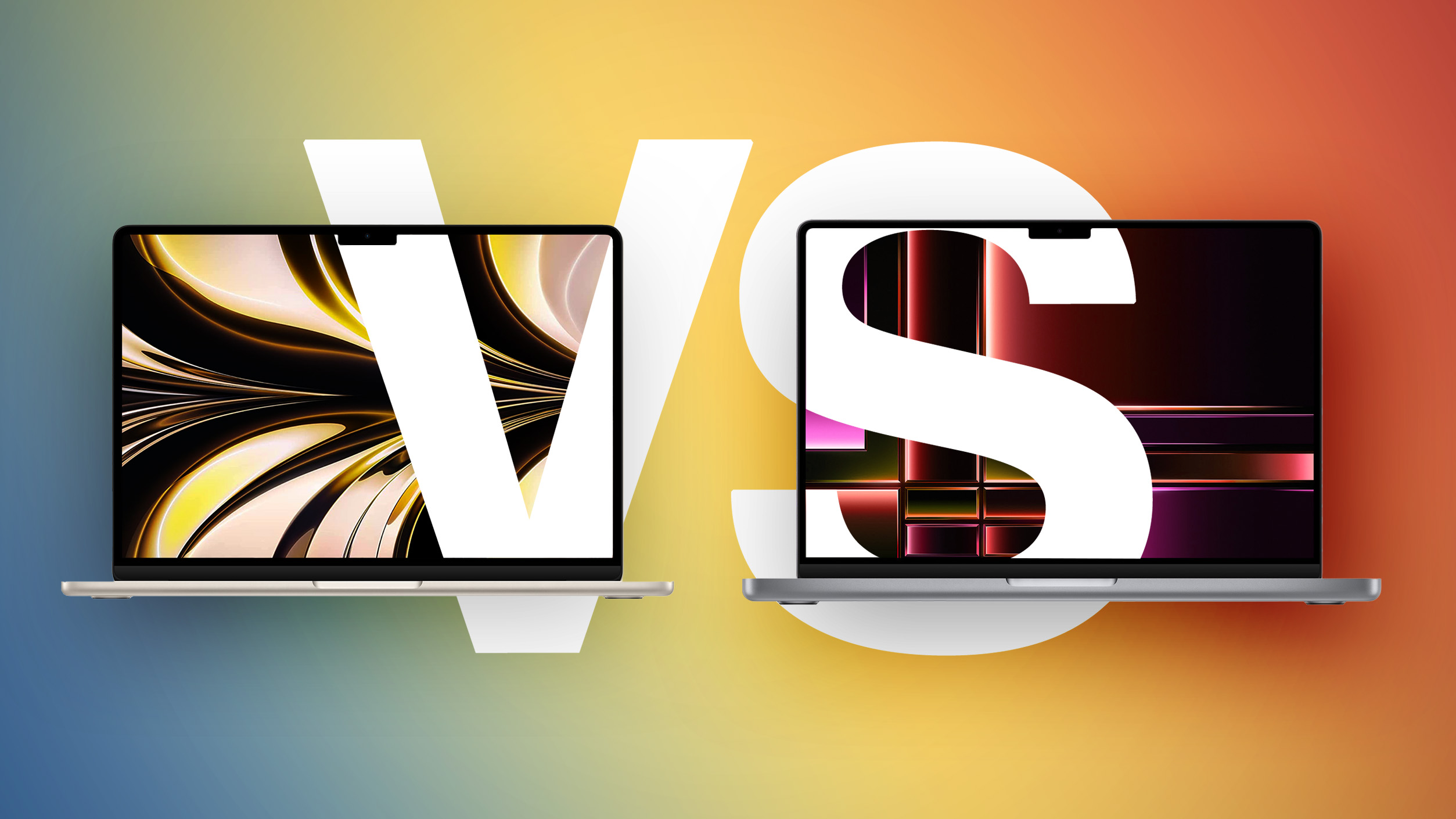
For many, the initial hurdle is the price. The 13-inch MacBook Air starts at an appealing $1,099, with the larger 15-inch model beginning at $1,299. Stepping up to the 14-inch MacBook Pro, however, demands a minimum investment of $1,599 – a jump of at least $300. This price difference prompts a critical question for potential buyers: is the extra cost for the MacBook Pro justified by its enhanced capabilities? For some, the MacBook Air offers more than enough power and features for their daily needs. For others, the MacBook Pro’s unique ability to maintain high performance over long periods, its superior display technology, and its expanded range of ports significantly elevate the computing experience in ways the Air, even in its highest configurations, simply cannot match.
The Evolving Apple Laptop Ecosystem: Where the Air Fits In
The introduction of the MacBook Neo as a new, even more affordable entry-level option has reshaped Apple's entire Mac lineup. This new addition means the MacBook Air no longer serves as the default, go-to recommendation for the vast majority of users. Instead, it now comfortably occupies a crucial middle position, striking a delicate balance between sheer affordability (offered by the Neo) and professional-grade performance (delivered by the Pro). If you've already considered and decided against the MacBook Neo, this detailed guide is designed to help you navigate the comparison between Apple's two most popular higher-tier laptops and determine which is the best fit for your specific needs.
Understanding these distinctions is key to making an informed decision that will serve you well for years to come. The fundamental differences between the MacBook Air and MacBook Pro go beyond mere specifications; they speak to the core philosophy behind each machine's design and intended use. Let's explore these differences in detail:
MacBook Air vs. MacBook Pro: Key Specifications at a Glance
| MacBook Air | MacBook Pro |
|---|---|
| 13.6- or 15.3-inch display | 14.2-inch display |
| Slimmer borders around the display | |
| LCD Liquid Retina display | Mini-LED Liquid Retina XDR display |
| 60Hz refresh rate | ProMotion for refresh rates up to 120Hz |
| Up to 500 nits brightness | Up to 1,000 nits brightness and 1,600 nits peak HDR brightness |
| Nano-texture display option | |
| Passive cooling | Active cooling |
| Two Thunderbolt 4 (USB-C) ports | Three Thunderbolt 4 (USB-C) ports |
| HDMI 2.1 port with support for multichannel audio output | |
| SDXC card slot | |
| 13-Inch: Four-speaker sound system 15-Inch: Six-speaker sound system with force-canceling woofers |
High-fidelity six-speaker sound system with force-cancelling woofers |
| Three-mic array with directional beamforming | Studio-quality three-mic array with high signal-to-noise ratio and directional beamforming |
| 512GB, 1TB, or 2TB of storage | 512GB, 1TB, 2TB, or 4TB storage |
| 13-Inch: 53.8-watt-hour lithium-polymer battery 15-Inch: 66.5-watt-hour lithium-polymer battery |
14-Inch: 72.4-watt-hour lithium-polymer battery |
| 18-hour battery life | 24-hour battery life |
| 30W, 35W, or 70W USB-C Power Adapter | 70W or 96W USB-C Power Adapter |
| Silver, Sky Blue, Starlight, or Midnight color options | Silver or Space Black color options |
| 13-Inch: Starts at $1,099 15-Inch: Starts at $1,299 |
Starts at $1,599 |
Dimensions and Portability: A Key Physical Difference
Beyond the internal specifications, the physical dimensions and weight represent a crucial area of distinction between the MacBook Air and the MacBook Pro. These factors significantly impact the daily usability and portability of each device. The MacBook Pro, designed for more intensive tasks, is noticeably thicker and heavier compared to both models of the MacBook Air, making the Air the undisputed champion in terms of sheer portability.
| MacBook Air (13-Inch) | MacBook Air (15-Inch) | MacBook Pro (14-Inch) | |
|---|---|---|---|
| Height | 0.44 inches (1.13 cm) | 0.45 inch (1.15 cm) | 0.61 inches (1.55 cm) |
| Width | 11.97 inches (30.41 cm) | 13.40 inches (34.04 cm) | 12.31 inches (31.26 cm) |
| Depth | 8.46 inches (21.5 cm) | 9.35 inches (23.76 cm) | 8.71 inches (22.12 cm) |
| Weight | 2.7 pounds (1.24 kg) | 3.3 pounds (1.51 kg) | 3.4 pounds (1.55 kg) |
The MacBook Air: The Balanced Choice for Most Users
With the new MacBook Neo positioned as the budget-friendly entry, the MacBook Air has solidified its role as the balanced, mid-range option in Apple's laptop family. It's no longer just the "default Mac" for everyone but rather a premium choice for those who desire a significant upgrade in performance, features, and overall longevity without crossing into the professional-grade MacBook Pro territory. The Air offers an impressive blend of capability and convenience, making it an ideal device for a broad spectrum of users.
Design and Portability
The MacBook Air is renowned for its iconic wedge-shaped design (though the current models are uniformly thin) and exceptional portability. At just 0.44 or 0.45 inches thin and weighing only 2.7 to 3.3 pounds, it is incredibly light and easy to carry, making it perfect for students, frequent travelers, and anyone who needs a highly portable computing device. Its fanless design contributes to its silent operation, a major advantage for quiet environments like libraries, classrooms, or during late-night work sessions. The broader range of color options – Silver, Sky Blue, Starlight, and Midnight – allows for a degree of personalization that the more utilitarian Pro models don't offer.
Performance with the M5 Chip
Equipped with the powerful M5 chip, the MacBook Air delivers excellent performance for nearly all everyday tasks. Whether you're browsing the web with multiple tabs open, managing documents, streaming high-definition video, or engaging in light photo and video editing, the Air handles it all with remarkable speed and efficiency. The M5 chip ensures that common applications launch quickly and run smoothly, providing a responsive and fluid user experience. While it doesn't have a fan, for typical daily workflows, you'll rarely notice any performance throttling. Compared to the MacBook Neo, the Air’s M5 chip, combined with capable memory and storage configurations, means it's far less likely to feel slow or constrained after several years of consistent use, making it a sound long-term investment for many users.
Display and Features
The Liquid Retina display on the MacBook Air is a joy to behold. Available in 13.6-inch and 15.3-inch sizes, it offers vibrant colors, sharp text, and a brightness of up to 500 nits, which is perfectly adequate for indoor and most outdoor environments. While it doesn't feature the advanced Mini-LED technology or ProMotion of the Pro, it still provides a fantastic viewing experience for general productivity, content consumption, and even creative work. Key features like a comfortable backlit keyboard, a responsive Force Touch trackpad, an 18-hour battery life (for the 13-inch model, the 15-inch will offer slightly less due to its larger screen, but still impressive), and a 12MP Center Stage camera for high-quality video calls round out a comprehensive package, ensuring a premium user experience.
Who is the MacBook Air for?
The MacBook Air is the ideal choice for:
- Students: Lightweight, long battery life, excellent for research, essays, and presentations.
- Everyday Users: Browsing, email, streaming, social media, light productivity.
- Remote Workers: Handles video conferencing, document management, and cloud-based applications with ease.
- Light Creatives: Basic photo editing, casual video editing, graphic design for social media.
- Anyone Prioritizing Portability and Silent Operation: Its thin, light, and fanless design makes it incredibly convenient for on-the-go computing.
The M5 MacBook Pro: Uncompromising Power for Professionals
In contrast to the Air, the 14-inch MacBook Pro is designed for users whose demands push the boundaries of computing. Its differentiation lies not just in raw baseline performance (as the M5 chip is shared), but crucially in its ability to sustain that performance under heavy load, coupled with a suite of advanced hardware features that fundamentally enhance the professional experience. It's a machine built for those who require robust power, exceptional display quality, and comprehensive connectivity.
Active Cooling for Sustained Performance
The most significant performance differentiator for the MacBook Pro is its active cooling system. Unlike the MacBook Air's fanless, passively cooled design, the Pro incorporates fans that can kick in to dissipate heat when the M5 chip is working its hardest. This active cooling allows the M5 chip to operate at its peak performance levels for extended periods without "throttling" – a process where the chip slows down to prevent overheating. This difference becomes critically noticeable in demanding, sustained workloads such as:
- Video Editing: Especially rendering long, complex timelines in applications like Final Cut Pro or Adobe Premiere Pro.
- 3D Rendering: Creating detailed 3D models and animations in software like Blender or Cinema 4D.
- Software Development: Compiling large codebases, running complex simulations, or working with virtual machines.
- Intensive AI/ML Tasks: Training machine learning models or performing data analysis on large datasets.
- Heavy Multitasking: Running numerous demanding applications simultaneously without slowdowns.
If your daily work regularly involves any of these scenarios, the MacBook Air's fanless design, while great for silence, may become a limiting factor, leading to longer processing times and a less fluid workflow. The MacBook Pro is engineered to keep up with your most intensive tasks, ensuring maximum productivity.
The Revolutionary Liquid Retina XDR Display with ProMotion
The MacBook Pro's display is in a league of its own. Its 14.2-inch Mini-LED Liquid Retina XDR display is a technological marvel that offers substantially higher brightness, contrast, and motion fluidity compared to the MacBook Air's Liquid Retina display. Here's why it's a game-changer:
- Mini-LED Technology: This allows for thousands of local dimming zones, delivering incredibly deep blacks and brilliant whites, creating an outstanding contrast ratio. HDR content truly shines, bringing scenes to life with unparalleled realism.
- XDR (Extreme Dynamic Range): With up to 1,000 nits of sustained brightness and a staggering 1,600 nits peak brightness for HDR content, the XDR display reveals details in both the darkest shadows and brightest highlights that simply aren't visible on less capable screens. This is crucial for video editors, photographers, and graphic designers working with high dynamic range content.
- ProMotion Technology: Offering adaptive refresh rates up to 120Hz, ProMotion makes everything feel incredibly smooth and responsive, from scrolling through web pages to playing games or scrubbing through video timelines. It intelligently adjusts the refresh rate based on what you’re doing, saving battery life when a high refresh rate isn't needed.
- Nano-texture Display Option: For environments with challenging lighting, the MacBook Pro offers a nano-texture glass option. This specialized finish significantly reduces glare without sacrificing image quality, making it ideal for creative professionals who work in diverse settings.
The difference in display quality is often the most visually striking reason to opt for the Pro.
Expanded Connectivity (I/O)
Professional users often rely on a variety of peripherals, external displays, and storage devices. The MacBook Pro caters to these needs with a more comprehensive selection of ports:
- Three Thunderbolt 4 (USB-C) Ports: Compared to the Air's two, the extra Thunderbolt port provides greater flexibility for connecting multiple high-speed devices, external GPUs, or elaborate docking stations.
- HDMI 2.1 Port: This dedicated port is invaluable for connecting to external monitors, projectors, and TVs without the need for adapters, and it supports multichannel audio output for a complete media experience.
- SDXC Card Slot: A godsend for photographers and videographers, allowing for quick and direct transfer of media from cameras without needing external card readers.
This expanded I/O significantly enhances the Pro's versatility in professional environments, reducing clutter and improving workflow efficiency.
Superior Audio and Microphone Quality
The MacBook Pro features a high-fidelity six-speaker sound system with force-canceling woofers, delivering richer, fuller audio with impressive bass. Its studio-quality three-mic array boasts a high signal-to-noise ratio and directional beamforming, ensuring your voice is captured with exceptional clarity, even in noisy environments. This is vital for video conferencing, podcasting, music production, and enjoying high-quality media.
Longer Battery Life and Storage Options
Despite its powerful components, the 14-inch MacBook Pro offers an astonishing 24 hours of battery life, significantly outlasting the MacBook Air. This extended endurance is crucial for professionals who work on the go, often away from power outlets. Furthermore, the Pro offers larger storage configurations, up to 4TB, providing ample space for large project files, extensive media libraries, and complex software installations.
Who is the MacBook Pro for?
The MacBook Pro is the ideal choice for:
- Video Editors and Filmmakers: For rendering, color grading, and working with high-resolution footage.
- Photographers: For high-resolution image editing, tethered shooting, and efficient file transfers.
- Music Producers and Audio Engineers: For demanding audio processing, mixing, and recording.
- Software Developers and Engineers: For compiling code, running virtual machines, and resource-intensive applications.
- 3D Artists and Designers: For rendering complex models and detailed visualizations.
- Scientists and Researchers: For data analysis, simulations, and computational tasks.
- Anyone Requiring Uncompromising Performance and an Advanced Display: For users who simply demand the best visual and performance capabilities Apple offers in a laptop.
Detailed Comparison: Air vs. Pro - Understanding the Trade-offs
Now that we've explored each model individually, let's directly compare the key areas where they differ, helping you weigh the trade-offs based on your specific needs.
Display Experience: Liquid Retina vs. Liquid Retina XDR
This is arguably the most significant differentiator. The MacBook Air's Liquid Retina display is excellent for general use, offering crisp text and vibrant colors with 500 nits of brightness. It's a beautiful screen for consuming content and everyday productivity. However, the MacBook Pro's Mini-LED Liquid Retina XDR display is in a different league entirely. Its local dimming zones create true blacks and incredible contrast, making HDR content pop with stunning detail. The 1,000 nits sustained brightness (1,600 nits peak for HDR) means it's much better suited for bright environments and professional HDR workflows. The inclusion of ProMotion (up to 120Hz refresh rate) on the Pro also makes a noticeable difference in fluidity, whether you're scrolling, gaming, or editing video, making the entire user experience feel incredibly smooth. If display quality, particularly for creative work or HDR content, is a top priority, the Pro is the clear winner.
Performance & Cooling: Passive vs. Active
Both machines feature the M5 chip, delivering outstanding raw power. For bursts of activity – opening apps, light photo edits, browsing – their performance is largely indistinguishable. The crucial difference emerges under sustained heavy loads. The MacBook Air's fanless design means that after a certain period of intense computation, the chip will "throttle" or slow down to prevent overheating. This isn't an issue for typical daily tasks, but it becomes a bottleneck for professional workloads like rendering long videos, compiling large software projects, or running complex scientific simulations. The MacBook Pro's active cooling system (fans) allows the M5 chip to maintain its peak performance for much longer, ensuring consistent power for prolonged, demanding tasks. If your work involves pushing your laptop hard for extended periods, the Pro's active cooling is indispensable.
Connectivity (I/O): Essentials vs. Expansion
The MacBook Air offers two versatile Thunderbolt 4 ports, which are excellent for connecting external displays, charging, and high-speed peripherals via USB-C. For many users, this is entirely sufficient. However, the MacBook Pro expands on this significantly with three Thunderbolt 4 ports, a dedicated HDMI 2.1 port, and an SDXC card slot. The additional Thunderbolt port allows for more simultaneous high-speed connections without needing a hub. The HDMI port is a convenience for direct connection to monitors and projectors, especially in professional settings. The SDXC slot is a vital tool for photographers and videographers, allowing for quick and seamless media ingestion. If you frequently connect multiple peripherals, external monitors, or work with camera media, the Pro's expanded I/O provides a far more streamlined and efficient workflow.
Portability & Design: Sleekness vs. Substance
The MacBook Air is designed for ultimate portability. It's thinner, lighter, and comes in more vibrant color options. Its silent, fanless operation enhances its appeal for quiet environments. It's the laptop you'll barely notice in your bag. The MacBook Pro, while still quite portable for its power, is noticeably thicker and heavier. This added bulk is a consequence of its more robust cooling system and advanced internal components. The aesthetic is more utilitarian, focusing on raw power. If every ounce and millimeter counts, and silent operation is paramount, the Air is the better choice. If you prioritize power and features over absolute minimal dimensions, the Pro's slightly larger footprint is a worthwhile trade-off.
Battery Endurance: Extended Workday vs. Marathon Sessions
Both laptops offer exceptional battery life, a hallmark of Apple Silicon. The 13-inch MacBook Air boasts up to 18 hours, which is more than enough for a full day of work or study. The 14-inch MacBook Pro, however, pushes this further to an incredible 24 hours. This extra endurance means fewer worries about finding a power outlet, allowing professionals to work through long flights, extensive client meetings, or marathon creative sessions without interruption. For extreme mobile users, the Pro’s extended battery life can be a critical advantage.
Sound and Microphone Quality: Good vs. Excellent
The MacBook Air's sound system (four speakers for 13-inch, six for 15-inch) and three-mic array are very good for everyday use, video calls, and casual music listening. However, the MacBook Pro takes audio a step further with its high-fidelity six-speaker system and studio-quality mics. This translates to richer, more immersive sound for media consumption and significantly clearer voice capture for professional-grade podcasts, virtual meetings, or voiceovers. For anyone involved in content creation, music, or frequent high-stakes video calls, the Pro's audio capabilities are a distinct advantage.
Storage & Configuration: Sufficient vs. Scalable
The MacBook Air offers generous storage options up to 2TB, which is ample for most users. The MacBook Pro, however, extends this to 4TB. While 2TB is a lot, professional users working with massive project files (e.g., 4K/8K video, large scientific datasets, extensive software libraries) may quickly fill up smaller drives. The ability to configure up to 4TB internal storage on the Pro minimizes the need for external drives, streamlining workflows for data-intensive tasks.
The Pricing Dilemma: When the Air Gets Close to the Pro
One of the most consequential trade-offs emerges when considering the higher-end MacBook Air configurations. Specifically, the 15-inch MacBook Air, starting at $1,299, sits uncomfortably close to the 14-inch MacBook Pro's starting price of $1,599. This $300 difference forces buyers to shift their focus from pure affordability to a careful evaluation of priorities.
For an additional $300, the MacBook Pro offers a substantially more advanced display (Mini-LED XDR with ProMotion), active cooling for sustained performance, significantly longer battery life, a broader range of ports (HDMI, SDXC, an extra Thunderbolt), and overall greater versatility. Once you're already contemplating spending over $1,000 on a laptop, these advantages, for many, become disproportionately impactful. This is particularly true for users who intend to keep their machine for several years, as the Pro's enhanced features and robust performance headroom ensure it remains highly capable and relevant long into the future.
It's at this price point that the MacBook Air transitions from being an obvious value proposition to a more specific choice based on prioritizing extreme portability and silence over the Pro's raw power and feature set. If you're stretching your budget to get a 15-inch Air, seriously consider if that extra $300 for the Pro might unlock a machine that better aligns with your long-term needs and demanding workflows.
Who Should Buy the MacBook Air?
The MacBook Air is the perfect choice for the majority of users who need a powerful, reliable, and portable laptop for everyday tasks. It excels at web browsing, email, word processing, streaming video, light photo editing, and general productivity. If you value a lightweight design, silent operation, and excellent battery life above all else, and your typical workloads don't involve sustained, heavy processing, the MacBook Air will serve you exceptionally well. It's also an excellent upgrade for anyone moving from an older laptop or a MacBook Neo, offering a significant leap in performance and features without the premium cost of a Pro model. It represents the best blend of performance, portability, and value in Apple's lineup for the casual to moderately demanding user.
Who Should Buy the MacBook Pro?
The MacBook Pro is unequivocally designed for professionals and power users who require the highest level of performance, the most advanced display technology, and comprehensive connectivity. If your work involves tasks like 4K/8K video editing, complex 3D rendering, intensive software development, large data analysis, or professional audio production, the Pro's active cooling system for sustained performance is non-negotiable. The Liquid Retina XDR display with ProMotion is essential for visual creatives who need accurate colors, extreme brightness, and fluid motion. The expanded I/O (HDMI, SDXC, extra Thunderbolt) is vital for integrating with professional workflows and peripherals. If your laptop is a critical tool for your livelihood, and every second saved in rendering or every detail seen on screen matters, the MacBook Pro is the investment that will pay dividends.
Making Your Decision: Key Questions to Ask Yourself
To help you solidify your choice between the MacBook Air and MacBook Pro, consider these critical questions:
- What are my primary tasks? Are they mostly light tasks, or do I regularly engage in resource-intensive work like video editing, coding, or 3D rendering?
- Do I need sustained performance for long periods? If you have tasks that run for many minutes or hours and push the CPU/GPU, active cooling (Pro) is crucial.
- How important is display quality? Do I need true blacks, extreme brightness, HDR capabilities, and a high refresh rate (ProMotion) for my work or enjoyment?
- What peripherals do I use? Do I need an SD card slot, an HDMI port, or more than two Thunderbolt ports frequently?
- Is portability my absolute top priority? Does every ounce and millimeter matter for my daily commute or travel?
- What's my budget, and how does future-proofing factor in? Am I willing to spend more for a machine that will likely remain high-performing for more years?
Conclusion: Aligning Your Needs with the Right Mac
Ultimately, the MacBook Air is best understood as the balanced option within Apple's current laptop lineup. It's significantly more capable and offers greater longevity than the new MacBook Neo, making it a strong contender for those stepping up from basic computing. However, it operates with certain constraints compared to the MacBook Pro, particularly under sustained heavy loads and in terms of advanced display technology and port selection.
The "right choice" isn't about which laptop is inherently "better," but rather which one aligns most perfectly with your individual needs, workflow, and budget. Your decision should depend less on basic specifications and more on where your requirements sit across Apple's three distinct tiers: basic computing for the lowest end (MacBook Neo), sustained performance and advanced features for the highest end (MacBook Pro), and the MacBook Air positioned squarely and capably between them. By carefully considering the insights provided here, you can confidently select the Apple laptop that will empower you for years to come.
This article, "M5 MacBook Air vs. M5 MacBook Pro Buyer's Guide" first appeared on MacRumors.com
Discuss this article in our forums
from MacRumors
-via DynaSage
