
Apple Releases visionOS 26.3.1 to Fix Multiview Flicker Issue in Apple TV App
Apple Rolls Out visionOS 26.3.1: A Closer Look at the Latest Spatial Computing Enhancement
In the rapidly evolving world of spatial computing, every update, no matter how minor, plays a crucial role in refining the user experience. Apple, a pioneer in this exciting new frontier, recently delivered visionOS 26.3.1, a targeted software enhancement designed to address specific issues within its groundbreaking visionOS 26 operating system. This particular release arrived approximately two weeks after the broader launch of visionOS 26.3, underscoring Apple's commitment to continuous improvement and responsiveness to user feedback.
For owners of the Apple Vision Pro, these regular updates are more than just routine maintenance; they represent ongoing efforts to perfect an already revolutionary device. While visionOS 26.3 brought a suite of general enhancements and bug fixes, visionOS 26.3.1 is a testament to the importance of addressing even seemingly small glitches that can impact the overall immersion and enjoyment provided by spatial content.
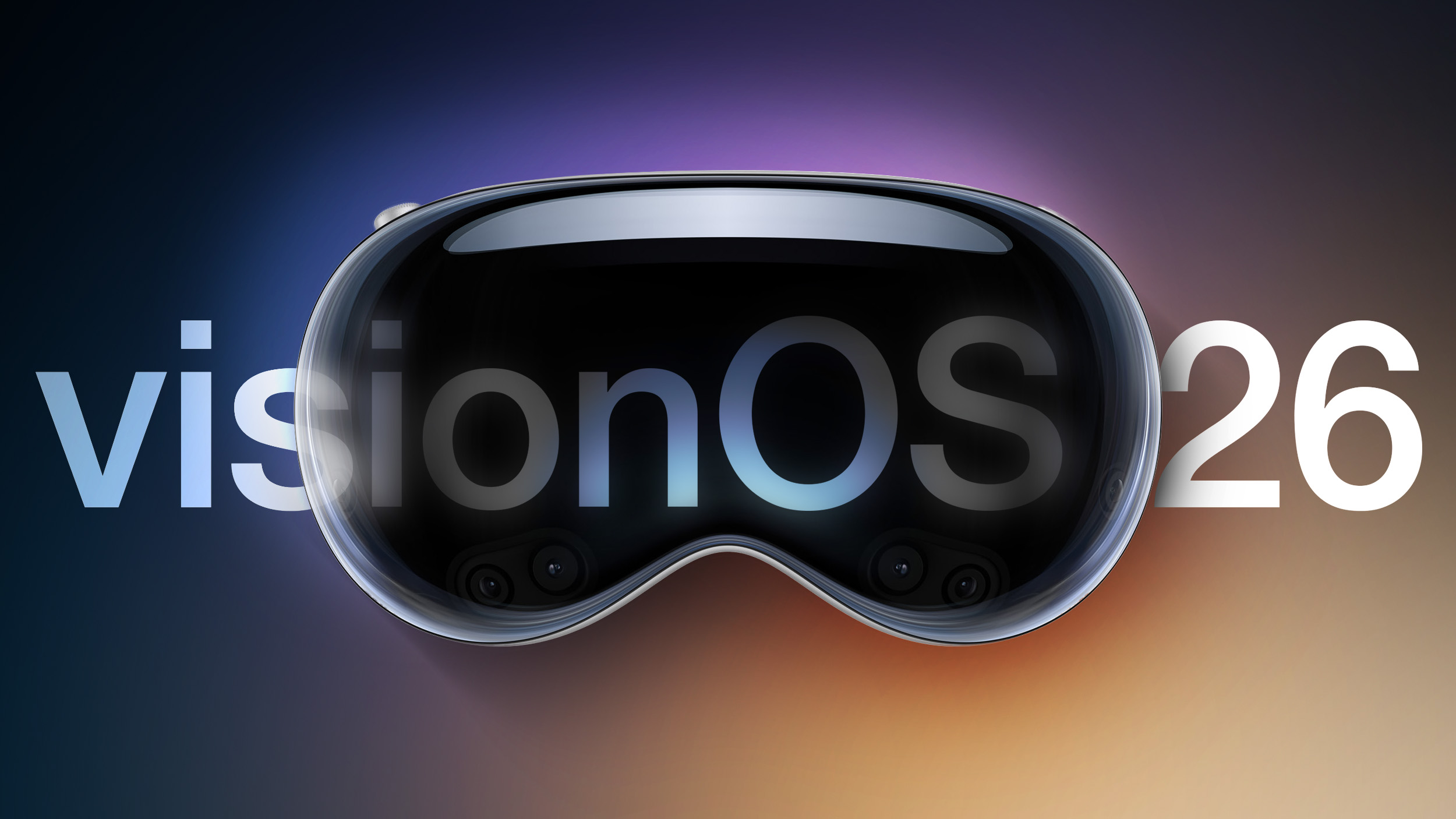
Understanding visionOS: The Heart of Spatial Computing
Before diving deeper into the specifics of visionOS 26.3.1, it's essential to understand the platform it enhances. visionOS is Apple's innovative spatial operating system, meticulously designed to power the Apple Vision Pro. Unlike traditional operating systems that interact with 2D screens, visionOS integrates digital content with the physical world, creating an unparalleled augmented and virtual reality experience. It allows users to navigate apps, watch movies, create content, and even collaborate in a three-dimensional space, all controlled by natural and intuitive inputs such as eye movements, hand gestures, and voice commands.
This operating system is built on decades of Apple's engineering prowess, incorporating foundational frameworks from macOS, iOS, and iPadOS, while also introducing entirely new concepts for spatial interaction. Its core philosophy revolves around presence and immersion, making digital content feel as though it truly exists in the user's environment. The intricate layering of digital windows, volumetric experiences, and environmental effects is all managed by visionOS, which ensures seamless performance and a truly magical user interface.
The continuous development of visionOS, evidenced by updates like 26.3.1, signifies Apple's long-term vision for spatial computing. Each iteration refines the fundamental interactions, enhances visual fidelity, improves performance, and addresses any emerging issues, paving the way for more sophisticated applications and a broader adoption of this transformative technology.
The Apple Vision Pro: A Glimpse into the Future
At the core of the visionOS experience is the Apple Vision Pro, Apple's first spatial computer. This device is not merely a virtual reality headset; it's engineered to blend digital content with your physical space in a way that feels natural and intuitive. With its stunning micro-OLED displays, advanced spatial audio, and an array of sophisticated sensors, the Vision Pro delivers an incredibly rich and immersive experience. It allows users to enjoy entertainment, connect with others, and be productive in entirely new ways, all while staying connected to their surroundings through Passthrough technology.
The Vision Pro's hardware is tightly integrated with visionOS, enabling features like EyeSight, which displays a user's eyes to people in the room, maintaining a sense of connection. The precision of its eye-tracking and hand-tracking systems allows for granular control over the interface, making interactions feel fluid and effortless. From browsing the web on an expansive virtual display to experiencing movies in Cinema Environment, the Vision Pro redefines what a personal computer can be.
Maintaining the Vision Pro through regular software updates is crucial for unlocking its full potential and ensuring a premium user experience. These updates optimize performance, introduce new capabilities, and, importantly, resolve any glitches that might arise, ensuring the cutting-edge technology remains smooth and reliable for its users.
Seamless Update Process: How to Get visionOS 26.3.1
Keeping your Apple Vision Pro updated to the latest version of visionOS is a straightforward process, designed to be as user-friendly as possible. For those eager to benefit from the latest improvements, including the fix in visionOS 26.3.1, here’s how to initiate the update:
- Access the Settings App: Begin by putting on your Apple Vision Pro headset. Use your eye movements and hand gestures to navigate to the "Settings" app on your visionOS home screen. This app is the central hub for customizing and managing your device.
- Select the General Section: Within the Settings app, you'll find various categories for different aspects of your device. Locate and select the "General" section. This area typically contains settings related to software, storage, date and time, and other fundamental device configurations.
- Choose Software Update: Inside the General section, you will see an option labeled "Software Update." Select this to check for any available visionOS updates. Your Vision Pro will then connect to Apple's servers to determine if a newer version is ready for download.
Important Considerations During the Update:
- Headset Removal Required: A unique aspect of visionOS updates is that the Vision Pro headset needs to be removed from your head during the installation phase. This is a deliberate design choice, likely related to the system's architecture and the need for the device to perform a complete restart and firmware update without active user interaction.
- EyeSight Display Progress: While the headset is off your head, you won't be left in the dark about the update's progress. Apple has ingeniously utilized the exterior EyeSight display, which normally shows your eyes to others, to serve as a software progress bar. This visual indicator allows you to monitor the installation status from the outside, letting you know when the update is complete and the device is ready to be worn again.
- Stable Wi-Fi Connection: Ensure your Vision Pro is connected to a stable and reliable Wi-Fi network before initiating the download. A strong connection will prevent interruptions and speed up the download process.
- Sufficient Battery Life: It's always a good practice to ensure your Vision Pro has ample battery life, or is connected to power, before starting a software update. While minor updates usually don't take long, having sufficient charge prevents the device from shutting down unexpectedly during installation, which could potentially lead to issues.
Following these steps will ensure a smooth and successful update to visionOS 26.3.1, allowing you to quickly get back to enjoying your spatial computing experience with the latest improvements.
The Specific Fix: Addressing the MultiView Flicker Issue
The primary purpose of visionOS 26.3.1, as detailed in Apple's official release notes, is to resolve a specific visual anomaly: "It fixes a flicker issue that could happen when watching sports content with MultiView in the Apple TV app." This fix, while seemingly minor, is incredibly important for users who leverage the Vision Pro for immersive sports viewing.
What is MultiView?
MultiView is a standout feature within the Apple TV app, particularly celebrated by sports enthusiasts. It allows users to watch multiple live sports feeds simultaneously on a single screen or, in the case of Vision Pro, within a singular spatial environment. Imagine watching two different basketball games, a football match and a tennis tournament, or multiple camera angles of the same event, all at once. This feature enhances the viewing experience by providing comprehensive coverage and ensuring you don't miss a moment of the action across various games or perspectives.
On a traditional 2D screen, MultiView arranges these feeds in a tiled layout. However, in the spatial realm of visionOS, MultiView takes on new dimensions. Users can position these multiple video feeds as individual spatial windows within their environment, creating a truly personalized sports bar experience right in their living room, or even within an immersive virtual environment like a stadium suite. This capability elevates sports watching from a passive activity to an interactive and deeply engaging one.
The Flicker Issue and Its Impact
Prior to visionOS 26.3.1, some users reported experiencing a flickering effect when utilizing the MultiView feature specifically with sports content in the Apple TV app. This flickering could manifest as a rapid, inconsistent change in brightness or color on one or more of the video feeds, or across the entire MultiView presentation. While not always a complete disruption, such visual anomalies can significantly detract from the immersive quality that the Vision Pro strives to deliver.
For sports fans, who often rely on clear, uninterrupted visuals to follow fast-paced action, a flickering screen can be particularly frustrating. It breaks immersion, causes eye strain, and ultimately undermines the premium viewing experience that spatial computing promises. Given the high fidelity and seamless integration that Apple aims for with the Vision Pro, resolving even subtle visual glitches like this becomes a priority to maintain user satisfaction and the integrity of the platform.
Why This Fix Matters for the Apple TV App and Sports Fans
The Apple TV app on visionOS is designed to be a cornerstone of entertainment for Vision Pro users. It provides access to a vast library of movies, TV shows, and, crucially, live sports through various subscriptions and channels. Its optimization for spatial computing allows users to watch content in stunning cinematic environments or scale videos to truly colossal sizes, making every viewing feel epic.
For sports content, the combination of high-resolution displays, spatial audio, and features like MultiView is a killer application for the Vision Pro. It allows fans to feel more connected to the game, offering perspectives and levels of detail previously unimaginable. By fixing the flicker issue, Apple ensures that this premium sports viewing experience remains pristine and without visual distractions. This is a critical step in solidifying the Vision Pro's position as a premier entertainment device, especially for live events where visual integrity is paramount.
The Broader Impact of Minor Updates on Spatial Computing
While visionOS 26.3.1 is a "minor update," its release highlights several important aspects of software development and user experience in the realm of spatial computing:
1. Apple's Commitment to Refinement
The swift release of a targeted fix two weeks after a larger update demonstrates Apple's agile development cycle and dedication to perfecting the visionOS experience. It shows that even after a major release like visionOS 26.3, the company is actively monitoring performance, gathering feedback, and quickly addressing specific issues that emerge in real-world usage.
2. The Importance of User Feedback
Issues like the MultiView flicker are often identified through user reports. This underscores the vital role the user community plays in the continuous improvement of cutting-edge platforms like visionOS. Apple's ability to quickly diagnose and deploy a fix based on such feedback builds trust and ensures that the platform evolves in response to genuine user needs.
3. Ensuring Premium Experiences
The Apple Vision Pro is positioned as a premium product, and a premium experience demands flawless performance. Even small visual glitches can detract from the sense of immersion and the high-quality standard users expect. By resolving such issues promptly, Apple reinforces the value proposition of the Vision Pro and ensures that its innovative features, like MultiView, function exactly as intended.
4. Stability and Reliability
Each bug fix, regardless of its apparent size, contributes to the overall stability and reliability of the operating system. A more stable visionOS means fewer crashes, smoother performance, and a more consistent user experience across all applications. This foundational stability is essential as developers begin to build more complex and demanding spatial applications for the platform.
5. Paving the Way for Future Innovations
By continually refining the core operating system and addressing bugs, Apple creates a robust foundation for future innovations. A stable and optimized visionOS allows for the seamless integration of new features, more sophisticated applications, and even more immersive experiences in subsequent updates. This iterative process is crucial for the long-term growth and success of spatial computing.
Getting the Most Out of Your Apple Vision Pro: Best Practices
To ensure you always have the best experience with your Apple Vision Pro and visionOS, here are some best practices:
- Stay Updated: Always install the latest visionOS updates. As demonstrated by visionOS 26.3.1, these updates often contain important bug fixes, performance improvements, and sometimes new features that enhance the device's capabilities and security.
- Charge Regularly: Keep your Vision Pro's battery charged, especially before updates or extended use. A well-maintained battery ensures uninterrupted spatial computing sessions.
- Maintain a Clean Environment: Regularly clean the external cameras and internal lenses of your Vision Pro according to Apple's guidelines. Dust or smudges can affect tracking performance and visual clarity.
- Explore New Apps: The visionOS App Store is continuously growing. Explore new applications and experiences to discover the full potential of spatial computing, from productivity tools to immersive games and educational content.
- Provide Feedback: If you encounter any bugs or have suggestions for improvements, use Apple's feedback channels. Your input is valuable in shaping the future of visionOS.
- Use Secure Wi-Fi: Ensure your Vision Pro is always connected to a secure and reliable Wi-Fi network, particularly when downloading updates or accessing sensitive information.
The Future of Spatial Computing with Apple Vision Pro
The release of visionOS 26.3.1, with its focused bug fix, is a small but significant step in Apple's ambitious journey into spatial computing. The Vision Pro and visionOS are not just new products; they represent a fundamental shift in how we interact with technology and digital content. From revolutionizing entertainment and productivity to offering new avenues for creativity and connection, the potential of this platform is immense.
As visionOS continues to evolve through updates like these, we can expect to see even greater integration of digital content into our physical environments, more natural and intuitive interactions, and a burgeoning ecosystem of spatial applications that leverage the unique capabilities of the Vision Pro. Apple's iterative approach, characterized by consistent updates and a commitment to refining the user experience, suggests a bright future for spatial computing and its ability to transform various aspects of our daily lives.
Whether you're a sports fan relying on MultiView for the ultimate game day experience or a professional utilizing spatial apps for work, visionOS 26.3.1 ensures that your interactions remain smooth, reliable, and truly immersive. It’s a reminder that in the world of cutting-edge technology, even the smallest fixes can make a huge difference in the overall perception and usability of a revolutionary product.
This article, "Apple Releases visionOS 26.3.1 to Fix Multiview Flicker Issue in Apple TV App" first appeared on MacRumors.com
Discuss this article in our forums
from MacRumors
-via DynaSage
