
Apple Releases macOS 11, watchOS 10, and watchOS 9 Updates to Keep iMessage and FaceTime Working on Older Devices
Keeping Your Older Apple Devices Connected: Essential Updates for macOS 11 and watchOS
In a world constantly pushing for the newest technology, it’s easy to feel left behind if your favorite devices aren't the absolute latest models. However, Apple, known for its commitment to both innovation and product longevity, continues to offer essential support for its user base, even those relying on older hardware. Recently, the company rolled out vital software updates for a range of its older Macs and Apple Watches. These updates, namely macOS 11.7.11, watchOS 10.6.2, and watchOS 9.6.4, aren't about flashy new features. Instead, they serve a far more critical purpose: ensuring that fundamental services like device activation, iMessage, and FaceTime continue to function seamlessly for years to come.
These updates are specifically designed for devices that, due to their hardware limitations, cannot run the very latest operating systems, such as the current watchOS and macOS versions. This strategic move by Apple highlights a dedication to user experience and device sustainability, ensuring that valuable features remain accessible and secure. For anyone holding onto an older MacBook, iMac, or an earlier Apple Watch model, these updates are not just recommended, they are absolutely crucial. They extend the life of your device's ability to communicate and verify its identity, safeguarding against future service interruptions.
Understanding the implications of these updates goes beyond simply clicking "install." It delves into the technical underpinnings of how our devices communicate securely and how a simple digital certificate can dictate the functionality of everyday services we often take for granted. This article will explore why these specific updates are so important, which devices are affected, how to install them, and what it means for the continued usability and security of your beloved older Apple gear.
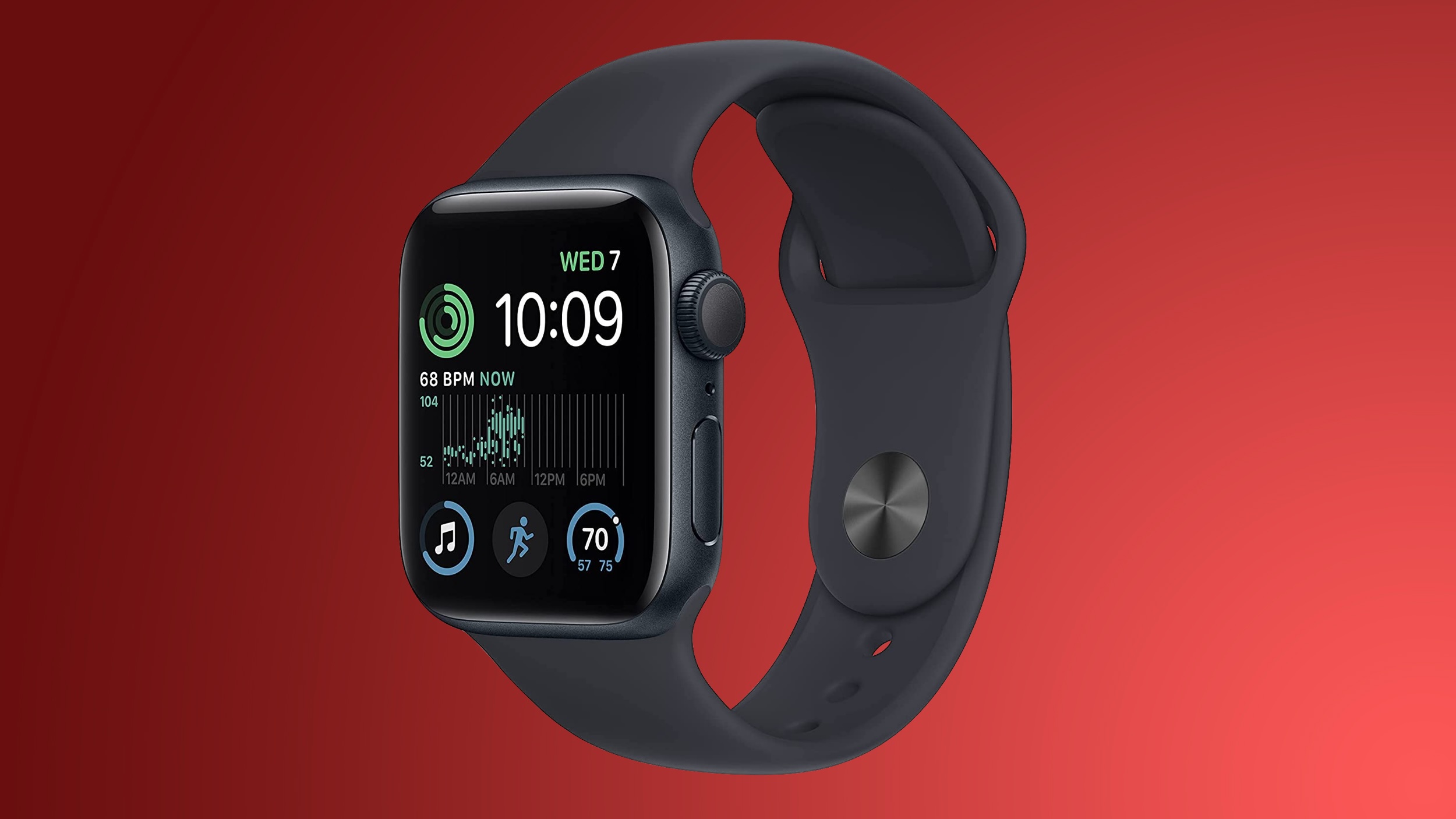
The Lifeline for Legacy Devices: Understanding the Updates
Why Your Older Apple Devices Still Matter
Many Apple users choose to keep their devices for extended periods, and for good reason. Older Macs and Apple Watches are often incredibly well-built, reliable, and perfectly capable of handling daily tasks. There's also a growing global awareness of environmental sustainability, with many consumers aiming to reduce electronic waste by extending the lifespan of their gadgets. Economically, not everyone needs or can afford to upgrade to the latest model every year or two. For these reasons, continued software support for older devices is not just a nicety; it’s an essential service that empowers users and promotes responsible consumption.
Apple's long-term software support stands out in the tech industry. While many manufacturers cease updates after a few years, Apple often provides critical security and functionality updates for devices many generations old. This commitment ensures that even if you're not running the newest operating system, your device remains secure, functional, and connected to Apple's ecosystem of services. The recent certificate updates are a prime example of this philosophy in action, demonstrating Apple’s proactive approach to maintaining the utility of its vast installed base of devices.
Introducing the Essential Software Updates
The latest round of updates targets specific operating systems that are no longer receiving major feature upgrades but still require maintenance for core functionality. These include:
macOS 11.7.11: Keeping Big Sur Going
macOS Big Sur (version 11) marked a significant design shift for the Mac when it was released. While newer macOS versions like Sonoma have since arrived, a considerable number of Macs are limited to Big Sur as their most advanced compatible operating system due to hardware specifications. For users of these machines, macOS 11.7.11 is a crucial update. It's not about new features or a refreshed interface; it's about backend infrastructure maintenance. This specific update extends a vital digital certificate that authenticates your Mac's connection to various Apple services. Without this extension, these Macs would eventually lose the ability to reliably use iMessage, FaceTime, and even crucial device activation services, especially after January 2027.
watchOS 10.6.2 and watchOS 9.6.4: Apple Watch Longevity
Similarly, Apple has released watchOS 10.6.2 and watchOS 9.6.4 for older Apple Watch models. The watchOS ecosystem is closely tied to the iPhone it's paired with. Newer watchOS versions require newer iOS versions, which in turn require newer iPhone hardware. This creates a cascade effect where older iPhone models limit the watchOS version their paired Apple Watch can run.
- watchOS 10.6.2 is available for the Apple Watch Series 4, Apple Watch Series 5, and the original Apple Watch SE. These models are capable of running watchOS 10, which brought a redesigned interface and new features. The 10.6.2 update ensures these watches continue to communicate securely with Apple services.
- watchOS 9.6.4 targets even older configurations. This is particularly important because it is considered one of the final versions of watchOS that supports devices paired with an iPhone 8, iPhone 8 Plus, and iPhone X. These iPhone models are limited to iOS 16 and cannot be updated to iOS 17, which is a prerequisite for watchOS 10. Therefore, watchOS 9.6.4 ensures that users with these specific iPhone-Apple Watch combinations can continue to enjoy secure and functional services on their wearables.
The Critical Role of Digital Certificates
What Exactly Is a Digital Certificate?
To truly appreciate the importance of these updates, it's essential to understand what a digital certificate is. Think of a digital certificate as a digital passport or an official ID card for your device or a service. It's a small file issued by a trusted third party (in this case, Apple) that proves the identity of a device or a server. When your Mac tries to connect to Apple's iMessage server, or when your Apple Watch tries to activate, they present this digital certificate. The server then verifies the certificate's authenticity, ensuring that your device is legitimate and that the communication channel can be trusted.
These certificates contain cryptographic keys that enable secure, encrypted communication. They are fundamental to establishing trust in online interactions, protecting your data from being intercepted or tampered with. Without a valid certificate, your device cannot confidently prove its identity or securely establish connections, leading to a breakdown in communication with vital services.
Why Certificate Expiration Is a Big Deal
Like physical passports, digital certificates have an expiration date. This built-in expiry is a security measure; it ensures that cryptographic methods are regularly updated and prevents long-term misuse of compromised certificates. However, if a certificate expires without being renewed or replaced, the consequences can be significant for the end-user.
In the context of these Apple updates, an expired certificate would mean that:
- iMessage stops working: Your device would no longer be able to securely authenticate with Apple's iMessage servers, preventing you from sending or receiving messages through the service. The green bubbles might not just be for Android users; they might become a permanent fixture for your Apple-to-Apple conversations if the service completely fails.
- FaceTime becomes unusable: Similar to iMessage, FaceTime relies on these certificates to establish secure video and audio calls. An expired certificate would mean your device cannot initiate or receive FaceTime calls.
- Device Activation issues: This is perhaps the most critical. When you set up a new Apple device or restore an old one, it needs to 'activate' by connecting to Apple's servers and verifying its legitimacy. If the device's activation certificate has expired, it might become impossible to set up, essentially rendering the device unusable. Imagine trying to factory reset your Mac or Watch and then being unable to reactivate it – a truly frustrating scenario.
The "January 2027" deadline mentioned by Apple indicates that the current certificates were set to expire around that time. By releasing these updates now, Apple is proactively ensuring that users have ample time to update their devices and avoid any service interruptions in the future. This forward-thinking approach prevents a widespread outage of critical services for millions of users who still rely on these older, yet perfectly functional, devices.
Beyond Functionality: The Security Aspect
While the immediate concern of an expired certificate is the loss of functionality for services like iMessage and FaceTime, the underlying issue is security. Digital certificates are the cornerstone of trust in encrypted communications. They ensure that you are indeed communicating with Apple's legitimate servers and that no malicious third party is intercepting or altering your data (known as a "man-in-the-middle" attack).
An expired or invalid certificate compromises this trust. While Apple's specific updates focus on extending the validity of existing certificates, it's also a reminder that these certificates are part of a broader security framework. Keeping them current is paramount for protecting user data, maintaining privacy, and ensuring the integrity of the entire Apple ecosystem. These updates are, therefore, not just convenience fixes; they are crucial security maintenance.
Who Benefits? Identifying the Affected Devices
It's important for users to know if their devices fall into the category requiring these specific updates. These releases are not for the latest generation of Apple hardware, but rather for those reliable workhorses that have served their owners well for years.
Macs Receiving macOS 11.7.11
The macOS 11.7.11 update is intended for Macs that are compatible with macOS Big Sur (macOS 11) but cannot upgrade to more recent macOS versions like Monterey (macOS 12), Ventura (macOS 13), or Sonoma (macOS 14). This typically includes Macs released in the mid-to-late 2010s. Examples might include:
- MacBook Air (late 2013 to early 2015 models)
- MacBook Pro (late 2013 to mid-2015 models)
- iMac (late 2013 to late 2014 models)
- Mac mini (late 2014 models)
- Mac Pro (late 2013 model)
These machines possess hardware that met the requirements for Big Sur but do not meet the stricter hardware requirements for subsequent macOS versions. For these users, macOS 11.7.11 is the latest update they will receive, and it’s critical for ensuring their core services remain functional well into the future. The update path is straightforward and will be available directly through the Mac's system settings.
Apple Watches and iPhones Benefiting from watchOS Updates
The watchOS updates target different tiers of older devices, primarily dictated by the iPhone they are paired with, as the iPhone manages the Apple Watch's software updates.
watchOS 10.6.2: For Apple Watch Series 4, Series 5, and Original SE
This update is for a slightly newer generation of Apple Watches that can run watchOS 10. This includes:
- Apple Watch Series 4 (released 2018)
- Apple Watch Series 5 (released 2019)
- Apple Watch SE (1st generation, released 2020)
These watches typically pair with iPhone models capable of running iOS 17 or newer, allowing them to install watchOS 10. The 10.6.2 update ensures these watches continue to enjoy secure connectivity and service access, extending their useful life for users who might not yet be ready to upgrade to a Series 9 or Ultra model.
watchOS 9.6.4: The Last Stop for Older Watches and iPhones
This update is particularly significant as it represents the final versions of watchOS that support specific combinations of older Apple Watches and iPhones. The primary limitation here is the iPhone's operating system:
- iPhone 8, iPhone 8 Plus, and iPhone X: These iPhone models are limited to iOS 16 and cannot be updated to iOS 17. Since watchOS 10 requires iOS 17, any Apple Watch paired with these iPhones cannot upgrade beyond watchOS 9.
Therefore, watchOS 9.6.4 is critical for ensuring that users with Apple Watch models that could run watchOS 9 (e.g., Series 3, Series 4, Series 5, Original SE) but are paired with an iPhone limited to iOS 16, continue to have access to core Apple services. When Apple states these are "final versions," it means these devices will not receive further major feature updates or security updates beyond critical patches like this certificate extension. This makes installing 9.6.4 paramount for these users to maintain fundamental connectivity.
A Nod to Even Older Generations: Catalina and watchOS 6
In a further testament to Apple's long-term commitment, the company also released updates for even older operating systems. As an update to the original news, Apple also made available:
- macOS Catalina Security Update 2026-001: This update targets Macs running macOS Catalina (version 10.15), which was released in 2019. It further extends support for Macs that are even older than those running Big Sur, ensuring their certificate validity.
- watchOS 6.3.1: This update is for very early Apple Watch models, likely the original Apple Watch, Series 1, and Series 2, that are limited to watchOS 6. This shows an extraordinary level of support for devices well over half a decade old.
These additional updates underscore Apple's deep commitment to its entire ecosystem, acknowledging that a significant portion of its user base relies on well-maintained older hardware.
Seamless Installation: How to Update Your Devices
Installing these updates is a straightforward process, designed to be user-friendly, but it's always wise to follow best practices to ensure a smooth transition. Before starting any major software update, it’s highly recommended to back up your device. For Macs, Time Machine is an excellent option. For Apple Watches, your iPhone automatically backs up your watch data.
Updating Your Mac to macOS 11.7.11
The update process for your Mac running macOS Big Sur is simple and integrated directly into the system settings:
- Ensure Power and Internet: Make sure your Mac is connected to a reliable power source (especially if it’s a laptop) and has a stable Wi-Fi or Ethernet connection.
- Open System Settings: Click on the Apple menu in the top-left corner of your screen and select "System Preferences" (or "System Settings" on newer macOS versions, though Big Sur will still be "System Preferences").
- Navigate to Software Update: Click on "Software Update." Your Mac will then check for available updates.
- Install the Update: You should see "macOS 11.7.11" listed as an available update. Click "Update Now" or "Upgrade Now" to begin the download and installation process.
- Follow Prompts: Your Mac may restart multiple times during the installation. Ensure you do not close the lid of a laptop or power off your Mac during this period.
The entire process can take some time, depending on your internet speed and Mac's performance, so it's best to do it when you don't need to use your computer immediately.
Updating Your Apple Watch
Updating your Apple Watch requires your paired iPhone and a few specific conditions to be met:
- Charge Your Watch: Your Apple Watch must be on its charger and charged to at least 50% battery.
- iPhone Requirements: Ensure your paired iPhone is nearby, connected to Wi-Fi, and fully charged or connected to power.
- Open the Apple Watch App: On your iPhone, open the "Apple Watch" app.
- Navigate to Software Update: Tap on "My Watch," then go to "General" and select "Software Update."
- Download and Install: If watchOS 10.6.2 or 9.6.4 is available, tap "Download and Install." You might need to enter your iPhone passcode or Apple Watch passcode.
- Wait for Completion: The update will download to your iPhone and then transfer to your Apple Watch. The watch will then install the update, which can take a considerable amount of time. You'll see a progress wheel on your watch. Do not remove your watch from the charger or restart it during this process.
Patience is key for Apple Watch updates. It often takes longer than expected, but once complete, your watch will restart, and you'll be running the latest certificate-extended software.
Apple's Commitment to Longevity and Sustainability
More Than Just Bug Fixes: Apple's Broader Support Strategy
These certificate-extending updates are more than just routine bug fixes; they are a clear statement of Apple's broader commitment to its users and to the principles of product longevity and sustainability. In an industry often criticized for planned obsolescence, Apple consistently goes the extra mile to provide software support for its devices, far beyond what many competitors offer.
This strategy yields multiple benefits. For users, it means their significant investment in an Apple product continues to pay dividends for years, providing reliable functionality and access to essential services. It reduces the pressure to constantly upgrade, making Apple devices a more sustainable choice in the long run. From an environmental perspective, extending the useful life of devices directly contributes to reducing electronic waste, aligning with global efforts to create a more circular economy.
Furthermore, maintaining connectivity for older devices strengthens the entire Apple ecosystem. When iMessage and FaceTime work reliably across all generations of compatible hardware, it ensures a consistent and seamless communication experience for everyone, regardless of the specific model they own. This reinforces user loyalty and trust in the brand, knowing that their devices will be cared for even after they are no longer the "latest and greatest."
Conclusion
The release of macOS 11.7.11, watchOS 10.6.2, and watchOS 9.6.4 is a testament to Apple's ongoing dedication to its users, especially those who cherish their older, yet still highly capable, Macs and Apple Watches. These updates might lack flashy new features, but their importance cannot be overstated. By extending critical digital certificates, Apple ensures that essential services like device activation, iMessage, and FaceTime will continue to operate securely and reliably beyond January 2027.
For millions of users around the globe, these updates provide peace of mind, reaffirming the longevity and value of their Apple products. If you own a Mac running macOS Big Sur, an Apple Watch Series 4, 5, or original SE, or an Apple Watch paired with an iPhone 8/X, installing these updates promptly is crucial. Don't wait until services begin to fail; take a few minutes today to update your devices and secure their functionality for years to come. It’s a simple step that makes a world of difference in keeping your older Apple tech connected and thriving.
This article, "Apple Releases macOS 11, watchOS 10, and watchOS 9 Updates to Keep iMessage and FaceTime Working on Older Devices" first appeared on MacRumors.com
Discuss this article in our forums
from MacRumors
-via DynaSage
