
MacBook Pro With PROLED XDR Display: Details You Might Have Missed
The new MacBook Pro with PROLED XDR display has official launched, delivering major screen upgrades, refined chassis details, and identical next-generation processing power. Here is a complete deep dive into all the hidden hardware changes, benchmark numbers, internal redesigns, and design tweaks discovered in Apple's latest flagship laptop.
Apple's updated laptop lineup began arriving to customers on Friday, giving tech enthusiasts and hardware reviewers their very first opportunity to inspect the machines in person. While the headline feature of this hardware generation is unquestionably the new display tech, several smaller details have slowly surfaced as users unbox, disassemble, and test their new notebooks.
M5 Max Performance: Benchmark Comparisons Between Mini-LED and PROLED XDR
When Apple announced the redesigned laptops, many buyers wondered whether switching screen panels would have any effect on overall processing speed or thermal throttling. Because the new models ship with the exact same M5 Pro and M5 Max processor options as the previous mini-LED versions, real-world performance was expected to remain identical across both generations.
Synthetic benchmark testing has now officially confirmed those expectations. Data uploaded to the Geekbench 7 database demonstrates that CPU performance is practically identical between the previous mini-LED flagship and the updated PROLED XDR hardware configuration.
The multi-core CPU performance breakdown reveals virtually indistinguishable results under heavy computational workloads:
- 16-inch MacBook Pro (Mini-LED, M5 Max): 34,988 points
- 16-inch MacBook Pro (PROLED XDR, M5 Max): 34,904 points
Both laptop configurations evaluated in the testing suite feature identical 18-core CPU layouts built into the M5 Max silicon architecture. The tiny fraction of a percent difference in their final scores falls well within normal margin-of-error variance for hardware benchmarks.
This means users upgrading to the newest panel technology will not have to worry about performance penalties or thermal compromises. The internal cooling system handles heavy rendering, code compilation, and multi-track audio production with the exact same efficiency as prior models.
Hardware Refinements: Bottom Cover Tweaks and Audio Upgrades
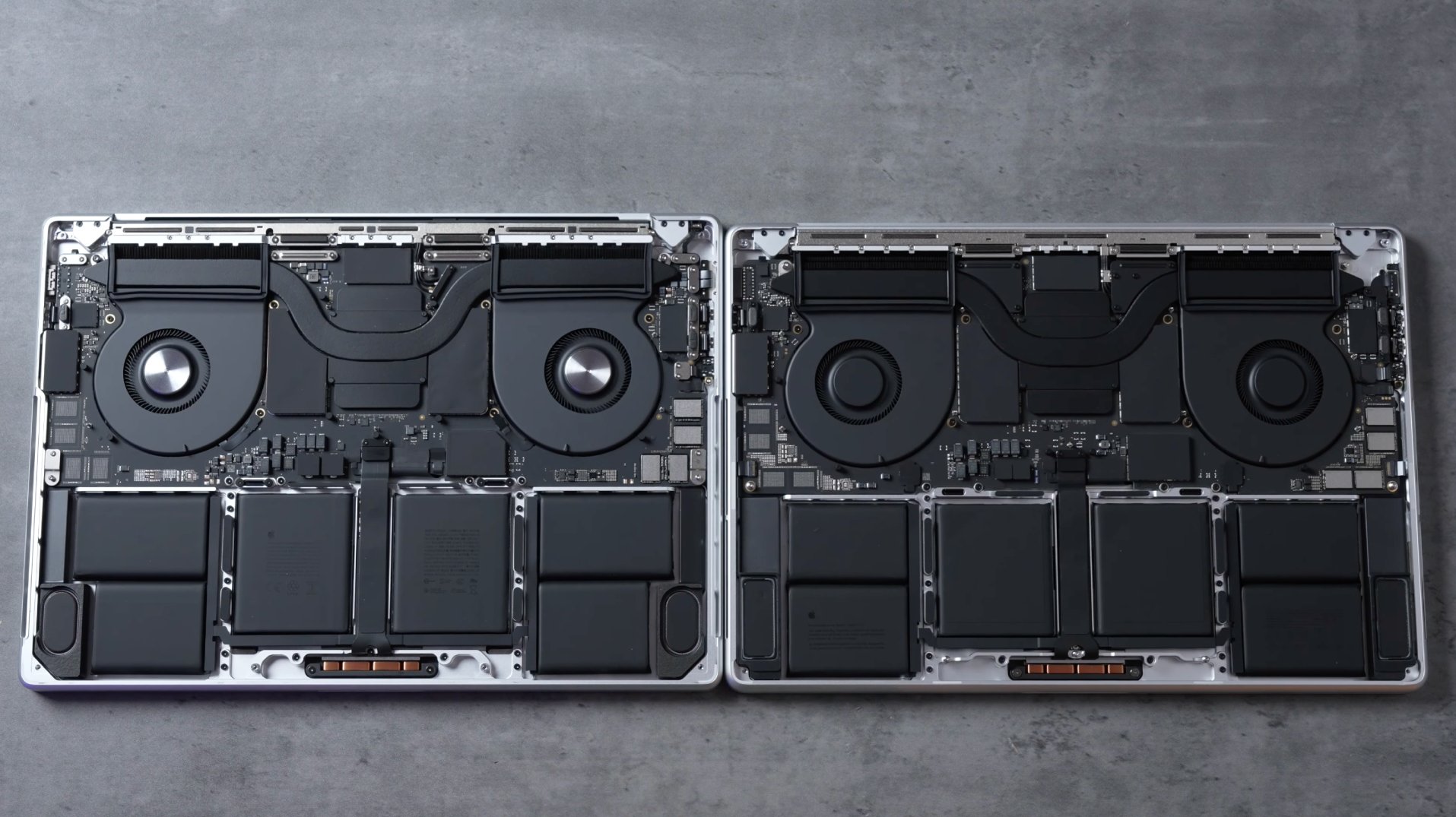
Beyond screen technology, Apple has quietly tweaked the external chassis structure of the notebook. Popular teardown and tech news YouTube channel Max Tech noted several key structural alterations when examining the underside of the newly delivered machines.
First, the rubberized feet on the bottom cover are now slightly recessed into the aluminum enclosure. This minor design alteration helps stabilize the laptop on flat surfaces while offering better protection against long-term wear and scuffing.
Additionally, accessing the internal components is now simpler for service technicians. Apple has reduced the number of bottom panel fasteners, using only four pentalobe screws on the new chassis compared to the eight pentalobe screws required on previous generations.
Once you remove the simplified bottom cover, another significant hardware enhancement comes into view. Apple has expanded the volume of the built-in sound system by allocating extra space for larger speaker modules.
According to official specifications from Apple, these larger internal speakers deliver up to 50 percent deeper bass response. The added low-end extension provides noticeably richer audio reproduction for movie playback, music production, and video editing without requiring external desktop monitors.
Keyboard Repairability and Serviceability Breakdown
Hardware serviceability remains a major talking point for modern laptop buyers. Earlier in the year, Apple gained praise when the MacBook Neo's keyboard can be replaced individually without requiring a full top case replacement, raising hopes that future Pro laptops might follow suit.
However, official technical documentation confirms that the pro-tier lineup has retained its traditional internal component layout. According to newly published Apple's repair manuals, the latest laptops continue to rely on a combined single-piece component architecture.
The repair manuals reveal that replacing a damaged keyboard still requires swapped installation of an entire unitized assembly labeled as the Top Case with Battery and Keyboard. This means individual key switches and keyboard sub-assemblies cannot be serviced as standalone modules on the Pro models.
While this structural arrangement maximizes structural rigidity and maintains an ultra-thin laptop footprint, it also means keyboard repairs out of warranty will remain relatively costly for end users due to the bundled battery components.
Design Symmetry: Rounded Display Corners Explained
Apple has also made a subtle aesthetic refinement to the screen enclosure that creates a much cleaner visual balance when viewing the open laptop. In previous mini-LED versions, only the top two corners of the screen featured rounded glass contours, while the bottom two corners remained sharp right angles where the screen met the hinge bezel.
On the new MacBook Pro with PROLED XDR display, Apple has officially rounded all four display panel corners. This structural change brings complete visual consistency across the entire front facing surface of the notebook.
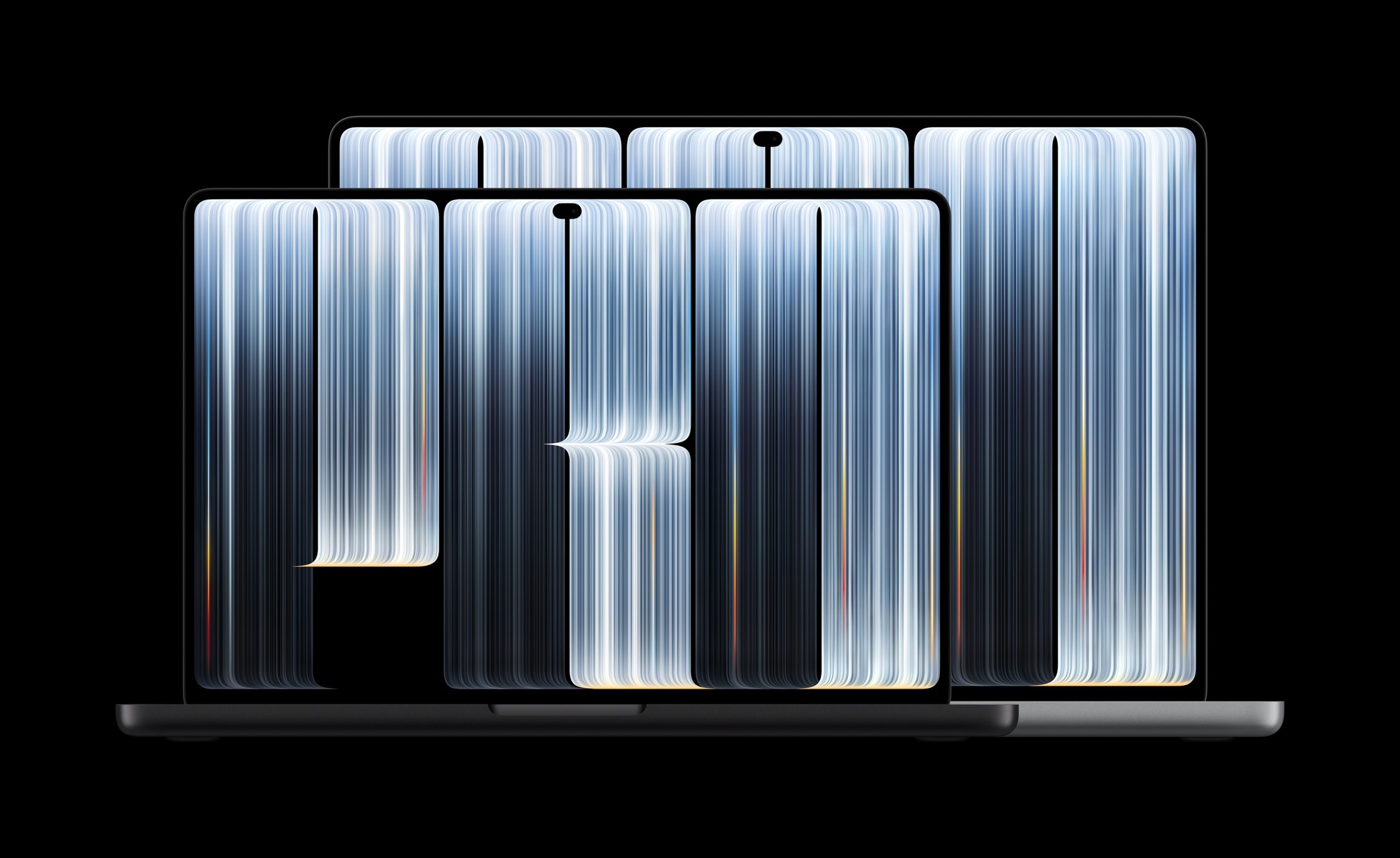
By matching the curvature of the bottom screen corners to the top screen corners, the active viewing area now feels seamlessly aligned with the surrounding bezel border. The resulting geometry eliminates the awkward visual transition between the panel glass and lower hinge trim.
The Return of the Glowing Apple Logo
One of the most surprising aesthetic surprises on the new laptop is the return of an iconic Apple design element: the illuminated rear lid logo. Tech commentators discussed this nostalgia feature over the weekend, sparking curiosity about how the engineering team implemented it without a traditional display backlight.
Detailed analysis by Daring Fireball's John Gruber confirmed that the glowing icon on the rear lid relies on dedicated lighting hardware. On legacy MacBook models produced in 2015 and earlier, the rear logo simply passed light through a translucent cutout in the aluminum lid using the LCD display's standard background illumination grid.
However, modern organic self-emissive screen panels do not utilize a traditional global backlight system. Because every individual pixel on a PROLED XDR panel generates its own light, there is no shared internal light source available behind the display assembly to naturally illuminate an exterior cutout.
To overcome this technical barrier and bring back the fan-favorite feature, Apple added a dedicated custom light module inside the lid housing. The system utilizes an independent white LED component engineered specifically to evenly illuminate the rear Apple icon regardless of screen brightness levels.
When asked why the engineering team decided to reintroduce the feature after more than a decade of dark metallic lid logos, an Apple representative provided a wonderfully straightforward answer. According to Gruber, the official explanation from Apple was simply, "Because it's awesome."
Summary of Key Changes and Takeaways
The newest updates to the pro laptop lineup strike a solid balance between external refined styling and internal acoustic improvements. While CPU performance remains unchanged thanks to the continued excellence of the M5 Max chip, the hardware enhancements significantly improve daily user experience.
Here is a quick recap of the standout hardware updates found in this revision:
- Identical Compute Power: M5 Max multi-core benchmarks match prior mini-LED models within a fraction of a percent.
- Enhanced Audio System: Expanded interior speaker chambers yield 50 percent deeper bass output.
- Chassis Maintenance: Recessed rubber feet and a drop from eight to four bottom panel screws simplify disassembly.
- Unified Design Aesthetics: All four corners of the screen panel now feature matching rounded geometry.
- Retro Feature Revival: A dedicated internal LED brings back the illuminated rear lid logo.
With its combination of uniform screen borders, enhanced speaker output, and iconic backlighting, the modern MacBook Pro with PROLED XDR display delivers a comprehensive upgrade that refines every facet of Apple's flagship portable workstation.
Related Roundup: MacBook Pro
Buyer's Guide: MacBook Pro (Buy Now)
Related Forum: MacBook Pro
This article, "MacBook Pro With PROLED XDR Display: Details You Might Have Missed" first appeared on MacRumors.com
Discuss this article in our forums
from MacRumors
-via DynaSage
