
Apple Says More Than 100,000 Apps Optimized for iPhone Duo, Here's What's Still Missing
Apple today confirmed that more than 100,000 iPhone Duo apps have been updated and optimized for the new hardware just two weeks after the device was officially released. This comprehensive guide breaks down what software optimization means for the dual-screen device, highlights which major titles are ready, lists popular apps still missing support, and explains how legacy software behaves across different iOS SDK versions.
The release of the iPhone Duo marks a key milestone for mobile software design, introducing specialized display layouts that require updated developer toolkits. While thousands of updated applications arrive on the App Store each day, software compatibility remains a widely discussed topic among early adopters and developers alike.
What Does App Optimization Mean for iPhone Duo Apps?
When an application is optimized for the iPhone Duo, it is specifically configured to utilize the complete screen area of both the inner and outer displays. Apple confirmed that an optimized app is defined as one built with the iOS 27.1 SDK or later.
Software developed with the iOS 27.1 SDK or newer adapts dynamically to the physical architecture of the device. Key layout changes include filling the entire display width on both the primary outer screen and the expanded inner screen, while integrating status bar controls vertically to free up screen real estate.
In addition to edge-to-edge scaling, optimized titles can implement multi-column interfaces on the inner display, allowing users to view secondary sidebars, navigation trees, and complex multi-pane layouts simultaneously.
Apps meeting these software build standards receive a special "Made for iPhone Duo" badge directly within their App Store product listings on the device, making them easy for users to identify.

Susan Prescott Speaks on iPhone Duo Developer Momentum
To underscore the fast pace of adoption across the developer community, Apple published an official statement from Susan Prescott, Vice President of Worldwide Developer Relations. She highlighted the rapid influx of updated software on the App Store:
It's been wonderful to see how quickly developers have embraced iPhone Duo, and we're grateful for their creativity and innovation. Today there are well over 100,000 apps built for iPhone Duo already live on the App Store, and thousands of optimized apps are being added to the store each day. In the last month alone, thousands of developers have joined us for workshops in 19 cities around the world to experience iPhone Duo firsthand and bring updated apps to their users. The enthusiasm has been incredible, and we're excited to see the pace of updates continue to accelerate as more and more apps optimize for iPhone Duo.
As Prescott noted, Apple actively supported software engineers leading up to the product launch by organizing over 50 in-person developer workshops in 19 major cities worldwide. These global sessions allowed thousands of developers to test their software on physical iPhone Duo hardware and update their codebases using modern iOS toolkits.
Which Popular iPhone Duo Apps Are Already Optimized?
A growing collection of flagship software titles across productivity, streaming, sports, social media, and navigation have already been updated to support the full display dimensions of the iPhone Duo. Microsoft was among the early enterprise developers to issue full updates for its product suite.
Users can download fully updated versions of Microsoft's Excel, OneNote, PowerPoint, and Word apps, all of which take advantage of multi-column layouts and expanded status bar controls.
Beyond Microsoft's core software, many other popular applications across various categories are fully optimized for the device, including:
- Productivity and Organization: Goodnotes, Microsoft Excel, Microsoft OneNote, Microsoft PowerPoint, Microsoft Word
- Streaming Video and Entertainment: Amazon Prime Video, Netflix, YouTube
- Social Networking and Communication: Instagram, WhatsApp, Zoom
- Sports and Live Media: MLB, NBA, NHL
- Creative Tools and Photography: Fantastical, Flighty, Halide Mark III, SmartGym
- E-Commerce and Shopping: Etsy
Apple emphasized that there are far too many optimized applications to list individually, as thousands of newly updated titles are being approved and added to the App Store every single day.
Apple Pencil Support Arrives in iOS 27.2
Software capabilities on the device were further enhanced with the release of the iOS 27.2 update, which added official Apple Pencil (USB-C) support to the iPhone Duo.
With iOS 27.2 installed, users can utilize the Apple Pencil (USB-C) for fine drawing, handwriting, sketching, and document markup across the inner display. Supported software for stylus integration includes:
- Digital Art and Illustration: Procreate Pocket
- Note-Taking and Writing: Apple Notes, Fineliner, TypeDraw
- Document Editing and Markup: Preview
This addition makes the inner display a versatile tool for professionals, artists, and students who rely on precise stylus input for daily productivity tasks.
Which Major Apps Are Still Missing Optimization for iPhone Duo?
Even with over 100,000 apps optimized, the total App Store library includes millions of titles. Consequently, many high-profile services have not yet released updates built specifically for the dual displays of the hardware.
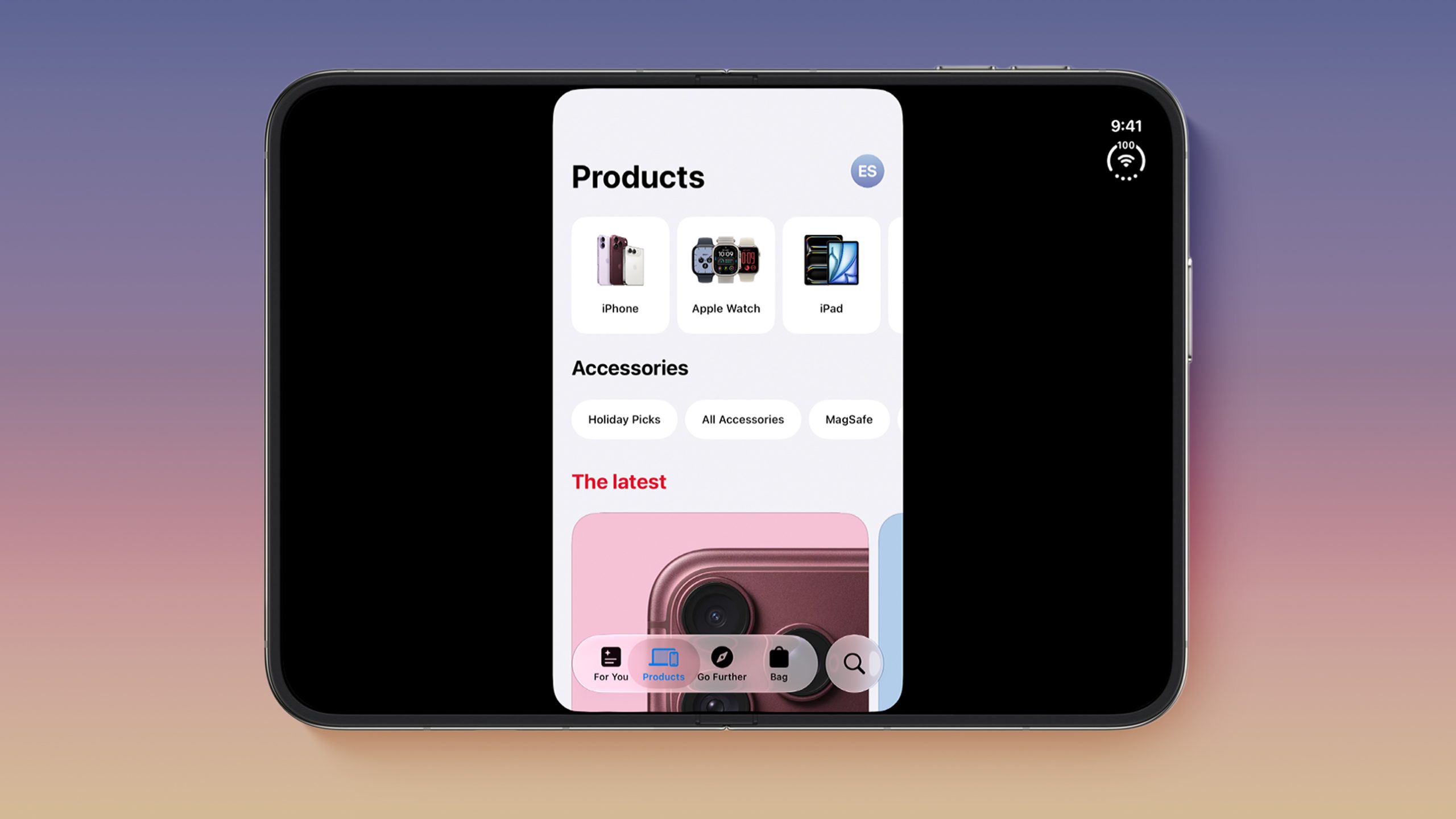
The following alphabetical list highlights popular third-party applications that are currently unoptimized for the device:
- AMC Theaters
- Amazon Fire TV
- Apple Store
- Best Buy
- Bluesky
- Delta
- DoorDash
- Duolingo
- Fandango
- FedEx
- Goodreads
- Google Docs
- Google Home
- Google Sheets
- Google Slides
- GrubHub
- JetBlue
- Libby
- Microsoft Authenticator
- Microsoft Teams
- MTA
- Nike
- PayPal
- PictureThis
- Ring
- Southwest
- Spectrum TV
- Starbucks
- Steam
- Uber Eats
- UPS
- USPS
- Venmo
- Verizon
- Wells Fargo
- Whole Foods
- YouTube Music
These unoptimized applications span critical everyday categories, including banking (Wells Fargo, Venmo, PayPal), travel (Delta, Southwest, JetBlue, MTA), food delivery (DoorDash, GrubHub, Uber Eats), retail (Apple Store, Best Buy, Nike, Whole Foods, Starbucks), streaming (YouTube Music, Amazon Fire TV, Spectrum TV), and productivity (Google Docs, Google Sheets, Google Slides, Microsoft Teams, Microsoft Authenticator).
How Unoptimized Apps Render on iPhone Duo Displays
How an application behaves on the iPhone Duo depends on the specific version of the iOS SDK used during compilation. Apple manages legacy compatibility across three distinct SDK tiers:
1. Apps Built with the iOS 27.1 SDK or Later
Apps compiled with the iOS 27.1 SDK or newer are fully optimized iPhone Duo apps. They fill the complete width of both displays, place vertical controls within the status bar, and support custom multi-column layouts on the inner screen.
2. Apps Built with the iOS 27 SDK
Applications built using the original iOS 27 SDK automatically resize to fill most of the inner display. However, they do not utilize the full screen edge and specifically avoid placing controls into the status bar along the right edge of the display.
3. Apps Built with the iOS 26 SDK or Earlier
Software compiled using the iOS 26 SDK or older runs in legacy windowed mode. When opened on the inner display, these legacy apps render in the center of the screen with substantial empty black space surrounding the left and right edges.
How Developers Can Optimize Apps for iPhone Duo
Apple states that optimizing software for the iPhone Duo is a straightforward process for developers using modern design frameworks. Software built with standard SwiftUI and UIKit components adapts automatically to the new displays.
Key features available to developers during the optimization process include:
- Automatic UI Scaling: Standard SwiftUI and UIKit elements resize dynamically to fit both the inner and outer displays.
- Status Bar Control Integration: User interface elements transition automatically into the status bar region.
- Multi-Column Display Layouts: Inner display layouts support side-by-side columns for enhanced split-screen workflows.
- Pose and Layout APIs: New APIs allow applications to detect device angles, folding poses, and display states.
In addition to the 50+ in-person workshops hosted in 19 cities worldwide, Apple provides technical support through official online resources and developer community channels on the Apple Developer Forums.
Social Media Debate: Is App Optimization Progress Moving Fast Enough?
The state of app optimization on the iPhone Duo has sparked active debate across technology forums and social media platforms. Users and commentators remain divided on whether software support is progressing quickly or lagging behind.
On one hand, critics emphasize that missing daily essentials like mobile banking, flight tracking, ridesharing, and primary workspace tools creates a fragmented experience for early adopters. Opening unoptimized apps results in visible black borders or limited display scaling.
On the other hand, supporters note that achieving over 100,000 optimized iPhone Duo apps within just two weeks of launch represents unprecedented momentum for a new hardware platform. With thousands of developers submitting updates daily, screen compatibility is improving at a rapid pace.
Conclusion
With over 100,000 software titles updated in just two weeks, adoption for iPhone Duo apps is moving forward rapidly. While popular apps like Google Docs, DoorDash, and Microsoft Teams have yet to adopt the iOS 27.1 SDK, Apple's developer tools and workshops are accelerating updates daily, ensuring a smoother dual-screen experience for all users.
Related Roundup: iPhone Duo
Tag: App Store
Buyer's Guide: iPhone Duo (Buy Now)
Related Forum: iPhone
This article, "Apple Says More Than 100,000 Apps Optimized for iPhone Duo, Here's What's Still Missing" first appeared on MacRumors.com
Discuss this article in our forums
from MacRumors
-via DynaSage
