
New Mac Mini Has Two Storage Downsides, Including Unremovable SSD
If you are planning to buy the newest desktop computer from Apple, understanding the changes to the Mac mini SSD storage architecture is essential before placing your order. Recent testing and tear-downs confirm that the latest models featuring the M6 and M5 Pro chips bring two significant storage downsides: soldered internal storage and reduced drive speeds on base configurations.
For buyers hoping to save money by upgrading their internal storage down the line, these hardware changes alter the buying strategy completely. In this guide, we break down everything you need to know about the updated Mac mini SSD storage setup, how performance compares across different drive capacities, and what this means for your workflow.
What Changed with Mac Mini SSD Storage?
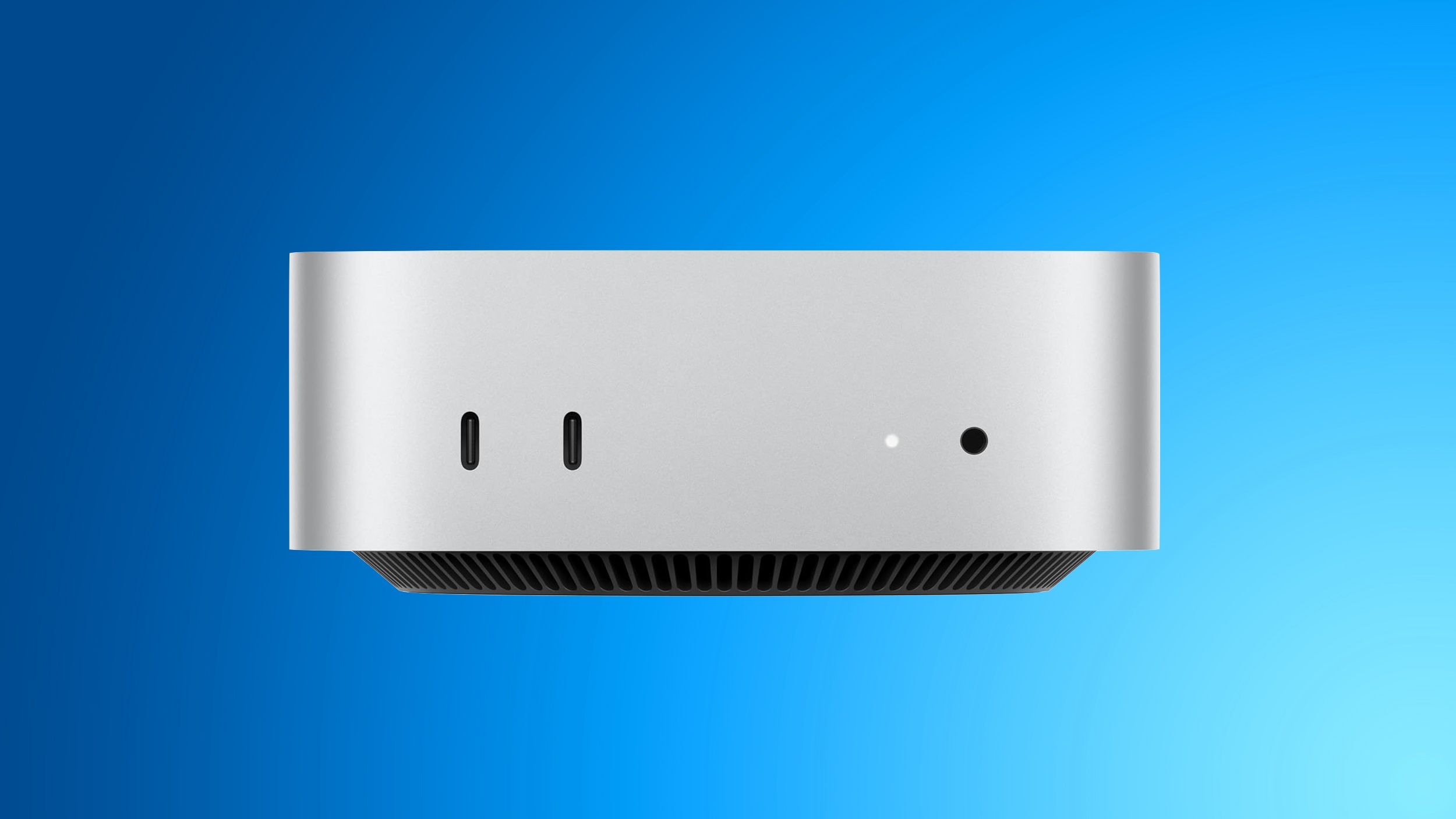
As confirmed by the website "Expand Mac mini," NAND storage in the new Mac mini models with the M6 and M5 Pro chips is soldered directly to the logic board. This design choice means that the storage drives cannot be detached or replaced after manufacture.
This is a major departure from the previous generation. The M4 and M4 Pro Mac mini models featured removable storage modules, which allowed tech-savvy users and third-party companies to perform aftermarket drive upgrades long after purchasing the computer.
In short, the new Mac mini does not support aftermarket storage upgrades. Whatever storage capacity you select when configuring your machine on Apple's website is the exact amount of internal storage you will have for the lifespan of the device.
Why Is the Loss of Aftermarket SSD Upgrades a Big Deal?
The return to soldered NAND storage directly impacts budget-conscious buyers who previously took advantage of third-party alternatives. During the M4 cycle, companies were able to offer affordable, high-capacity drive replacements.
For example, "Expand Mac mini" offers plug-and-play SSD modules that are functionally equivalent to Apple's proprietary modules, yet hundreds of dollars cheaper. This allowed consumers to buy the baseline model and upgrade cost-effectively later.
As a result, customers were able to save a significant amount of money by configuring their Mac mini with the minimum 256GB capacity that was available on Apple's online store and later installing a higher-capacity aftermarket module. With the new M6 and M5 Pro models, that money-saving upgrade path is no longer possible.
Third-party hardware developers have already acknowledged the limitations imposed by this architectural redesign. The team behind "Expand Mac mini" addressed the situation directly in a recent updates post.
"We will keep looking for an opening, but support for the M6 and M5 Pro now looks unlikely," the "Expand Mac mini" website said, in a blog post.
The History of Soldered Storage in Apple Silicon Mac Minis
While the change may catch recent buyers off guard, fixed storage is actually standard practice for Apple's compact desktop lineup. Looking back at previous chip generations shows that modularity was the rare exception rather than the rule.
Mac mini models with the M1 chip and M2/M2 Pro chips also had NAND soldered to the logic board, so the M4/M4 Pro configurations having removable storage has proven to be a one-off exception for now. Apple has not commented on the reversal.
Understanding this lineage helps put Apple's design strategy into context:
- M1 Mac mini: Storage was soldered directly to the logic board with no aftermarket upgrade path.
- M2 and M2 Pro Mac mini: Continued using soldered NAND chips, preventing user repairs or expansion.
- M4 and M4 Pro Mac mini: Introduced modular, removable SSD storage boards, allowing third-party upgrades.
- M6 and M5 Pro Mac mini: Returned to soldered NAND storage directly on the logic board, ending modular upgrades.
Why Are 256GB Mac Mini SSD Speeds Slower?
In addition to being permanently soldered, the base 256GB configuration of the new Mac mini comes with a technical trade-off regarding drive performance. This issue relates directly to how Apple distributes memory chips inside the computer.
All new Mac mini configurations with 256GB of storage reportedly have a single NAND chip, rather than a pair of 128GB chips. When a system uses a single chip, data must pass through a single lane rather than parallel paths.
As a result, 256GB configurations have slower SSD speeds compared to configurations with 512GB of storage or more that do have dual NAND chips, according to AAPL Ch.'s testing with Blackmagic's Disk Speed Test benchmark tool.
Comparing Mac Mini Read and Write Speeds Across Configurations
Benchmark testing demonstrates a stark difference in real-world bandwidth between the baseline 256GB model and the upgraded 512GB variant. Dual-chip layouts allow the system controller to read and write data simultaneously across two channels, doubling performance potential.
Here is how the performance numbers stack up across different generations and drive sizes based on Blackmagic Disk Speed Test results:
- Mac mini (M6 Chip, 512GB SSD): Achieves read speeds of approximately 6,371.5 MB/s and write speeds of 6,577.4 MB/s.
- Mac mini (M6 Chip, 256GB SSD): Achieves read speeds of approximately 3,216.8 MB/s and write speeds of 3,000.2 MB/s.
- Mac mini (M4 Chip, 256GB SSD): Achieves read speeds of approximately 2,792.5 MB/s and write speeds of 2,014.5 MB/s.
The test results clearly illustrate the impact of single versus dual NAND configurations. The new 256GB model's Disk Speed Test scores were roughly half that of models with 512GB of storage or more.
Does Slower Mac Mini SSD Storage Speed Matter for You?
Seeing speed benchmark numbers drop by 50 percent can sound alarming, but the impact on daily usability depends entirely on how you use your Mac mini.
The average customer is unlikely to notice the difference in day-to-day operations like web browsing, streaming media, editing document files, or managing basic photo libraries. Modern solid-state drives operating at over 3,000 MB/s remain extremely snappy for general productivity tasks.
However, power users will appreciate knowing that they need to opt for at least 512GB of storage in order to achieve the fastest SSD speeds possible. Tasks that rely heavily on continuous disk throughput will benefit significantly from opting for higher storage tiers, including:
- Editing multi-cam 4K or 8K raw video streams.
- Transferring massive media libraries or large compressed archives between local drives.
- Working with heavy local databases or software development environments.
- Running multiple resource-heavy virtual machines simultaneously.
Is the Baseline M6 Mac Mini Faster Than Older Models?
Even though the single-chip architecture limits the full potential of the M6 generation, there is still good news for entry-level buyers looking for a generation-over-generation upgrade.
Fortunately, even with 256GB of storage, it appears that the new Mac mini has meaningfully faster SSD speeds compared to the previous 256GB model. The baseline M6 configuration reaches over 3,200 MB/s read and 3,000 MB/s write, whereas the baseline M4 configuration produced roughly 2,792 MB/s read and 2,014 MB/s write.
It is also worth noting that single NAND configurations are not brand new to Apple's desktop line. Mac mini models with M2/M2 Pro and 256GB of storage also had a single NAND chip, so the M4/M4 Pro configurations proved to be a one-off exception for this too.
How to Choose the Right Mac Mini Storage Configuration
Because you cannot upgrade your internal drive after purchasing, deciding on your internal storage capacity requires extra planning. Here are key buying considerations before checking out:
- Assess Your Long-Term Storage Needs: Since you cannot swap in an aftermarket SSD upgrade later, choose a capacity that satisfies your storage requirements for the next three to five years.
- Choose 512GB or Higher for Peak Performance: If maximum drive throughput and benchmark performance are critical to your workload, skip the 256GB base model to ensure dual NAND chips.
- Utilize External Storage Options: If internal storage upgrades are out of reach financially, high-speed external Thunderbolt drives offer a reliable alternative for media library storage.
Helpful Resources and Related Buying Guides
For more detailed technical reviews, comparisons, and purchasing advice regarding Apple desktop computers, explore these additional resources:
- Check out the comprehensive Mac mini roundup to compare specifications and features across models.
- Visit the official Mac Mini (Buy Now) buyer's guide to see if now is the right time to make your purchase.
- Join community discussions in the dedicated Mac mini forum to read real owner experiences.
This article, "New Mac Mini Has Two Storage Downsides, Including Unremovable SSD" first appeared on MacRumors.com.
Discuss this article in our forums.
Final Thoughts on the New Mac Mini SSD Storage Architecture
The return to soldered internal modules means buyers can no longer rely on budget third-party upgrades down the line. To ensure you get the performance and storage capacity you need, carefully evaluate your target workload before purchasing your computer. Choosing at least 512GB ensures both maximum drive throughput and comfortable local capacity, guaranteeing your investment in Mac mini SSD storage serves you well for years to come.
from MacRumors
-via DynaSage
