
iPhone Duo Can Do Split View, But Not Like Your iPad
Apple's long-awaited entry into the foldable smartphone market brings exciting new multitasking features, but understanding how the iPhone Duo Split View operates is essential for setting realistic expectations. While the new hardware lets users run two apps side by side on its expansive inner screen, it handles side-by-side apps quite differently than the iPad experience many users are accustomed to.
The iPhone Duo is the very first iPhone capable of running two applications simultaneously side by side. Apple's promotional materials highlight app pairing and side-by-side windows as primary selling points, yet the documentation noticeably omits any mention of resizing those windows. Understanding why Apple made this design choice requires examining the physical hardware layout and software structure of the device.
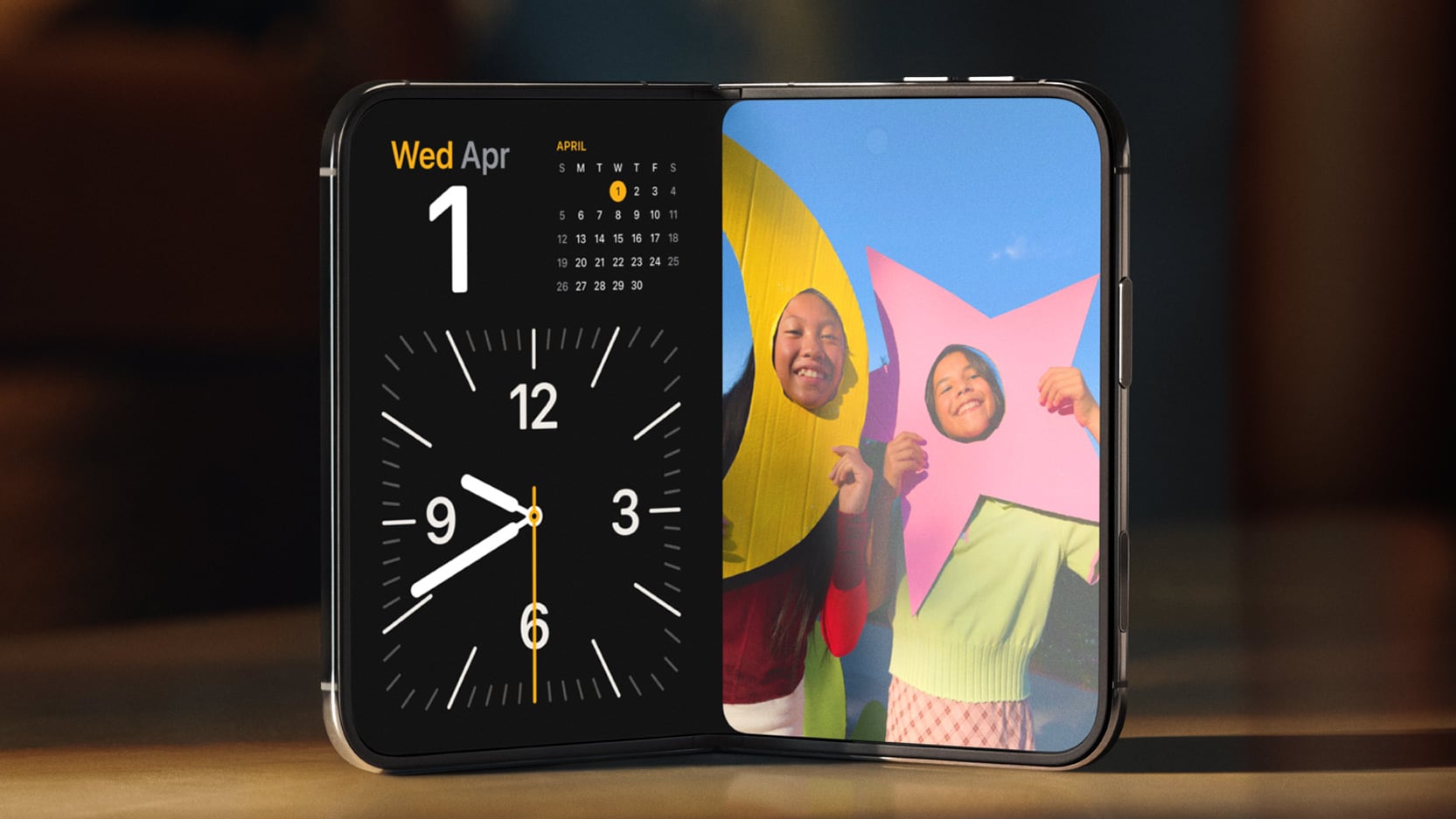
Understanding iPhone Duo Split View Multitasking
When you open two applications side by side on the iPhone Duo 7.6-inch foldable display, you are presented with a fixed split-screen interface. Unlike traditional desktop operating systems or tablet software, you cannot drag the central divider line to give one app more screen real estate than the other. The software enforces a strict 50/50 split across the crease of the display.
For users who regularly use iPad Split View, this restriction may come as a surprise. Ever since Apple introduced split-screen multitasking to the iPad line with iOS 9 back in 2015, tablet owners have enjoyed the flexibility of dragging the divider bar while in landscape mode. That capability allowed iPad users to allocate roughly 70 percent of the screen to a primary task while keeping a secondary reference app in a narrower 30 percent column.
On the iPhone Duo, that level of adjustable window sizing is entirely absent. Regardless of whether you are drafting an email, browsing the web, or checking social media, each open application receives exactly half of the 7.6-inch inner display. Apple has structured the user interface to ensure that every side-by-side app instance stays locked into its assigned half of the screen fold.
Why iPhone Duo Multitasking Differs from the iPad
The decision to lock the iPhone Duo Split View into an unadjustable half-and-half layout stems directly from the device's physical hardware geometry. Apple designed the inner main screen and the outer cover screen around very specific aspect ratio calculations. Understanding these geometrical choices reveals why variable window resizing was left off the spec sheet.
Both the internal foldable screen and the external cover display share identical 1:1.4 aspect ratios. Because of this carefully chosen mathematical ratio, when the 7.6-inch inner display is unfolded and split directly down the center hinge, each resulting side matches the exact proportion and canvas shape of the outer screen. In essence, each half of the unfolded interior display behaves like a standard single iPhone display screen.

This structural alignment offers major practical advantages for both the operating system and software developers creating apps for the platform:
- Standardized Canvas Sizes: Because each half of the inner screen mirrors the outer screen's 1:1.4 aspect ratio, developers do not need to redesign their app interfaces for unusual dimensions.
- Clean Hinge Placement: The central software divider sits precisely over the physical screen fold, creating a natural border between the two open applications.
- Seamless Transitioning: Applications can transition between the outer display and either half of the unfolded inner screen without needing to recalculate complex UI layouts.
- Consistent Touch Targets: Buttons, navigation bars, and media controls remain in familiar locations regardless of which screen mode is active.
The Developer Challenge of Variable Resizing
If Apple allowed users to freely drag the split-screen boundary around on the foldable iPhone display, it would create an unlimited number of non-standard app window sizes. These intermediate window shapes would not match the native aspect ratio of the outer display, forcing app creators to account for dozens of arbitrary layout dimensions.
For third-party app developers, building responsive support for endless custom window dimensions on an iPhone screen would be extremely complex. By mandating a fixed 50/50 split, Apple ensures that existing iPhone apps display cleanly without UI distortion, missing buttons, or awkward text wrapping. The fixed ratio allows current apps to work smoothly right out of the box.
The Video Playback Exception in Portrait Mode
While the 50/50 rule governs standard application usage on the iPhone Duo, there is one notable exception to this strict layout design: video content streaming in portrait orientation. Based on official marketing demonstrations, watching media content introduces a dynamic split layout under specific conditions.
When watching a television show or movie using the Apple TV app positioned above another application in portrait mode, the system adjusts the window boundaries to preserve native content formatting:
- Native Video Aspect Ratio: The upper video pane locks to the standard aspect ratio of the movie or TV show being played back.
- Flexible Lower App Height: Because video content typically uses wider widescreen formats, the application positioned on the bottom half of the screen is allowed to rise above the physical crease of the hinge fold.
- Optimized Screen Utilization: This dynamic boundary adjustment prevents excessive black letterboxing bars around the video while maximizing usable space for the bottom app.
This media exception demonstrates that Apple's layout rules prioritize content presentation. Where fixed 50/50 splits make practical sense for general software navigation, media playback is given full freedom to maintain standard video dimensions without unwanted distortion.
What You Can Do with iPhone Duo Multitasking
Even without adjustable window handles, the 7.6-inch inner screen provides substantial productivity upgrades over traditional single-screen smartphones. Powerful multitasking on iPhone is now a core capability, offering several practical workflow features for daily use.
The fixed dual-screen interface supports a wide variety of practical multi-app workflows across both portrait and landscape screen orientations:
- Rapid App Swapping: Users can effortlessly transition between active apps without losing their position or closing active sessions.
- Dual Windows of the Same App: The operating system supports running two separate instances of identical apps side by side, such as comparing two Safari web pages or managing two document notes at once.
- Simultaneous Communication: Users can keep a conversation open in Messages on one side of the screen while navigating maps, reviewing documents, or browsing photos on the other side.
- Custom App Pairs: You can create and save designated app pairs directly to your home screen or dock, letting you launch two complementary apps simultaneously with a single tap.
- Flexible Orientation Support: Dual-app functionality functions seamlessly in both vertical portrait mode and horizontal landscape mode.
These features transform how users interact with their mobile software. Whether managing work schedules, researching trip itineraries, or coordinating social plans, having two distinct app canvases available side by side streamlines everyday digital tasks.
Market Reactions, Pricing, and Launch Schedule
Early reports and hands-on impressions from tech reviewers have highlighted the fixed split-screen design. Social media coverage confirms that while the dual-app feature works smoothly, the inability to change app sizing is a key characteristic of the software experience.
Using apps side-by-side on iPhone Duo.
— g.O.R.i(ゴリミー管理人) (@planetofgori) September 10, 2026
So unfortunately, you can't change the app size when you use split view on the iPhone Duo. Only 1:1.
画面分割した際のアプリサイズは変えられない仕様です🥲 pic.twitter.com/1K1peXeivK
Adopting Apple's first foldable smartphone comes with a premium price tag and a structured release timeline. Buyers planning to upgrade should keep the following release details in mind:
- Starting Price: The iPhone Duo begins at $1,999 for base storage configurations.
- Pre-Order Date: Official pre-orders open on Friday, October 16.
- Official Launch Date: In-store availability and customer shipments begin on Friday, October 23.
For buyers considering the transition to a foldable device, understanding the balance between hardware capability and software structure is essential. The hardware delivers groundbreaking screen real estate for the iPhone family, but its software conventions reflect a carefully controlled approach to mobile application management.
Additional details regarding device specifications, buyer guides, and community discussions are available through dedicated tracking hubs:
Explore full details on the iPhone Duo Roundup or check ordering updates in the iPhone Duo Buyer's Guide. You can also join broader community conversations in the iPhone Forum.
This article, "iPhone Duo Can Do Split View, But Not Like Your iPad" first appeared on MacRumors.com.
Discuss this article in our forums.
Final Thoughts on iPhone Duo Multitasking
Apple's introduction of side-by-side app functionality marks a historic shift for iOS productivity, even if it operates under distinct rules compared to tablet software. While power users coming from the iPad ecosystem may initially miss manual window adjustment, the fixed 50/50 layout ensures app stability, optimized screen geometry, and a seamless developer environment. As the flagship foldable device hits store shelves, the iPhone Duo Split View provides a simple, tailored approach to dual-app multitasking built specifically for the smartphone experience.
from MacRumors
-via DynaSage
