
Fan Site Lets You 'Design the Next iPhone'
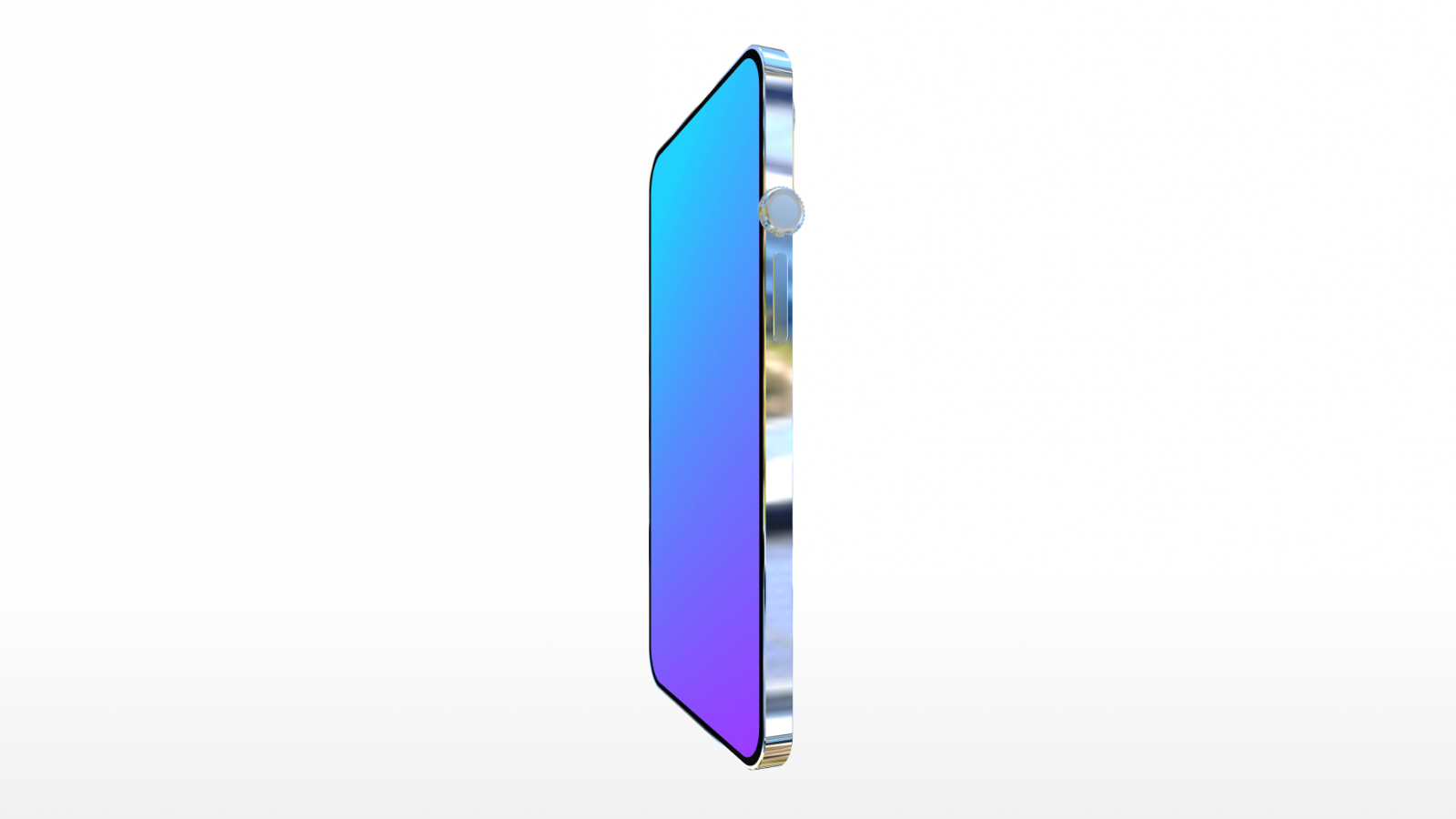
Have you ever wanted to customize your dream mobile device or build a hilariously impractical phone? The Design the Next iPhone interactive web app allows you to attach everything from extra camera lenses to steering wheels onto a rotatable 3D smartphone model.
Smartphone designs have become sleek, polished, and somewhat predictable over recent years. Developer Neal Agarwal decided to bring total creative freedom back to tech enthusiasts with a fun, web-based playground. The Design the Next iPhone simulator gives everyone full control over an interactive smartphone model right inside their web browser.
Whether you want to build a realistic next-generation flagship device or a completely absurd gadget, this interactive builder provides all the tools you need. You can drag and drop classic buttons, modern camera modules, retro hardware, or giant car parts directly onto the phone frame. After crafting your concept, you can even watch a personalized product launch video showcasing your design.
What Is the Design the Next iPhone Interactive Simulator?
The Design the Next iPhone platform is a web-based creative sandbox designed by web developer Neal Agarwal. It serves as a lighthearted digital studio where users can assemble custom smartphone concepts right inside a standard internet browser.
Unlike official hardware development software, this web tool is built entirely for humor, customization, and fun. It provides users with a bare 3D mobile phone shell that can be turned, tilted, and customized with dozens of hardware accessories.
The site requires no downloading, installation, or user account registration. You can simply launch the webpage and start adding components to your 3D canvas immediately.
It provides an accessible experience for tech fans of all ages and skill levels. You do not need any experience in industrial engineering or 3D design software to construct impressive or chaotic mobile devices.
How Does the 3D iPhone Design Interface Work?
The design workflow is smooth, responsive, and easy to pick up within seconds. When you open the website, you are presented with a clean background and a blank phone shell waiting for hardware additions.
You can use your computer mouse or touch screen controls to interact with the device in real time. The canvas provides complete movement freedom so you can place items precisely where you want them on the chassis.
Rotating Your Phone in 3D Space
The central feature of the builder is its full 360-degree rotation tool. By clicking and dragging across the workspace, you can spin the phone body horizontally or vertically.
This full rotational control allows you to view the device from every perspective. You can inspect the front screen, inspect the back panel, or align components along the thin side bezels.
Being able to view the phone from any angle makes positioning components fast and intuitive. You can easily balance hardware placements across the entire surface of the phone.
Dragging and Dropping Components
An organized component menu sits alongside your main 3D workspace. This drawer contains a wide selection of physical items, buttons, connectors, and decorative elements.
To place a component onto your phone, you simply select it from the sidebar, drag it over the model, and drop it into position. The component immediately snaps onto the surface of the 3D model.
There are no arbitrary limits on how many components you can place on a single device. You can place multiple copies of the exact same item, allowing you to cover your phone in dozens of cameras or charging ports.
Selecting Colors and Screen Wallpapers
Hardware customization goes beyond physical ports and buttons. You can also personalize the overall color scheme of your virtual mobile device.
The app allows you to change the underlying color of the phone chassis to fit your aesthetic preferences. You can choose subtle classic finishes or bold eye-catching colors.
In addition to body colors, you can select custom digital wallpapers for the front display screen. Setting a background wallpaper lets you visualize how your screen elements look when turned on.
Naming Your Custom Smartphone Creation
Once you finish arranging your preferred hardware components, you can give your phone an official product name. A dedicated text input box allows you to type in whatever name you desire.
Giving your custom phone a creative name completes the design phase of your project. It prepares your device for its formal unveiling in the final presentation stage.
What Components Can You Add using the Custom Phone Generator?
The interactive component drawer contains a diverse collection of items ranging from essential hardware to pure comedy. Developer Neal Agarwal gathered standard phone features, legacy technology, alternate brand imagery, and heavy industrial machinery.
Here is a complete overview of the component options you can drag onto your phone:
- Standard Hardware Elements: Multi-lens camera modules, side volume buttons, Lightning charging ports, physical Home buttons, and official Apple logos.
- Legacy and Auxiliary Hardware: Standard 3.5mm headphone jacks, full-sized HDMI video ports, external radio antennas, and an iPod click wheel interface.
- Cross-Device Hardware: Apple Watch Digital Crowns and heavy-duty folding hinges.
- Alternative Branding Options: Classic Android logos and humorously styled pear logos.
- Retro Input Hardware: Vintage rotary phone dials for manual number dialing.
- Impractical Accessories: Full-sized steering wheels, arcade gaming joysticks, and official Mac Pro "Pro Wheels."
Building Devices with Standard Hardware
If you prefer a practical build, you can use traditional smartphone hardware components. You can align multiple modern camera lenses across the top corner to create massive camera arrays.
You can also bring back classic features that modern devices have phased out over time. Place a traditional physical Home button at the base of the front glass, or add multiple Lightning ports along the bottom edge for maximum charging flexibility.
Adding classic volume control buttons and placing iconic brand logos lets you craft recognizable mobile designs that look like legitimate prospective products.
Exploring Nostalgic and Legacy Technology
Tech fans who miss legacy hardware features will find plenty of nostalgic choices in this interactive builder. You can easily reinstate the physical 3.5mm headphone jack for wired audio support.
If you want to direct-connect your phone to televisions or external monitors, you can mount a full-sized HDMI port onto the side rail. You can even add an iPod click wheel to create a hybrid music player.
For those interested in alternative control mechanisms, attaching an Apple Watch Digital Crown adds tactile scrolling to your mobile frame. Adding a folding hinge allows you to experiment with foldable phone form factors, while an external antenna gives your concept a vintage look.
Attaching Absurd and Novelty Items
The highlight of the Design the Next iPhone builder for many users is its collection of absurd non-smartphone accessories. You are not confined to electronic components that logically belong on a phone.
For example, you can mount a massive steering wheel directly onto the rear casing of your device. If mobile gaming is your priority, you can mount an arcade joystick right over the display glass.
You can even attach heavy Mac Pro "Pro Wheels" to the bottom edge of your frame, giving your device physical wheels to roll around on table surfaces. These absurd combinations transform industrial design into pure digital fun.
How Does the Mock Apple Presentation Feature Work?
After you complete your custom model and give it a title, you can click the "Present" button on your screen. Selecting this option initiates an automated key-note style product reveal.
The interactive app transitions into a dynamic presentation mode that showcases your customized phone from multiple angles. It mimics the slick visual atmosphere of official tech launch events.
As your phone spins on screen, the platform automatically calculates a fictional retail price for your creation. The calculated price dynamically increases based on the specific quantity and type of items you attached.
If you attach dozens of expensive camera lenses, steering wheels, or Mac Pro wheels, your custom phone can quickly reach an astronomical price tag. This automatic pricing feedback adds another layer of humor to the experience.
To top off the key-note experience, a special guest pop-up message appears during the presentation. A pop-up graphic featuring former Apple CEO Tim Cook appears on screen to offer high praise for your brand new hardware design.
Exporting and Sharing Your iPhone Concepts Online
Once your custom product presentation finishes, you can preserve your unique creation and share it with others online. The website provides built-in media export functionality.
You can download your finished phone design directly to your computer or mobile device as a smooth rotating video. This video capture highlights your entire build, spinning the model around to showcase every button, wheel, and port you installed.
These short downloadable video clips are ideal for sharing on social media networks, tech forums, and group messaging chats. Users frequently compete to see who can build the most hilarious or extreme smartphone concept.
Why Do Interactive Web Tools Become So Popular?
Interactive web apps created by independent developers like Neal Agarwal frequently go viral across the internet. Modern smartphones have reached a highly refined state where annual hardware updates are often subtle.
A web app like the Design the Next iPhone simulator gives tech fans complete creative freedom to break away from traditional form factors. It combines nostalgia for lost features like headphone jacks with absolute visual chaos like joysticks and car wheels.
By offering an unconstrained digital playground, the site gives users a lighthearted space to poke fun at mobile industry trends while expressing their own creative ideas.
How to Try Making Your Own Custom Phone Today
If you are ready to experiment with mobile phone design, you can visit the official site right now to try making your own unique smartphone build.
The simulator runs smoothly on standard laptop web browsers, desktop displays, and mobile phone touchscreens without requiring any plug-ins or signups.
This overview of the interactive site, "Fan Site Lets You 'Design the Next iPhone'," first appeared on MacRumors.com. If you want to discuss your designs or read community feedback, make sure to Discuss this article on our official forums.
Conclusion
The interactive Design the Next iPhone web app is an enjoyable mix of creative freedom and tech parody. Whether you choose to assemble a sleek multi-camera concept or an absurd phone equipped with a steering wheel and rotary dial, Neal Agarwal's project delivers endless entertainment. Head over to the site today to see what kind of wild hardware designs you can build!
from MacRumors
-via DynaSage
