
Apple's Last Intel 21.5-Inch iMac is Now Vintage
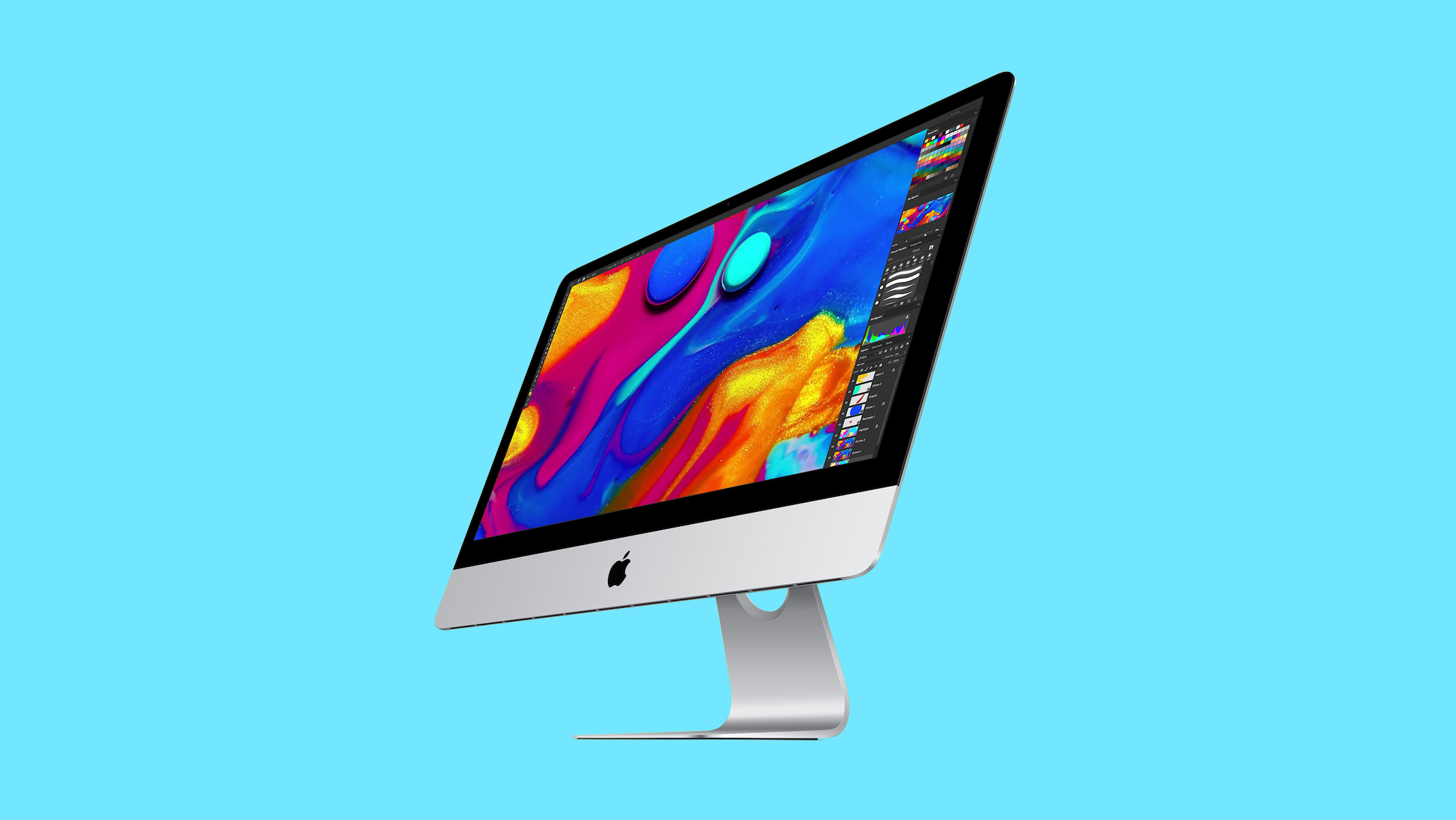
Apple has officially added the 2019 4K iMac to its official list of vintage products, meaning hardware repairs through official technical channels will now depend entirely on component availability. If you own or operate this classic 21.5-inch desktop computer, understanding what vintage status implies for service options, component replacements, and ongoing support is essential for managing your workstation effectively.
What Does Vintage Status Mean for the 2019 4K iMac?
When a desktop system like the 2019 4K iMac enters vintage classification, Apple changes how hardware support and replacement services are offered across its retail and authorized service network. Official hardware repairs are no longer guaranteed for every customer who requests technical assistance. Instead, service remains possible only if official replacement components happen to be present in inventory.
This hardware support policy applies across all official service locations, including corporate Apple Stores and independent Apple Authorized Service Providers. When an owner brings in a vintage desktop for repair, technicians must first check their regional and local inventory databases for necessary replacement components. If the required parts are available, the repair can proceed normally under standard service procedures.
However, if the necessary replacement components are out of stock, official service channels cannot complete the repair request. Because Apple limits component supply for vintage products, replacement parts are gradually exhausted over time. This creates a conditional repair environment where service availability varies based on location, existing stock levels, and part demand.
For current owners, this policy change highlights the need to plan ahead for potential hardware issues. While your desktop computer will continue to function normally for daily activities, hardware fixes depend heavily on remaining component reserves. Understanding these service rules ensures you can make timely decisions regarding maintenance, data safety, and hardware upgrades.
How Apple Defines Vintage vs Obsolete Hardware
Apple uses a structured, time-based framework to categorize hardware lifecycles across its entire product lineup. Understanding how Apple differentiates between vintage classification and obsolete classification is critical for managing older desktop computers. Both categories represent specific milestones in how Apple handles hardware repair eligibility and replacement part production.
A product is added to Apple's vintage list exactly five years after it was last distributed for sale. During this vintage stage, hardware repair services are conditionally available through official channels. Apple Stores and Apple Authorized Service Providers continue to offer repair support, provided that the required replacement parts remain in existing inventory stocks.
The next threshold occurs at the seven-year mark after sales distribution officially ends, when the product moves to the obsolete category. Devices classified as obsolete are completely ineligible for hardware repairs at official service locations. At this point, Apple completely stops manufacturing replacement repair components, terminating all official technical hardware support worldwide.
Here is a clear breakdown comparing these two distinct support classifications:
- Vintage Status: Commences five years after last sale distribution ends. Official hardware repairs remain conditionally available at Apple Stores and Apple Authorized Service Providers, strictly depending on remaining component stock.
- Obsolete Status: Commences seven years after last sale distribution ends. All official hardware repairs are permanently discontinued, and Apple stops manufacturing or distributing replacement repair components.
This multi-stage retirement schedule gives desktop owners a predictable timeline for device support longevity. By monitoring these defined thresholds, owners can plan future hardware transitions, avoid unexpected service limitations, and make well-informed maintenance decisions.
Specifications and Features of The 2019 iMac
The 2019 21.5-inch desktop system provided a popular combination of display quality and desktop performance during its release era. The centerpiece of the machine was its vibrant 21.5-inch Retina 4K display, which delivered high pixel density, crisp text, and rich visual detail. The computer featured the classic silver all-in-one aluminum enclosure that defined Apple desktop design for years.
When pricing was officially announced in 2019, the base model started at $1,299. That entry-level configuration was designed to handle everyday productivity tasks, educational workloads, and home office computing needs. It offered a complete desktop solution right out of the box, combining display and desktop components into a single space-saving design.
Key base configuration specifications for this desktop model included:
- Processor: Intel Core i3 processor providing standard desktop computing power.
- Memory: 8GB RAM to support general multitasking and routine software applications.
- Storage: 1TB hard drive for storing files, documents, applications, and digital media.
- Display: 21.5-inch Retina 4K display offering sharp visual output and high color clarity.
- Design: Traditional silver aluminum all-in-one desktop chassis.
- Launch Pricing: Starting price of $1,299 at original launch in 2019.
These specifications made the entry-level configuration an attractive option for budget-conscious buyers seeking a high-quality display setup. The combination of a Retina 4K display and reliable base performance made it a workhorse for schools, home offices, and small business environments.
The Shift from Intel Chips to Apple Silicon Architecture
The 2019 4K iMac occupies a unique historical position as Apple's final 21.5-inch desktop model powered by Intel processors. This model served as the direct predecessor to the colorful, completely redesigned M1 iMac that launched in 2021. That 2021 release marked a fundamental architectural transition away from Intel hardware toward custom Apple Silicon chips.
When the 2021 M1 model arrived, it introduced vibrant color finishes, a dramatically thinner enclosure profile, and significant improvements in performance efficiency. That hardware update marked the end of the traditional silver design for the smaller form-factor desktop computer line. As a result, the 2019 release represents the final generation of the classic silver 21.5-inch aesthetic.
Understanding this architectural transition provides valuable context for long-term platform support. Intel-based Mac computers rely on different chip architecture than modern Apple Silicon devices. As software updates and hardware engineering focus on custom silicon, legacy Intel models naturally enter the final phases of their operational lifecycles.
Why the 21.5-Inch and 27-Inch 2019 Models Had Different Timelines
Many desktop users wonder why the 21.5-inch and 27-inch versions of the 2019 line did not enter vintage status at the exact same time. The reason stems directly from how Apple calculates vintage eligibility based on when sales distribution officially stops. Because Apple continued selling each display size for different lengths of time, their vintage classification dates occurred on separate schedules.
The larger 2019 27-inch model was added to Apple's vintage list earlier, in July 2025. However, Apple sold the smaller 21.5-inch model for a longer duration in retail and educational channels. Because the smaller display model remained available for purchase longer, it did not qualify for vintage status until five years after its distribution finally ended.
This timing difference illustrates how strictly Apple adheres to its five-year post-distribution rule. Even though both display sizes shared the same 2019 release generation, actual retail sales longevity dictated repair support timelines. Now that five full years have passed since the 21.5-inch model ceased distribution, it has joined the 27-inch model on the official vintage list.
Repair Options and Advice for Owners of Vintage Apple Products
If your 2019 4K iMac encounters hardware problems, official technical service channels remain the recommended starting point. You can arrange a service appointment at an Apple Store or visit an official Apple Authorized Service Provider. Technicians will review existing inventory stocks to determine whether the necessary replacement parts are available for your machine.
If component parts are available, technicians can perform hardware repairs using standard technical procedures. However, if the required replacement parts are no longer in stock, official service channels will be unable to carry out hardware repairs. In those situations, owners must weigh the cost of third-party repair alternatives against upgrading to newer computing systems.
For prospective buyers considering purchasing pre-owned hardware, consulting dedicated buying resources is highly recommended. Checking the official buyer's guide listing for iMac (Don't Buy) provides clear warnings regarding aging hardware near the end of official support. Investing in current Apple Silicon machines offers superior long-term reliability, full repair support, and updated hardware features.
Best Practices for Managing Aging Desktop Systems
Maintaining an older desktop computer requires attentive care, regular data backups, and realistic expectations regarding hardware longevity. When a machine enters vintage status, taking proactive maintenance steps can prevent sudden data loss and extend the system's useful operating life. Here are key practical steps for managing older hardware:
- Verify Repair Availability Early: Contact Apple Stores or Apple Authorized Service Providers as soon as hardware issues appear to check component stock levels.
- Maintain Regular File Backups: Use external drives or cloud storage solutions to keep complete backups of essential files and personal data.
- Monitor Mechanical Drives: Keep a close eye on storage drive health, particularly on base configurations equipped with traditional mechanical hard drives.
- Plan for Hardware Transitions: Evaluate repair expenses against the value of transitioning to modern Apple Silicon desktop options when major repairs arise.
Following these practical guidelines ensures that desktop owners remain prepared for potential hardware limitations. Taking preventive measures minimizes workflow disruptions and provides a clear plan if hardware repairs become impractical.
Where to Find Further Information and Community Discussions
To stay informed about official support status and legacy product classifications, users can access official documentation and community platforms online. You can view the comprehensive directory of legacy hardware on Apple's official page for Vintage and Obsolete Apple Products. This official guide lists current support statuses across all legacy Apple product lines.
For community advice, hardware insights, and troubleshooting recommendations, online technical forums offer valuable user-submitted perspectives. You can visit the dedicated iMac forum to discuss maintenance strategies with fellow desktop owners. Engaging with community members provides practical solutions for optimizing older computer hardware.
To read the full original coverage, review the article titled "Apple's Last Intel 21.5-Inch iMac is Now Vintage" on MacRumors.com. You can also participate in active community commentary by visiting Discuss this article in the official forums.
Conclusion: The Future Outlook for the 2019 4K iMac
The entry of the 2019 4K iMac onto Apple's vintage list marks the final support transition for Apple's last Intel 21.5-inch desktop computer. While official hardware repairs remain available at Apple Stores and Apple Authorized Service Providers when parts are in stock, component availability will steadily decrease over time. By staying informed about repair policies and planning future hardware updates, desktop owners can navigate this transition with confidence.
from MacRumors
-via DynaSage
