
2024 vs. 2026 Mac Mini Buyer's Guide
Are you deciding whether to purchase the latest desktop computer or stick with your current setup? This comprehensive 2024 vs 2026 Mac mini comparison breaks down every spec upgrade, price change, display feature, and performance benchmark to help you choose the best model for your desktop needs.
2024 vs 2026 Mac Mini Comparison: Pricing and Release Details
Apple recently announced a newly refreshed Mac mini desktop lineup built around the all-new M6 chip and the high-performance M5 Pro processor. These latest powerhouses officially replace the previous M4 and M4 Pro models, which had been on store shelves since October 2024. Official pre-orders are currently open for customer purchases, with the machines scheduled to arrive at customer homes and retail locations starting September 22.
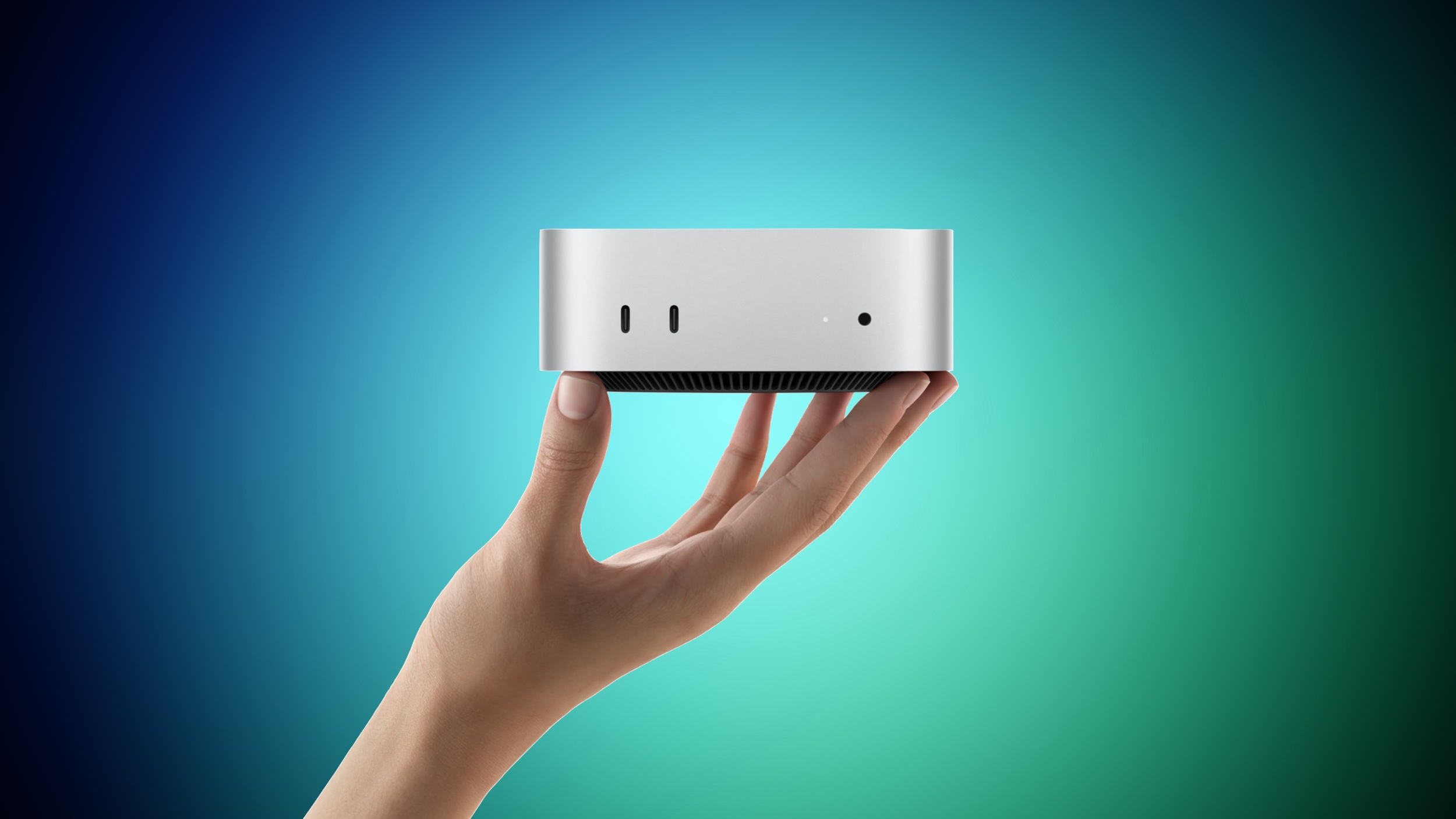
Pricing for the new hardware reflects recent shifts across the broader tech industry supply chain. The base model featuring the standard M6 chip starts at $899, while the M5 Pro configuration starts at $1,699. Both of these figures represent a $100 increase over where their respective predecessors were selling at the end of their production run, and a $300 increase compared to their original launch prices.
To understand this pricing trajectory, it helps to review how prices adjusted over the past year. The entry-level model rose from $599 to $799 during May, and the higher-tier M4 Pro configuration went from $1,399 to $1,599 in June. Both price hikes were a direct consequence of the global memory shortage driven by surging artificial intelligence demand. Educational discount pricing reduces the cost of the new models down to $799 for the M6 and $1,599 for the M5 Pro.
What Changed Across Both 2026 Mac Mini Models?
Before comparing specific chips, it is important to examine the baseline hardware upgrades shared across both standard and Pro configurations. Regardless of whether you choose the entry-level M6 or the upgraded M5 Pro, Apple has brought significant hardware modernizations to the underlying desktop platform.
For instance, wireless communication receives a comprehensive generational overhaul. Networking speeds and stability improve markedly thanks to the transition from older Wi-Fi 6E architecture to modern Wi-Fi 7 connectivity. Furthermore, Bluetooth protocols step up from Bluetooth 5.3 to Bluetooth 6, providing better signal stability and peripheral performance.
Here is a complete summary of the features updated across both 2026 desktop models:
- Neural Accelerators: Integrated directly into every GPU core for hardware-accelerated machine learning operations.
- Display Capabilities: Variable refresh rate and full High Dynamic Range (HDR) display support now included natively.
- Wireless Connectivity: Upgraded from Wi-Fi 6E connectivity to cutting-edge Wi-Fi 7 connectivity standards.
- Custom Silicon: Debut of the custom Apple N1 wireless networking chip for improved efficiency and throughput.
- Bluetooth Standard: Upgraded from Bluetooth 5.3 to the newer Bluetooth 6 protocol.
- Smart Home Integration: Built-in Thread networking technology for seamless home automation hub functionality.
- Wired Ethernet: Standard configuration moves from Gigabit Ethernet up to 2.5Gb Ethernet, with 10Gb Ethernet remaining as an optional high-speed upgrade.
- Video Synchronization: Advanced Genlock support over USB-C interface for professional video production workflows.
Standard Model Comparison: 2024 M4 vs 2026 M6 Mac Mini
When examining the standard desktop tier, the transition from the 2024 M4 chip to the 2026 M6 chip introduces foundational architectural changes. The older M4 model was equipped with a 10-core CPU comprising four performance cores and six efficiency cores. By contrast, the M6 model upgrades to a 12-core CPU architecture featuring two brand-new super cores, four performance cores, and six efficiency cores.
Graphics and artificial intelligence capabilities also see a notable boost on the base level machine. The M4 graphics unit delivered 10 GPU cores alongside a 16-core Neural Engine. The M6 upgrades to a 12-core GPU and introduces a Dual 16-core Neural Engine layout, doubling the available Neural Engine processing hardware.
Memory bandwidth and display support further differentiate the two generations:
- CPU Architecture: M4 offers 10 CPU cores (4 performance, 6 efficiency); M6 offers 12 CPU cores (2 super cores, 4 performance, 6 efficiency).
- GPU Architecture: M4 features 10 GPU cores; M6 scales up to 12 GPU cores.
- Neural Engine: M4 utilizes a single 16-core Neural Engine; M6 features a Dual 16-core Neural Engine.
- Memory Bandwidth: M4 delivers 120GB/s bandwidth; M6 provides 153GB/s base bandwidth, rising to 170GB/s on models configured with 32GB of unified memory.
- External Displays: M4 drives two displays up to 6K at 60Hz plus a third up to 5K at 60Hz; M6 drives two displays up to 6K at 60Hz or 4K at 165Hz plus a third up to 5K at 60Hz.
- Multi-Display Over Single Port: M6 adds support for driving up to two external displays over a single Thunderbolt port.
- Pricing & Status: 2024 M4 model is now officially discontinued; 2026 M6 model starts from $899.
These architectural additions mean that the standard M6 machine is far better prepared for modern graphics workloads and localized AI execution than its predecessor ever was. Users operating multi-monitor desk setups will also appreciate the enhanced display routing over single Thunderbolt connections.
Pro Model Comparison: 2024 M4 Pro vs 2026 M5 Pro Mac Mini
For power users demanding creative performance and workstation capabilities, comparing the M4 Pro against the new M5 Pro reveals substantial compute enhancements. The 2024 M4 Pro base model came with a 12-core CPU consisting of eight performance cores and four efficiency cores, configurable up to a 14-core CPU. The new M5 Pro base model features a 15-core CPU with five super cores and 10 performance cores, configurable up to an 18-core CPU.
On the graphics side, the M5 Pro introduces an enhanced shader core architecture paired with third-generation ray tracing hardware. Memory throughput also rises from 273GB/s on the M4 Pro to 307GB/s on the M5 Pro, assisting intensive rendering and model processing pipelines.
The complete list of Pro model differences includes:
- CPU Cores: M4 Pro base 12-core (8 performance, 4 efficiency) or 14-core max vs M5 Pro base 15-core (5 super cores, 10 performance) or 18-core max.
- Graphics Architecture: M5 Pro adds enhanced shader cores and third-generation hardware ray tracing.
- Memory Throughput: M4 Pro provides 273GB/s unified memory bandwidth; M5 Pro increases bandwidth to 307GB/s.
- Triple Display Output: M4 Pro supports three displays up to 6K at 60Hz; M5 Pro supports three displays up to 6K at 60Hz or 4K at 165Hz.
- Dual Display Output: M4 Pro supports one display up to 8K at 60Hz or 4K at 240Hz plus a second up to 6K at 60Hz; M5 Pro supports one display up to 8K at 60Hz, 5K at 120Hz, or 4K at 240Hz plus a second display up to 5K at 120Hz or 4K at 200Hz.
- Single-Cable Docking: M5 Pro allows up to three external displays to run over a single Thunderbolt port.
- Market Status & Price: 2024 M4 Pro is discontinued; 2026 M5 Pro starts from $1,699.
How Much Faster Is the 2026 Mac Mini in Real-World Testing?
Evaluating the overall performance of this latest hardware refresh depends heavily on the specific tasks you perform daily. For ordinary productivity tasks like web browsing, document editing, and light media playback, the performance leap feels incremental. However, for specialized artificial intelligence workloads and high-refresh display management, the improvements are substantial.
When compared directly against the base M4, Apple claims the M6 delivers roughly 40% faster CPU performance and up to 2x faster graphics rendering. While a 40% CPU bump represents a standard generational upgrade, the real gains show up in machine learning. The M6 achieves up to 4x faster AI performance and up to 4.8x faster prompt processing in popular local AI tools like LM Studio.
Much of this engineering focus centers on dedicated AI hardware acceleration. By building Neural Accelerators into every individual GPU core for the first time on a Mac desktop, alongside doubling the Neural Engine to two 16-core units, Apple focused heavily on local AI compute. The M5 Pro follows this identical engineering philosophy, yielding up to 4x faster prompt processing than the M4 Pro, though only showing a 1.4x improvement for ray-traced rendering in Blender.
Display output capabilities mark another significant area of practical improvement beyond pure processor speed. Both 2026 desktop configurations add full support for 4K video output at high 165Hz refresh rates along with variable refresh rate functionality, features that were completely absent on the 2024 models. Furthermore, the M5 Pro can power a secondary display at 5K at 120Hz, whereas the M4 Pro capped that secondary monitor at 6K at 60Hz. Anyone utilizing high refresh rate monitors will notice this visual smoothness immediately.
It is also essential to examine Apple's memory bandwidth claims closely before making a purchase decision. The advertised top speed of 170GB/s for the M6 chip applies strictly to the 32GB unified memory configuration. Entry-level configurations with 16GB or 24GB of memory run at 153GB/s. That means the bandwidth gain over the M4's 120GB/s speed is roughly 28% for most standard buyers, rather than the 42% maximum figure advertised. Because memory bandwidth directly dictates how fast local model weights move through memory, opting for 32GB yields a distinctly faster machine for AI execution.
Similarly, maximum memory ceilings require careful contextual understanding. While it might look like Apple raised memory limits on these new machines, they are actually restoring previous boundaries. The M4 originally shipped with a 32GB option and the M4 Pro offered a 64GB configuration when they launched in October 2024, but Apple eliminated both high-memory configurations in May as global component prices surged. The 2026 models simply restore those pre-existing 32GB and 64GB limits rather than setting new historical records.
Mac Mini Buyer's Guide: Which Generation Should You Buy?
Determining whether to buy a new machine or keep your current computer depends on your daily workflows and existing equipment. If you already own a 2024 desktop model and do not execute local AI models or run high-refresh displays, skipping this 2026 generation is the most sensible financial decision. A 40% CPU improvement is rarely noticeable in routine daily tasks, and the physical design remains unchanged.
However, if you frequently run language models locally on your desk, upgrading from an M4 to an M6 is easily justified. Achieving up to 4x faster prompt processing fundamentally changes how responsive local models feel during active testing. On the other hand, upgrading from an M4 Pro to an M5 Pro presents a harder value proposition. The M5 Pro maintains similar GPU core counts, provides only a modest 12% memory bandwidth bump, and costs $300 more than original purchase prices, making it smarter for M4 Pro owners to wait for future chip revisions unless 64GB memory capacity is urgently required.
For customers entering the desktop ecosystem for the first time, the functional gap between the two 2026 tiers is far wider than the $800 price differential suggests:
- Bandwidth Difference: The M5 Pro features 80% higher memory bandwidth (307GB/s vs 153GB/s or 170GB/s).
- Memory Capacity: The M5 Pro doubles the ultimate memory ceiling to 64GB.
- Core Counts: The M5 Pro offers up to 50% more CPU cores at top configurations.
- AI Model Execution: Popular applications such as LM Studio and Ollama rely primarily on GPU core execution and raw memory bandwidth rather than Neural Engines alone.
If your target machine learning models fit comfortably within 32GB of memory, purchasing the base M6 at $899 offers excellent value. If your models exceed 32GB, purchasing the M5 Pro becomes your primary option within the new lineup.
Do not overlook discontinued 2024 machines when shopping on a budget. Although Apple no longer sells older models directly through main retail channels, units remain available through authorized third-party retailers, Apple's official refurbished outlet, and second-hand markets.
However, buyers should keep price expectations realistic across used secondary channels. Due to consecutive component price increases during the M4's lifecycle, prices on older inventory have remained unusually firm. A slight discount off the $799 price point is unimpressive; an M4 model is only a compelling purchase if found near its original $599 introductory price. If secondary prices hover near $799, paying the slight extra stretch to secure a brand-new M6 is much wiser.
Finally, second-hand shoppers should keep an eye out for rare high-memory M4 configurations. The 32GB M4 and 64GB M4 Pro models were manufactured only between October 2024 and May 2026, meaning they are relatively scarce but highly valuable. A used 64GB M4 Pro delivers 273GB/s bandwidth compared to the M5 Pro's 307GB/s while offering the exact same memory ceiling for a substantially lower price tag, making it arguably the most cost-effective machine available for budget-conscious local AI development.
Final Thoughts on the 2024 vs 2026 Mac Mini
In summary, this 2024 vs 2026 Mac mini update represents a targeted evolution focused heavily on artificial intelligence acceleration, Wi-Fi 7 networking, and modernized high-refresh display connectivity. Whether you choose the accessible entry-level M6 or invest in the professional-tier M5 Pro, understanding your exact workflow requirements ensures you pick the ideal machine for your setup.
Pre-orders for all newly announced hardware are open right now, with initial customer deliveries and retail store availability commencing on Tuesday, September 22.
Explore additional resources, buying guides, and community discussions using the links below:
- Related Roundup: Mac mini
- Buyer's Guide: Mac Mini (Buy Now)
- Related Forum: Mac mini
- Original Article: 2024 vs. 2026 Mac Mini Buyer's Guide first appeared on MacRumors.com
- Community Discussion: Discuss this article in our forums.
from MacRumors
-via DynaSage
