
iOS 27 Wallet App Gets 7 New Features
Your iPhone is Becoming a Super Smart Wallet with iOS 27: Here's How!
Apple is making a big push to transform your iPhone into a complete replacement for your physical wallet with the upcoming iOS 27 update. The Wallet app is getting a bunch of exciting new features and improvements that will make managing your cards, tickets, and even splitting bills much easier.
Better Digital Cards (Passes)
Last year, iOS 26 brought improvements to airline boarding passes in the Wallet app. Now, with iOS 27, even more types of digital cards, called "passes," are getting a makeover. This includes memberships, gift cards, loyalty cards, and rewards cards.
These passes can now use a new, more eye-catching "Poster Generic" style. This means they can have full background images, a clear main logo, special sections for important information at the top and bottom, and primary details in the middle. They can also include an optional barcode.
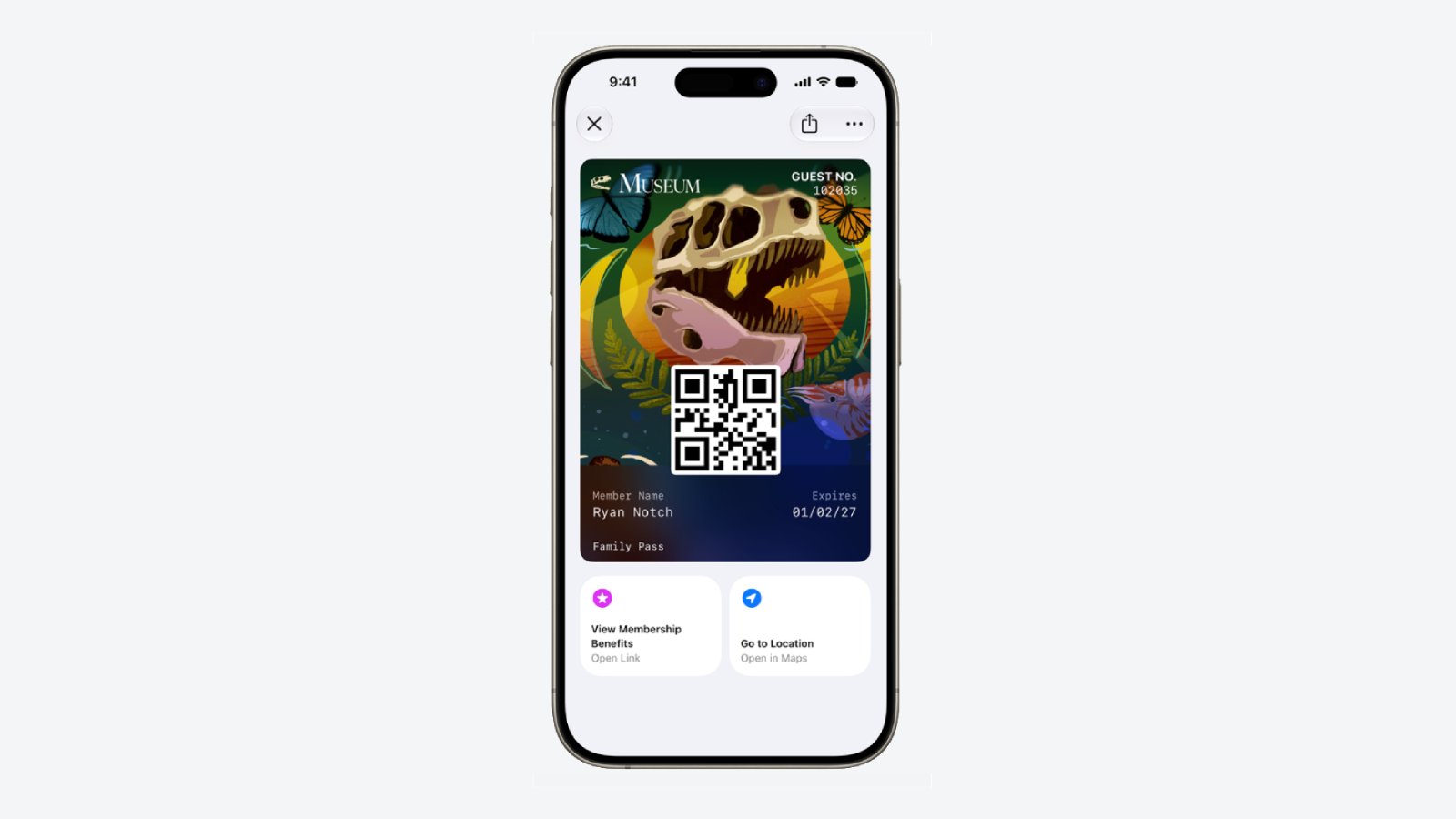
Each digital pass can now have up to two quick actions that you can tap right from the bottom of the pass. For example, you might tap to get directions to a store or quickly check your rewards points balance.
To help you feel safer, Apple is also letting users verify the source of a digital pass to make sure it's real and not a fake. (This doesn't apply to passes you create yourself.) Plus, there are four new types of barcodes that are now supported: EAN–13, Code 39, Codabar, and ITF.
For developers who create these digital passes, there's a new "Pass Designer" app for Mac. This app makes it much easier to design passes using a "what you see is what you get" (WYSIWYG) editor, meaning they can see exactly how the pass will look as they create it.
Make Your Own Digital Passes
One of the coolest new features in the Wallet app is "Create a Pass." This allows you to add tickets, memberships, and more to your digital wallet even if there isn't an official digital version available yet. This feature uses Visual Intelligence to help you create these passes.
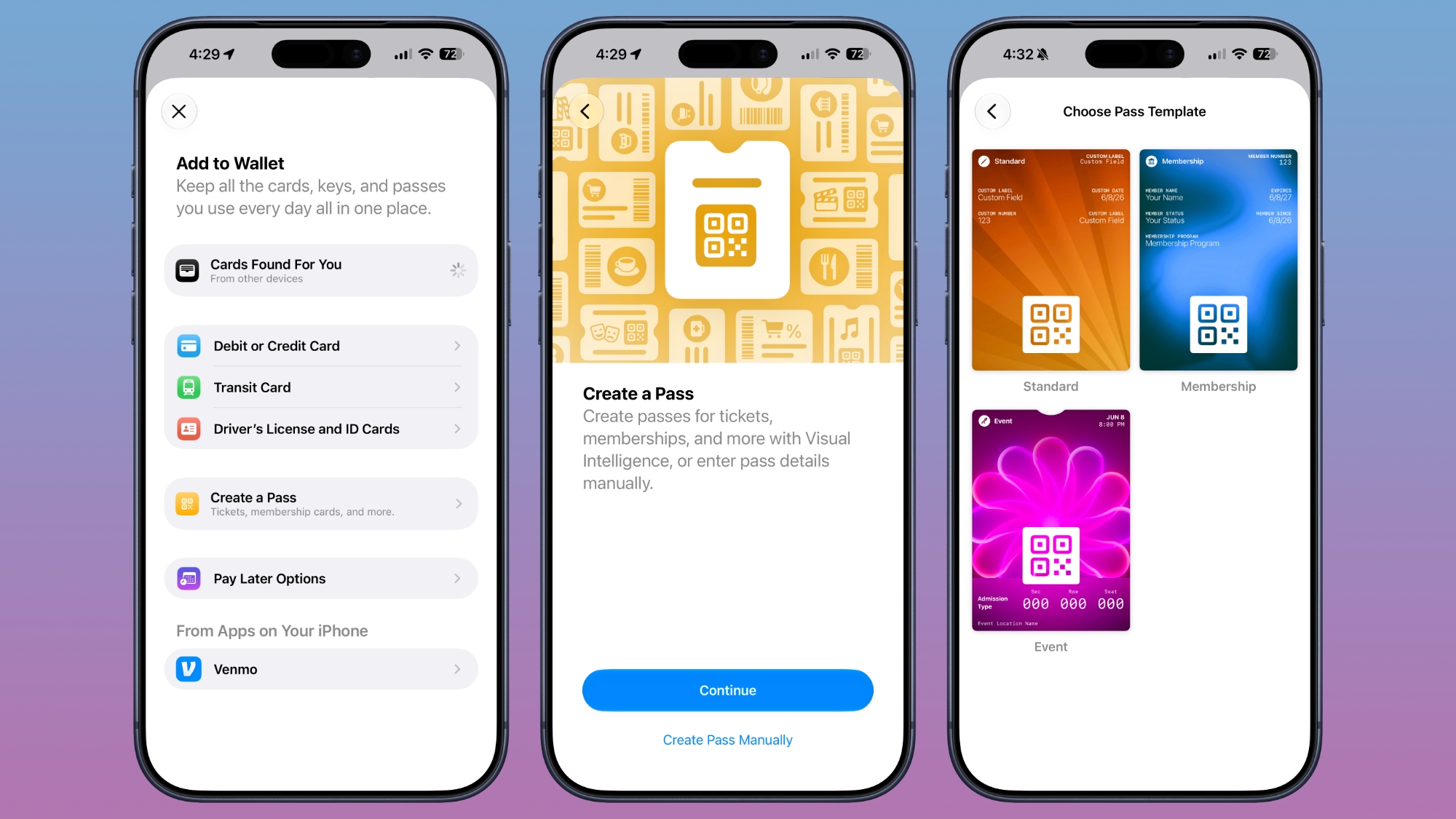
If you have a physical ticket for an event, you can simply scan it to create a digital version. If the physical pass has a barcode or QR code, you can use Visual Intelligence to scan and add it. If not, you can add the pass details manually.
There are different templates available for the passes you create, including "Standard," "Membership," and "Event." Each template comes with relevant fields like the name of the event, its location, or the type of admission. It also uses a scannable code taken from a photo you snap of the physical barcode or QR code.
You'll have plenty of customization options too! You can choose from 12 background colors with different textures, or pick from seven special backgrounds for categories like theater, music, sports, and movies.
When you're creating a custom pass, you can add or remove fields as needed. Options include label, date, membership number, contact information, coupon code, VIN (Vehicle Identification Number), insurance details, and many more. This means you can likely store most of your physical cards digitally on your iPhone.
Smarter Hotel Keys
When you add a digital hotel key from a participating hotel to your Wallet app, you'll now be able to see more information about your trip. Hotels can send you updates about activities you've booked and even give you access to different services directly through the Wallet app.
AI to Help You Split Bills
Ever struggle to split a restaurant bill with friends? iOS 27 introduces "AI Bill Splitting," making this much easier. You can use the new Siri Mode in the Camera app, or a feature within the Messages and Wallet apps, to take a photo of a bill. Then, Apple Intelligence will analyze it to figure out what each person owes.
Visual Intelligence scans the receipt and creates a digital copy of everything on the list. Then, each person can simply select the items they ate or drank. The tax and tip amounts are also calculated automatically, taking the guesswork out of splitting the final cost.
Payments can be made using Apple Cash, though this feature is currently only available in the U.S.
Financial Insights for Your Spending
iOS 27 brings a new "Insights" feature to the Wallet app. This allows you to connect your financial accounts and monitor your spending habits directly from one place.
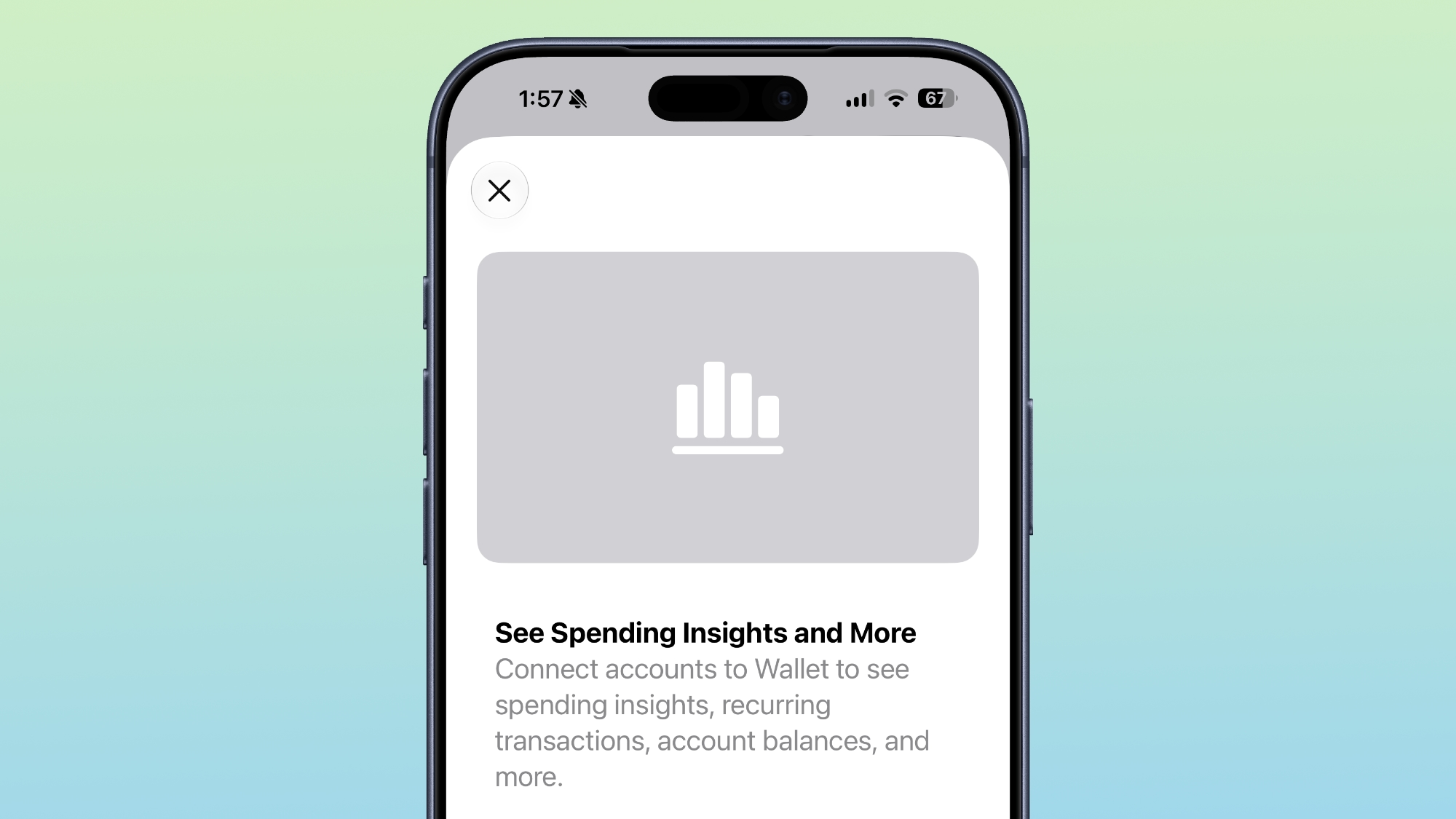
Insights builds upon the "Connected Accounts" feature from previous iOS versions. It provides a clear overview of your spending, recurring payments, account balances, and more. It works with financial institutions that support "Connected Cards," including several banks in the UK.
Expanded Order Tracking
The useful order tracking feature in the Wallet app is expanding! In iOS 27, customers in Australia and Canada will now be able to track their online orders directly through the Wallet app. Previously, this feature was only available in the United States and the UK (since iOS 26).
Quick Payments with Tap to Share
"Tap to Share" is another new iOS 27 feature that simplifies digital payments. It allows customers to quickly connect their iPhone to a participating merchant's iPhone to make a faster digital checkout. This means less fumbling with cards or payment apps.
Device Requirements for New Features
It's important to note that certain advanced features, like Visual Intelligence (which is part of Apple Intelligence), will require newer hardware. For these specific features, you'll need an iPhone 15 Pro or a newer model. However, many of the other exciting new Wallet app features should work on all iPhones that support iOS 27.
This article, "iOS 27 Wallet App Gets 7 New Features" first appeared on MacRumors.com
Discuss this article in our forums
from MacRumors
-via DynaSage
