New Mac Mini and Mac Studio Add Genlock Support for Camera Syncing
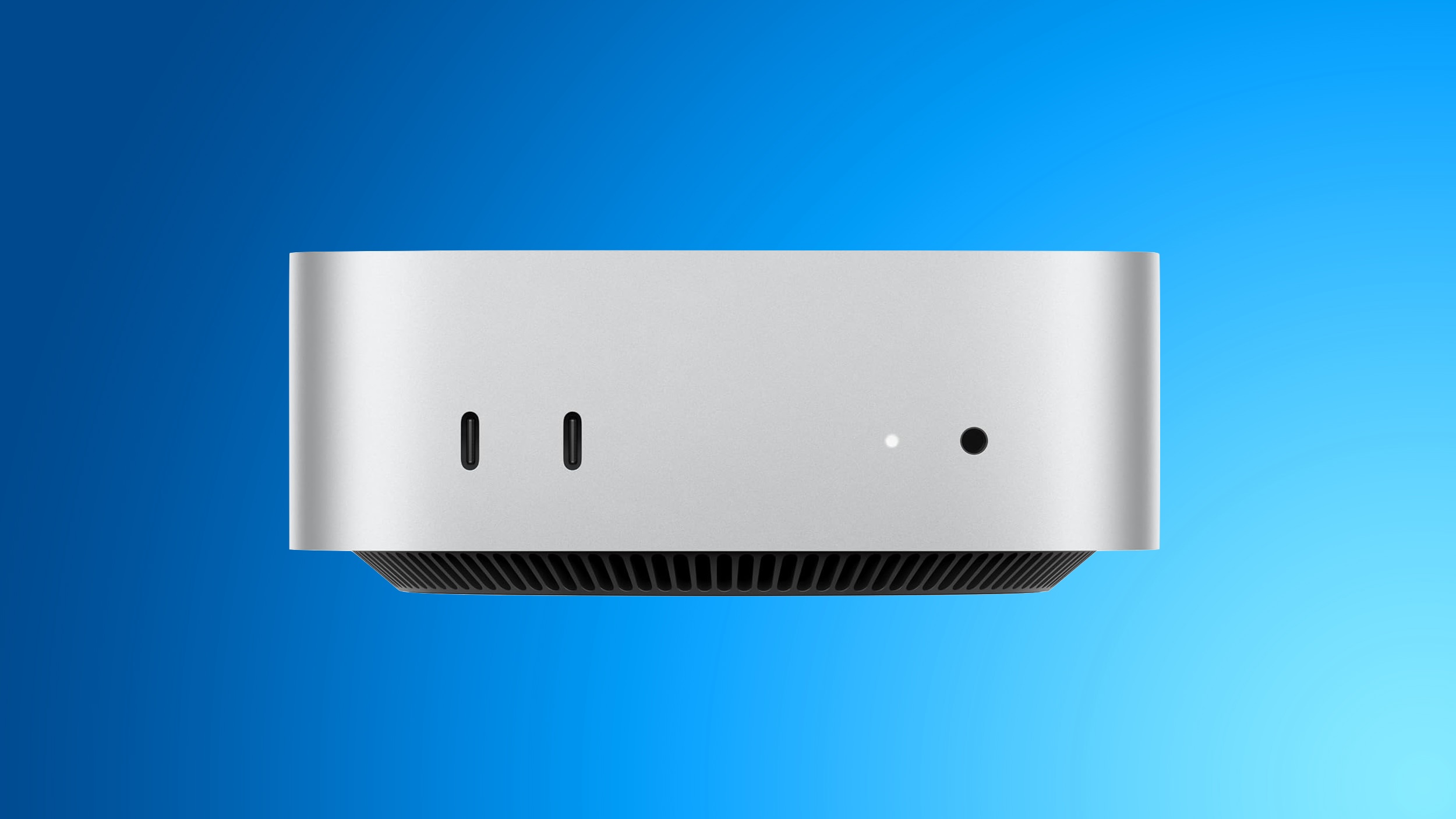
Revolutionizing Video: Mac mini, Mac Studio, and the Power of Genlock Over USB-C
Apple has once again pushed the boundaries of professional video production, making advanced workflows more accessible than ever before. With the latest updates to the Mac mini and Mac Studio, users can now enjoy integrated genlock support directly over USB-C. This groundbreaking feature allows for the precise synchronization of displays with cameras, such as the upcoming iPhone 17 Pro, without the need for additional, often costly, external equipment.
In the world of multi-camera shoots and professional broadcasts, keeping everything perfectly in time is paramount. This new capability ensures that multiple cameras and displays remain locked to the same timing signal, completely eliminating the dreaded footage drift that can plague complex productions. For filmmakers, content creators, and live broadcasters, this isn't just a technical upgrade; it's a fundamental shift towards simpler, more reliable, and higher-quality video workflows. Let's dive deep into what genlock is, why Apple's implementation is a game-changer, and how it will empower a new generation of visual storytellers.
Understanding Genlock: The Foundation of Flawless Video Synchronization
To truly appreciate Apple's innovation, it's essential to understand what genlock is and why it's so crucial in professional video production. Genlock, short for "generator locking," is a technique used to synchronize the video output of multiple devices to a common reference signal. Imagine an orchestra where every musician plays to the exact same conductor's beat; genlock serves as that conductor for all your video equipment.
In a typical video production, especially one involving several cameras, monitors, and recording devices, each piece of equipment has its own internal clock. Even if these clocks are almost perfectly aligned at the start, slight variations will inevitably cause them to drift apart over time. This "drift" means that the frames captured by one camera might be subtly out of phase with the frames captured by another.
Why is Synchronization Critical?
- Seamless Multi-Camera Editing: When you're cutting between shots from different cameras, any timing discrepancy will result in noticeable jumps, jitters, or even brief flashes of incorrect frames. Genlock ensures that when you switch from Camera A to Camera B, the frames from both cameras align perfectly, creating smooth, professional transitions.
- Live Broadcasts and Streaming: For live events, sports, news, or concerts, there's no opportunity for post-production correction. Everything must be perfect in real-time. Genlock is absolutely non-negotiable in these scenarios to maintain a coherent and professional output.
- Virtual Production and XR Environments: In cutting-edge virtual sets where live footage interacts with computer-generated graphics and LED walls, precise synchronization between physical cameras, virtual cameras, and display technologies is paramount for believable and immersive results.
- Audio-Video Sync: While genlock primarily deals with video timing, ensuring video frames are aligned also greatly assists in maintaining perfect audio-video synchronization, preventing the dreaded "lip-sync" issues.
- Reduced Post-Production Time and Costs: Without genlock, editors spend countless hours manually trying to align footage, correcting for drift, and making subtle timing adjustments. This is a time-consuming and expensive process that genlock largely eliminates.
The consequences of not having genlock in a professional setting can range from minor visual annoyances to completely unusable footage, leading to reshoots or extensive, costly rework. Traditionally, achieving genlock required dedicated sync generators, which are specialized hardware boxes that output a master timing signal. These signals were typically transmitted via BNC cables, adding another layer of complexity, specific cabling requirements, and significant cost to a production setup.
Apple's Game-Changing Innovation: Genlock Over USB-C
This is where Apple steps in with a truly revolutionary approach. Instead of relying on traditional, often proprietary, and expensive external sync generators with their specialized BNC cabling, Apple has ingeniously integrated genlock support directly into the versatile USB-C standard. This is not merely an incremental improvement; it's a paradigm shift that democratizes professional synchronization capabilities.
With the new Mac mini and Mac Studio, the computer itself can act as the master clock for your entire video setup. This means that a standard USB-C cable can now carry not only data and power but also the precise timing signal needed for genlock.
Advantages of USB-C for Genlock:
- Unprecedented Simplicity: The biggest advantage is the reduction in complexity. One USB-C cable can now handle multiple functions, significantly reducing cable clutter and making setup and breakdown much faster. No more searching for specific BNC cables or adapters.
- Widespread Accessibility: USB-C is rapidly becoming the universal standard for connectivity across a vast array of devices. This ubiquity means that more devices can potentially integrate with Apple's genlock system, including an increasing number of cameras and professional displays.
- Cost-Effectiveness: By eliminating the need for dedicated external sync generators, Apple has lowered the barrier to entry for achieving professional-grade synchronization. This can translate into significant cost savings for independent creators, small studios, and educational institutions.
- Enhanced Portability: Professional multi-camera rigs can now be lighter and more portable. Field productions, documentaries, and mobile journalism benefit immensely from a streamlined setup that can be quickly deployed and packed away.
- Seamless Ecosystem Integration: For users already deeply embedded in the Apple ecosystem, this integration feels natural. The Mac mini and Mac Studio become central hubs, leveraging their powerful Apple Silicon chips for both processing and now, precise timing.
This move by Apple signifies a deep understanding of the evolving needs of modern content creators. They recognize that while professional results are desired, the path to achieving them doesn't always have to involve an intimidating array of specialized equipment. By baking genlock directly into the USB-C infrastructure of their Macs, Apple is making professional workflows more intuitive and less hardware-dependent. It's an elegant solution that leverages existing, widely adopted technology to solve a long-standing professional challenge.
The Mac mini and Mac Studio: Powering Professional Workflows
The choice of the Mac mini and Mac Studio as the platforms for this innovative genlock feature is strategic and highlights their roles as versatile powerhouses in the creative world. Both machines, especially with the latest Apple Silicon chips, offer unparalleled performance, robust connectivity, and the reliability demanded by professional workflows.
Mac Studio: The Uncompromised Professional
The Mac Studio is designed from the ground up for demanding creative professionals. With its formidable M-series Ultra chips, it can handle multiple streams of high-resolution ProRes video, complex 3D rendering, and sophisticated audio production without breaking a sweat. When it comes to genlock, the Mac Studio excels as the central processing unit for large-scale multi-camera setups. Its ample Thunderbolt/USB-C ports allow for the connection of numerous cameras, external displays, high-speed storage, and other peripherals, all while acting as the master sync generator for the entire system.
For film and television production, virtual sets, and high-end broadcast environments, the Mac Studio can ingest, process, and output synchronized video feeds with exceptional precision. It's the ideal choice for studios that require maximum horsepower and uncompromised performance, ensuring that even the most complex multi-camera shoots remain perfectly locked.
Mac mini: The Compact Powerhouse
The Mac mini, often underestimated due to its diminutive size, has transformed into an incredibly capable machine with Apple Silicon. It offers phenomenal performance per watt and a surprisingly rich array of ports, making it perfect for independent filmmakers, content creators on a budget, educational settings, or as a dedicated sync server in a larger studio.
For many users, the Mac mini will be the gateway to professional genlock. Its accessibility and compact form factor make it an excellent choice for portable setups, smaller studios, or as a powerful hub for an iPhone-based multi-camera rig. It provides the same core genlock functionality as the Mac Studio, opening up professional synchronization to a much wider audience without requiring a massive investment.
Both Macs, therefore, serve different segments of the professional market while offering the same core benefit: a robust, reliable, and integrated solution for video synchronization. Their deep integration with macOS and Apple's professional applications like Final Cut Pro further solidifies their position as the preferred tools for creative professionals looking to streamline their workflows and elevate their production quality.
Unlocking the iPhone 17 Pro's Full Potential
Perhaps one of the most exciting implications of genlock support in the Mac mini and Mac Studio is its synergy with professional-grade cameras, specifically highlighting the iPhone 17 Pro. The iPhone Pro series has, over recent years, evolved from a mere smartphone camera into a legitimate tool for serious videography, capable of capturing stunning cinematic footage, including ProRes video. With the hypothetical iPhone 17 Pro, we can expect even more advanced sensors, improved computational photography, and potentially even higher-fidelity video capabilities.
Integrating genlock with the iPhone 17 Pro (or any future iPhone Pro model supporting this feature) is a monumental leap. Historically, while iPhones excel at individual shots, using multiple iPhones for a coordinated multi-camera shoot presented a significant challenge: synchronization. Even with advanced editing software, manually aligning footage from several independently running iPhones could be a painstaking and time-consuming process, often introducing subtle errors that degrade the professional look.
How Genlock Transforms iPhone Video Production:
- Professional Multi-Cam with Accessible Tools: Imagine setting up three iPhone 17 Pros – one for a wide shot, one for a close-up, and another for a dynamic moving shot – all connected to a Mac mini or Mac Studio. With genlock over USB-C, all three iPhones would capture video perfectly in sync, making the editing process incredibly smooth and efficient. This opens up professional multi-camera production to indie filmmakers, documentary makers, educational content creators, and live event videographers who rely on the iPhone's portability and image quality.
- Elevating Mobile Journalism: Journalists in the field can now deploy multiple iPhones for comprehensive coverage of an event, knowing that their footage will integrate seamlessly for broadcast or rapid online publication.
- Bridging the Gap: This feature further blurs the line between traditional "prosumer" and professional equipment. The iPhone, already powerful, becomes an even more formidable component in a truly professional video workflow when paired with the Mac's new genlock capabilities.
- Simplified Post-Production: Editors will spend less time on manual synchronization and more time on the creative aspects of storytelling, leading to faster turnaround times and higher-quality final products.
The ability to use the iPhone 17 Pro as a genlocked camera, connected via USB-C to a Mac mini or Mac Studio, signifies Apple's vision for an integrated, powerful, and accessible creative ecosystem. It reinforces the iPhone's position not just as a consumer device, but as a serious tool for professional visual content creation, now with the critical capability of precise synchronization that was once reserved for much more expensive, dedicated cinema cameras.
The Tangible Benefits for Creatives and Professionals
The introduction of genlock support over USB-C in the Mac mini and Mac Studio brings a cascade of tangible benefits for anyone involved in video production. These advantages extend beyond mere technical prowess, directly impacting efficiency, quality, and creative freedom.
- Streamlined Multi-Camera Workflows: The most immediate benefit is the elimination of synchronization headaches. Editors no longer need to manually align footage, saving countless hours in post-production. This means quicker edits, faster project completion, and the ability to take on more projects.
- Professional-Grade Output: Perfect synchronization leads to cleaner cuts, smoother transitions, and a polished, broadcast-quality look for your video. This elevates the perceived value and professionalism of your content, whether it's for broadcast, film, or online platforms.
- Reduced Costs and Complexity: By removing the need for dedicated, expensive genlock hardware and specialized cabling, Apple has significantly lowered the entry barrier to professional multi-camera production. This makes high-quality video workflows accessible to independent creators, small businesses, and educational institutions that might not have the budget for traditional broadcast equipment.
- Enhanced Live Production Capabilities: For live streaming concerts, sports, interviews, or corporate events, genlock is critical. The ability to seamlessly switch between multiple cameras in real-time without fear of timing drift ensures a professional and engaging live broadcast experience.
- Greater Flexibility and Portability: A simpler, cable-reduced setup makes it easier to deploy and manage multi-camera rigs in various locations. This is invaluable for field productions, documentary filmmaking, or creating dynamic content in unconventional spaces.
- Focus on Creativity, Not Technicalities: By automating and simplifying a complex technical aspect of video production, creators can spend more time focusing on their artistic vision, storytelling, and refining their content, rather than troubleshooting synchronization issues.
- Future-Proofing Your Setup: Investing in Macs with genlock support positions users to take full advantage of future advancements in camera technology, particularly as more devices, like future iPhone models, integrate with this simplified synchronization standard.
In essence, this feature empowers a broader spectrum of users to achieve results that were once the exclusive domain of large production houses. It's about giving more power to the individual creator, fostering innovation, and pushing the boundaries of what's possible with a streamlined, integrated system.
Integrating Genlock into Your Workflow: A Simplified Look
While the technical underpinnings of genlock can be complex, Apple's approach aims to make its integration into your daily workflow as straightforward as possible. The beauty of genlock over USB-C lies in its relative simplicity compared to traditional methods.
The Basic Setup:
- The Hub: Your Mac mini or Mac Studio serves as the central hub and the master timing generator.
- Connecting Cameras: Cameras that support genlock over USB-C (like the hypothetical iPhone 17 Pro, via a compatible adapter or direct USB-C connection if the iPhone also supports it directly) are connected to the USB-C/Thunderbolt ports on your Mac. For dedicated professional cameras, this might involve a USB-C interface that can accept a genlock signal or pass it through.
- Connecting Displays: Any professional reference displays that need to be synchronized for monitoring during a shoot or for accurate playback in post-production are also connected to the Mac via USB-C or other appropriate display outputs, receiving their timing cues from the Mac.
- Software Control: Compatible video editing and live-streaming software (such as Final Cut Pro, DaVinci Resolve, or even OBS Studio with future updates) running on your Mac will then manage the genlock signal, ensuring all connected devices operate on the same precise clock. The software will likely provide options to designate the Mac as the master sync source and confirm the status of connected, synchronized devices.
The "magic" happens behind the scenes, with the Mac's powerful Apple Silicon chips and optimized macOS ensuring that the timing signal is stable and precise across all connected devices. This minimizes the need for users to delve into complex synchronization settings, allowing them to focus on the creative aspects of their work. While specific camera and display compatibility will evolve, the foundation laid by Apple with this USB-C implementation promises a future where professional synchronization is more plug-and-play than ever before.
The Future is Synchronized: Apple's Vision for Creative Professionals
Apple's integration of genlock over USB-C into the Mac mini and Mac Studio is more than just a new feature; it's a clear statement about the company's long-term vision for creative professionals. This move signifies a commitment to building a seamless, powerful, and accessible ecosystem that empowers visual storytellers at every level.
This innovation speaks to a future where the distinction between "prosumer" and "professional" tools continues to blur. By making traditionally complex and expensive capabilities like genlock available through standard, ubiquitous connectivity, Apple is lowering the barrier to entry for high-quality production. This has profound implications for:
- Independent Filmmakers: Gaining access to broadcast-level synchronization without prohibitive costs.
- Content Creators: Elevating the production value of YouTube channels, online courses, and social media content.
- Education: Providing students with professional tools for learning and experimentation.
- Corporate and Event Videography: Delivering polished, multi-camera productions efficiently.
The continuous evolution of the iPhone as a professional camera, coupled with the computational might of Apple Silicon Macs and now precise timing synchronization, creates an incredibly potent and integrated workflow. It suggests that future Apple devices, both cameras and displays, will increasingly be designed to work in harmony, simplifying complex tasks and allowing creators to focus on their craft.
As technology advances, we can anticipate even deeper integration, perhaps with wireless genlock solutions, or expanded compatibility with a wider array of professional cameras and monitors. Apple is not just offering a new feature; it's charting a course for the future of video production – a future that is more intuitive, more powerful, and ultimately, more creative.
Conclusion
The addition of genlock support over USB-C to the new Mac mini and Mac Studio is a truly transformative development for video professionals and aspiring creators alike. By simplifying a traditionally complex and costly aspect of multi-camera production, Apple has once again demonstrated its commitment to empowering its users with cutting-edge, yet user-friendly, technology.
This innovative integration, particularly when paired with high-performance cameras like the iPhone 17 Pro, promises to unlock new levels of efficiency, quality, and creative freedom. From seamless multi-camera shoots and pristine live broadcasts to more efficient post-production workflows, the benefits are clear and far-reaching. The Mac mini and Mac Studio are not just powerful computers; they are now the central nervous system for perfectly synchronized, professional video productions, making high-end capabilities more accessible than ever before. Apple is not just building hardware; it's building the future of creative storytelling, one perfectly synced frame at a time.
This article, "New Mac Mini and Mac Studio Add Genlock Support for Camera Syncing" first appeared on MacRumors.com
Discuss this article in our forums
from MacRumors
-via DynaSage

Post a Comment