Apple Releases macOS Golden Gate Beta 7
Unveiling the Future: A Deep Dive into macOS Golden Gate Beta 7
Apple has recently shared the seventh beta version of its much-anticipated operating system, macOS Golden Gate, with developers. This update arrived just one week after the sixth beta, signaling that Apple is quickly moving towards a final release. For Mac users worldwide, this new version promises a significant leap forward, introducing a blend of beautiful design enhancements and groundbreaking artificial intelligence features that are set to redefine how we interact with our computers.
What is a Beta and Why Does it Matter?
Before diving into the exciting new features, let's briefly understand what a "beta" version means. A beta is a pre-release version of software that is still under development. Apple provides these betas to developers so they can test their apps with the new operating system, identify any issues, and provide feedback to Apple. This crucial step helps Apple iron out bugs and refine features before the software is made available to everyone.
For eager users, the release of a new beta, especially the seventh one, is a strong indication that the official public launch is getting closer. Each beta brings stability improvements, bug fixes, and sometimes even small refinements to features, making the system more polished and reliable. While beta versions are exciting, they are generally not recommended for everyday use on your main computer due to potential bugs or performance issues. They are primarily for developers to ensure their applications are ready for the final release of macOS Golden Gate.
How Developers Can Access macOS Golden Gate Beta 7
If you're a registered Apple developer, getting your hands on macOS Golden Gate Beta 7 is a straightforward process. You'll need an active developer account, which grants you access to early software releases. Once your account is set up, you can download the beta by following these steps:
- Go to System Settings on your Mac.
- Click on "General."
- Select "Software Update."
- Ensure "Beta Updates" is enabled.
After enabling beta updates, you should see the option to download and install macOS Golden Gate Beta 7. It’s always a good practice to back up your Mac before installing any beta software, just in case you encounter unforeseen issues.
A Fresh Look: Significant Design Improvements
One of the most immediate and noticeable changes in macOS Golden Gate is its refreshed user interface. Apple has meticulously refined the visual experience, aiming for a cleaner, more readable, and intuitive environment. These design updates aren't just cosmetic; they enhance usability and bring a more unified look across the entire operating system.
Enhanced Liquid Glass Opacity and Transparency
The "Liquid Glass" effect, which refers to the subtle transparency and blur effects seen in various parts of the macOS interface, has been significantly improved. Apple has adjusted the opacity to make elements more readable. This means that while backgrounds will still elegantly peek through certain interface elements, the text and controls on top will stand out more clearly, reducing visual clutter and strain. To give users more control over this aesthetic, a new slider has been introduced, allowing you to fine-tune the level of transparency to your personal preference. Whether you prefer a subtle hint of what's behind your windows or a more pronounced see-through effect, you can now customize it to your liking, creating a truly personalized desktop experience.
Smarter Window Shadowing
Ever found it hard to tell which window is active when you have many open? macOS Golden Gate addresses this with refined shadowing. Changes to how shadows are cast around windows make it much easier to visually distinguish the active window from inactive ones. The active window will have a more pronounced and crisp shadow, drawing your attention to where you are currently working, while inactive windows will recede slightly into the background with softer shadows. This subtle but effective visual cue greatly improves multitasking and desktop organization, helping you stay focused on your primary task.
Unified App Design Across the System
Consistency is key in good design, and macOS Golden Gate brings a new level of uniformity to applications. Apps now feature consistent toolbars, ensuring that controls and navigation elements are predictable regardless of the app you're using. This reduces the learning curve for new applications and makes the overall experience feel more cohesive. Alongside this, many apps now boast edge-to-edge sidebars. This design choice maximizes screen real estate, allowing more content to be displayed in sidebars without feeling cramped, and creates a more immersive viewing experience, especially in content-heavy applications.
Furthermore, Apple has opted for less rounded corners for windows and interface elements. This gives the interface a more modern, sharper, and sophisticated look, subtly aligning with contemporary design trends while maintaining macOS's characteristic elegance. The visual refresh also includes a reduction in the number of icons in menu bars. By streamlining these areas, Apple aims to reduce visual noise and improve focus, ensuring that only the most essential information and controls are prominently displayed, leading to a cleaner and less cluttered desktop environment.
The Dawn of Siri AI: A Smarter, More Aware Assistant
Perhaps the most revolutionary feature in macOS Golden Gate is the transformation of Siri into what Apple calls Siri AI. This isn't just an update; it's a complete reimagining of Apple's virtual assistant, turning it into a powerful, chatbot-style assistant capable of understanding and responding in ways never before possible on the Mac.
Beyond Basic Commands: A True Chatbot Experience
The new Siri AI is designed to feel like a natural conversation partner. It combines three powerful pillars to deliver its enhanced capabilities:
- General World Knowledge: Siri AI has a vast understanding of facts, figures, and information from across the internet, allowing it to answer a wide range of general questions, from historical dates to scientific concepts. You can ask it anything you'd typically search for online, and it will provide concise and accurate answers.
- Your Personal Data: Crucially, Siri AI can securely access and understand your personal data on your Mac, such as your emails, calendar events, messages, and files. This means it can help you find specific documents, remind you about upcoming appointments, or even recall details from past conversations, all while respecting your privacy by processing this data on-device.
- Onscreen Awareness: This is a game-changer. Siri AI can "see" and understand what's currently displayed on your screen. If you're looking at a travel itinerary in an email, you can ask Siri to "find restaurants near this hotel," and it will understand the context without you having to manually input the hotel name or location. This context-awareness makes interactions incredibly fluid and intuitive.
Together, these capabilities allow Siri AI to answer complex questions, provide highly relevant information, and perform tasks that require an understanding of both the world and your personal context.
Siri's New Home: Spotlight Integration
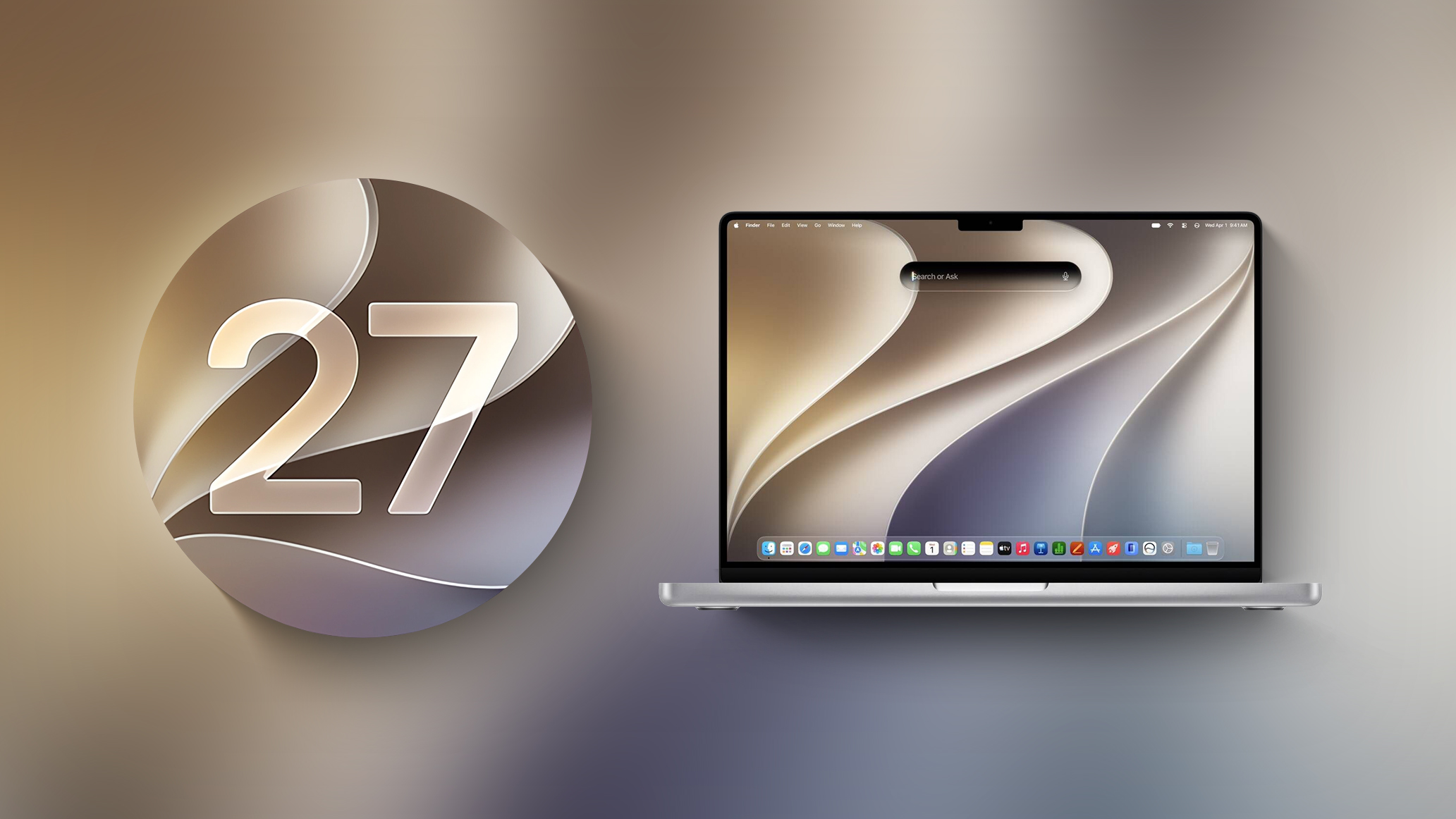
Instead of being a separate overlay, Siri AI now resides within Spotlight, the powerful search tool on your Mac. This integration makes accessing Siri more seamless than ever. When you hit Command + Space to open Spotlight, you'll find a new "Search or Ask" interface. Here, you can type natural language questions or commands directly into the search bar, and Siri AI will process them. This unified approach means that whether you're searching for a file, launching an app, or asking a complex question, you start from the same familiar point, making your Mac even more efficient.
The Dedicated Siri App and Custom Voices
For those who prefer a more dedicated interaction, macOS Golden Gate also introduces a standalone Siri app. This app provides a chat-style interface where you can engage in longer conversations with Siri AI and review your past interactions. It’s perfect for brainstorming, research, or simply exploring the depths of Siri's knowledge without cluttering your desktop. Think of it as your personal AI notebook, where every conversation is saved for future reference.
Adding a touch of personalization, newer Macs will offer the ability to set a custom voice for Siri. This isn't just about choosing a different accent; it allows you to customize the pace and expressivity of Siri's responses. You can train Siri to speak at a speed that suits you best and with a tone that feels more natural or engaging, making your interactions even more personal and comfortable.
Visual Intelligence Comes to Mac
A major leap forward for Siri AI is the arrival of Visual Intelligence on the Mac. Building on its "onscreen awareness," Visual Intelligence allows Siri to truly understand and respond to what's visually present on your screen. For example, if you have an image open, you can ask Siri to "identify the landmark in this photo" or "tell me more about this plant." Siri can analyze the image content, understand its context, and provide relevant information. This powerful capability extends to documents, videos, and websites, allowing Siri to answer questions about charts in a spreadsheet, objects in a video frame, or specific text on a webpage. It transforms your Mac into an even more intelligent companion that can process and interpret the visual world around you.
Write with Siri: Your AI Writing Assistant
For anyone who writes, the "Write with Siri" feature is a game-changer. Siri AI can now assist you directly with your writing tasks. Whether you need help generating text from scratch, perhaps drafting an email, composing a short story, or even writing code snippets, Siri can provide initial drafts based on your prompts. More impressively, it can also offer feedback on your existing writing. Upload a document, and Siri can analyze it for grammar, style, clarity, conciseness, and even suggest alternative phrasing to improve your message. It's like having a personal editor always ready to help you craft perfect prose, enhancing both your productivity and the quality of your written communication.
AI-Powered Tools Across Key Applications
The integration of artificial intelligence in macOS Golden Gate extends beyond Siri into several core applications, making everyday tasks smarter, faster, and more creative.
AI Photo Editing in the Photos App
The Photos app receives a significant upgrade with new AI photo editing tools. These tools empower users to achieve professional-looking results with minimal effort. Imagine being able to automatically enhance colors and lighting with a single click, intelligently remove unwanted objects from a scene, or even change the background of a portrait with remarkable precision. The AI can analyze your photos, understand their content, and suggest improvements or execute complex edits that would typically require advanced software and expertise. This democratizes photo editing, making powerful capabilities accessible to everyone, from casual photographers to creative professionals.
Safari's AI Tab Organization
Browsing the web often leads to a multitude of open tabs, making it hard to stay organized. Safari in macOS Golden Gate now features AI tab organization. This intelligent system automatically groups related tabs together, based on their content and your browsing history. For instance, if you're researching a trip, all your flight, hotel, and activity tabs might be grouped into a single "Travel Planning" collection. If you're working on a project, all your research articles could be automatically filed together. This reduces clutter, makes it easier to navigate your open tabs, and helps you pick up exactly where you left off, boosting your productivity and improving your web browsing experience.
Automatic Password Updates in the Passwords App
Security is paramount, and macOS Golden Gate takes a proactive stance against weak passwords. The Passwords app now includes an option to use AI to automatically update weak passwords. When the system detects a password that might be compromised, easily guessable, or hasn't been changed in a long time, it can intelligently suggest a strong, unique replacement. Even better, in many cases, it can automatically navigate to the website's password change page and update it for you, saving you time and ensuring your online accounts are better protected. This AI-driven feature makes maintaining robust online security effortless, significantly reducing your risk of data breaches.
The Revamped Image Playground App
Creativity gets a powerful boost with a revamped Image Playground app. This updated application leverages advanced AI to generate photorealistic images from simple text descriptions. Whether you're a designer looking for inspiration, an artist exploring new concepts, or just someone who enjoys creative expression, Image Playground allows you to type in a prompt – for example, "a serene forest lake at sunrise with mist rising" – and watch as the AI brings your vision to life with stunningly detailed and lifelike images. This tool opens up new avenues for creative exploration, allowing users to rapidly prototype visual ideas and generate unique imagery that matches their imaginative concepts, pushing the boundaries of what's possible directly on your Mac.
Why These Features Matter: A Unified Vision for the Future
The collective power of these new features in macOS Golden Gate paints a clear picture of Apple's vision for the future of computing. It's a future where your Mac is not just a tool but an intelligent partner, anticipating your needs, simplifying complex tasks, and enhancing both your productivity and creativity.
- Increased Productivity: From AI-driven tab organization in Safari to smarter password management and the ability to generate text with Siri, macOS Golden Gate aims to streamline your workflow and minimize time spent on mundane tasks.
- Enhanced Creativity: The revamped Image Playground and AI photo editing tools empower users to explore new creative horizons, making professional-grade results accessible to everyone.
- Intuitive Interaction: The transformed Siri AI, with its onscreen awareness and personal data integration, offers a level of interaction that feels incredibly natural and responsive, making your Mac more approachable and helpful than ever before.
- Improved Security and Privacy: AI-powered password updates bolster your online security, while Apple's commitment to on-device processing for personal data ensures your privacy remains a top priority.
- Unified Experience: The design improvements create a more cohesive and visually pleasing environment, while the consistent application of AI across different apps ensures a seamless and integrated experience.
These innovations are not just isolated features; they work in concert to create a more intelligent, user-friendly, and powerful operating system. macOS Golden Gate is shaping up to be a release that not only refines the Mac experience but fundamentally redefines it.
Looking Ahead: The Road to Public Release
The release of Beta 7 signifies that macOS Golden Gate is maturing rapidly. While developers are currently putting the system through its paces, the general public can look forward to experiencing these exciting features in the coming months. Each beta release brings us closer to a stable, feature-rich, and polished version that will eventually be available for all compatible Macs.
For a comprehensive overview of all the groundbreaking features packed into macOS Golden Gate, including even more details and insights, you can explore our full macOS Golden Gate roundup. It's an exciting time to be a Mac user, with a future that promises unprecedented intelligence and ease of use.
This article, "Apple Releases macOS Golden Gate Beta 7" first appeared on MacRumors.com
Discuss this article in our forums
from MacRumors
-via DynaSage

Post a Comment