Apple Explains Why Spotlight Indexing Can Take Days After an Update
Understanding Spotlight Indexing After Your Apple OS Update
If you've recently updated to a new beta version of Apple's operating systems, such as iOS 27, macOS 27 Golden Gate, iPadOS 27, or visionOS 27, you might have noticed your device working extra hard for hours or even days afterward. This intense background activity is often due to a process called "indexing," specifically by Apple's powerful search tool, Spotlight. Apple has released a Spotlight support document to shed light on what's happening behind the scenes, offering clarity to users experiencing these lengthy post-update activities.
Apple confirms that this indexing process can take a significant amount of time, ranging from several hours to potentially multiple days. The exact duration largely depends on how much data is stored on your device. The company also advises that the process completes more quickly when your device is not actively being used, and when it's connected to both a power source and a stable internet connection. Crucially, Apple emphasizes that this index is stored entirely on your device, remains private, and is never shared with Apple or any of your other devices. This commitment to privacy is a cornerstone of Apple's design philosophy, even for internal system processes like Spotlight indexing.
What is Spotlight and Why is Indexing So Important?
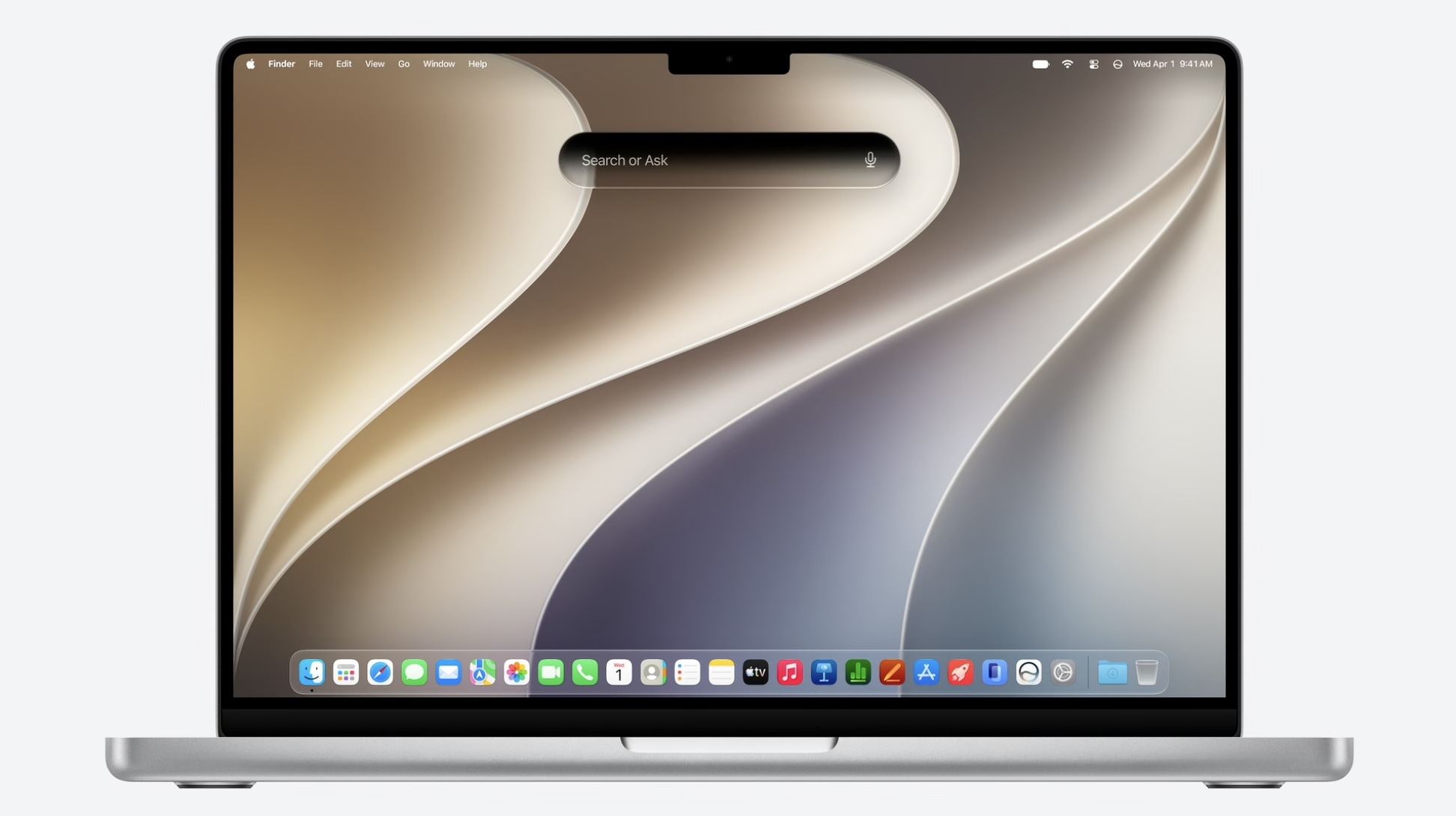
Spotlight is more than just a search bar on your Apple device; it's a comprehensive and intelligent search engine built right into the core of iOS, macOS, iPadOS, and visionOS. It allows you to quickly find almost anything on your device, from documents and emails to apps, contacts, photos, and even information from the web. Think of it as your personal digital assistant for finding and organizing information locally. To deliver these lightning-fast search results, Spotlight doesn't simply scan your entire hard drive every time you type a query. Instead, it creates and maintains a detailed "index" of all the content on your device.
An index, in this context, is much like the index you'd find at the back of a book. It’s a structured list of keywords, file names, content snippets, and metadata (data about data, such as creation date, author, file type, etc.) along with pointers to their exact location on your storage. When you search using Spotlight, it quickly consults this pre-built index rather than sifting through countless files in real-time. This method is incredibly efficient, allowing you to get instant results, even with terabytes of data stored on your device. Without a complete and up-to-date index, Spotlight's powerful capabilities would be severely limited, making searches slow, inaccurate, or even impossible.
The Indexing Deep Dive: What Exactly is Being Indexed?
Spotlight's indexing capabilities are extensive, covering nearly every type of data stored on your Apple device. This comprehensive approach is what makes it such a powerful tool. Here's a breakdown of the types of information Spotlight actively indexes:
- Files and Documents: This includes text documents, PDFs, spreadsheets, presentations, code files, and various other file formats. Spotlight reads the content within these files (not just their names) to make them searchable.
- Emails: All your emails across various accounts configured on your device (Mail app, etc.) are indexed, allowing you to search by sender, recipient, subject, and the actual content of the email body.
- Contacts: Information from your contacts list, including names, phone numbers, email addresses, and associated notes, is indexed for quick retrieval.
- Apps: Spotlight indexes the names of your installed applications, but also often dives deeper into app-specific data, especially for apps that integrate with Spotlight to make their content searchable (e.g., notes within a specific note-taking app, tasks within a to-do list app).
- Photos and Videos: Beyond file names, modern Spotlight indexing uses advanced techniques to recognize objects, faces, scenes, and even text within images. It also indexes metadata like capture dates, locations, and any descriptions you've added.
- Messages: Your conversations in the Messages app (iMessage, SMS) are indexed, allowing you to search for specific words, phrases, or contacts within your chat history.
- Calendar Events: All your scheduled appointments, meetings, and reminders are indexed, making it easy to find events by title, location, participants, or date.
- Browser History and Bookmarks: Depending on your browser and privacy settings, Spotlight can index your browsing history and saved bookmarks for quick access.
- System Settings and Preferences: On macOS and iPadOS, you can often search for specific system settings directly from Spotlight, and on iOS, it can help you jump to settings options.
- Developer Files: For developers, Spotlight is invaluable for indexing code, project files, and documentation, speeding up their workflow.
- And Much More: The list goes on to include music, podcasts, notes, reminders, voice memos, and any other data that an application chooses to expose to Spotlight for indexing.
The sheer volume and diversity of this data highlight why the indexing process is so resource-intensive and time-consuming, especially after a major system update.
Why Does an OS Update Trigger Such Extensive Re-Indexing?
A software update, particularly a major version like iOS 27 or macOS 27 Golden Gate, isn't just a minor patch; it's often a significant overhaul of the operating system's underlying architecture, features, and security protocols. These changes necessitate a thorough re-indexing or re-evaluation of the existing index for several critical reasons:
- New File Formats and Data Structures: With each new OS, Apple might introduce support for new file types, modify how existing files are stored, or change the internal data structures used by applications. Spotlight needs to understand these new formats and adapt its indexing methods accordingly to ensure all content remains searchable.
- Changes in OS Structure: The way the operating system organizes files, applications, and system resources can evolve. A new OS might relocate certain system files, change permission structures, or implement new sandboxing techniques. Spotlight must re-map these changes to accurately locate and index content.
- New Features Requiring Indexing: Major updates often bring entirely new features or enhance existing ones that rely heavily on Spotlight's indexing capabilities. For example, if iOS 27 introduces a new way to categorize photos using advanced AI, Spotlight needs to process your entire photo library to build this new index data. Similarly, new intelligent search suggestions or deep links into app content require comprehensive re-indexing.
- Performance Optimizations: Apple constantly strives to improve the speed and efficiency of its systems. A new OS might include an optimized indexing engine that works faster or consumes fewer resources in the long run. To benefit from these optimizations, the index might need to be rebuilt or significantly updated.
- Security Enhancements: Security is paramount. Updates often include changes to how data is accessed and protected. Spotlight's indexing process needs to adhere to these new security protocols, ensuring that sensitive information remains secure while still being discoverable by authorized users. This might involve re-indexing with new encryption keys or access controls.
- Database Rebuilding and Integrity Checks: Over time, the Spotlight index database can become fragmented or corrupted, especially if a device has experienced crashes or unexpected shutdowns. A major OS update is an opportune moment for the system to perform a full integrity check and potentially rebuild the entire index database from scratch, ensuring its accuracy and stability.
- Application Compatibility: As the OS evolves, so do the APIs (Application Programming Interfaces) that apps use to integrate with Spotlight. Third-party applications might need to update their indexing methods to work correctly with the new OS, and the system-wide index reflects these changes.
Considering the complexity of these changes, it becomes clear why a simple "update" can lead to such a profound and lengthy indexing process. It's not just checking a few boxes; it's often a complete reconstruction of your device's searchable knowledge base.
Key Factors Influencing Indexing Time
Apple explicitly states that indexing time varies, emphasizing the amount of data, device usage, power connection, and internet access. Let's delve deeper into each of these factors and others that contribute to the duration:
1. Amount of Data Stored
This is arguably the most significant factor. The more files, photos, videos, apps, emails, and documents you have on your device, the longer Spotlight will take to process them. Imagine trying to categorize every single item in a small closet versus a massive warehouse – the latter will take significantly more time and effort. High-resolution photos, 4K videos, large game installations, extensive email archives, and numerous documents all contribute to the data volume that needs to be scanned, analyzed, and cataloged. Each piece of data has metadata associated with it, and for many file types, Spotlight also analyzes the content itself, which is a CPU-intensive task. Users with devices near full capacity, especially after years of usage, will inevitably experience longer indexing times than someone with a brand-new device with minimal content.
2. Device Usage (When the Device is Not in Use)
Apple's operating systems are designed to be smart about resource allocation. When you are actively using your iPhone, iPad, Mac, or Apple Vision Pro, the system prioritizes foreground tasks – the apps and processes you are directly interacting with. Background tasks, like Spotlight indexing, are given lower priority to ensure a smooth and responsive user experience. However, when your device is idle (e.g., screen is off, you're not typing or interacting with an app), the operating system can then allocate more CPU cycles, memory, and disk I/O to background processes. This allows Spotlight to work at full capacity without impacting your active usage, significantly speeding up the indexing process. Therefore, leaving your device untouched, perhaps overnight, is one of the most effective ways to accelerate indexing.
3. Power Connection
Connecting your device to power is crucial for two main reasons. Firstly, resource-intensive tasks like indexing consume a lot of battery. If your device is running on battery power, the system will often throttle CPU performance and limit background activity to conserve energy. This prevents the battery from draining too quickly but also slows down indexing. When connected to power, the system knows it has a stable energy source and can safely allow the CPU to run at higher clock speeds and for longer durations without concern for battery life. Secondly, some intensive maintenance tasks, including full system indexing, might be explicitly designed by Apple to only run or run at full speed when the device is plugged in, further emphasizing the importance of a power connection.
4. Internet Connection
While the primary Spotlight index is local, an internet connection can still play a role. Modern operating systems and applications often integrate with cloud services. For instance, if you use iCloud Drive, iCloud Photos, or other cloud-based storage, Spotlight might need to access metadata or even portions of files stored in the cloud (though the actual content remains private and local during indexing) to ensure a complete and accurate index. Additionally, Spotlight can pull information from the internet for certain search queries (like definitions, stock quotes, weather, etc.), and keeping the internet connection active during indexing might help it verify or update aspects of its knowledge base that bridge local and online information. A stable, fast internet connection ensures that any such external dependencies are resolved quickly, preventing delays in the indexing process.
5. Device Age and Performance
Older devices with less powerful processors (CPUs), slower storage (e.g., traditional hard drives instead of SSDs), or less RAM will naturally take longer to index than newer, more powerful models. The indexing process requires significant computational power to analyze file contents, generate hashes, and update databases, and it also heavily relies on fast read/write speeds from the storage drive. A device struggling with overall performance due to age or other issues will also struggle with indexing.
6. Device Health and Software Conflicts
Underlying issues with your device's health, such as disk errors, corrupted system files, or conflicts with third-party software, can also impede the indexing process. If Spotlight encounters unreadable files or gets stuck in a loop due to a software bug, it can prolong the entire operation or even lead to an incomplete index. While rare, these issues can sometimes be resolved by ensuring your device is running smoothly overall.
7. Type of Data Being Indexed
Not all data is created equal in terms of indexing complexity. A plain text file is relatively simple to index. A large, complex PDF document with embedded images and multiple fonts, however, requires more processing to extract searchable text. Videos might involve analyzing metadata and keyframes. Photos might undergo object recognition and facial detection. Each of these specialized analyses adds to the processing time, and a device heavily laden with complex media files will take longer than one primarily storing simple text documents.
Apple's Unwavering Commitment to Privacy: The Local Index
One of the most reassuring aspects highlighted by Apple is the strict privacy around Spotlight's index. The company explicitly states that the index is stored locally on your device, remains private, and is not shared with Apple or any of your other devices. This isn't just a technical detail; it's a fundamental pillar of Apple's user trust model.
In an era where data privacy is a growing concern, knowing that your personal search index – a comprehensive map of almost everything on your device – stays exclusively on your hardware provides immense peace of mind. Here's why this is so important and how Apple reinforces it:
- Complete User Control: By keeping the index local, Apple ensures that you, and only you, have control over your data. There's no remote server holding a copy of your personal data map.
- Protection from External Access: If the index were stored in the cloud or shared with Apple's servers, it would create potential points of vulnerability for external attacks or government requests. A local index inherently reduces this risk.
- No Data Mining for Targeted Advertising: Unlike some other tech companies, Apple does not build profiles of its users based on their local device activity, including Spotlight searches, to serve targeted advertisements. The local index reinforces this policy.
- Enhanced Security Measures: The local index is encrypted along with the rest of your device's storage. On iOS and iPadOS, this is part of the robust hardware-backed encryption. On macOS, FileVault ensures your entire disk, including the Spotlight index, is encrypted. This means that even if someone were to gain physical access to your device, the data remains protected without your passcode or login credentials.
- On-Device Intelligence: Apple has been a leader in "on-device intelligence," where powerful AI and machine learning tasks are performed directly on the device rather than sending data to the cloud. Spotlight's indexing, particularly for features like photo recognition or Siri suggestions, leverages this on-device processing, further safeguarding privacy.
This commitment means that while Spotlight provides an incredibly powerful and personalized search experience, it does so without compromising your personal information or sending your usage patterns back to Apple. It's a testament to their dedication to privacy by design.
Managing the Post-Update Indexing: Tips and Troubleshooting
While Spotlight indexing is a normal and necessary process, especially after significant updates like macOS 27 Golden Gate or iOS 27, there are steps you can take to manage it and ensure it completes efficiently. Understanding when to let it run and when to investigate further is key to a smooth post-update experience.
How to Tell if Indexing is Happening
On macOS, you can often see a small progress bar or text in the Spotlight search window indicating that indexing is in progress. On iOS/iPadOS, it's less overt, but you might notice:
- Your device feeling warmer than usual.
- Slightly decreased battery life (if not plugged in).
- General sluggishness or slower app launches.
- Increased fan activity on Macs.
Tips to Speed Up (or Facilitate) the Process
- Keep Your Device Plugged In: As Apple recommends, connect your device to its charger. This allows the system to run the indexing process at full throttle without worrying about battery drain.
- Ensure a Stable Internet Connection: While much of the indexing is local, a good internet connection helps resolve any cloud-related metadata or online content integration more quickly.
- Leave Your Device Idle: The most effective way to accelerate indexing is to simply let your device sit untouched for several hours, ideally overnight. When you're not actively using it, the system can dedicate maximum resources to background tasks.
- Avoid Heavy Usage Immediately After an Update: If possible, try not to perform highly demanding tasks (like gaming, video editing, or complex multi-tasking) immediately after a major OS update. Give your device some breathing room to complete its internal maintenance.
- Consider Basic Digital Housekeeping: While not a quick fix, regularly clearing out unnecessary files, duplicate photos, and unused apps *before* a major update can reduce the total volume of data Spotlight needs to process. Less data means faster indexing.
- Restart Your Device (Once): Sometimes a fresh restart can help clear temporary glitches and ensure all system processes, including Spotlight, initialize correctly. However, avoid constant restarts as they interrupt the indexing process.
When to Worry and Basic Troubleshooting
While "days" is within the normal range for devices with vast amounts of data, there are situations where indexing might be stuck or problematic:
- Excessively Long Indexing: If indexing seems to take more than 3-5 days for a device with a moderate amount of data, or if it persists for over a week for a heavily loaded device, something might be amiss.
- Persistent Overheating/Sluggishness: If your device remains unusually hot or extremely slow indefinitely, even after days of idle time on power, it could indicate a deeper issue.
- Spotlight Not Working Correctly: If, after an extended period, Spotlight searches are still incomplete, missing files, or providing irrelevant results, the index might be corrupted.
For macOS users, you have a few options to manually intervene:
- Rebuild Spotlight Index via System Settings:
- Go to System Settings (or System Preferences on older macOS).
- Search for "Spotlight" or navigate to "Siri & Spotlight" (or "Spotlight" in Privacy).
- Go to the "Privacy" tab (or "Privacy" section in "Search Results").
- Drag your hard drive (or specific folders you want to re-index) from the Finder into this Privacy list. This tells Spotlight to *stop* indexing these items.
- Immediately remove the items from the Privacy list. This will force Spotlight to re-index them from scratch. This can be a useful troubleshooting step if the index appears corrupted.
- Rebuild Spotlight Index via Terminal (Advanced):
- Open the Terminal app (found in Applications > Utilities).
- Type
sudo mdutil -E /and press Enter. - You'll be asked for your administrator password. Enter it (you won't see characters as you type).
- This command will erase and rebuild the Spotlight index for your main hard drive (
/). Be patient, as this will restart the entire indexing process.
For iOS, iPadOS, and visionOS, direct manual rebuilding of the Spotlight index isn't typically exposed to the user. If you suspect an issue, ensure your device is up-to-date, restart it, and continue to provide optimal conditions (power, internet, idle time). If problems persist, consider reaching out to Apple Support.
The Future of Spotlight: Glimpses in macOS 27 and Beyond
The mention of "macOS 27 Golden Gate" and "iOS 27" indicates a future where Apple's operating systems continue to evolve significantly. It’s reasonable to anticipate that Spotlight will also become even more intelligent and integrated. Future versions of Spotlight could potentially leverage advancements in Artificial Intelligence and Machine Learning to:
- Enhanced Natural Language Understanding: Imagine asking Spotlight complex questions in plain English, and it understands context and intent to deliver precise results, not just keyword matches.
- Deeper App Integration: Spotlight might gain the ability to perform actions within apps directly from the search bar, like "start a timer for 10 minutes in the kitchen" or "find my last note about project X."
- Proactive Suggestions: Based on your habits and context (time of day, location, current apps), Spotlight could proactively suggest relevant documents, apps, or information before you even type a query.
- Advanced Visual Search: Building on current capabilities, future versions could offer even more sophisticated visual search, allowing you to find items in photos or videos based on descriptive queries without needing keywords or dates.
- Accessibility and Assistive Technologies: Spotlight could play an even greater role in making devices more accessible, offering powerful search capabilities for users with various needs.
Even with these potential advancements, Apple's core principles of on-device processing and strict privacy are likely to remain foundational. The indexing process, though lengthy at times, is the unseen hero enabling these powerful and private search capabilities.
Conclusion: Patience is a Virtue for a Smarter Device
The lengthy indexing process you might experience after updating to the latest Apple betas – be it iOS 27, macOS 27 Golden Gate, iPadOS 27, or visionOS 27 – is a completely normal and necessary part of keeping your device smart and responsive. It's the engine that powers Spotlight, transforming your vast amounts of personal data into an instantly searchable, private knowledge base.
While it requires patience, especially for devices brimming with data, understanding why it happens and how to optimize the process can ease any concerns. By ensuring your device is connected to power and the internet, and allowing it ample idle time, you're actively helping it build a more efficient and comprehensive index. Most importantly, rest assured that this intensive background work is done entirely on your device, with Apple's unwavering commitment to keeping your personal data private and secure. So, let your device do its job; it's getting smarter for you.
This article, "Apple Explains Why Spotlight Indexing Can Take Days After an Update" first appeared on MacRumors.com
Discuss this article in our forums
from MacRumors
-via DynaSage

Post a Comment