Apple Releases visionOS 26.5
Apple Releases visionOS 26.5: Crucial Update for Your Vision Pro Experience
In the rapidly evolving world of spatial computing, staying up-to-date with the latest software is not just a recommendation—it's essential for security, performance, and unlocking the full potential of your device. Today, Apple has reinforced this commitment by releasing visionOS 26.5, the fifth significant update to the groundbreaking visionOS 26 operating system that first made its debut last September.
This latest update arrives nearly two months after the previous iteration, visionOS 26.4, was made available. Each update, no matter how minor it may seem on the surface, plays a vital role in refining the user experience, patching vulnerabilities, and ensuring the Vision Pro remains at the forefront of immersive technology.
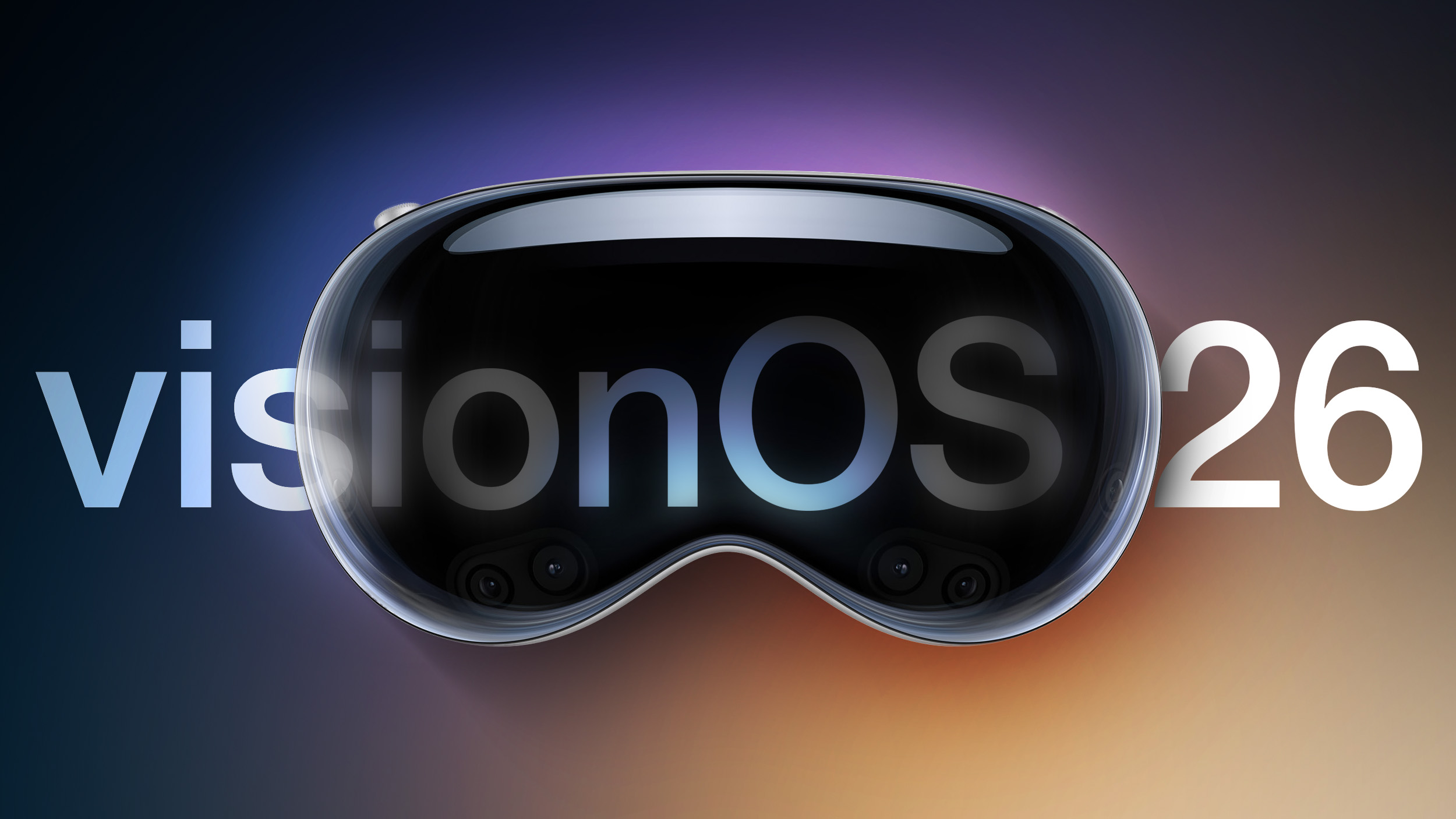
Understanding visionOS and the Apple Vision Pro
Before we dive deeper into visionOS 26.5, let's briefly recap what visionOS and the Apple Vision Pro represent. The Apple Vision Pro is a revolutionary spatial computer that seamlessly blends digital content with your physical space, offering a truly immersive experience for work, entertainment, and communication. It's not just a virtual reality headset; it's a new paradigm for how we interact with technology, allowing you to navigate apps with your eyes, hands, and voice in a truly intuitive way.
At the heart of this experience is visionOS, Apple's pioneering spatial operating system. Designed from the ground up to support the unique capabilities of the Vision Pro, visionOS enables users to interact with 3D objects, experience stunning visuals, and leverage powerful computing features in a way never before possible. It’s the engine that powers every interaction, every display, and every application on the Vision Pro, making its continuous development and refinement absolutely critical.
Why Software Updates Like visionOS 26.5 Are Crucial
In the world of technology, software updates are the lifeblood of any device. They are not merely optional extras but essential components for maintaining a healthy, secure, and high-performing system. For a device as advanced and complex as the Apple Vision Pro, running on an innovative new operating system like visionOS, these updates become even more paramount.
Enhanced Security: Protecting Your Digital Frontier
One of the primary reasons for consistent software updates, and a key focus of visionOS 26.5, is security. As technology advances, so do the methods used by malicious actors to exploit vulnerabilities. Each day, new threats emerge, targeting operating systems and applications to gain unauthorized access, steal personal data, or disrupt device functionality.
Apple has always placed a strong emphasis on user privacy and security, and visionOS is no exception. With visionOS 26.5, Apple delivers crucial security improvements designed to fortify the Vision Pro against emerging threats. These improvements can include patching newly discovered security flaws, enhancing encryption protocols, or strengthening safeguards against malware and phishing attempts. By ensuring your Vision Pro is running the latest software, you are actively protecting your personal information, your digital identity, and the integrity of your spatial computing experience from potential breaches.
Imagine using your Vision Pro for sensitive work tasks, accessing personal photos, or making purchases. Without the latest security updates, you could be unknowingly exposed to risks that compromise your data or allow unauthorized access to your device. Therefore, updating to visionOS 26.5 is a proactive step in securing your cutting-edge spatial computer and maintaining peace of mind.
Bug Fixes: Smoother Performance and Greater Stability
Beyond security, visionOS 26.5 also incorporates a range of essential bug fixes. In any complex software system, especially one as pioneering as visionOS, bugs are an inevitable part of the development process. These bugs can manifest in various ways: an app might crash unexpectedly, a specific feature might not work as intended, or the system might experience minor glitches that disrupt the fluidity of the user experience.
While often unglamorous, bug fixes are critical for improving the overall stability and reliability of your Vision Pro. They iron out the kinks, resolve irritating issues, and ensure that the operating system runs as smoothly and efficiently as possible. A smoother experience means less frustration, fewer interruptions, and a more seamless interaction with your digital content and surroundings.
For example, a bug fix might resolve an issue that caused certain apps to consume excessive battery, improving your device's endurance. Another fix could address a visual glitch that occasionally flickered on the display, enhancing the immersion. These seemingly small improvements collectively contribute to a significantly more polished and enjoyable spatial computing journey. Apple's commitment to these incremental refinements demonstrates their dedication to perfecting the Vision Pro experience for all users.
Optimizing for the Future: Laying the Groundwork
Even minor point updates like visionOS 26.5 often do more than just fix immediate issues. They can also lay crucial groundwork for future features and performance enhancements. This might involve optimizing existing code, improving compatibility with upcoming apps or accessories, or fine-tuning the system's resource management. By keeping your Vision Pro updated, you ensure it's always ready to embrace the next wave of innovations Apple has planned for its spatial computing platform.
How to Update Your Apple Vision Pro to visionOS 26.5
Updating your Apple Vision Pro is a straightforward process, but it requires a specific step that differentiates it from updating an iPhone or iPad. It's important to follow these instructions carefully to ensure a smooth and successful installation.
Step-by-Step Guide to Updating:
- Access the Settings App: First, you'll need to open the "Settings" application on your Vision Pro. You can do this by looking at the Settings app icon with your eyes and then pinching your fingers together to select it.
- Navigate to General: Once in the Settings app, locate and select the "General" section. This section contains various system-level options for your device.
- Choose Software Update: Within the General section, you will find an option labeled "Software Update." Select this to check for available updates. Your Vision Pro will then connect to Apple's servers to see if visionOS 26.5 is ready for download.
- Initiate the Download: If visionOS 26.5 is available, you will see a prompt to download and install the update. Confirm your choice to begin the download process. Ensure your Vision Pro is connected to a stable Wi-Fi network and has sufficient battery life, or preferably, is connected to power.
- Remove Your Headset for Installation: This is the critical step unique to Vision Pro updates. To install the update, your Vision Pro headset needs to be physically removed from your head. This is because the installation process requires full system access and potentially involves a restart that would disrupt the immersive view.
- Monitor Progress on EyeSight Display: Once the headset is removed and the installation begins, you will be able to monitor the software progress. A progress bar will be displayed on the exterior EyeSight display of your Vision Pro. This allows you to see the status of the update without needing to wear the device.
- Wait for Completion: The installation process can take some time, depending on the size of the update and your internet speed. Do not interrupt the process, unplug the device, or try to wear it during this stage.
- Re-wear and Enjoy: Once the progress bar indicates completion, your Vision Pro will restart. You can then put your headset back on and enjoy the enhanced security and stability offered by visionOS 26.5.
It’s important to remember that keeping your device charged or plugged in during the update process is always a good practice to prevent any power interruptions that could potentially corrupt the installation. A stable internet connection is also vital for a smooth download.
Why visionOS 26.5 is Recommended for All Vision Pro Users
Apple's release notes explicitly state that visionOS 26.5 is "recommended for all Vision Pro users." This isn't just a casual suggestion; it's a strong advisement rooted in the core benefits this update provides. For a first-generation device pioneering an entirely new category, rapid iteration and robust support are paramount. Every user should prioritize this update for several compelling reasons:
Maintaining Optimal Performance
Even if you haven't encountered noticeable bugs, these updates often contain under-the-hood optimizations that improve the general snappiness and efficiency of the operating system. This could mean faster app launches, smoother transitions between environments, or better power management, leading to longer battery life and a more consistent experience throughout your day.
For a device like Vision Pro, which relies heavily on sophisticated sensors, powerful processors, and high-resolution displays, even minor performance tweaks can make a tangible difference in perceived responsiveness and overall fluidity. Keeping the software updated ensures your hardware is always performing at its peak.
Ensuring Compatibility with New Apps and Features
As the visionOS app ecosystem grows, developers will increasingly build their applications to leverage the latest features and optimizations available in the most recent operating system versions. By staying updated, you ensure that your Vision Pro remains compatible with the newest and most innovative apps emerging for the platform, preventing potential compatibility issues or missed opportunities to experience cutting-edge software.
Furthermore, while visionOS 26.5 specifically focuses on bug fixes and security, future updates may introduce new features that require the foundational changes made in earlier versions. Staying current ensures you are always on the correct path to receive these future enhancements without complications.
Adhering to Best Practices for Digital Device Ownership
In today's interconnected world, regularly updating software is a fundamental best practice for responsible digital device ownership. It's a simple, yet highly effective, way to protect yourself and your data from an ever-evolving landscape of digital threats. Ignoring updates leaves your device, and by extension your personal information, vulnerable. Apple's recommendation serves as a reminder of this crucial digital hygiene.
The Broader Context: Apple's Commitment to Vision Pro
The consistent release of updates, even minor ones like visionOS 26.5, underscores Apple's profound commitment to the Vision Pro platform. Launching a new product category, especially one as ambitious as spatial computing, requires continuous development and refinement. These regular updates demonstrate that Apple is actively listening to user feedback, identifying areas for improvement, and diligently working to enhance the Vision Pro experience post-launch.
This dedication is crucial for fostering a robust ecosystem around the Vision Pro. It assures developers that the platform is stable and evolving, encouraging them to invest their time and resources in creating compelling applications. For users, it instills confidence that their investment in this cutting-edge technology will be supported and improved over time, rather than left stagnant.
The journey of any new Apple operating system, from the early days of iOS to macOS, has been characterized by a steady stream of updates that incrementally build towards a more refined and feature-rich experience. visionOS is clearly following a similar trajectory, with 26.5 representing another important step in that ongoing evolution.
Exploring the Vision Pro Community and Resources
Being an early adopter of a revolutionary device like the Apple Vision Pro means being part of a pioneering community. As you navigate your spatial computing journey, there are valuable resources available to enhance your understanding and connect with other users.
For a comprehensive overview and ongoing news about the device, the Apple Vision Pro Roundup is an excellent resource. It provides a centralized hub for all things Vision Pro, from rumors and leaks to official announcements and hands-on impressions, helping you stay informed about the latest developments.
If you're considering purchasing the Vision Pro or want to understand its value proposition in depth, the Vision Pro Buyer's Guide offers invaluable insights. It helps potential buyers make informed decisions, outlining features, specifications, and what to expect from this premium device. It's a great place to solidify your understanding of whether the Vision Pro is the right investment for your needs.
For direct interaction with other Vision Pro owners and enthusiasts, the Apple Vision Pro Forum is an indispensable resource. Here, you can ask questions, share your experiences, troubleshoot issues, and discover tips and tricks from a vibrant community. It's a fantastic place to get real-world perspectives on the device and its capabilities, and to keep abreast of user-discovered nuances that official documentation might not cover. Engaging with the forum can significantly enrich your ownership experience and help you solve any unforeseen challenges.
Conclusion: Don't Delay Your Update
The release of visionOS 26.5 may not bring a list of flashy new features, but its importance cannot be overstated. By focusing on critical bug fixes and essential security improvements, Apple is ensuring that the Vision Pro remains a stable, reliable, and secure platform for all its users. These are the foundational elements upon which all future innovations will be built.
For every Apple Vision Pro owner, updating to visionOS 26.5 is a non-negotiable step. It's a quick, easy process that provides immediate and tangible benefits, safeguarding your device and optimizing your spatial computing experience. Don't risk potential vulnerabilities or miss out on performance enhancements. Make sure your Vision Pro is running the latest software today.
Stay current, stay secure, and continue to explore the incredible possibilities of spatial computing with your Apple Vision Pro.
This article, "Apple Releases visionOS 26.5" first appeared on MacRumors.com
Discuss this article in our forums
from MacRumors
-via DynaSage

Post a Comment