Studio Display vs. Studio Display XDR Buyer's Guide
Apple Studio Display vs. Studio Display XDR: Your Ultimate Buyer's Guide
Choosing the right monitor for your Mac setup is a big decision, especially when Apple offers two incredibly capable, yet distinctly different, high-end displays. The standard Studio Display has been refreshed, now standing alongside the brand-new Studio Display XDR. This new XDR model takes the place of the previous Pro Display XDR, bringing even more advanced technology to professionals. However, with the Studio Display XDR costing more than twice as much as the standard Studio Display, many users are left wondering: which one is truly right for them?
This guide will break down everything you need to know about both displays. We'll explore their impressive similarities, delve into the key differences that justify their price gap, and help you understand which display will best suit your specific needs, whether you're a casual user, a creative professional, or someone who simply wants the very best Apple has to offer.
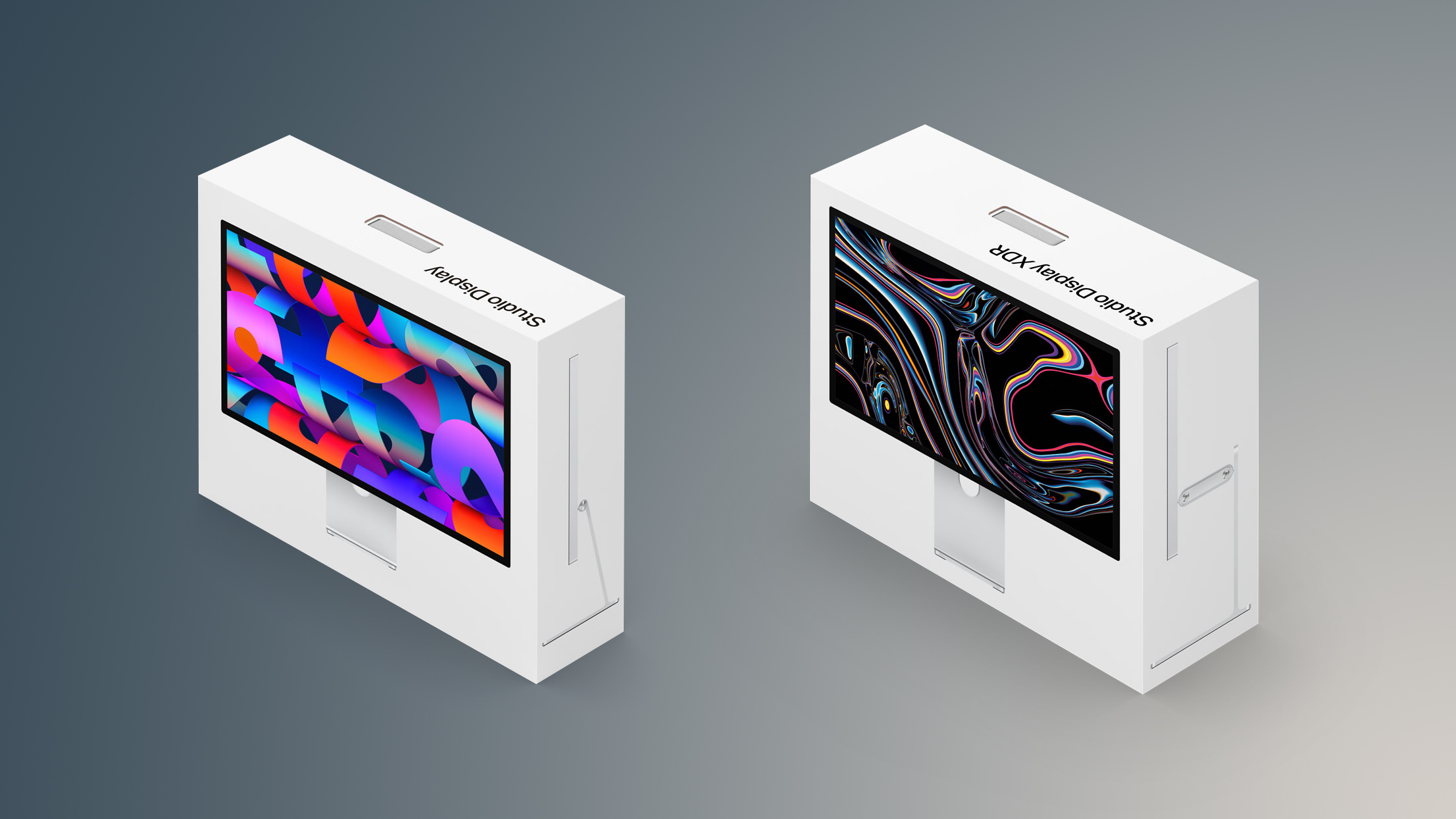
A Glimpse into Apple's Premium Display Lineup
Apple has a reputation for crafting premium products, and their displays are no exception. The Studio Display and Studio Display XDR are designed to seamlessly integrate with your Mac, providing not just a screen, but an entire workstation experience. Both models boast a sleek, minimalist aluminum design that perfectly complements Apple's desktop and laptop computers. They are more than just monitors; they are extensions of your Mac, featuring built-in cameras, microphones, and advanced speaker systems. This integrated approach means less clutter on your desk and a more unified experience for video calls, content creation, and everyday productivity.
While their price tags might suggest a vast chasm between them, the truth is that for many daily tasks, these two displays offer a remarkably similar experience. They share a core set of features that make them both exceptional choices for a wide range of users. However, beneath the surface, the Studio Display XDR introduces a suite of advanced technologies specifically engineered for the most demanding professional workflows, which accounts for its premium cost.
Shared Brilliance: What Both Displays Offer
Let's start by examining the impressive foundation that both the Studio Display and the Studio Display XDR share. These common features ensure that regardless of which model you choose, you're getting a top-tier display experience that embodies Apple's commitment to quality and user-centric design.
- Design: Both displays feature the same elegant, all-aluminum enclosure. This sleek, professional look is a hallmark of Apple products, designed to be robust and aesthetically pleasing in any modern workspace. The build quality is exceptional, promising durability and a premium feel that will look great for years to come.
- 27-inch Display Size: A generous 27-inch screen provides ample workspace for multitasking, detailed creative projects, or simply enjoying immersive content. It's a sweet spot for many users, offering a large canvas without dominating the desk.
- 5120 by 2880 Pixels (5K Resolution): Both monitors boast a stunning 5K resolution. This means incredibly sharp images and text, making everything from documents to high-resolution photos look incredibly crisp and detailed. When you see a 5K display, you'll immediately notice the difference, with individual pixels becoming virtually indistinguishable.
- 218 ppi (Pixels Per Inch): This high pixel density translates directly into the remarkable sharpness mentioned above. At 218 pixels per inch, content appears 'Retina' sharp, meaning that at a normal viewing distance, you won't be able to discern individual pixels. This is crucial for creative professionals who rely on pixel-perfect accuracy.
- P3 Wide Color Gamut: Both displays support the P3 wide color gamut. This professional color standard allows the displays to reproduce a much broader range of colors than sRGB, resulting in more vibrant, true-to-life images, especially important for photography, video editing, and graphic design where color accuracy is paramount.
- True Tone: Apple's True Tone technology automatically adjusts the white balance of the display to match the ambient light in your room. This makes images and colors appear more natural and consistent, reducing eye strain and providing a more comfortable viewing experience throughout the day, regardless of your lighting conditions.
- Anti-Reflective Coating: Both displays come standard with an advanced anti-reflective coating. This coating significantly reduces glare from ambient light sources, such as windows or overhead lights, making it easier to see your work clearly and comfortably in various environments.
- Nano-texture Glass Option: For an additional cost, both displays can be configured with nano-texture glass. This innovative option uses a unique etching process at the nanometer level to scatter light, further minimizing glare. It's particularly beneficial in bright environments or for users who require the utmost precision and minimal reflections in their workflow.
- 12MP Center Stage Camera with Desk View: Integrated into both displays is a high-quality 12-megapixel ultra-wide camera that supports Apple's Center Stage feature. Center Stage automatically keeps you centered in the frame during video calls, even if you move around. The addition of Desk View allows you to share your desk and the items on it during a call, making it great for showing physical objects or sketches remotely. This enhances productivity and collaboration in an increasingly remote-first world.
- Studio‑Quality Three‑Mic Array: Complementing the camera is a sophisticated three-microphone array. These "studio-quality" microphones are designed to capture your voice clearly while minimizing background noise, ensuring that you sound professional and clear during video conferences, recordings, or when interacting with Siri.
- Six-Speaker Sound System with Spatial Audio: Both monitors feature a powerful six-speaker sound system, which includes four force-cancelling woofers and two high-performance tweeters. This system delivers rich, high-fidelity audio, and crucially, supports Spatial Audio for an immersive, cinematic sound experience when playing music or watching movies with compatible content. It truly elevates the audio experience from a mere computer monitor to a high-quality sound system.
- One Upstream Thunderbolt 5 Port for Connecting to a Mac and Charging: A single Thunderbolt 5 port serves as the primary connection to your Mac. This powerful port not only transmits video and data at incredible speeds but also delivers up to 96W of power, allowing it to charge most MacBook Pro models (and all MacBook Air and Mac mini models) without needing a separate power adapter. This simplifies cable management and desk setup.
- One Downstream Thunderbolt 5 Port for High-Speed Accessories or Daisy-Chaining Additional Displays: In addition to the upstream port, both displays include a downstream Thunderbolt 5 port. This allows you to connect other high-speed Thunderbolt accessories, such as external SSDs or eGPUs, directly to the display, or even daisy-chain a second display, further expanding your workspace and reducing the need for a separate Thunderbolt hub.
- Two USB-C Ports for Accessories and Charging: For even more connectivity, both displays offer two additional USB-C ports. These are perfect for connecting standard USB-C peripherals like external hard drives, keyboards, mice, or charging your iPhone, iPad, or other smaller devices directly from the display.
- VESA Mount Adapter Option: For users who prefer a custom setup, both displays offer a VESA mount adapter option. This allows you to attach the display to a wall mount, an ergonomic arm, or a multi-monitor stand, providing flexibility for specific workstation needs and maximizing desk space.
As you can see, the list of shared features is extensive. For many users, these capabilities alone will provide an outstanding experience. The thoughtful integration of a high-resolution display with a premium camera, microphone, and speaker system, all powered by a single cable connection to your Mac, makes either Studio Display model a compelling choice for a modern workstation.
Differentiating Factors: Where the XDR Shines
Despite the long list of common ground, the substantial price difference between the Studio Display and the Studio Display XDR isn't arbitrary. It's driven by a few key, high-impact differences, primarily concerning the underlying display technology and performance capabilities. These distinctions are crucial for understanding why one display costs significantly more and for determining if you truly need the advanced features of the XDR model.
| Studio Display (2026) | Studio Display XDR (2026) |
|---|---|
| Apple A19 chip | Apple A19 Pro chip |
| LCD panel | Mini-LED panel |
| 60Hz refresh rate | 120Hz refresh rate |
| Adaptive Sync | |
| 2,304 dimming zones | |
| 600 nits brightness | 1,000 nits brightness (SDR) |
| 2,000 nits peak HDR brightness | |
| Adobe RGB wide color gamut | |
| Tilt-adjustable stand included Tilt- and height-adjustable stand option | Tilt- and height-adjustable stand included |
| $1,599 (Tilt-adjustable stand) $1,999 (Tilt- and height-adjustable stand option) | $3,299 |
The Brains Inside: Apple A19 vs. A19 Pro Chip
Both displays contain an Apple-designed chip, which is responsible for powering features like Center Stage, the advanced audio processing, and potentially optimizing display performance. The standard Studio Display uses an Apple A19 chip, which is powerful enough to handle all its integrated smart features with ease. The Studio Display XDR, however, steps up to an Apple A19 Pro chip. This "Pro" designation suggests a more capable processor, likely offering enhanced computational power for the XDR's more demanding display technologies, such as managing the vast number of mini-LED dimming zones and handling high-frame-rate content with Adaptive Sync. While the average user might not notice the chip difference directly, it's foundational to the XDR's superior display performance.
Panel Technology: LCD vs. Mini-LED
This is arguably the most significant hardware difference. The standard Studio Display uses an advanced LCD (Liquid Crystal Display) panel, known for its excellent color accuracy and brightness. It's a tried-and-true technology that delivers superb visuals. The Studio Display XDR, on the other hand, features a Mini-LED panel. Mini-LED technology uses thousands of tiny LEDs to backlight the display, grouped into "local dimming zones." The Studio Display XDR boasts an impressive 2,304 dimming zones. This allows the display to precisely control the brightness of different areas of the screen. When a dark scene is displayed, parts of the backlight can be completely turned off, leading to much deeper blacks and significantly higher contrast ratios compared to traditional LCDs. This is a game-changer for content that features both very bright and very dark elements, such as HDR video.
Smoothness and Responsiveness: Refresh Rate and Adaptive Sync
The standard Studio Display offers a solid 60Hz refresh rate. This means the screen refreshes 60 times per second, which is perfectly adequate for most tasks like browsing, office work, and even many creative applications. However, the Studio Display XDR takes a leap forward with a 120Hz refresh rate. This twice-as-fast refresh rate, often marketed as ProMotion on Apple devices, results in noticeably smoother motion for everything from scrolling through web pages to navigating the operating system and editing high-frame-rate video. Paired with this is Adaptive Sync (also known as variable refresh rate or VRR), which dynamically adjusts the display's refresh rate to match the frame rate of the content being displayed. This eliminates screen tearing and provides an incredibly fluid experience, especially beneficial for video editors working with various frame rates or even casual gaming.
Brightness Levels: SDR vs. Peak HDR
Brightness, measured in nits, is another area where the XDR dramatically outperforms its sibling. The standard Studio Display offers a robust 600 nits of brightness. This is an excellent level for SDR (Standard Dynamic Range) content and is more than sufficient for most indoor environments, providing vibrant and clear visuals. The Studio Display XDR, however, pushes boundaries with significantly higher brightness. It can reach 1,000 nits of sustained brightness for SDR content, making it incredibly bright and impactful even in well-lit rooms. More importantly, for HDR (High Dynamic Range) content, the Studio Display XDR can achieve an astonishing 2,000 nits of peak brightness. This extreme brightness is essential for faithfully reproducing the dynamic range and intensity of HDR content, allowing for incredibly vivid highlights and true-to-life images that pop off the screen. For professionals working with HDR video, this level of brightness is non-negotiable.
Expanded Color Palette: Adobe RGB Wide Color Gamut
Both displays support the P3 wide color gamut, which is excellent for most digital content creation. However, the Studio Display XDR extends its color capabilities to include the Adobe RGB wide color gamut. While P3 is dominant in digital video and web content, Adobe RGB is particularly important in certain professional imaging workflows, especially those involving print media. Photographers and graphic designers who work with printed materials often require Adobe RGB support to ensure color accuracy from screen to print. This expanded color support makes the XDR a more versatile tool for professionals with diverse output requirements.
Stand Options and Pricing
The standard Studio Display comes with a tilt-adjustable stand included in its base price of $1,599. An optional upgrade to a tilt- and height-adjustable stand is available for an additional cost, bringing the total to $1,999. In contrast, the Studio Display XDR includes the more versatile tilt- and height-adjustable stand as standard, reflecting its professional target audience and higher price point. The base price of the Studio Display XDR is $3,299. This significant price difference of roughly $1,700 (when comparing the height-adjustable models) highlights the value proposition of the advanced technologies packed into the XDR.
Who Should Choose the Studio Display?
For the vast majority of users, the standard Studio Display is the smarter and more sensible choice. It offers an incredible blend of features, performance, and value that makes it an excellent general-purpose display for almost any Mac user. If you're using your Mac for productivity tasks like word processing, spreadsheets, coding, graphic design for web content, photography editing, or general office work, the Studio Display will exceed your expectations.
Its stunning 27-inch 5K Retina display with 600 nits of brightness and P3 wide color support provides more than enough visual fidelity and accuracy for these tasks. Images will look incredibly sharp, text will be crystal clear, and colors will be vibrant and true-to-life. For most creative projects, especially those that don't involve high-end HDR video production or specialized print workflows, the standard Studio Display offers all the precision and quality you'll need. The built-in 12MP Center Stage camera, studio-quality microphones, and six-speaker sound system are identical to the XDR model, making it ideal for video calls, online meetings, and enjoying multimedia content with rich, immersive audio.
Furthermore, the Studio Display is substantially more affordable, starting at $1,599. This makes it a much easier purchase to justify for users of a Mac mini, MacBook Air, or even many MacBook Pro models. It provides a premium Apple display experience without the significant investment required for the XDR model. You get the same elegant design, the same excellent connectivity with Thunderbolt 5 and USB-C, and nearly all the integrated smart features. For photographers, designers, and video editors who primarily work with standard dynamic range (SDR) content and don't require extreme brightness or specific color spaces like Adobe RGB, the Studio Display delivers exceptional performance and a highly satisfying workflow.
Who Should Invest in the Studio Display XDR?
The Studio Display XDR is a display built for highly specialized professional workflows where compromise is not an option. Its advanced features are designed for individuals and studios that demand reference-grade display performance and where the absolute highest levels of brightness, contrast, color accuracy, and refresh rate are critical to their work. This is the monitor for the most discerning creative professionals who truly push the boundaries of visual content.
One of the XDR's standout features is its Mini-LED backlight with 2,304 local dimming zones. This technology enables dramatic improvements in contrast and black levels, which are paramount for HDR (High Dynamic Range) video editing and color grading. If you are a professional videographer, a colorist, a filmmaker, or a 3D artist working with HDR content, the XDR's ability to achieve 1,000 nits of sustained SDR brightness and a breathtaking 2,000 nits of peak HDR brightness is indispensable. It allows you to see the true intent of HDR content, ensuring that highlights are dazzling and shadows are deep and detailed, just as they would appear in a final production. This level of accuracy is crucial for making informed creative decisions.
The 120Hz refresh rate with Adaptive Sync is another key differentiator. While beneficial for general smoothness, it becomes essential for professionals working with high-frame-rate video or complex animations, providing an incredibly fluid and responsive viewing experience. The broader color support, including Adobe RGB, is vital for specific print and professional imaging workflows where precise color matching to physical output is required. Photographers, graphic designers, and print publishers who rely on the Adobe RGB space for their work will find this feature invaluable.
Beyond the core professional audience, some "prosumers" or enthusiasts might also gravitate towards the Studio Display XDR. These are users who are passionate about technology and are willing to spend more to have the most advanced panel technology Apple offers. If you're accustomed to the ProMotion (120Hz) and Liquid Retina XDR (Mini-LED, HDR) displays on a high-end MacBook Pro, you might find that the Studio Display XDR offers a more consistent and premium desktop experience that aligns with your laptop. The smoother motion and greater contrast can simply be more enjoyable, even if your specific work doesn't strictly demand it. For these buyers, the additional cost is justified by the desire for a cutting-edge, future-proof desktop setup that mirrors Apple's highest-end portable hardware.
Making Your Decision: Which Studio Display is Right for You?
When it comes down to making the final choice between the Studio Display and the Studio Display XDR, it truly boils down to your specific needs, your workflow, and your budget. Both are exceptional displays that integrate seamlessly into the Apple ecosystem, offering a premium experience with robust features like the Center Stage camera, studio-quality audio, and versatile Thunderbolt connectivity. They share the same elegant design and the same crisp 5K resolution, ensuring a fantastic visual experience from either model.
The standard Studio Display stands out as the ideal choice for the vast majority of users. If your work primarily involves productivity, software development, office applications, web design, photography, or video editing in standard dynamic range (SDR), the Studio Display provides all the necessary precision, color accuracy, and brightness you could ask for. It delivers a nearly identical day-to-day user experience to the XDR model for these tasks, but at roughly half the cost. It’s an investment that will significantly elevate your desktop setup without breaking the bank, offering incredible value for its capabilities.
However, if your professional life revolves around workflows that demand the absolute pinnacle of display technology—such as HDR video editing, advanced color grading, 3D rendering, or specific print and imaging tasks requiring Adobe RGB—then the Studio Display XDR is the undisputed champion. Its Mini-LED panel, with thousands of local dimming zones, enables unparalleled contrast and brightness for HDR content. The 120Hz refresh rate with Adaptive Sync provides buttery-smooth motion, and the expanded color gamut offers the ultimate accuracy. For these specialized professionals, or for enthusiasts who simply crave the most advanced display Apple offers and are willing to pay a premium for it, the XDR's capabilities are not just desirable but essential. It’s a reference-grade monitor designed for those who require precise control over every pixel and every shade of color in their high-stakes creative work.
Ultimately, consider what you truly need versus what would be nice to have. For most, the Studio Display will be an outstanding and future-proof investment. For the elite few whose work demands the very best in visual fidelity and specialized features, the Studio Display XDR is an unparalleled tool that justifies its higher price tag.
Discuss this article in our forums
from MacRumors
-via DynaSage

Post a Comment