Apple Releases HomePod Software 26.4
Keeping Your HomePod Smart: Understanding the Latest 26.4 Software Update
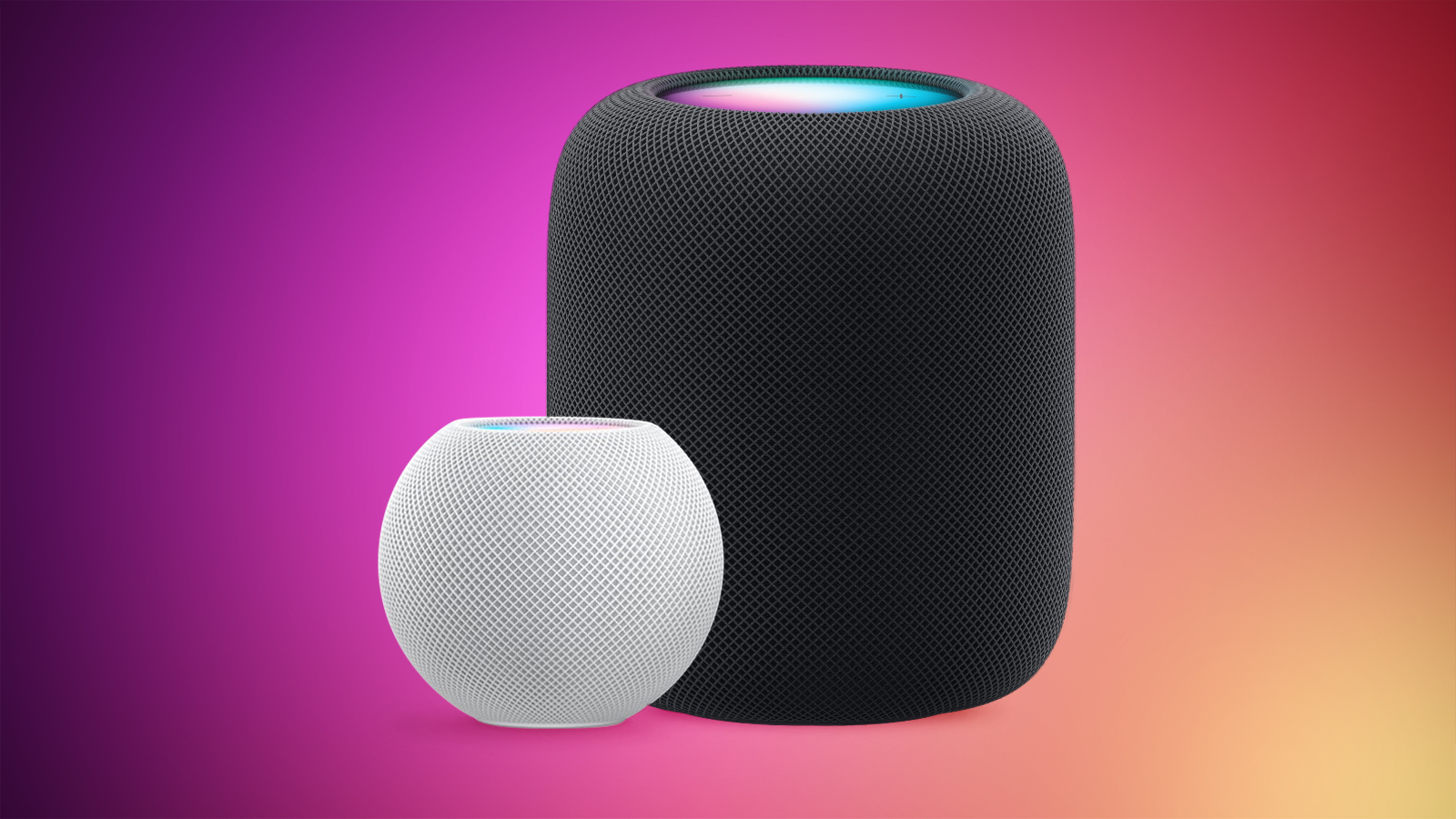
Apple has recently rolled out a significant update for its smart speakers, delivering HomePod Software 26.4 to both the full-sized HomePod and the HomePod mini. This release arrives alongside other major operating system updates, including iOS 26.4, iPadOS 26.4, and macOS Tahoe 26.4, ensuring that your entire Apple ecosystem remains cohesive and up-to-date. Coming just over a month after the previous 26.3 version, this continuous cycle of updates underscores Apple's commitment to enhancing the performance and reliability of its smart home devices.
What's New in HomePod Software 26.4? Performance and Stability
According to Apple's official release notes, HomePod Software 26.4 primarily focuses on "performance and stability improvements." While this description might seem broad, it encompasses a wide array of behind-the-scenes enhancements that significantly impact your daily interaction with your HomePod. For users, this often translates into a more reliable, responsive, and enjoyable experience. Let's delve into what these improvements typically mean for a smart speaker like the HomePod.
Enhancing Everyday Performance
Performance improvements are crucial for any smart device. For the HomePod, this could mean faster response times when you issue Siri commands, leading to a more fluid and natural conversation. You might notice quicker initiation of music playback, smoother transitions between songs, and more accurate recognition of your voice, even in noisy environments. The internal processing of audio signals can also be optimized, potentially refining the sound quality even further, making your music and podcasts sound clearer and more impactful. Better management of system resources means your HomePod can handle multiple tasks simultaneously without faltering, whether it's playing music, controlling smart home devices, or setting timers.
These enhancements are not just about speed; they are about efficiency. An optimized HomePod uses its internal components more effectively, which can contribute to the longevity of the device and ensure it performs optimally for years to come. Imagine fewer delays when you ask Siri to turn off the lights, or a more immediate connection when you use AirPlay from your iPhone. These subtle but impactful changes collectively make the HomePod a more seamless part of your smart home experience.
Bolstering System Stability
Stability is the backbone of any reliable electronic device. When Apple mentions "stability improvements," it refers to reducing the likelihood of unexpected glitches, crashes, or unresponsive behavior from your HomePod. This means fewer instances where your HomePod might suddenly stop playing music, lose its connection to your Wi-Fi network, or become temporarily unresponsive to Siri commands. For a device that's constantly connected and often performs critical functions like controlling your smart home, unwavering stability is paramount.
These improvements can also address issues related to network connectivity, ensuring your HomePod maintains a strong and consistent connection to your home Wi-Fi and other Apple devices. This is particularly important for features like multi-room audio, where a stable connection is essential for synchronized playback across multiple speakers. Furthermore, stability updates often resolve minor software bugs that might have been present in previous versions, leading to a more polished and dependable user experience. In essence, HomePod Software 26.4 aims to make your HomePod a more dependable and less frustrating device to interact with daily.
Why Keeping Your HomePod Updated is Essential
While an update focused on "performance and stability" might not introduce flashy new features, its importance cannot be overstated. Regular software updates are vital for any smart device, and the HomePod is no exception. Here’s why keeping your HomePod's software current is crucial:
- Enhanced Security: Software updates often include critical security patches that protect your device from potential vulnerabilities and threats. In an increasingly connected world, safeguarding your smart home devices is paramount to ensuring your privacy and data security.
- Improved Functionality: Even without major new features, performance and stability updates make existing functions work better. This means your Siri commands will be more accurate, music playback will be smoother, and smart home controls will be more reliable.
- Better Compatibility: As Apple updates its other operating systems (iOS, iPadOS, macOS), HomePod updates ensure seamless compatibility. This prevents communication issues between your devices and ensures that new features introduced on your iPhone or Mac can interact flawlessly with your HomePod.
- Bug Fixes: All software can have bugs. Updates address these minor annoyances, leading to a smoother and more predictable user experience. Fewer bugs mean less troubleshooting and more enjoyment.
- Future-Proofing: Keeping your HomePod updated helps it remain relevant and capable of integrating with future Apple services and technologies. It ensures your device continues to deliver the best possible experience for years to come.
How to Update Your HomePod to Software 26.4
Apple makes updating your HomePod remarkably straightforward, offering both automatic and manual options. Most users will find their HomePod updates without any intervention, but knowing how to trigger a manual update is useful for immediate access to the latest software or troubleshooting.
Automatic Updates: The Seamless Approach
By default, HomePod software is designed to install updates automatically. This usually happens in the background, often overnight, when the device is not actively being used. This hands-off approach ensures your HomePod is always running the latest software without you having to think about it. To confirm or manage this setting:
- Open the Home app on your iPhone, iPad, or Mac.
- Tap the More button (usually a house icon or three dots in the top left or right corner).
- Select Home Settings.
- Scroll down and tap Software Update.
- Here, you'll see if your HomePod is up-to-date, and you can toggle Automatic Updates on or off. It's recommended to keep it enabled for convenience and security.
If you prefer your HomePod to update automatically, ensure this setting is active. Your HomePod will typically download the update in the background and install it during an inactive period.
Manual Updates: Taking Control
If you want to ensure your HomePod receives the 26.4 update immediately, or if automatic updates are disabled, you can manually trigger the update process. This is also the method to use if you suspect your HomePod isn't updating correctly. The steps are simple and can be performed from any of your linked Apple devices:
- Unlock your iPhone, iPad, or Mac and open the Home app.
- Look for the More button. On iPhone and iPad, this is often a small house icon in the top-left corner or three dots. On Mac, it might be in the menu bar. Tap or click it.
- From the menu that appears, select Home Settings.
- Scroll down through the Home Settings options until you find and tap on Software Update.
- The Home app will check for available updates. If HomePod Software 26.4 is available and not yet installed, you will see an option to download and install it. Tap Update All or select individual HomePods to update.
- Your HomePod will begin the update process. During this time, it might restart and be temporarily unavailable. It's best to allow it to complete without interruption.
Once the update is complete, your HomePod will return to its normal functioning, now running on the latest software. This manual check is a great way to ensure you're always on the cutting edge of HomePod capabilities.
The HomePod Ecosystem: More Than Just a Speaker
The HomePod is much more than just a speaker; it's an integral part of Apple's smart home ecosystem, designed to work seamlessly with your other Apple devices and services. Understanding its role within this ecosystem helps appreciate the value of consistent software updates.
Seamless Integration with Apple Devices
Your HomePod is designed to be a natural extension of your iPhone, iPad, and Mac. Thanks to features like AirPlay 2, you can effortlessly stream audio from any of these devices directly to your HomePod, maintaining high-fidelity sound. The Home app acts as the central control panel, allowing you to manage your HomePods, group them for multi-room audio, pair them for stereo sound, and configure their settings from one convenient location. This deep integration is continually refined through software updates, ensuring compatibility and enhancing the user experience across all your Apple products.
Siri: The Intelligent Assistant at Your Command
Siri on HomePod is your personal assistant for your home. It can play music, answer questions, set timers and alarms, provide news and weather updates, and even read your text messages. With HomePod Software 26.4's performance improvements, Siri should respond even more quickly and accurately to your voice commands, making interactions smoother and more reliable. Siri's ability to recognize different voices means it can provide personalized responses, accessing your specific music preferences, calendar, and reminders, all while maintaining strict privacy standards.
HomeKit and Smart Home Control
One of the HomePod's most powerful features is its role as a HomeKit hub. This allows you to control a wide array of smart home accessories – from lights and thermostats to door locks and cameras – using just your voice. The HomePod can also run automations, such as turning on the lights when you arrive home or adjusting the thermostat based on the time of day. Crucially, the HomePod also acts as a Thread border router, enabling faster, more reliable connections for Thread-enabled smart home devices. Updates like 26.4 can improve the responsiveness and reliability of these HomeKit functions, making your smart home truly smarter and more seamless.
Diving Deeper into HomePod Features Enhanced by Updates
Beyond the core performance and stability, software updates often lay the groundwork or directly improve many of the HomePod's standout features. Let's explore some of these key aspects.
Exceptional Audio Quality
Both the HomePod and HomePod mini are renowned for their impressive sound quality, especially considering their size. The original HomePod (and the 2nd generation) uses an array of tweeters and a high-excursion woofer, combined with advanced computational audio, to deliver rich, immersive sound that adapts to the acoustics of your room. The HomePod mini, despite its compact form, offers 360-degree audio with impressive clarity. Software updates refine the audio processing algorithms, potentially leading to even better bass response, clearer vocals, and a more dynamic range. Features like Spatial Audio with Dolby Atmos support on the larger HomePod models can also see subtle enhancements in their rendering and immersion through software.
Multi-Room Audio and Stereo Pairing
HomePod's multi-room audio capabilities, powered by AirPlay 2, allow you to play the same song across multiple HomePods in different rooms, or play different songs on each HomePod. For an even more immersive experience, two identical HomePods can be paired to create a stereo soundstage, offering a wider soundfield and richer audio. Updates ensure these features are rock-solid, minimizing latency between speakers and maintaining perfect synchronization, which is vital for an enjoyable listening experience.
Intercom: Communication Throughout Your Home
The Intercom feature transforms your HomePods into a communication system for your entire household. You can send a message from one HomePod to all others, or to specific ones, and even have it delivered to family members' iPhones, iPads, and Apple Watches. This is incredibly useful for calling everyone to dinner or sharing quick announcements. Updates might improve the clarity of these messages, the speed of delivery, or even introduce new ways to interact with the Intercom feature.
Personal Requests and Privacy
HomePod is designed with privacy at its core. Personal Requests allow Siri to access your personal information – like messages, calendar appointments, and reminders – only when it recognizes your voice and only when an authenticated iPhone is nearby. All processing for these requests happens on your device, not in the cloud. Software updates regularly strengthen these privacy protections and ensure the secure handling of your data, giving you peace of mind.
Troubleshooting Common HomePod Update Issues
While Apple strives for a seamless experience, sometimes updates don't go as planned. Here are some common issues and what you can do:
- Update Not Showing Up:
- Ensure your HomePod is connected to a stable Wi-Fi network.
- Restart your HomePod by unplugging it for 10 seconds and plugging it back in.
- Restart the device you're using (iPhone, iPad, or Mac).
- Make sure your controlling device (iPhone/iPad/Mac) is also running a recent OS version.
- Update Failing or Stuck:
- If the update appears stuck for an unusually long time (more than an hour), try restarting your HomePod.
- Check your Wi-Fi connection. A weak or intermittent connection can cause update failures.
- Ensure your HomePod is plugged into power and not running on battery (which only applies to accessories, not HomePod itself, but good to ensure it has constant power).
- Sometimes, deleting the HomePod from the Home app and re-adding it can resolve persistent issues, though this is a last resort.
- HomePod Not Responding After Update:
- Give it some time. Sometimes the HomePod needs to complete a setup phase after a major update.
- Restart the HomePod by unplugging and re-plugging it.
- If unresponsive for a prolonged period, you might need to perform a factory reset. This can be done by unplugging the HomePod, then plugging it back in. While holding your finger on the top of the HomePod (where the lights are), wait for the white spinning light to turn red. Keep holding until you hear three beeps, then release.
Maximizing Your HomePod Experience
Beyond simply updating, there are several ways to get the most out of your HomePod:
- Optimal Placement: Place your HomePod in a central location, away from walls, if possible. Its intelligent acoustic sensing will adapt to any room, but an open space often allows for the best sound dispersion. For stereo pairs, ensure they are equidistant from your primary listening position.
- Explore Siri Commands: Don't just stick to basic music commands. Ask Siri about the news, weather, sports scores, set reminders, make calls, or even control your smart home devices with specific scenes.
- Utilize AirPlay 2: Beyond Apple Music, AirPlay 2 allows you to stream audio from virtually any app on your iPhone, iPad, or Mac to your HomePod. This includes Spotify, YouTube, podcasts, and more.
- Privacy Settings: Review your HomePod's privacy settings in the Home app. You can control Personal Requests, Listening History, and Analytics & Improvements to tailor your experience while protecting your data.
- Feedback to Apple: If you encounter issues or have suggestions, provide feedback to Apple. User input helps guide future software updates and product improvements.
The Evolution of HomePod: A Brief Look
The original HomePod launched in 2018, aiming to combine premium audio with a smart assistant. While lauded for its sound, its price and initial limitations saw mixed reactions. Apple later introduced the HomePod mini in 2020, offering a more affordable, compact entry into the smart speaker market, while still providing excellent audio and full Siri/HomeKit integration. In early 2023, Apple refreshed the full-sized HomePod with a 2nd generation model, bringing back the larger form factor with improved internals and enhanced smart home capabilities, including Thread support.
Throughout these iterations, the underlying HomePod software platform has consistently evolved, bringing new features like Intercom, improved Siri intelligence, support for more music services, and robust smart home controls. Each update, including the current 26.4, ensures that regardless of which HomePod model you own, you are benefiting from the latest advancements and refinements.
What Future HomePod Updates Might Bring
While HomePod Software 26.4 focuses on core enhancements, the future of HomePod software is always exciting. We can anticipate further improvements in Siri's intelligence, potentially deeper integration with Apple's services like Apple Fitness+ or new HomeKit standards like Matter. Enhancements to sound personalization, more advanced multi-user profiles, and even new audio features could be on the horizon. Apple’s continuous investment in HomePod software ensures that these smart speakers will remain a central and evolving part of the connected home for years to come.
Conclusion: Stay Updated for the Best HomePod Experience
HomePod Software 26.4, with its focus on "performance and stability improvements," is a vital update for all HomePod and HomePod mini owners. While it might not grab headlines with flashy new features, these behind-the-scenes enhancements contribute significantly to a smoother, more reliable, and ultimately more enjoyable smart speaker experience. Keeping your HomePod updated ensures you benefit from the latest security protections, improved functionality, and seamless integration with your wider Apple ecosystem. Make sure to check your Home app and install this update to keep your HomePod at its peak performance.
This article, "Apple Releases HomePod Software 26.4" first appeared on MacRumors.com
Discuss this article in our forums
from MacRumors
-via DynaSage

Post a Comment