Apple Releases New AirPods Pro 3 Firmware Update
In the fast-paced world of technology, even the smallest updates can bring significant improvements to our daily digital lives. Apple, a company renowned for its commitment to enhancing user experience, recently rolled out a new firmware update for its highly anticipated third-generation AirPods Pro. This isn't just a minor tweak; it's part of an ongoing effort to refine performance, bolster security, and ensure that your premium audio accessories remain at the pinnacle of their capabilities. For many, AirPods Pro 3 have become an indispensable part of their routine, whether it's for enjoying music, taking calls, or staying connected while on the move. Therefore, every update, no matter how subtle, contributes to making an already exceptional product even better.
The latest firmware, identified by the version number 8B34, marks an upgrade from the previous 8B30. While Apple's official release notes for AirPods firmware updates often remain concise, indicating "unspecified bug fixes and other improvements," these behind-the-scenes enhancements are crucial. They work to iron out any lingering issues, optimize power consumption, and potentially lay the groundwork for exciting new features in future software releases. This blog post aims to demystify what these updates mean for you, how to ensure your AirPods Pro 3 are running the latest software, and why these seemingly small changes play a vital role in maintaining the seamless, high-quality audio experience you've come to expect from Apple.
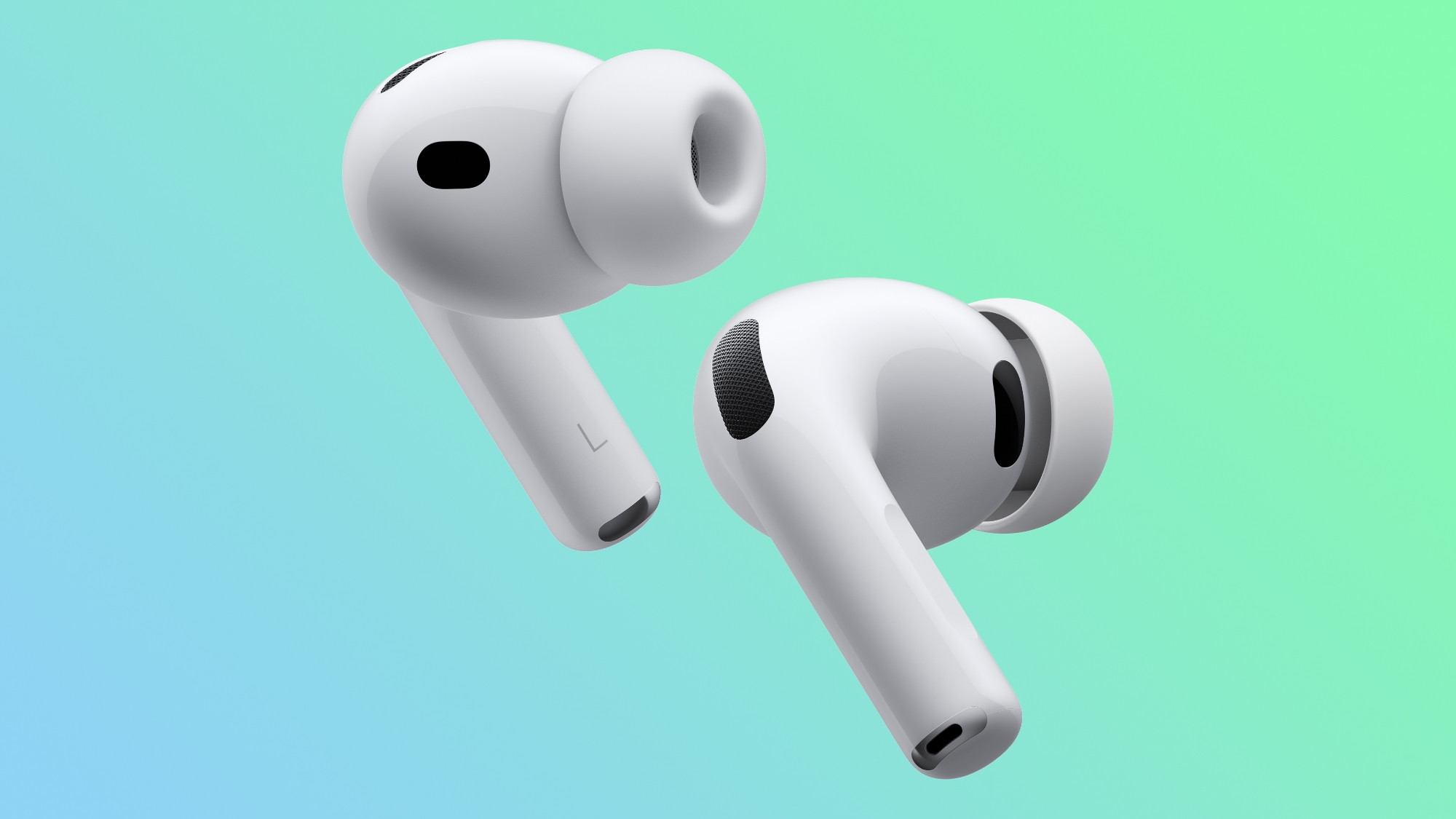
Understanding Firmware: The Silent Guardian of Your Devices
Before diving into the specifics of this update, it's helpful to understand what firmware actually is. Think of firmware as a specialized type of software that is permanently embedded into a hardware device, such as your AirPods Pro 3. It's the foundational code that tells the hardware how to operate, enabling it to perform its basic functions like connecting to your iPhone, processing audio, and managing its battery. Unlike regular apps on your phone, you don't interact with firmware directly; it works in the background, ensuring your device functions smoothly and efficiently.
Firmware updates, therefore, are essential maintenance packages for your hardware. They are designed to address a variety of issues that might emerge after a product's initial release. These can include:
- Bug Fixes: Resolving unexpected glitches or errors that could impact performance, connectivity, or specific features.
- Performance Enhancements: Optimizing how the hardware uses its resources, leading to better battery life, faster response times, or more stable connections.
- Security Patches: Closing potential vulnerabilities that could be exploited, protecting your device and your data from unauthorized access.
- Compatibility Improvements: Ensuring seamless operation with newer versions of iOS, iPadOS, macOS, or other Apple devices.
- Preparation for New Features: Sometimes, firmware updates lay the groundwork for future software features that might be activated in a later iOS or macOS update.
In essence, firmware updates keep your devices running optimally, ensuring they remain secure, efficient, and compatible with the evolving Apple ecosystem. They are a critical part of maintaining the longevity and quality of your investment in Apple products like the AirPods Pro 3.
The Latest Refresh: What 8B34 Brings to Your AirPods Pro 3
Apple has a dedicated support document for AirPods firmware updates, which confirms the release of version 8B34 for the AirPods Pro 3. As is often the case with AirPods firmware, the description is succinct: "bug fixes and other improvements." While this lack of specific detail might seem frustrating to some users who crave a full changelog, it's a typical approach for Apple when it comes to accessory firmware.
What does "unspecified bug fixes and other improvements" usually entail? Based on past updates for AirPods and other Apple accessories, we can infer several potential benefits:
- Enhanced Stability: This could mean more reliable connections, fewer dropped audio streams, or improved consistency when switching between devices.
- Refined Audio Performance: Even without major feature additions, updates can subtly tweak sound profiles, improve noise cancellation algorithms, or enhance transparency mode for a more natural listening experience.
- Better Battery Management: Optimizations can lead to slight improvements in battery life for both the AirPods and their charging case, extending the time between charges.
- Improved Microphone Quality: For calls and voice commands, firmware updates can refine how the microphones pick up your voice, reducing background noise and enhancing clarity.
- Security Patches: Addressing any newly discovered security vulnerabilities, ensuring your personal audio data and connectivity remain private and secure.
It's important to note that these updates are cumulative. Each new version builds upon the last, so even if an individual update seems minor, the cumulative effect over time contributes significantly to the overall robustness and advanced capabilities of your AirPods Pro 3. Unlike other AirPods models, which did not receive firmware updates today, this particular release highlights Apple's focus on refining the experience for its latest high-end earbuds.
Seamless Updates: How to Install AirPods Pro Firmware
One of the most user-friendly aspects of Apple's ecosystem is how effortlessly devices update in the background. AirPods Pro firmware updates are no exception, designed to happen automatically without requiring manual intervention. However, there are specific conditions your devices need to meet for the update process to kick in. Apple outlines these steps to ensure a smooth and successful update, and understanding them can help you resolve any potential delays.
Here's a detailed breakdown of how to ensure your AirPods Pro 3 receive the latest firmware, according to Apple:
- Ensure Your iPhone, iPad, or Mac is Up-to-Date and Bluetooth is On:
The foundation of a successful AirPods update begins with your paired Apple device. Your iPhone, iPad, or Mac acts as the conduit for the firmware download. Therefore, it's crucial that these devices are running the latest available versions of iOS, iPadOS, or macOS. This ensures compatibility with the new firmware package and often includes necessary system-level updates that facilitate the AirPods update process. To check and update your software:
- On iPhone/iPad: Go to Settings > General > Software Update.
- On Mac: Go to System Settings (or System Preferences) > General > Software Update.
Additionally, Bluetooth must be enabled on your host device. Your AirPods communicate wirelessly with your iPhone, iPad, or Mac via Bluetooth, and this connection is vital for transferring the firmware update. You can quickly check and toggle Bluetooth from the Control Center on iOS/iPadOS or the menu bar on macOS.
- Connect Your AirPods to Your iPhone, iPad, or Mac via Bluetooth:
Your AirPods Pro 3 need to be actively connected to your primary Apple device. This means they should be paired and recognized by your iPhone, iPad, or Mac. Simply opening the AirPods case near your device typically establishes this connection. You can confirm the connection by checking the Bluetooth settings on your host device, where your AirPods Pro 3 should appear as "Connected."
- Connect Your iPhone, iPad, or Mac to Wi-Fi:
Firmware files, while not as large as operating system updates, still require an internet connection for download. Apple typically prefers Wi-Fi for these downloads to ensure stability and avoid consuming cellular data, especially for users with limited data plans. Make sure your host device is connected to a stable Wi-Fi network.
- Connect Your Charging Case to Power:
This step is critical. The charging case of your AirPods Pro 3 not only stores and charges your earbuds but also plays a role in the update process. Connecting the case to a power source (via Lightning or USB-C cable, or a MagSafe/Qi wireless charger) ensures it has sufficient power to facilitate the firmware transfer and installation without interruption. Low battery levels can prevent an update from starting or completing.
- Put Your AirPods in Their Charging Case and Close the Lid. Keep the Lid Closed, and Keep Your AirPods in Bluetooth Range of Your iPhone, iPad, or Mac:
Once the AirPods are nestled safely within their charging case, close the lid. The update process typically occurs while the AirPods are charging inside the closed case. It's also important to keep the charging case (with AirPods inside) relatively close to your paired iPhone, iPad, or Mac to maintain a strong and consistent Bluetooth connection throughout the update. Moving them too far apart could interrupt the process.
- Wait at Least 30 Minutes for the Firmware to Update:
Patience is key here. Firmware updates for AirPods are designed to happen silently in the background. There's no progress bar or notification indicating that an update is in progress or completed. The "at least 30 minutes" recommendation gives the system ample time to download, transfer, and install the new firmware package. During this time, it's best to leave your devices undisturbed.
- Open the Lid of the Charging Case to Reconnect Your AirPods:
After the waiting period, simply open the lid of your AirPods Pro 3 charging case. This action typically prompts your AirPods to reconnect to your iPhone, iPad, or Mac, allowing you to check if the update was successful.
- Check the Firmware Version Again:
To confirm the update:
- On iPhone/iPad: With your AirPods connected, go to Settings > Bluetooth, tap the "i" icon next to your AirPods Pro 3, and look for the "Firmware Version." It should now display 8B34.
- On Mac: With your AirPods connected, hold down the Option key and click the Apple menu () in the menu bar, then choose System Information. In the sidebar, select Bluetooth. You'll find your AirPods Pro 3 listed along with their firmware version.
If the firmware version hasn't updated after following these steps, don't panic. Sometimes, it can take a bit longer, or you might need to try the process again. Ensuring all conditions are met, especially stable Wi-Fi, sufficient battery, and proximity, will maximize your chances of a quick and successful update.
A Closer Look at AirPods Pro 3: The Context for Continuous Improvement
The AirPods Pro 3 were released in September, generating considerable excitement among Apple enthusiasts and audiophiles alike. Building upon the success of their predecessors, this third generation introduced a suite of advanced features designed to redefine the personal audio experience. Understanding these core capabilities helps illustrate why continuous firmware updates are so vital for maintaining their cutting-edge performance.
Key Features of AirPods Pro 3:
- Increased Active Noise Cancellation (ANC):
The AirPods Pro 3 pushed the boundaries of noise cancellation, offering even more powerful and effective suppression of unwanted ambient sounds. This isn't just about making the world quieter; it's about creating a truly immersive listening environment. The enhanced ANC leverages improved microphones and a more sophisticated audio processing chip (likely an even more advanced H-series chip) to detect and neutralize a wider range of frequencies, from the rumble of an airplane engine to the chatter of a busy office. For users who commute, work in open-plan offices, or simply seek tranquility, this feature alone makes the AirPods Pro 3 a game-changer. Firmware updates play a crucial role in fine-tuning these algorithms, ensuring the ANC remains optimal in various environments and adapts to new types of noise.
- Improved Sound Quality:
Apple engineered the AirPods Pro 3 for an unparalleled audio experience. This includes custom-built drivers and amplifiers that deliver rich bass, clear mids, and crisp highs. The improved sound quality is not just about raw fidelity but also about delivering a dynamic and balanced audio profile across all genres. Features like Adaptive EQ, which tunes the sound in real-time based on the fit of the AirPods in your ear, likely received further refinements. Whether you're listening to high-resolution audio tracks, podcasts, or taking video calls, the sonic precision of the AirPods Pro 3 ensures every sound is delivered with clarity and depth. Firmware updates can further optimize these audio characteristics, enhancing clarity, bass response, and overall dynamic range.
- Longer Battery Life Per Charge:
Battery life is always a critical factor for wireless earbuds. The AirPods Pro 3 delivered a significant boost in listening time per charge for the earbuds themselves, along with even more total hours thanks to their redesigned charging case. This improvement is a combination of more efficient internal components, optimized power management through firmware, and potentially a larger battery capacity. Extended battery life means fewer interruptions and more freedom to enjoy your audio throughout the day, whether you're working out, traveling, or just relaxing.
- Heart Rate Monitoring During Workouts:
A truly innovative feature, the AirPods Pro 3 integrated advanced sensors for heart rate monitoring directly into the earbuds. This allows users to track their cardiovascular performance during workouts without needing an Apple Watch or other dedicated fitness tracker. The data seamlessly integrates with the Apple Health app, providing comprehensive insights into activity levels and overall well-being. This feature transforms the AirPods Pro 3 from just an audio device into a powerful health companion, making them even more versatile for fitness enthusiasts. Firmware updates are absolutely vital for the accuracy and reliability of such sophisticated biometric sensors.
- Adaptive Transparency Mode:
Building on the popular Transparency Mode, which allows users to hear their surroundings, the AirPods Pro 3 likely introduced an "Adaptive" version. This intelligent feature would dynamically adjust the level of ambient sound allowed through, reducing harsh noises like sirens or power tools while keeping important sounds like conversations audible. It offers the best of both worlds – awareness when you need it, and protection when environments become too loud. This sophisticated audio processing relies heavily on finely tuned algorithms that are regularly refined through firmware updates.
- Enhanced Spatial Audio with Dynamic Head Tracking:
Spatial Audio, a feature that creates an immersive, theater-like experience by placing sounds all around you, was undoubtedly further enhanced in the AirPods Pro 3. With dynamic head tracking, the sound stays anchored to your device even as you move your head, creating a truly cinematic feel for movies and music. Firmware updates ensure the precision of these tracking capabilities and the overall realism of the spatial audio experience.
- Advanced H-Series Chip:
At the heart of these capabilities lies a powerful, next-generation Apple-designed chip (e.g., H3 or H4). This chip is the brain behind all the real-time audio processing, noise cancellation, spatial audio, and seamless connectivity. Firmware updates are essentially new instructions for this chip, unlocking its full potential and ensuring it operates with maximum efficiency and intelligence.
These features collectively position the AirPods Pro 3 as a leader in the wireless earbud market, offering a blend of premium audio, intelligent features, and deep integration with the Apple ecosystem. Continuous firmware updates ensure these advanced technologies remain at their peak, adapting to new challenges and user expectations.
The Broader Apple Ecosystem: Why Updates Matter for Seamless Integration
AirPods are not just standalone earbuds; they are a fundamental part of the interconnected Apple ecosystem. This ecosystem is designed to work seamlessly, allowing users to effortlessly switch between an iPhone, iPad, Mac, and Apple Watch, with audio following them intelligently. This magic is largely enabled by consistent software and firmware updates across all devices.
A new AirPods Pro 3 firmware update, even a seemingly minor one, plays a crucial role in maintaining this intricate balance. It ensures that the earbuds remain perfectly synchronized with the latest versions of iOS, iPadOS, and macOS. Without these updates, you might encounter:
- Connection Issues: Inconsistent pairing or frequent disconnections.
- Feature Malfunctions: Spatial Audio not working correctly, ANC behaving erratically, or Adaptive Transparency failing to adjust.
- Compatibility Problems: New features introduced in a host device's OS might not work with outdated AirPods firmware.
- Security Risks: Unpatched firmware could leave your device vulnerable to exploits, though this is less common with AirPods than with internet-connected devices.
Apple's philosophy is to provide a unified and optimized user experience, and firmware updates are a cornerstone of this strategy. They ensure that your AirPods Pro 3 continue to deliver the expected performance, privacy, and convenience within the expansive Apple universe.
The Unsung Heroes: Why Even "Unspecified" Updates Are Important
It's easy to overlook updates that don't come with flashy new features or a detailed list of changes. However, these "unspecified bug fixes and other improvements" are often the unsung heroes of software maintenance. They are the cumulative efforts that prevent minor glitches from snowballing into significant problems, enhance efficiency, and ensure long-term reliability.
For a sophisticated device like the AirPods Pro 3, which relies on complex acoustic engineering, advanced silicon, and intricate algorithms for features like ANC, Transparency, and Spatial Audio, constant refinement is necessary. Even a tiny optimization in power management or a subtle tweak to an audio codec can lead to noticeable improvements in user experience over time. These incremental enhancements add up, contributing to the overall polish and robust performance that users expect from an Apple product. By keeping your AirPods Pro 3 updated, you're not just fixing potential bugs; you're actively participating in Apple's ongoing commitment to excellence and ensuring your device evolves to meet the highest standards.
Looking Ahead: The Future of AirPods Pro and Beyond
While today's update focuses on stability and performance for the AirPods Pro 3, it also implicitly points to Apple's continuous innovation in the personal audio space. The inclusion of heart rate monitoring already signals a strong move into health and wellness, blurring the lines between traditional audio accessories and wearable health tech. We can anticipate future firmware updates, and indeed future generations of AirPods, to build on this foundation.
Potential future advancements, which firmware updates could enable or prepare for, might include:
- More Advanced Health Tracking: Beyond heart rate, perhaps body temperature, blood oxygen, or even posture monitoring.
- Enhanced Hearing Health Features: Personalized sound profiles, more sophisticated adaptive listening experiences, and even diagnostic capabilities.
- Deeper AI Integration: More intuitive voice commands, context-aware audio adjustments, and proactive notifications based on user activity or environment.
- Lossless Audio Support: As audio technologies advance, AirPods Pro could eventually support truly lossless audio playback, delivering an even higher fidelity experience.
- Improved AR/VR Integration: As Apple ventures further into augmented and virtual reality, AirPods are poised to become critical audio companions, providing immersive and spatially accurate soundscapes for these new experiences.
Each firmware update, including the current 8B34 for AirPods Pro 3, is a step in this evolutionary journey. It's a testament to Apple's dedication to improving its products post-launch, ensuring that your investment continues to deliver cutting-edge performance and adapts to future technological landscapes.
Conclusion: Keep Your AirPods Pro 3 Updated for the Best Experience
The release of firmware version 8B34 for the AirPods Pro 3 might not grab headlines with groundbreaking new features, but its importance cannot be overstated. By delivering "bug fixes and other improvements," Apple continues its tradition of refining and optimizing its devices, ensuring that your premium wireless earbuds operate at their peak performance, stability, and security. These incremental updates are the lifeblood of modern technology, silently enhancing your daily interactions with your favorite devices.
Remember, the update process is designed to be as seamless as possible, occurring in the background without requiring your direct attention. However, by understanding the simple prerequisites and steps outlined above, you can confidently ensure your AirPods Pro 3 receive the latest software, allowing you to fully enjoy their increased active noise cancellation, improved sound quality, longer battery life, innovative heart rate monitoring, and all the other advanced features that make them an indispensable part of your Apple ecosystem. Staying updated means staying at the forefront of the best audio experience Apple has to offer.
This article, "Apple Releases New AirPods Pro 3 Firmware Update" first appeared on MacRumors.com
Discuss this article in our forums
from MacRumors
-via DynaSage

Post a Comment