M3 iPad Air vs. M5 iPad Pro Buyer's Guide: All Differences Compared
iPad Air vs. iPad Pro (2025): A Complete Guide to Choosing the Right Apple Tablet
Apple's iPad lineup is more powerful and diverse than ever, but with great choice comes a great challenge: deciding which one is right for you. The two main contenders for most people are the recently updated iPad Pro and the ever-popular iPad Air. While they may look similar at a glance, they are designed for very different users and come with significantly different price tags.
The latest iPad Pro models, featuring the new M5 chip and stunning OLED displays, have widened the performance gap, cementing their place at the pinnacle of the tablet world. Meanwhile, the iPad Air, now equipped with the powerful M3 chip, continues to be the benchmark for a premium tablet experience that doesn't break the bank. So, which one should you buy? Should you save a considerable amount of money with the iPad Air, or are the high-end, exclusive features of the iPad Pro a worthy investment?
This comprehensive guide will break down every single difference between the M3 iPad Air and the M5 iPad Pro, helping you make an informed decision.
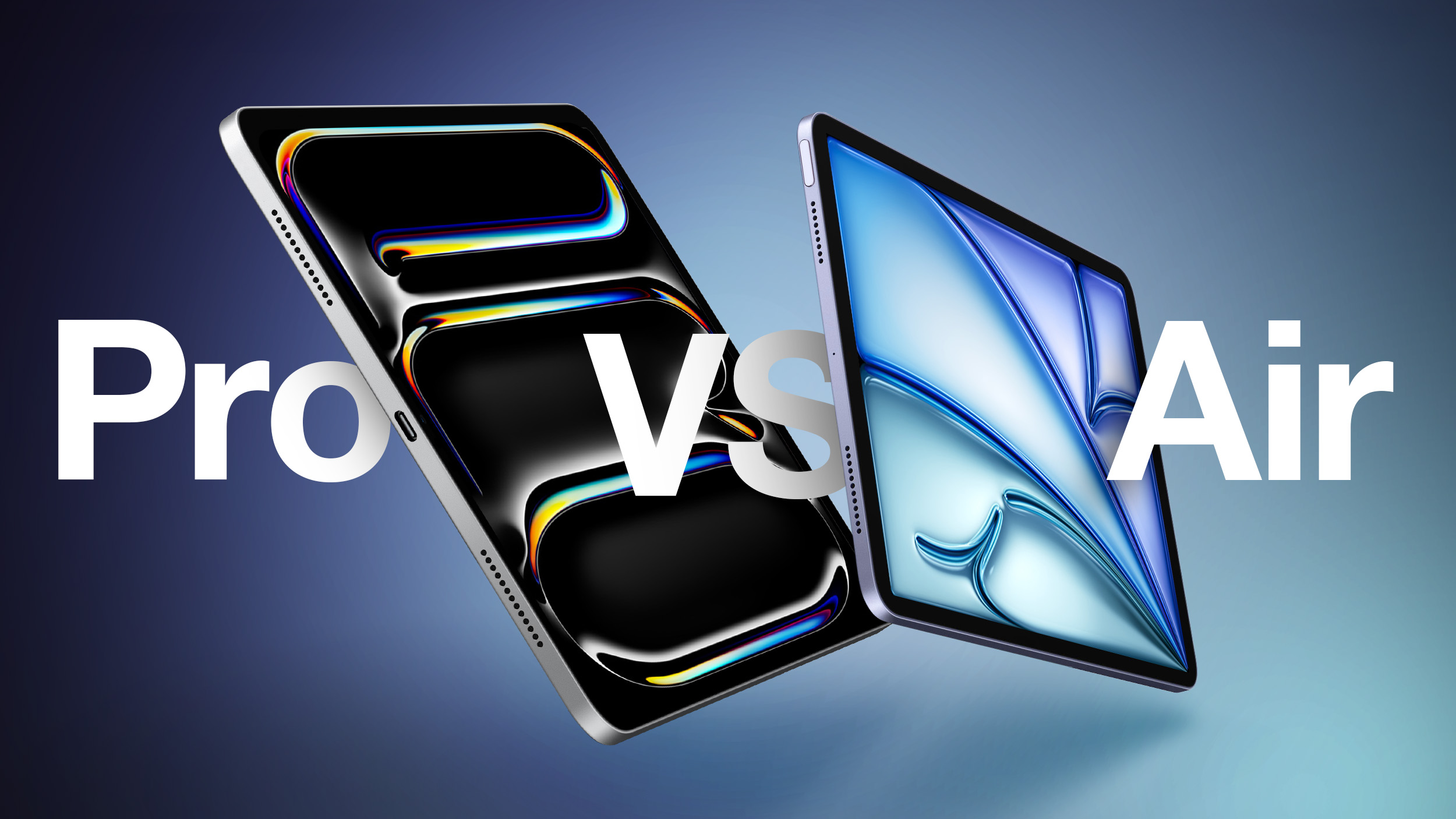
Display Technology: A Tale of Two Screens
The most significant and immediately noticeable difference between these two iPads is the display. It's not just about size; it's about the underlying technology, which dramatically impacts everything from scrolling through websites to watching movies and creating professional art.
iPad Air: Liquid Retina Display
The iPad Air features what Apple calls a "Liquid Retina" display. This is a high-quality IPS LCD screen with LED backlighting. It's bright, colorful, and sharp, offering a fantastic viewing experience for everyday tasks. The 11-inch model reaches a maximum brightness of 500 nits, while the larger 13-inch model goes up to 600 nits. For browsing the web, watching YouTube, and general use, this display is more than sufficient and is a pleasure to use.
iPad Pro: Ultra Retina XDR Display (Tandem OLED)
The iPad Pro, on the other hand, takes a monumental leap forward with its "Ultra Retina XDR" display, which uses an advanced technology called Tandem OLED. Unlike an LCD screen that uses a backlight to illuminate its pixels, each pixel in an OLED display creates its own light. This allows for perfect, true blacks (because the pixel can simply turn off) and an infinite contrast ratio, making colors pop with incredible vibrancy. Apple's "Tandem" design stacks two OLED panels to achieve phenomenal brightness and durability.
The difference in brightness is stark. The iPad Pro boasts a maximum full-screen brightness of 1,000 nits for both standard (SDR) and high-dynamic-range (HDR) content. For HDR highlights in photos and videos, it can reach a spectacular peak brightness of 1,600 nits. This makes the iPad Pro's screen far superior for consuming or editing HDR content.
Furthermore, the iPad Pro includes ProMotion technology. This allows the display's refresh rate to intelligently adapt from as low as 10Hz up to a super-smooth 120Hz. A higher refresh rate means that scrolling, drawing with the Apple Pencil, and playing games feel incredibly fluid and responsive. The iPad Air is locked at a standard 60Hz refresh rate. For professionals working with high-glare environments, the 1TB and 2TB models of the iPad Pro also offer an optional nano-texture glass finish, which masterfully diffuses light to reduce reflections while maintaining image quality.
Performance and Power: The M3 vs. the M5 Chip
Under the hood, the performance gap between the Air and the Pro is substantial. Both are powered by Apple's custom silicon, but they belong to different generations and are built for different levels of demand.
iPad Air: The Powerful M3 Chip
The iPad Air is equipped with the M3 chip, which is built on TSMC's first-generation 3nm technology. This chip, based on the A17 Pro from the 2023 iPhone 15 Pro, is a true powerhouse. It features an 8-core CPU (4 performance cores and 4 efficiency cores) and a 9-core GPU. Paired with 8GB of LPDDR5 memory and 100 GB/s of memory bandwidth, the M3 can handle demanding apps, multitasking, and graphically intensive games with ease. For the vast majority of users, the M3 provides more power than they will ever need, ensuring a fast and fluid experience for years to come.
iPad Pro: The Desktop-Class M5 Chip
The iPad Pro introduces the next-generation M5 chip, representing a significant leap in performance and efficiency. It's built on a more advanced third-generation 3nm process (N3P) and is based on the A19 Pro chip expected in the 2025 iPhone 17 Pro. The M5 chip can be configured with up to a 10-core CPU (4 performance cores and 6 efficiency cores) and a 10-core GPU.
But the differences go far beyond core counts. The M5 comes with more and faster memory: 12GB of LPDDR5X memory for the 256GB and 512GB models, and a massive 16GB for the 1TB and 2TB models. Memory bandwidth is also over 50% faster at 153 GB/s, allowing the chip to access data more quickly. This extra RAM and bandwidth are crucial for professionals working with massive files in apps like Final Cut Pro, Logic Pro, or Adobe Photoshop.
The M5's GPU is also in another league. It features a third-generation ray tracing engine for more realistic lighting in games and professional 3D rendering. It also has enhanced shader cores and a new feature called Integrated Neural Accelerators in every GPU core, programmable via new Tensor APIs. This is a game-changer for AI and machine learning tasks, making them significantly faster right on the device. Thanks to its superior architecture and an improved thermal design using graphite sheets and copper, the M5 GPU can sustain its peak performance for longer while using significantly less power than the M3.
Design and Portability
Apple has pushed the boundaries of engineering with the latest iPad Pro, making it the thinnest product Apple has ever created. The 11-inch Pro is just 5.3mm thick, and the 13-inch model is an astonishing 5.1mm. This makes them noticeably thinner than the iPad Air, which is already slim at 6.1mm. The Pro models are also slightly lighter than their Air counterparts, making them even more comfortable to hold for extended periods.
When it comes to aesthetics, your choice might come down to color preference. The iPad Air comes in a more playful range of colors: Space Gray, Starlight, Purple, and Blue. The iPad Pro sticks to a more traditional, professional palette of Silver and a new Space Black finish.
Connectivity: Speed on Every Front
How you connect to the internet, accessories, and other devices is another area where the Pro model offers a distinct advantage.
Wi-Fi, Bluetooth, and Cellular
The iPad Air supports Wi-Fi 6E and Bluetooth 5.3, which are both modern and fast standards that will serve users well. However, the iPad Pro is a step ahead with support for Wi-Fi 7 and Bluetooth 6. Wi-Fi 7 offers higher potential speeds, lower latency, and better performance in congested network environments. For cellular connectivity, the Air uses a reliable Qualcomm Snapdragon 5G modem, while the Pro features Apple's custom-designed C1X chip, which may offer better power efficiency and integration with the rest of the system.
The Port: USB-C vs. Thunderbolt
This is a critical distinction for professionals. Both iPads have a USB-C port for charging and connecting accessories. However, the port on the iPad Air is a standard USB-C connector. The port on the iPad Pro also supports Thunderbolt / USB 4. This means the Pro's port is up to four times faster, with data transfer speeds of up to 40Gb/s. For a videographer transferring large 4K ProRes video files or a photographer offloading a full memory card of RAW photos, this speed difference is a massive quality-of-life improvement. The Thunderbolt port also enables the iPad Pro to drive high-resolution external displays, including Apple's Pro Display XDR at its full 6K resolution.
Cameras, Microphones, and Speakers
While tablets aren't typically primary cameras for most people, the systems on the iPad Pro are significantly more advanced and geared toward professional workflows.
Authentication and Front Camera
The iPad Air uses Touch ID, a fingerprint sensor conveniently built into the top button. It's fast, reliable, and familiar. The iPad Pro uses Apple's TrueDepth camera system to enable Face ID for facial recognition. This more advanced system also allows for Portrait Mode selfies with sophisticated background blur and lighting effects, as well as Animoji and Memoji.
Rear Camera System
The iPad Air has a very capable 12MP Wide camera on the back that shoots great photos and 4K video. The iPad Pro has a similar 12MP Wide camera but enhances it with several "pro" features. It includes a LiDAR scanner, which measures depth and dramatically improves augmented reality (AR) experiences and allows for instant focus in low light. It also features a new Adaptive True Tone flash, which analyzes ambient light to make document scans look clearer and more natural by removing shadows. For videographers, the iPad Pro can record in Apple's professional-grade ProRes video format up to 4K at 60fps (when recording to an external drive), a feature completely absent on the Air.
Audio Experience
The audio hardware also sees a significant upgrade on the Pro. The iPad Air has a solid two-speaker system that provides stereo sound in landscape orientation. The iPad Pro boasts a more immersive four-speaker audio system. For recording, the Pro is equipped with a four-microphone array of "studio-quality," which captures cleaner, richer audio for video calls, voiceovers, and recordings compared to the Air's standard two-microphone setup. The Pro also supports advanced features like Audio zoom and Stereo recording.
Storage and Price
The iPad Air starts at $599 with 128GB of storage, with options for 256GB, 512GB, and 1TB. This makes it a much more accessible starting point. The iPad Pro starts at a significantly higher $999, but it also begins with a more generous 256GB of storage. Its storage tiers go up to 512GB, 1TB, and a massive 2TB. It's also worth noting that the internal SSD on the iPad Pro offers up to twice the read and write speeds, making apps launch faster and file management snappier.
Who Should Buy the iPad Air?
For the overwhelming majority of people, the iPad Air is the smartest and best choice. It offers incredible value for money. You get a sleek, modern all-screen design, the immensely powerful M3 chip that will handle any app or game you throw at it for years, a beautiful display, and compatibility with essential accessories like the Magic Keyboard and Apple Pencil.
The iPad Air is the perfect tablet for students, families, professionals who need a secondary device for meetings and travel, and anyone who wants a premium tablet experience without paying for top-tier features they will likely never use. It strikes the perfect balance between performance, features, and price.
Who Should Buy the iPad Pro?
The iPad Pro is an unapologetically high-end device built for a specific audience: professionals and enthusiasts who demand the absolute best and can leverage its unique capabilities. If you are a digital artist, video editor, music producer, 3D modeler, or developer, the iPad Pro is built for you. The extra performance from the M5 chip, the massive 16GB RAM option, the color-accurate Tandem OLED ProMotion display, and the high-speed Thunderbolt port can directly impact and speed up your workflow in ways the iPad Air cannot.
Features like the LiDAR scanner for AR development or 3D scanning, ProRes video recording for professional film projects, and the nano-texture glass for working in bright studios are not frivolous extras; they are purpose-built tools. Additionally, "prosumers" or tech enthusiasts who simply want the most advanced tablet on the market will appreciate the smoother 120Hz scrolling, the superior four-speaker audio, and the incredibly thin and light design, even if they don't strictly "need" them for work.
Final Verdict: Making the Right Choice
The decision between the iPad Air and iPad Pro ultimately comes down to a simple question: are you paying for features you will actually use? For most people, the answer is no, making the iPad Air the clear winner in terms of value. It delivers a phenomenal, near-pro-level experience for a much more reasonable price.
However, if your work or passion involves graphically intensive tasks, managing large files, or requires the highest fidelity display possible, the iPad Pro is not just a luxury—it's an investment in a tool that can save you time and produce better results. It is, without a doubt, the most powerful and technologically advanced tablet ever made.
It's also worth noting for those not in a hurry: a new iPad Air with an M4 chip is rumored to be in development for a potential launch in the first half of 2026. This would likely be the main upgrade, bringing its performance closer to the current Pro line.
from MacRumors
-via DynaSage

Post a Comment