Holiday App Festivitas Adds Animated String Lights and Snow Effects to Apple Devices
Deck Your Screens: The Festivitas App Brings Holiday Cheer to Your Apple Devices
The holiday season is a time of joy, warmth, and decoration. We lovingly adorn our homes with twinkling lights, festive ornaments, and perhaps a touch of winter snow. But in today's digital world, we spend a significant amount of our time looking at screens. Our Macs, iPhones, and iPads are our windows to the world, our workspaces, and our entertainment hubs. So, why not bring that same festive spirit to our digital spaces? Last year, developer Simon Støvring introduced a delightful app to do just that, and this year, it's back with even more holiday magic.
Meet Festivitas, the charming app designed to bring the cozy, celebratory atmosphere of the holidays directly to your Apple devices. It’s a simple yet powerful tool that adds beautiful, animated string lights and gentle, falling snow to your screens, transforming your everyday digital experience into a winter wonderland.

What’s New? A Winter Wonderland on Your Screen
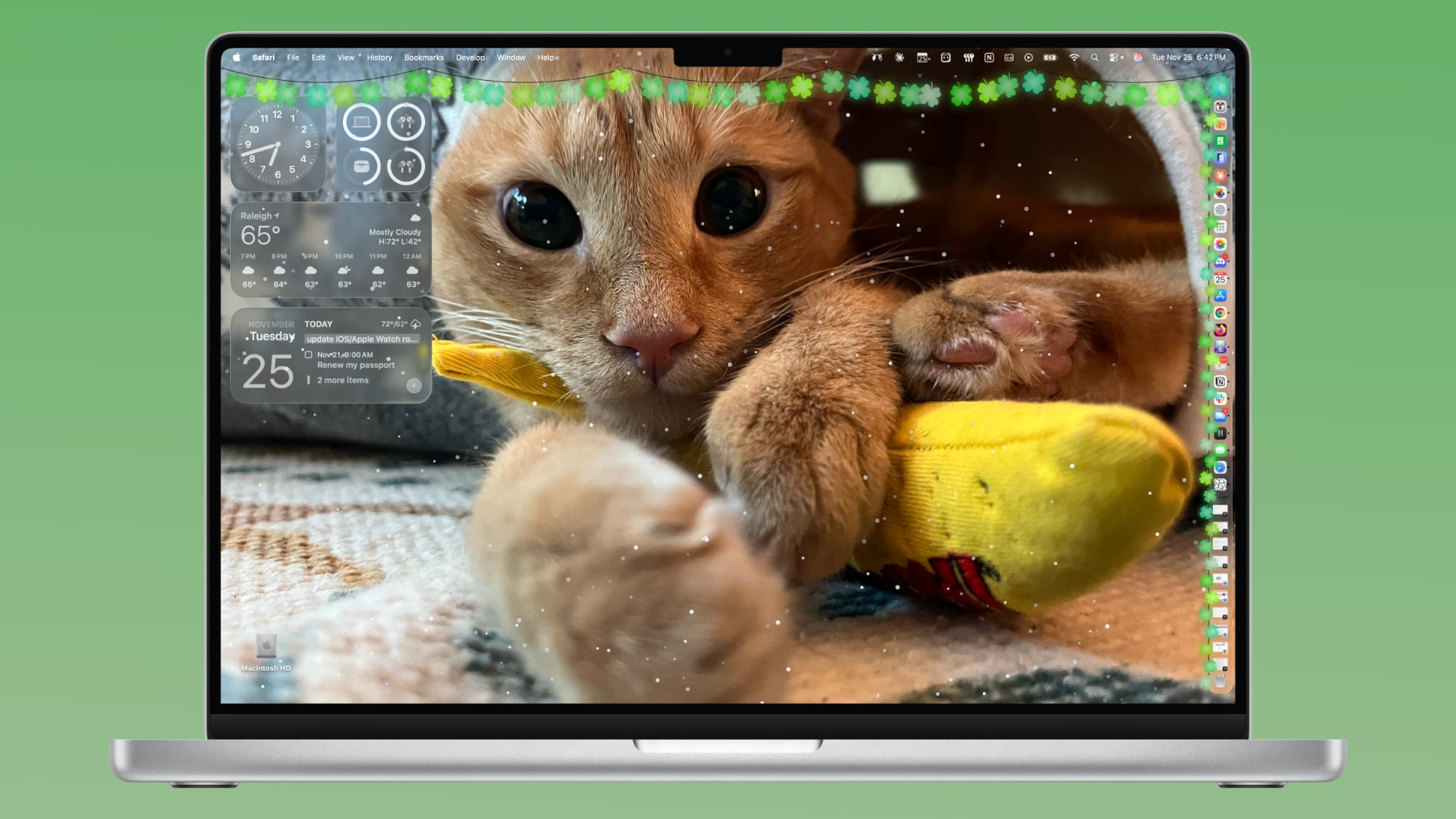
Festivitas captured hearts last year with its colorful string lights, and the brand-new update for the 2025 holiday season takes the festive spirit to a whole new level. The most enchanting new feature is the addition of beautifully animated, gently falling snow, creating a serene and cozy ambiance on your Mac's desktop.
This isn't just a static overlay; the snow is designed to be interactive and immersive. As you move your mouse cursor across the screen, you'll notice the snowflakes gracefully part around it, creating a delightful and magical effect. It feels as if you're gently brushing the snow aside with your digital hand. Furthermore, this winter wonderland isn't confined to a single screen. If you use a second or even a third monitor, the snow effect expands seamlessly across all of your displays, creating a breathtaking panoramic winter scene.
To make the experience even more seamless, the latest update introduces a powerful integration with Apple’s Shortcuts app. This allows for incredible automation possibilities. You can now set your festive lights and falling snow to appear automatically at a specific time of day, such as sunset, to welcome the evening with a warm glow. You could create a "Holiday Work Mode" shortcut that launches your favorite holiday playlist, opens your necessary work apps, and simultaneously activates the gentle snowfall to create a calming work environment. The possibilities are as vast as your imagination.
Unleash Your Inner Decorator: Endless Customization
The true beauty of Festivitas lies in its deep customization options, allowing you to tailor the holiday decorations to your exact taste. The 2025 update significantly expands these capabilities, giving you complete control over your festive display.
Lighting Your Way
The heart of Festivitas is its string lights, and now you have more ways than ever to make them uniquely yours. The app includes a variety of new color presets to get you started, from classic red and green to icy winter blues or modern pastel palettes. If you prefer to create your own, you can choose any color you can imagine.
But it doesn't stop at colors. You can now choose from tons of different light shapes. Go beyond the traditional bulb and select stars, snowflakes, candy canes, or other fun shapes to match your theme. You can also fine-tune every single detail:
- Size and Opacity: Make your lights big and bold for a statement piece or small and subtle for a delicate touch. Adjust the opacity for a soft, ambient glow or a bright, vibrant pop of color.
- Drop Height and Cable Thickness: Control how the lights hang from your menu bar and dock. You can make the cable thick and rustic or thin and modern, and decide how low the lights should dangle.
- Animation Patterns: Bring your lights to life with four distinct animation styles. The "Pulse" effect offers a slow, calming glow that fades in and out. "Twinkle" provides a classic, gentle shimmer reminiscent of stars in the night sky. For a more dynamic feel, "Chase" creates a fun, energetic effect with lights zipping along the string, while "Wave" produces a smooth, mesmerizing flow of light.
Crafting the Perfect Snowfall
The new snow effect is just as customizable as the lights. You can become the master of your desktop weather, creating the perfect winter scene to match your mood. Adjust the settings to control:
- Amount: Choose anything from a few delicate, sparse flurries to a full-on, cozy blizzard.
- Flake Size: Select tiny, intricate snowflakes for a detailed look or big, fluffy flakes for a storybook feel.
- Fall Speed and Wind: Dictate the pace of the snowfall. You can create a calm, slow descent for a peaceful atmosphere or turn up the wind for a blustery, energetic snowstorm that sweeps across your screens.
Seamless Integration and User Control
Festivitas is designed to be as unobtrusive or as immersive as you wish. A fantastic feature is the ability to choose where the decorations appear. For a truly immersive holiday experience, you can have the lights and snow display over all of your open app windows. However, if you need to focus on work but still want a touch of festive cheer, you can set the effects to appear only on your desktop wallpaper. This provides a beautiful, non-distracting holiday backdrop that won't get in the way of your tasks.
The app also encourages creativity and community with its ability to import and export color palettes. If you’ve designed the perfect "Cozy Christmas Eve" or "Frozen Winter Morning" color scheme, you can easily export it and share it with friends and family. Likewise, you can import palettes created by others to instantly try out new looks.
For Mac users, it’s important to note that to place the lights perfectly along your dock, Festivitas requires Accessibility permissions. This is a standard requirement for apps that interact with system-level UI elements. The app will clearly prompt you to grant this permission when you first launch it, and it will guide you through the simple, one-time setup process to ensure everything works perfectly.
Holiday Cheer on the Go: Festivitas for iPhone and iPad
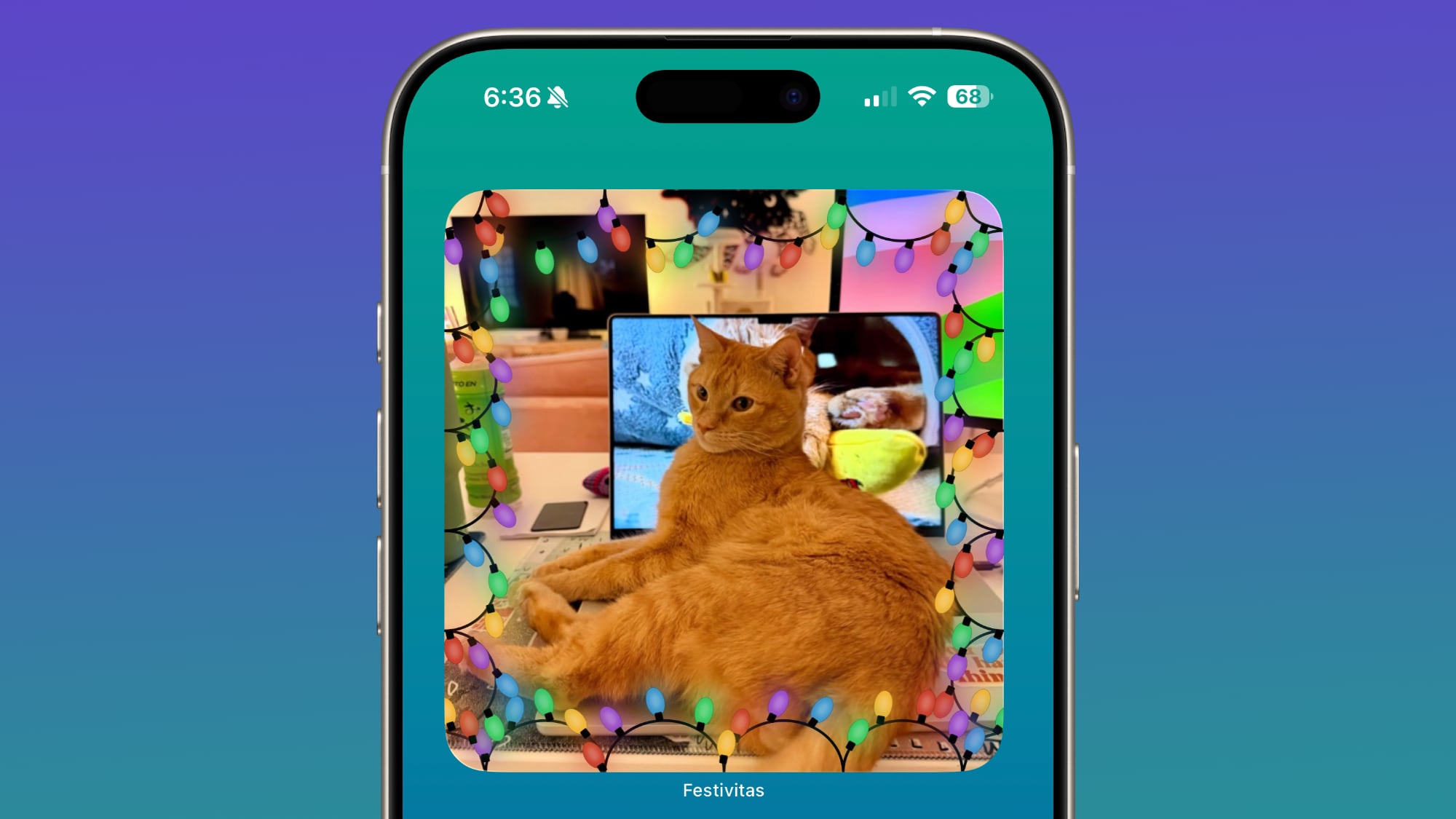
The holiday magic is no longer limited to the Mac! Festivitas is now a universal app, available for your iPad and iPhone as well. On iOS and iPadOS, the app cleverly uses Home Screen widgets to bring its festive decorations to your mobile devices.
The implementation is both cute and personal. The widgets are designed to let you add strings of festive lights around your own photos. You can choose a favorite family portrait, a picture of your pet in a Santa hat, or a cherished holiday memory, and then frame it with a beautiful, customizable string of lights. It's a wonderful way to personalize your Home Screen and keep your loved ones and happiest moments at the forefront during the festive season. Just like on the Mac, you have customization options to change the aesthetic and make it perfectly match your style.
How to Get Festivitas and Pricing
Getting your devices ready for the holidays is easy. The developer has implemented a "customer-selected fair pricing" model, which allows you to support the app at a level you're comfortable with.
For the Mac, Festivitas can be downloaded directly from the Festivitas website, with pricing starting at a fair 4 euros.
The iPhone and iPad version of the app is available on the App Store. It also features customer-selected fair pricing, with options ranging between $3.99 and $9.99. [Direct Link]
This holiday season, let your technology join in on the celebration. With its deep customization, beautiful animations, and seamless integration across the entire Apple ecosystem, Festivitas is the perfect app to make your digital world feel a little more magical, merry, and bright.
This article, "Holiday App Festivitas Adds Animated String Lights and Snow Effects to Apple Devices" first appeared on MacRumors.com
Discuss this article in our forums
from MacRumors
-via DynaSage

Post a Comment