iOS 26.1 Coming Soon With These 8 New Features for Your iPhone
iOS 26.1 Deep Dive: 8 Exciting New Features Coming to Your iPhone Soon
Apple enthusiasts, get ready! While the dust has barely settled on the major iOS 26 release, Apple is already preparing a significant follow-up. The upcoming iOS 26.1 update, currently in its beta testing phase, is shaping up to be more than just a minor bug-fix release. It’s packed with thoughtful quality-of-life improvements, new customization options, and expanded language support that will refine and enhance your daily iPhone experience. This update is all about giving you more control, more convenience, and more security.
For those eagerly waiting, iOS 26.1 is expected to roll out to the public sometime in the first half of November. It will be compatible with a wide range of devices, starting from the iPhone 11 series all the way up to the latest models. However, it's worth noting that some of the more advanced features, particularly those leveraging newer hardware, may be exclusive to the newer iPhones. So, let's dive in and explore the eight biggest and best new features you can look forward to in iOS 26.1.

1. Personalize Your View: The New Liquid Glass Toggle
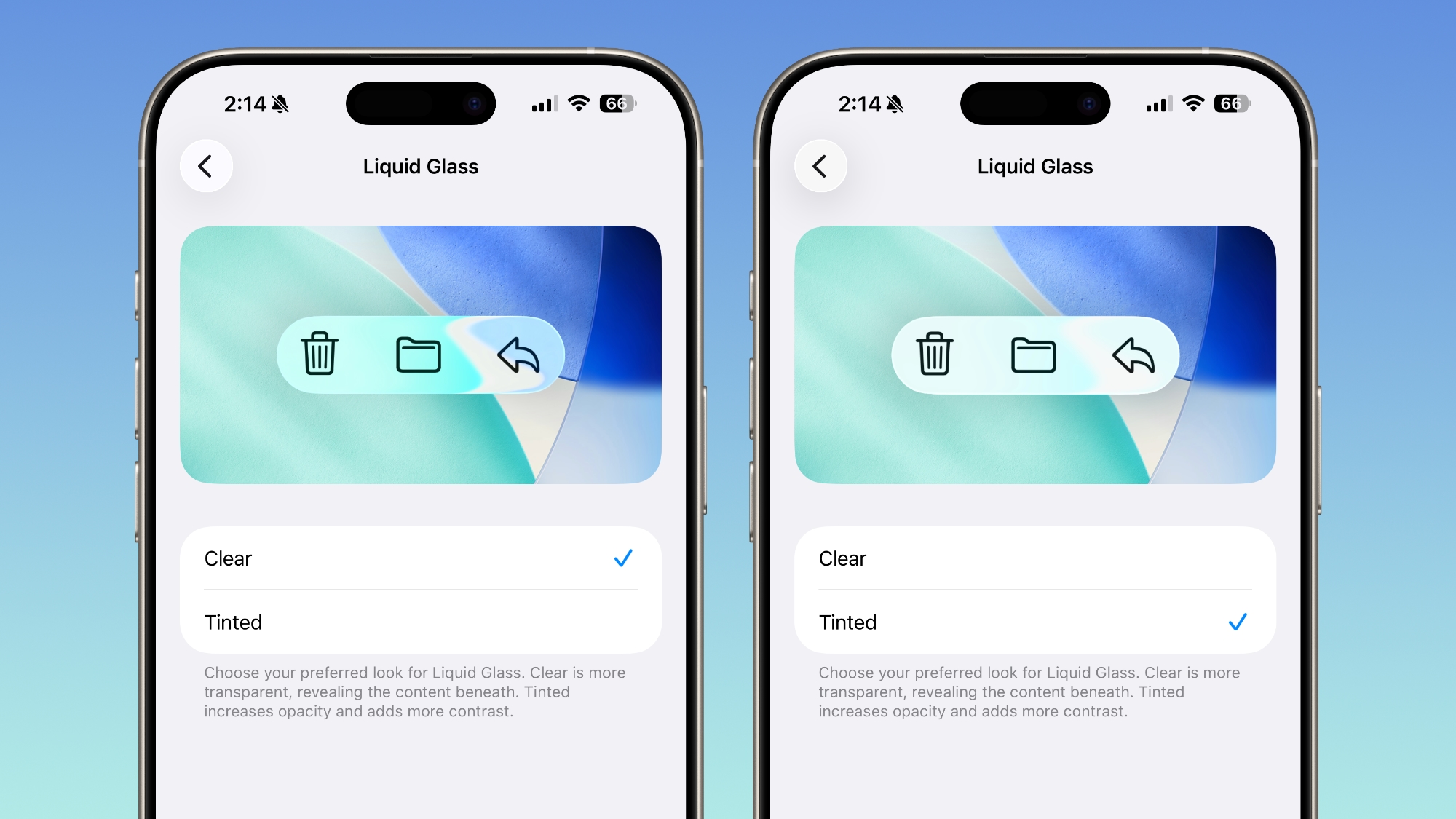
One of the standout visual changes in iOS 26 was the introduction of the "Liquid Glass" design language. This aesthetic brought a beautiful, translucent, and layered look to elements like notifications, widgets, and the Control Center, making the interface feel more dynamic and modern. While many users love this sleek, see-through effect, Apple understands that one size doesn't fit all when it comes to visual preferences.
With iOS 26.1, Apple is putting the power of customization directly into your hands. The update introduces a new "Liquid Glass" toggle in the Settings app. By navigating to Settings > Display & Brightness > Liquid Glass, you will find two distinct options to tailor the appearance to your liking:
- Clear: This option maintains the default Liquid Glass effect, offering a more transparent and airy look. It allows your wallpaper to subtly show through various interface elements, creating a sense of depth and context. If you enjoy the default modern aesthetic of iOS 26, you'll want to stick with this.
- Tinted: For users who prefer better contrast or find the transparency a bit distracting, the "Tinted" option is the perfect solution. This setting makes the Liquid Glass elements more opaque, adding a solid, tinted background that enhances readability and makes text and icons pop. It provides a cleaner, more focused look that minimizes the visual complexity of the wallpaper behind it.
This simple addition is a fantastic quality-of-life improvement. It acknowledges that user preferences vary and provides a meaningful choice without overcomplicating the interface. Whether you prefer form or function, clarity or depth, iOS 26.1 lets you decide how your iPhone's interface looks and feels.
2. Take Control of Your Lock Screen: The Camera Swipe Toggle
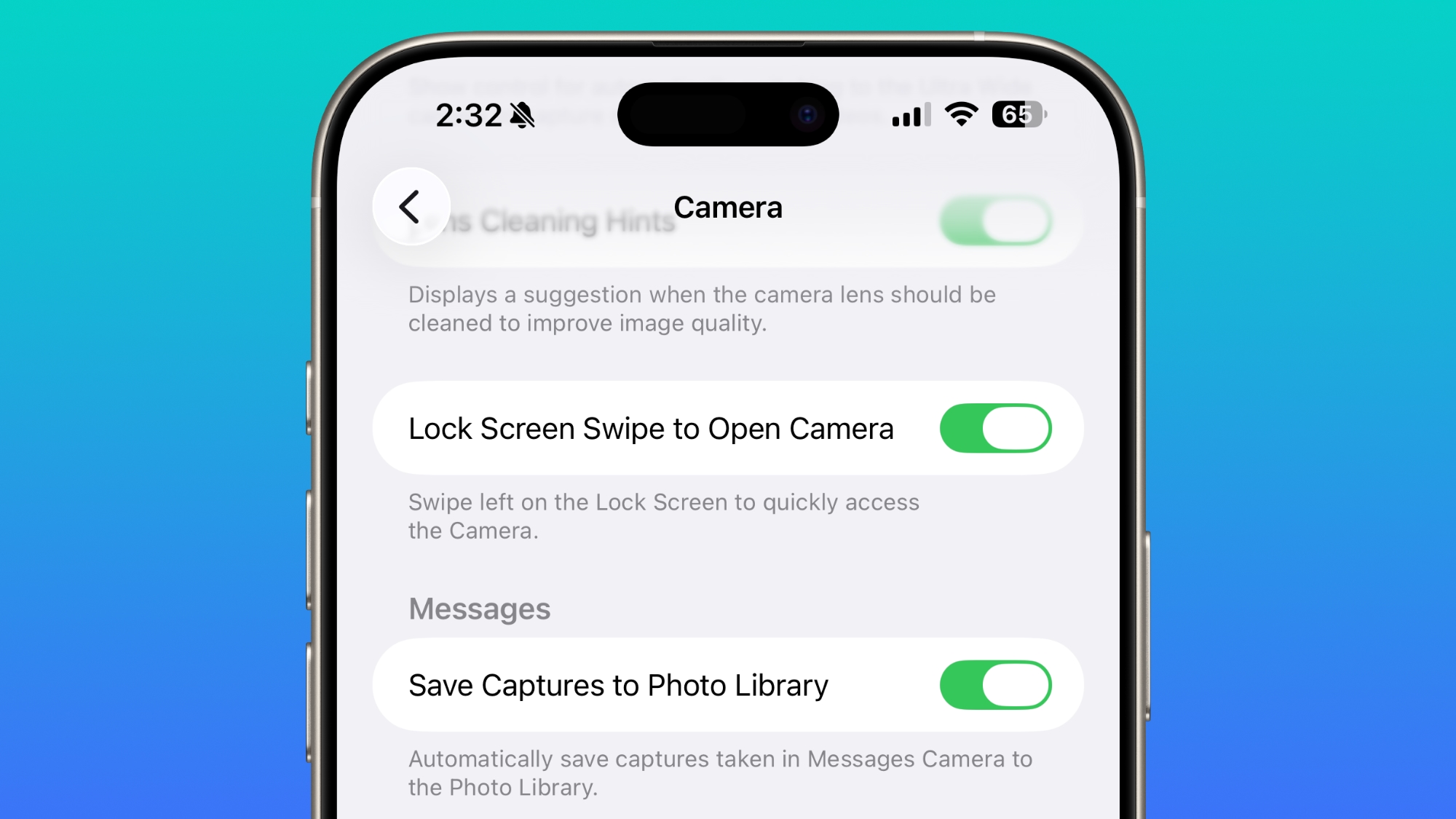
For years, swiping left on the iPhone's Lock Screen has been the fastest way to access the Camera app. It's a convenient shortcut designed to help you capture a fleeting moment without fumbling to unlock your device and find the app icon. However, this convenience can sometimes lead to frustration. Many users have experienced pulling their iPhone out of a pocket or bag only to find the camera app open, potentially draining the battery or having taken a dozen blurry photos of pocket lint.
In iOS 26.1, Apple is addressing this common annoyance by introducing a simple yet powerful toggle. Found in the Settings app, the new "Lock Screen Swipe to Open Camera" option does exactly what its name implies: it allows you to completely disable the swipe-left gesture for the camera on your Lock Screen.
This is a welcome change for several types of users. For those who prioritize battery life and want to prevent any accidental app launches, turning this off provides peace of mind. It's also great for users who simply don't use the shortcut and prefer a more streamlined, foolproof Lock Screen. Don't worry, you can still access the camera quickly via the dedicated camera button on the Lock Screen or from the Control Center. This update isn't about removing functionality; it's about giving you the choice to curate your Lock Screen experience to better suit your habits and preferences.
3. No More Accidental Alarms: Introducing "Slide to Stop"
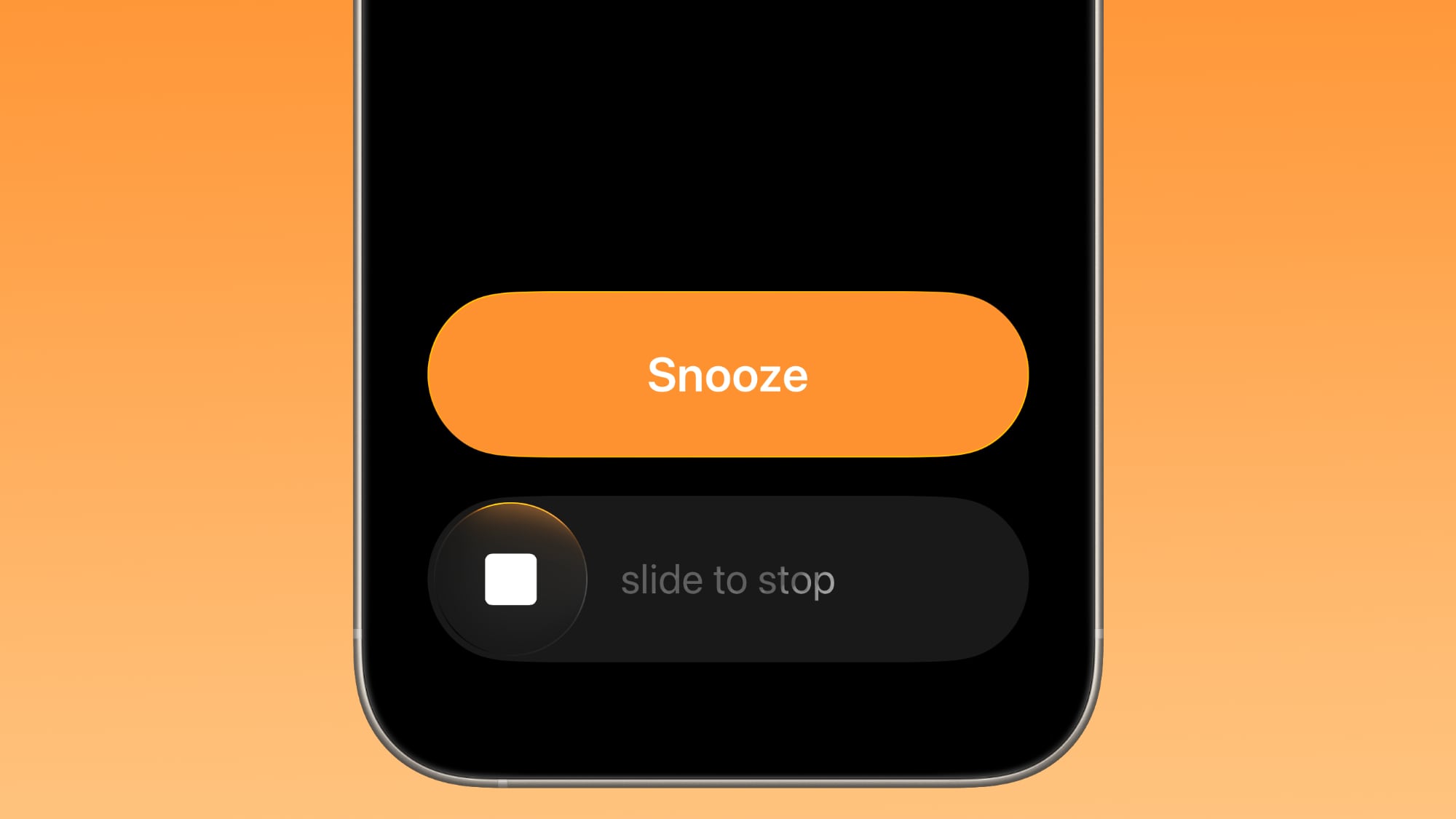
Waking up in the morning can be a delicate process, and fumbling with your phone in a groggy, half-asleep state is a universal experience. In iOS 26, Apple made the "Stop" button for alarms significantly larger, likely with the intention of making it easier to hit. However, this change had an unintended side effect: it became incredibly easy to accidentally tap "Stop" when you meant to hit "Snooze," leading to a panicked rush out of bed or, worse, oversleeping entirely.
Apple has clearly listened to user feedback, as iOS 26.1 introduces a much more deliberate and user-friendly way to manage your alarms. The large, tappable "Stop" button is being replaced with a new "slide to stop" control. This familiar gesture, reminiscent of the classic "slide to unlock," requires a conscious, intentional swipe to dismiss the alarm. This small but brilliant change makes it far less likely that a misplaced, sleepy tap will accidentally silence your alarm for good.
This thoughtful improvement isn't just limited to your morning wake-up call; it also applies to timers in the Clock app. Now, whether you're timing a pizza in the oven or a 20-minute power nap, you'll need to slide to turn off the alert. It’s a perfect example of Apple refining the user experience to be more intuitive and forgiving, especially in moments when you're not fully focused.
4. A More Fluid Music Experience: Song Swiping in Apple Music
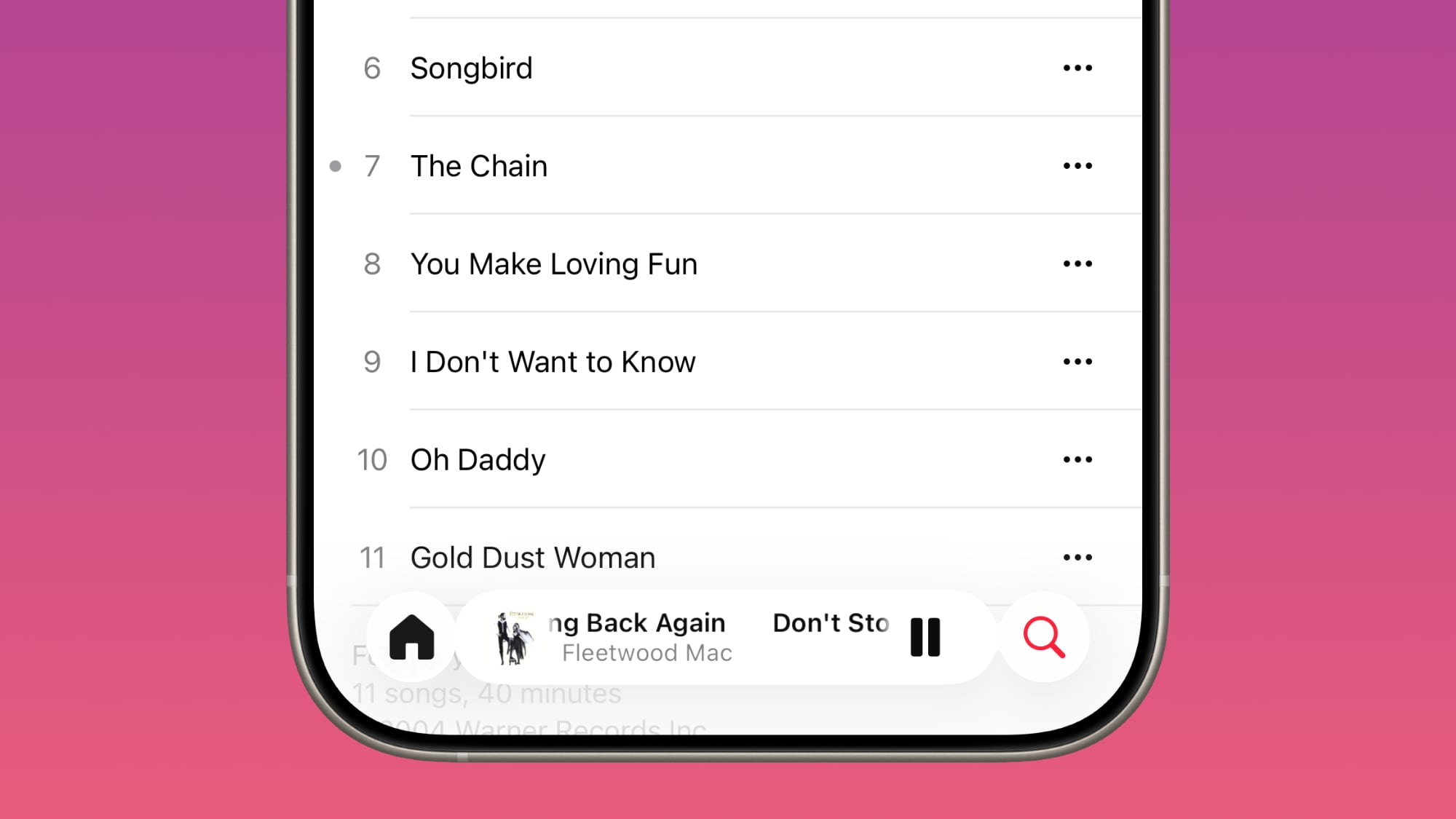
For music lovers, the fluidity of the user interface is key to an enjoyable listening experience. While Apple Music has always been a powerful app, navigating your queue has traditionally relied on tapping the small "next" and "previous" track buttons. While functional, this method can feel a bit rigid, especially when you want to quickly flick through songs.
iOS 26.1 brings a more tactile and intuitive method of music navigation to the Apple Music app. You can now simply swipe left or right on the main music player interface to switch between songs. Swiping left will take you to the next song in your queue, and swiping right will return you to the previous one. This gesture-based control feels incredibly natural, mirroring the way we swipe through photos in the Photos app or pages in an e-book.
This is a subtle enhancement, but one that will dramatically improve the flow of using Apple Music. It makes navigating playlists faster, more engaging, and more in line with the modern, gesture-driven nature of iOS. It’s a small tweak that heavy listeners will come to appreciate every single day.
5. A New Identity: Apple TV+ Rebrands to Simply Apple TV
Branding is crucial in the competitive world of streaming, and Apple is making a significant move to simplify its identity. Earlier this month, Apple officially announced that its streaming service, Apple TV+, is being renamed to just Apple TV. This strategic shift aims to unify the brand across its hardware (the Apple TV box), its software (the Apple TV app), and its streaming content.
iOS 26.1 is where this change begins to take visual form on your iPhone. The update introduces a redesigned app icon for the Apple TV app, laying the groundwork for the full rebrand. The new icon moves away from the previous monochrome design and embraces a "vibrant new identity" with a more colorful and dynamic look. This refreshed icon helps the app stand out on your Home Screen and signals a new chapter for Apple's entertainment ambitions.
This is more than just a name change; it's a consolidation of Apple's entertainment ecosystem under a single, powerful banner. By dropping the "+," Apple is positioning its service as the central hub for all things TV and movies, not just an add-on service. This update prepares your iPhone for that streamlined future.
6. A Smarter iPhone for More People: Expanded Apple Intelligence Languages
Apple Intelligence was the headline feature of iOS 26, introducing a new era of personal, private, and deeply integrated AI to the iPhone. At launch, its language support was limited, but Apple promised a rapid global expansion. With iOS 26.1, the company is making good on that promise in a big way.
This update significantly expands the reach of Apple Intelligence by adding support for eight new languages. The newly supported languages are:
- Danish
- Dutch
- Norwegian
- Portuguese (Portugal)
- Swedish
- Turkish
- Chinese (Traditional)
- Vietnamese
This is a massive step forward, making Apple's powerful AI tools—including advanced writing tools, image generation, and a smarter Siri—accessible to millions of new users around the world in their native tongues. This expansion demonstrates Apple's commitment to making its most advanced technologies inclusive and globally available. For speakers of these languages, this update will transform their iPhone from a smart device into a truly intelligent companion.
7. Breaking Down Barriers: More Languages for AirPods Live Translation

The Live Translation feature for AirPods is one of the most futuristic and practical innovations Apple has introduced recently. It turns your AirPods into a personal, real-time translator, allowing for more seamless conversations between people who speak different languages. With iOS 26.1, this powerful tool is becoming even more versatile.
The update adds support for several additional languages to the AirPods Live Translation feature, including:
- Japanese
- Korean
- Italian
- Chinese (Traditional and Simplified)
This expansion makes the feature invaluable for a wider range of travelers, international business professionals, and anyone looking to connect across linguistic divides. Imagine traveling through Rome, Seoul, or Tokyo and being able to ask for directions or order a meal with confidence, hearing the translation directly in your ear.
This feature is available on compatible AirPods models, including the AirPods 4 with ANC, AirPods Pro 2, and AirPods Pro 3. As Apple continues to add more languages, AirPods are solidifying their place as an essential tool for global communication.
8. Smarter, Faster Security: Background Security Improvements
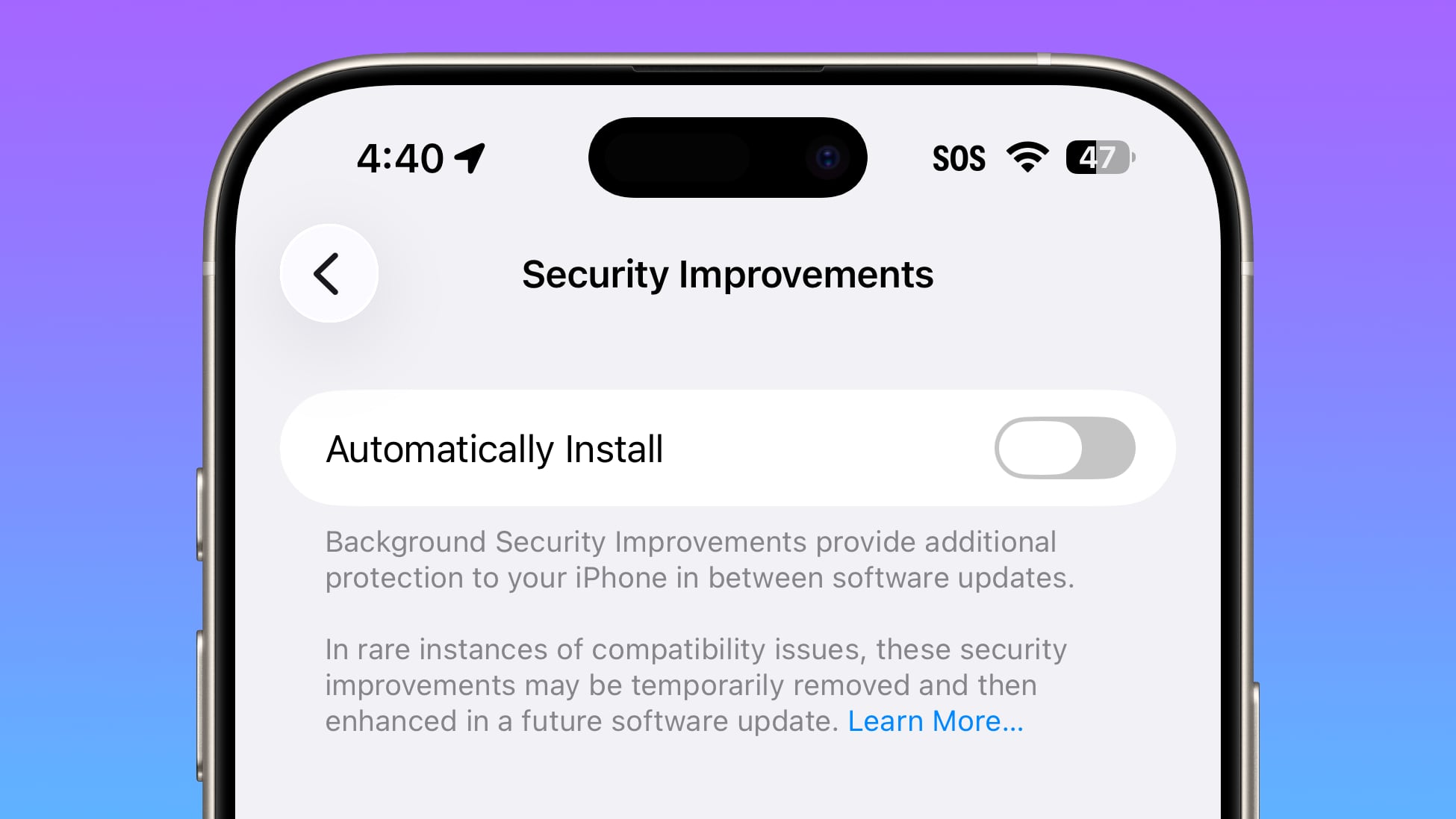
In today's digital world, keeping your device secure is more important than ever. Apple has always prioritized user security, but the landscape of digital threats evolves rapidly. To keep users protected between major iOS updates, Apple previously introduced a feature called "Rapid Security Responses." In iOS 26.1, this system is being revamped and made even more seamless with a new feature called "Background Security Improvements."
Located in Settings > Privacy & Security > Security Improvements, a new toggle allows you to automatically download and install these crucial security patches as soon as they are available. These aren't full iOS updates but rather small, targeted "stopgap" fixes designed to patch critical vulnerabilities that may emerge between scheduled software releases.
By enabling this feature, you are ensuring that your iPhone is always equipped with the very latest security protections without you having to do a thing. It works quietly in the background, providing an uninterrupted and highly secure experience. This evolution represents Apple's proactive approach to security, giving you peace of mind that your personal data is as safe as possible from emerging threats.
More to Discover
These eight features represent the most significant changes coming in iOS 26.1, but as with any update, there are always smaller tweaks and refinements to discover. For a comprehensive look at everything included in the beta, be sure to read our full lists of overall iOS 26.1 features and the specific changes in the latest beta.
This article, "iOS 26.1 Coming Soon With These 8 New Features for Your iPhone" first appeared on MacRumors.com
Discuss this article in our forums
from MacRumors
-via DynaSage

Post a Comment