Apple's Clips App Discontinued
The Final Cut: Apple Discontinues Its Fun Video App, Clips
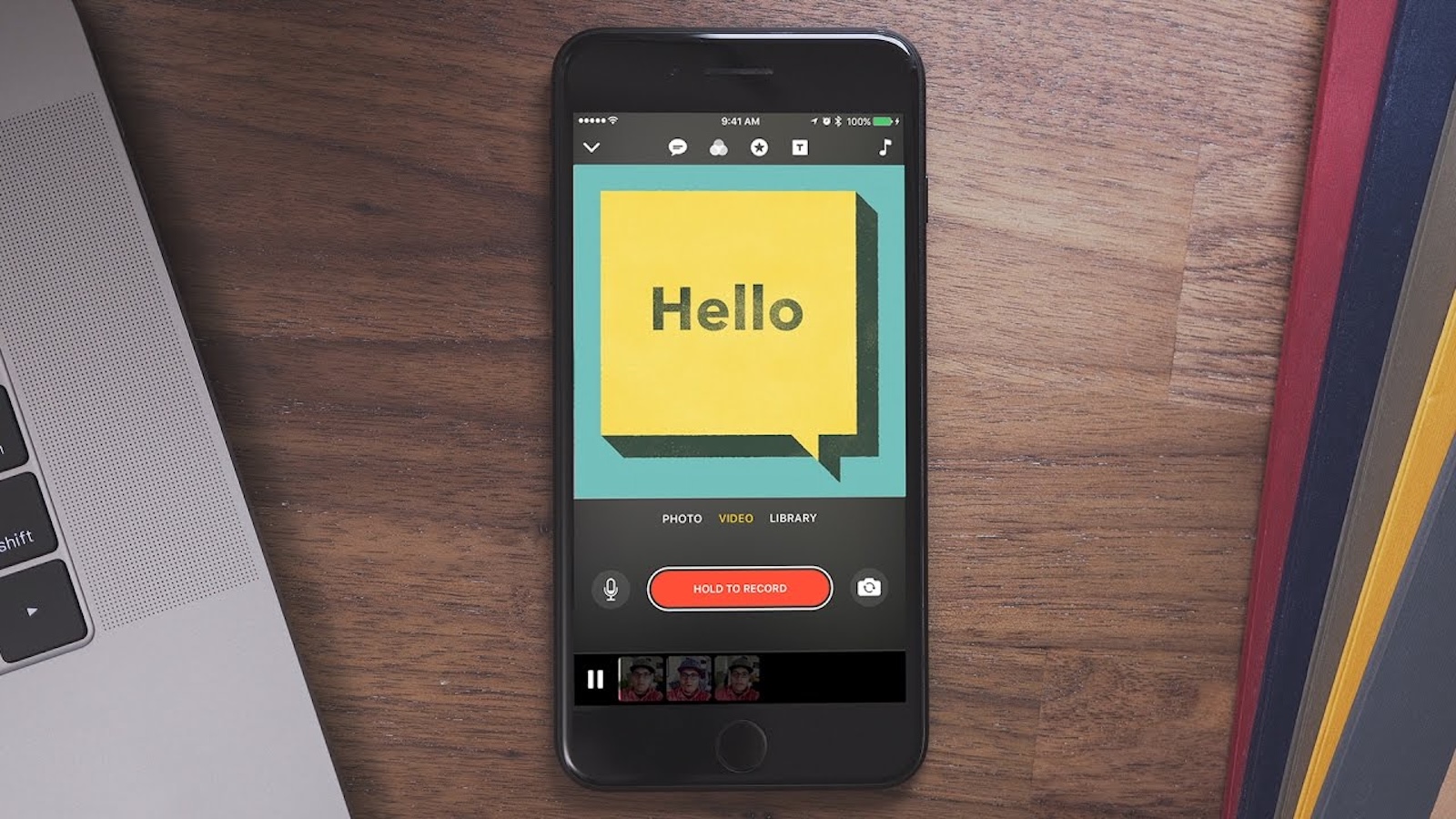
In a quiet but definitive move, Apple has officially pulled the plug on Clips, its vibrant and user-friendly video editing application. Designed for creating fun, short videos for social media, Clips was once a promising tool for casual iPhone creators. Now, it has been removed from the App Store, marking the end of its journey. For years, users could easily combine video clips, photos, and music, then add unique features like voice-activated captions, animated stickers, and artistic filters to craft shareable masterpieces in minutes.
The app's discontinuation signals a shift in Apple's software strategy and leaves many users wondering what happened and where to turn next. If you're a long-time Clips fan or just curious about its sudden disappearance, you've come to the right place. In this comprehensive guide, we'll explore the history of Clips, uncover the reasons behind its departure, explain what this means for current users, and provide a detailed list of the best alternative apps to keep your creative video projects alive and well. Let's dive into the story of Apple Clips and what its farewell means for the world of mobile video creation.
What "Discontinued" Really Means for Clips
When a tech giant like Apple "discontinues" an app, it can mean a few different things. In the case of Clips, the process is quite clear. The primary change is that the app has been removed from the App Store for all new users. As of yesterday, searching for "Clips" will no longer bring up Apple's official video editor. This effectively closes the door for anyone who hasn't downloaded it in the past.
To formalize this change, Apple published a support document on its official site, which serves as the app's final notice. The document confirms that Clips is no longer being updated and will not be available for new downloads. This lack of future updates is crucial; it means that even for existing users, the app will eventually become obsolete as iOS evolves, potentially leading to bugs or compatibility issues down the road.
What About Existing Users?
If you already have Clips installed on your iPhone or iPad, there's some good news: you can continue to use it for the time being. The app will remain on your device and function as it always has. Furthermore, if you've downloaded it in the past and later deleted it, you can still redownload it. This is done by navigating to your account in the App Store, tapping on "Purchased," and finding Clips in your download history. However, this is a temporary solution. As Apple's support document states, the app is no longer receiving support, so this redownload option may not be available forever.
The support page also provides helpful guidance for preserving your work. Apple outlines clear instructions on how to save your completed Clips videos and even individual clips to your Photos library or export them to other locations like Files or cloud storage services. This is a critical step for anyone who wants to safeguard their creative projects before the app eventually stops working on a future version of iOS.
A Look Back: The Rise and Fall of Apple Clips
To understand why Clips is disappearing, it helps to look back at its journey. Apple released Clips in 2017 with a clear mission: to make video creation simple, fast, and fun for everyone. It wasn't meant to compete with powerful editors like iMovie or Final Cut Pro. Instead, it targeted the burgeoning social media generation, offering tools perfectly suited for creating content for Instagram, Facebook, and Snapchat.
In its early years, Clips received significant attention and a series of exciting updates. Its standout feature was "Live Titles," which used voice recognition to generate animated captions on the screen as you spoke—a groundbreaking tool at the time. Apple continued to invest in it, adding support for Memoji and Animoji, allowing users to star in their videos as their personalized avatars. It also integrated advanced technology, like using the iPhone's LiDAR Scanner to create immersive AR spaces and effects. The app was packed with a variety of filters, graphics, posters, and a library of royalty-free music that would automatically adjust to the length of your video.
However, over the last few years, the momentum slowed dramatically. While other creative apps were in a constant state of evolution, updates for Clips became few and far between. They were mostly minor bug fixes and stability improvements rather than the exciting feature drops of its early days. This "maintenance mode" was a clear sign that the app was no longer a priority for Apple, leading to the inevitable conclusion that its time was running out.
Why Did Apple Pull the Plug? Exploring the Reasons
While Apple hasn't given an official reason for discontinuing Clips, we can identify several contributing factors that likely led to the decision. The digital landscape has changed dramatically since 2017, and Clips may have simply been a victim of the times.
1. The Rise of In-App Social Media Editors
Perhaps the biggest reason for the decline of Clips is the meteoric rise of platforms like TikTok, Instagram Reels, and YouTube Shorts. These services don't just host short-form video content; they provide incredibly powerful and trendy built-in editing tools. Users can now shoot, edit, add music, apply filters, use augmented reality effects, and post their videos all within a single app. This seamless workflow made a separate app like Clips feel redundant. Why export a video from one app to upload to another when you can do everything in one place?
2. Overlap with Apple's Own Ecosystem
Clips was caught in a strange middle ground within Apple's own software lineup. For users who wanted to do a quick trim, add a filter, or adjust the lighting of a video, the built-in editor in the iOS Photos app was more than sufficient. For those who needed more advanced features like multi-track editing, precise trimming, and custom titles, iMovie—which comes pre-installed on all Apple devices—was the logical next step. Clips was more powerful than the Photos editor but far less capable than iMovie, leaving it without a clear, essential purpose for most users.
3. A Shift in Apple's Strategic Priorities
Apple is a company that is constantly innovating and re-evaluating its priorities. In recent years, its focus has shifted towards major growth areas like subscription services (Apple TV+, Apple Music), augmented reality (Vision Pro), and artificial intelligence. A niche, free-to-use app like Clips, which wasn't a major driver of hardware sales or service subscriptions, likely became a low-priority project. Devoting engineering resources to maintaining and updating it may no longer have aligned with the company's broader strategic goals.
4. Lack of Monetization and a "Pro" Pathway
Clips was entirely free and had no in-app purchases or subscription model. While this was great for users, it meant the app didn't generate direct revenue. Furthermore, unlike iMovie, which can serve as a stepping stone to Apple's professional-grade software, Final Cut Pro, Clips didn't lead users further into Apple's pro-level ecosystem. It existed as a standalone, fun utility, but without a clear business or strategic role, it was vulnerable to being cut.
The Best Alternatives to Apple Clips for iPhone Video Creators
With Clips heading into the sunset, users will need new tools to create their short-form videos. Fortunately, the App Store is filled with fantastic options, from simple editors to feature-packed powerhouses. Here are some of the best alternatives:
1. iMovie
Best for: Users who want a traditional, powerful, and free editor from Apple.
The most obvious alternative is Apple's own iMovie. It offers a more traditional timeline-based editing experience, giving you much more control than Clips ever did. With iMovie, you can manage multiple video and audio tracks, create custom titles, use picture-in-picture effects, and choose from a variety of themes and trailers. It's a significant step up in capability but remains intuitive and completely free.
2. CapCut
Best for: TikTok and Reels creators who want trendy effects and features.
Developed by the same company behind TikTok, CapCut has become the de facto editor for many social media creators. It's packed with an enormous library of trending music, effects, filters, and text animations. Its features, like auto-captions, background removal, and speed ramping, are incredibly powerful yet easy to use. While it offers a paid subscription for more features, the free version is more than enough for most people.
3. InShot
Best for: An all-in-one editor for video, photos, and collages.
InShot is another hugely popular mobile video editor known for its simplicity and comprehensive feature set. It makes it incredibly easy to resize videos for different social media platforms (like vertical for Reels or square for Instagram posts). It offers all the essential tools like trimming, splitting, adding music, and text, along with a nice selection of filters and effects. It's a reliable and versatile workhorse for mobile content creation.
4. The Social Media Apps Themselves
Best for: Ultimate convenience and platform-specific trends.
For many, the best editor is the one already built into the app they're posting to. The editors in TikTok, Instagram, and YouTube Shorts are constantly being updated with the latest trends, sounds, and effects that are native to their platforms. If your goal is to create content specifically for one of these services, using their internal tools is often the fastest and most effective way to do it.
Conclusion: A Fond Farewell to a Creative Companion
The discontinuation of Apple Clips marks the end of a charming and accessible chapter in mobile video editing. For a time, it was a wonderful tool that empowered millions of users to create and share their stories without a steep learning curve. It brought innovative features like Live Titles to the masses and embodied Apple's commitment to powerful simplicity. However, the digital world moves quickly, and Clips was ultimately outpaced by the very social media platforms it was designed to serve.
While it's sad to see it go, the spirit of Clips lives on. The desire for simple, creative, and fun video editing is stronger than ever, and a new generation of apps has risen to meet that demand. For those who loved Clips, the future is bright with powerful and accessible alternatives. It’s time to export those final projects, say goodbye to a fun little app, and explore the new creative tools waiting on the App Store.
This article, "Apple's Clips App Discontinued" first appeared on MacRumors.com
Discuss this article in our forums
```
from MacRumors
-via DynaSage

Post a Comment