iPhone 17, Pro, Air: How to Use All the New Features
Mastering Your New iPhone 17: A Comprehensive Guide

Congratulations on your new iPhone 17, iPhone Air, iPhone 17 Pro, or iPhone 17 Pro Max! Whether you're upgrading from an older model or experiencing the Apple ecosystem for the first time, this guide will walk you through all the exciting new features and help you get the most out of your investment. With the devices now shipping and available in stores, let's dive into the details.
All iPhone 17 Models (Including iPhone Air)
The iPhone 17 lineup offers a range of enhancements across all models. Here’s a breakdown of essential new features and how to utilize them effectively:
- Dynamic Island Explained: What It Does and How to Use It - Learn about this innovative feature and how it seamlessly integrates notifications and information.
- iPhone 17 Camera Control: Everything You Need to Know - Master the new camera controls and capture stunning photos and videos.
- Action Button: What It Does and How to Customize It - Discover the functionality of the Action button and personalize it to meet your needs.
- How to Use the New Center Stage Front Camera - Learn how to utilize the improved Center Stage feature for enhanced video calls.
- How to Rotate the Front Camera Without Changing iPhone Orientation - Master the nuanced controls of the Center Stage camera rotation.
- How to Disable Center Stage Front Camera Auto-Zoom - Customize your Center Stage experience by disabling auto-zoom.
- How to Disable Center Stage Front Camera Auto-Rotate - Control the auto-rotation feature of the Center Stage camera.
- How to Enable Dual Capture Video Recording - Record simultaneously from both front and rear cameras for versatile video creation.
- How to Disable Adaptive Power Mode (On by Default) - Learn how to manage Adaptive Power Mode to optimize battery life.
- How to Hard Reset or Force Restart All iPhone 17 Models - Troubleshoot your device with a hard reset or force restart.
iPhone 17 Pro and iPhone 17 Pro Max
The Pro models boast even more advanced features. Explore these exclusive capabilities:
- How to Use 8x Optical Zoom - Capture incredibly detailed images with the enhanced optical zoom.
- Shooting Video in Apple's New ProRes RAW Format - Learn to leverage the professional-grade ProRes RAW format for video capture.
iOS 26: A New Era of iOS
The iPhone 17 series comes with the all-new iOS 26, packed with significant improvements and new features. This section provides a detailed guide to help you navigate this update.
- Ultimate iOS 26 Walkthrough: Guides and How Tos for Every New Feature - A comprehensive guide to all the new features of iOS 26.
- Tone Down Apple's New Liquid Glass Design for Improved Legibility - Customize the visual aspects of iOS 26 for better readability.
- iOS 26 Setup Guide: 10 Things You Should Do First - Optimize your iOS 26 experience with these essential initial setup steps.
- Tint App Icons to Match Your New iPhone 17 Color - Personalize your home screen by matching app icons to your iPhone's color.
- Tint App Icons to Match Your iPhone's Case Color - Further personalize your home screen by matching app icons to your iPhone case.
- iOS 26: All the New iPhone Lock Screen Customizations - Explore the extensive customization options for your lock screen.
- All the New iPhone Ringtones in iOS 26 - Discover the new ringtones available in iOS 26.
- iOS 26 Camera App: New Features and Design Changes - Become familiar with the updated Camera app and its new features.
Forgot to Pre-Order?
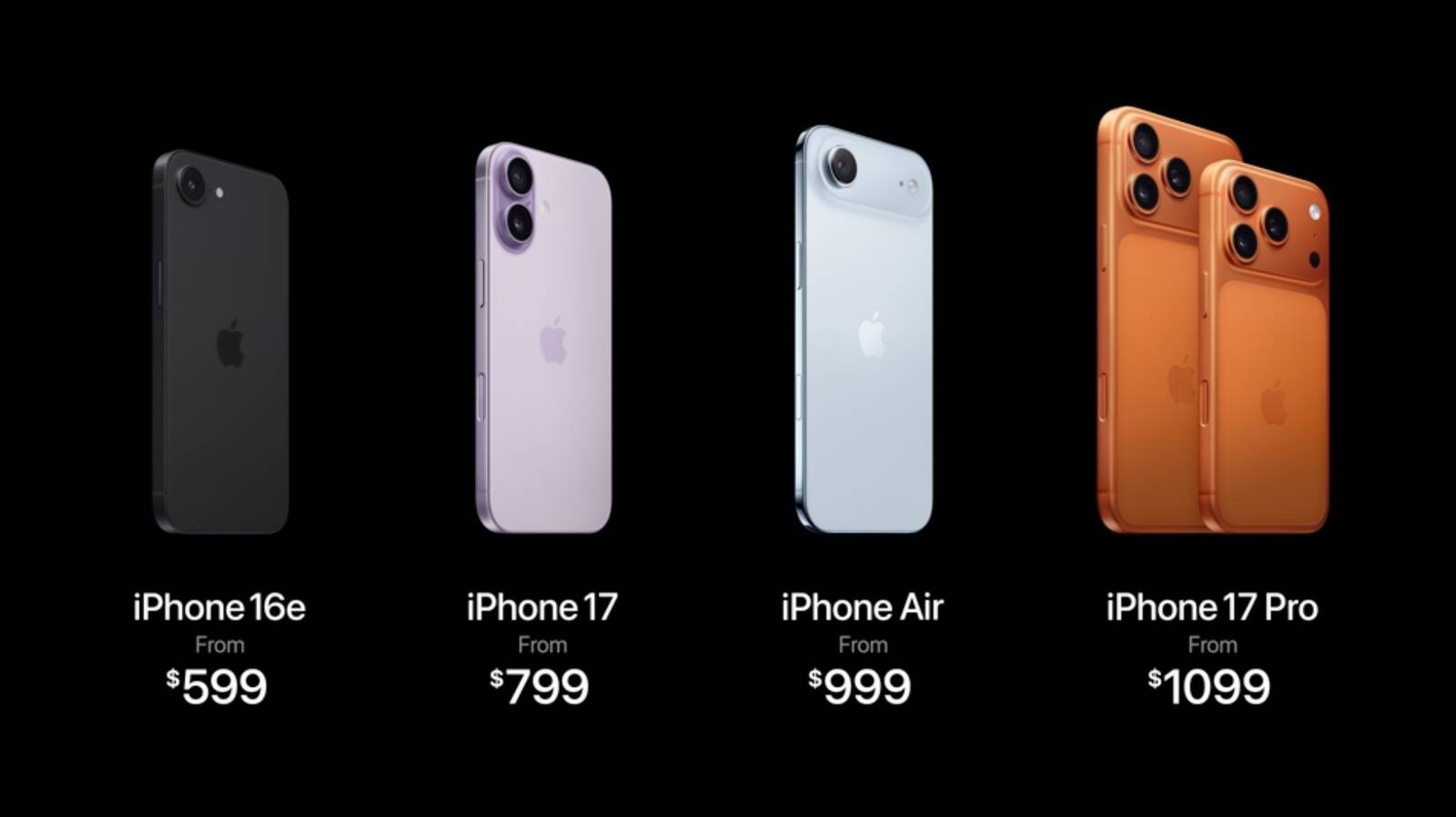
Missed the pre-order window? Don't worry! While online orders might have a slight delay (late September or early October delivery), many Apple Stores worldwide offer same-day or next-day pickup options. Check your local Apple Store's availability.
Buyer's Guide: iPhone 17 (Buy Now), iPhone 17 Pro (Buy Now), iPhone Air (Buy Now)
Related Forum: iPhone
This article, "iPhone 17, Pro, Air: How to Use All the New Features" first appeared on MacRumors.com
Discuss this article in our forums
from MacRumors
-via DynaSage

Post a Comment