Review: Anker Prime Thunderbolt 5 Dock Pairs Compact Design With 14 Ports
Anker Prime Thunderbolt 5 Dock: A Detailed Review
Apple's latest M4 Pro and M4 Max machines boast Thunderbolt 5 connectivity, prompting the release of numerous compatible docking stations. Among them, the Anker Prime TB5 Docking Station stands out with its 14 ports and compact design. This review delves deep into its features, performance, and overall value.
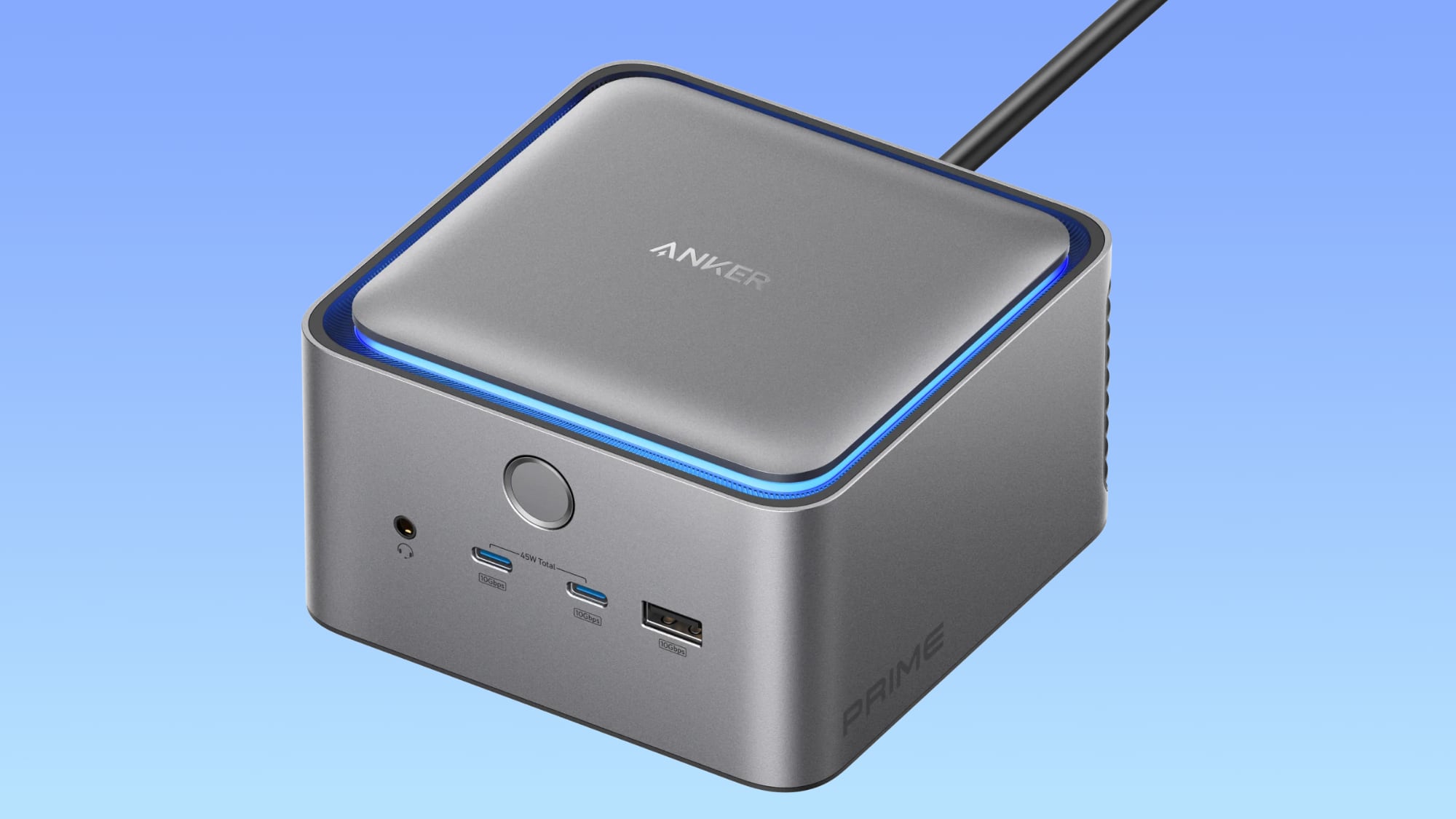
Docking stations are invaluable for expanding your Mac's port options, especially since Apple has discontinued legacy ports like USB-A. Thunderbolt 5 offers a significant speed advantage, providing 80Gb/s symmetric data transfer – double that of Thunderbolt 4 – and a potential boost to 120Gb/s when connected to displays. This increased bandwidth allows for more peripherals without performance bottlenecks.
Design and Build Quality
The Anker Prime TB5’s design is a standout feature. It's surprisingly compact for a 14-port dock, boasting a square shape that cleverly distributes ports across three sides. This square form factor is space-saving and makes cable management significantly easier compared to larger, more cumbersome docks.
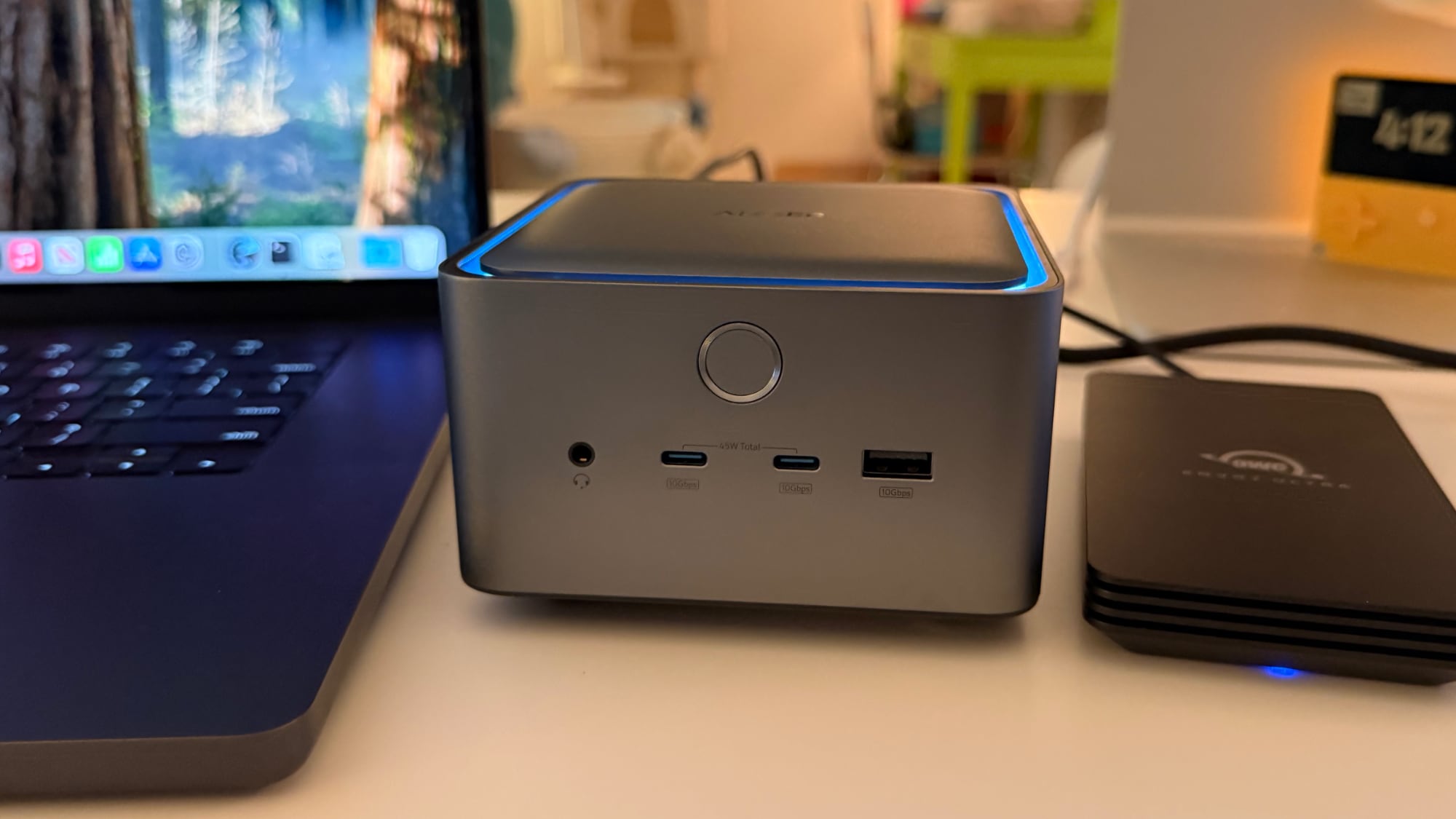
A major advantage is the integrated 232W power supply. This eliminates the need for a bulky external power brick, resulting in a cleaner setup with just a slim power cable and a single connection cable to your Mac. While Anker includes both cables, a minor drawback at the $400 price point is the lack of higher-quality, perhaps braided, cables.
The placement of ports is thoughtfully designed. Frequently used ports like USB-C and USB-A are conveniently located on the front, while less frequently used ports such as Ethernet and HDMI are on the back. However, the absence of a downstream Thunderbolt 5 port on the front is a slight inconvenience. The aluminum enclosure houses a fan for heat dissipation. While audible, the fan noise is subtle and unlikely to be disruptive in most environments. Measured at approximately 32 decibels, it's comparable to a whisper.
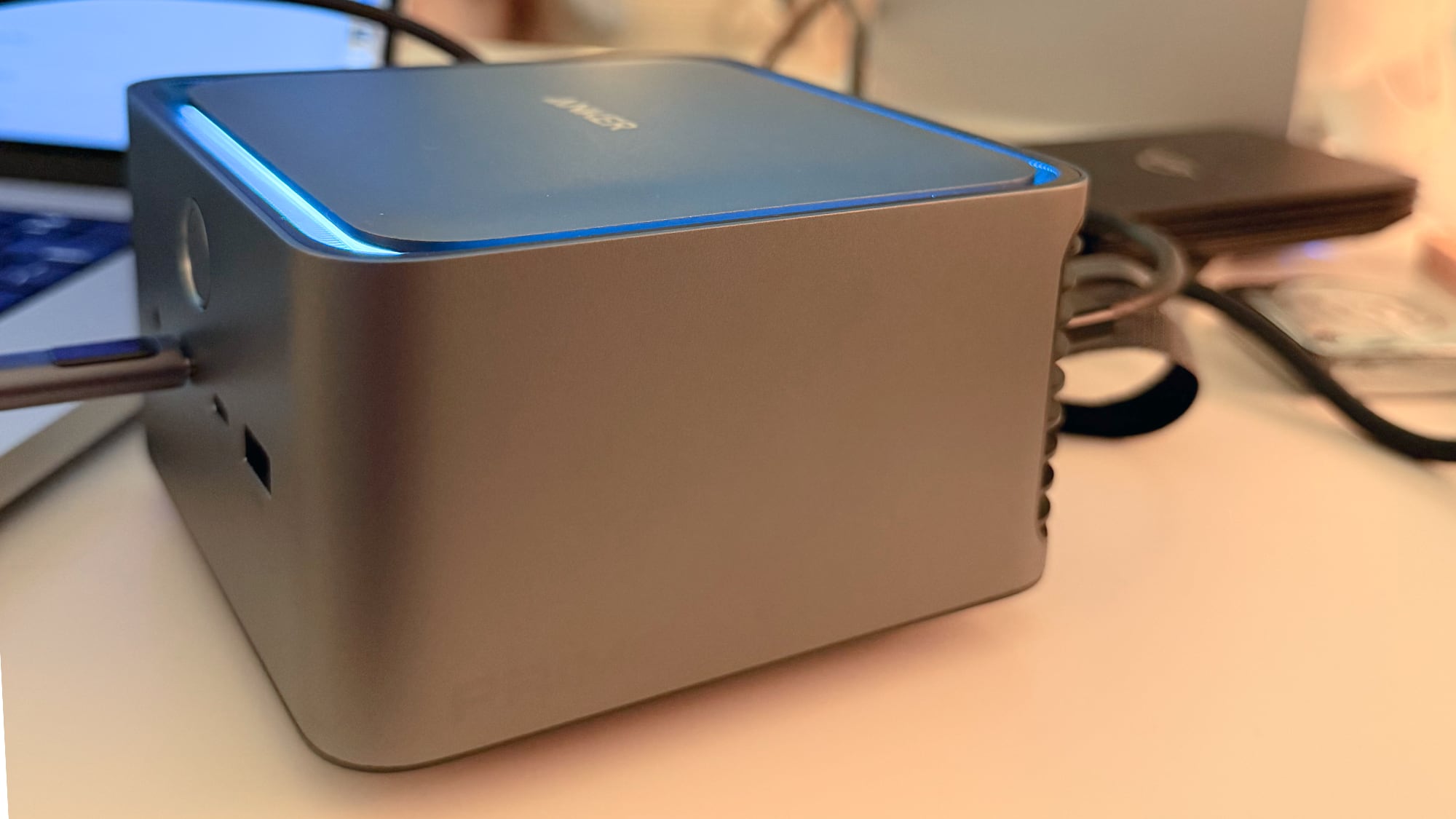
The Anker Prime measures 4.6 inches by 4.6 inches and stands three inches tall – roughly the size of a Mac mini, but slightly taller and less wide. Its aluminum finish is a muted gray, falling between the Space Gray and Silver of Apple's products.
A subtle blue LED indicator light around the top illuminates when the dock is powered on. This light is not overly bright and can be easily switched off using the power button.
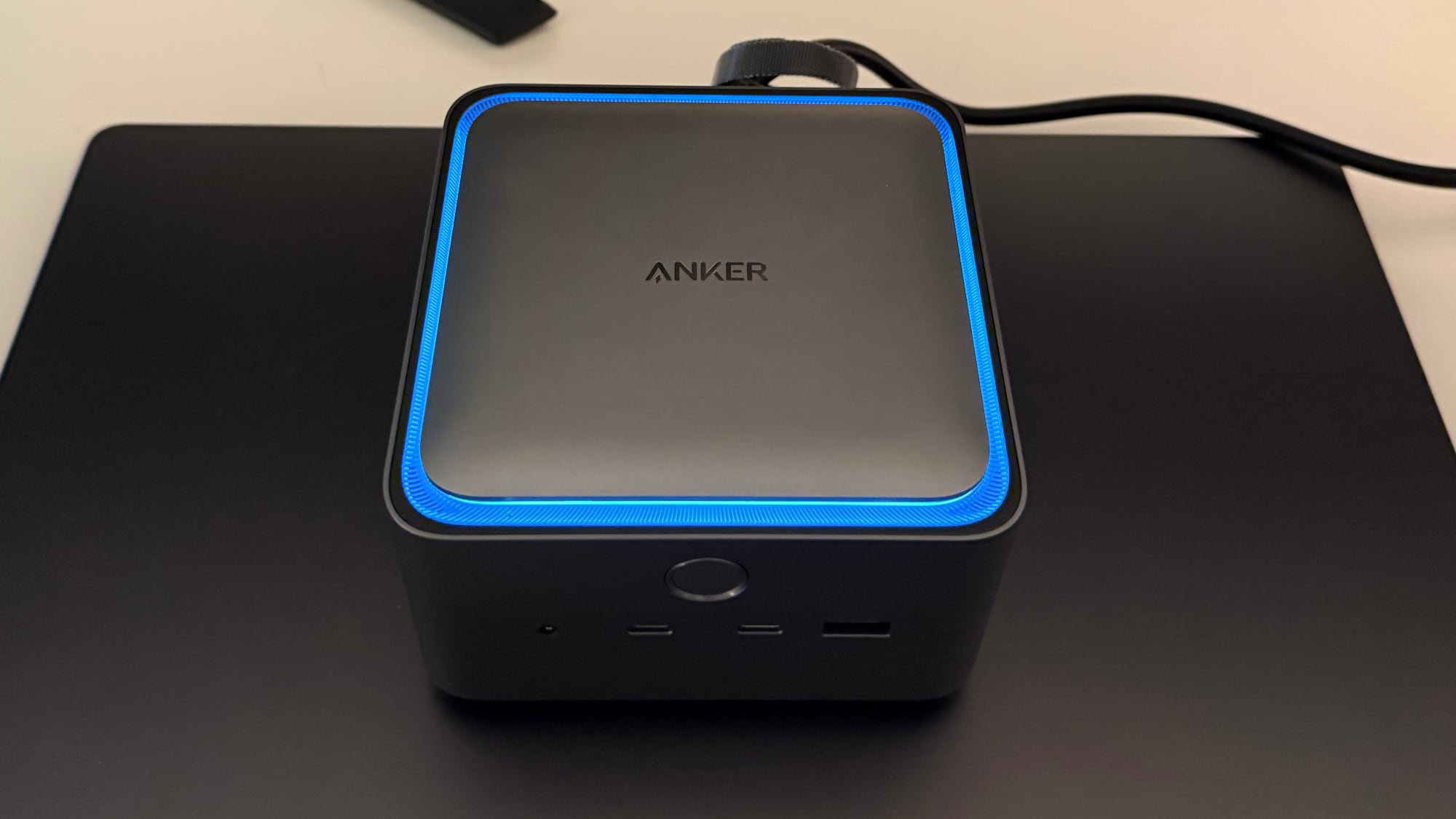
The active cooling provided by the fan keeps the Anker Prime remarkably cool, even under heavy load. This contrasts with passively cooled docks that can become quite hot. The Anker Prime’s thermal management is significantly superior to competitors like the CalDigit TS5 Plus.
Port Overview
The front panel provides easy access to a headphone jack, two USB-C ports (with a combined 45W power delivery for charging), and a USB-A port. The 45W power delivery is sufficient for fast charging of a MacBook Air, iPad, or iPhone. When two devices are connected, the power is split (30W to one port, 15W to the other).
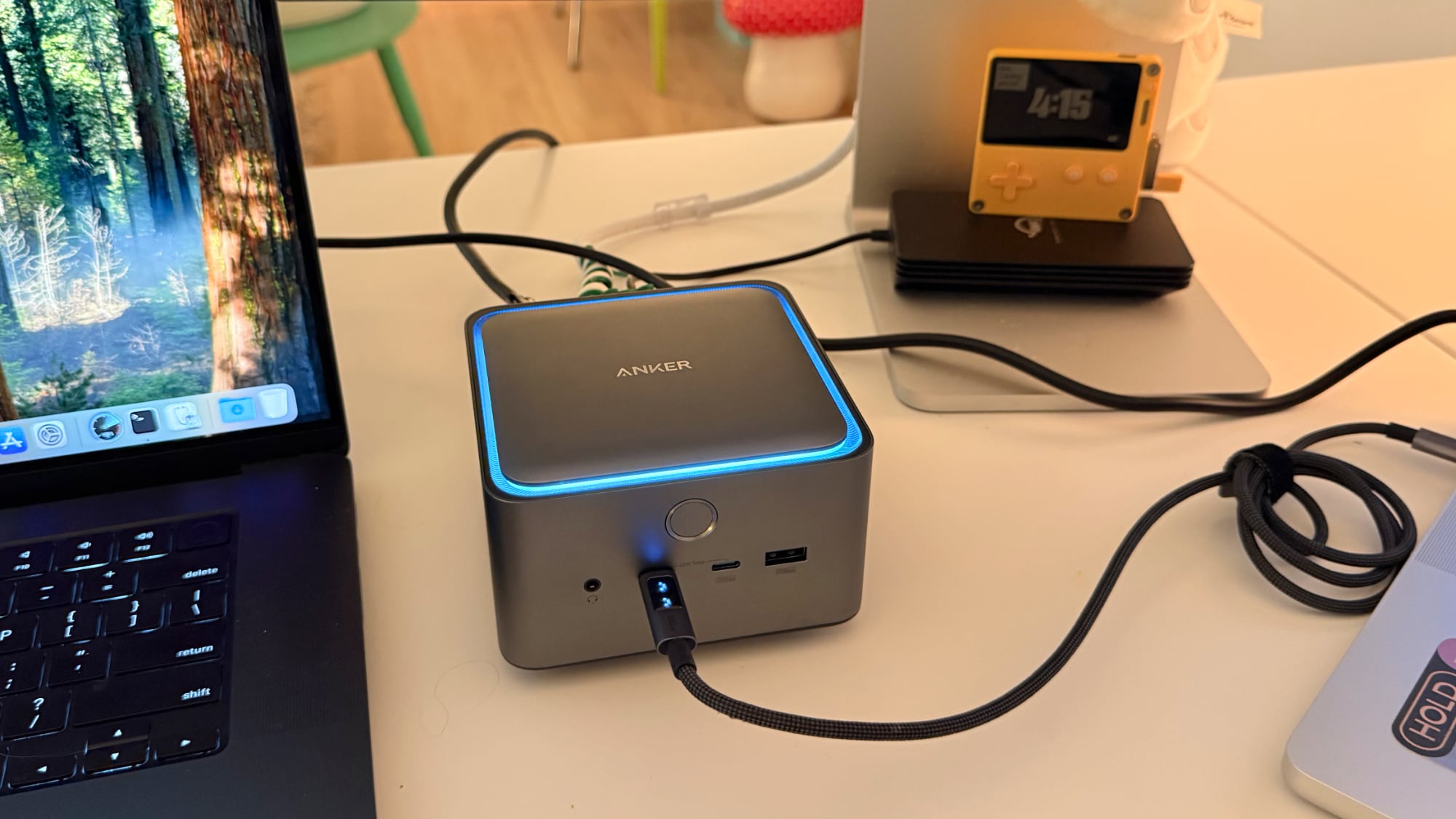
While these front USB-C ports support data transfer, video output is limited to the rear ports. Conveniently, the front ports continue to offer power to accessories even without a connected Mac.
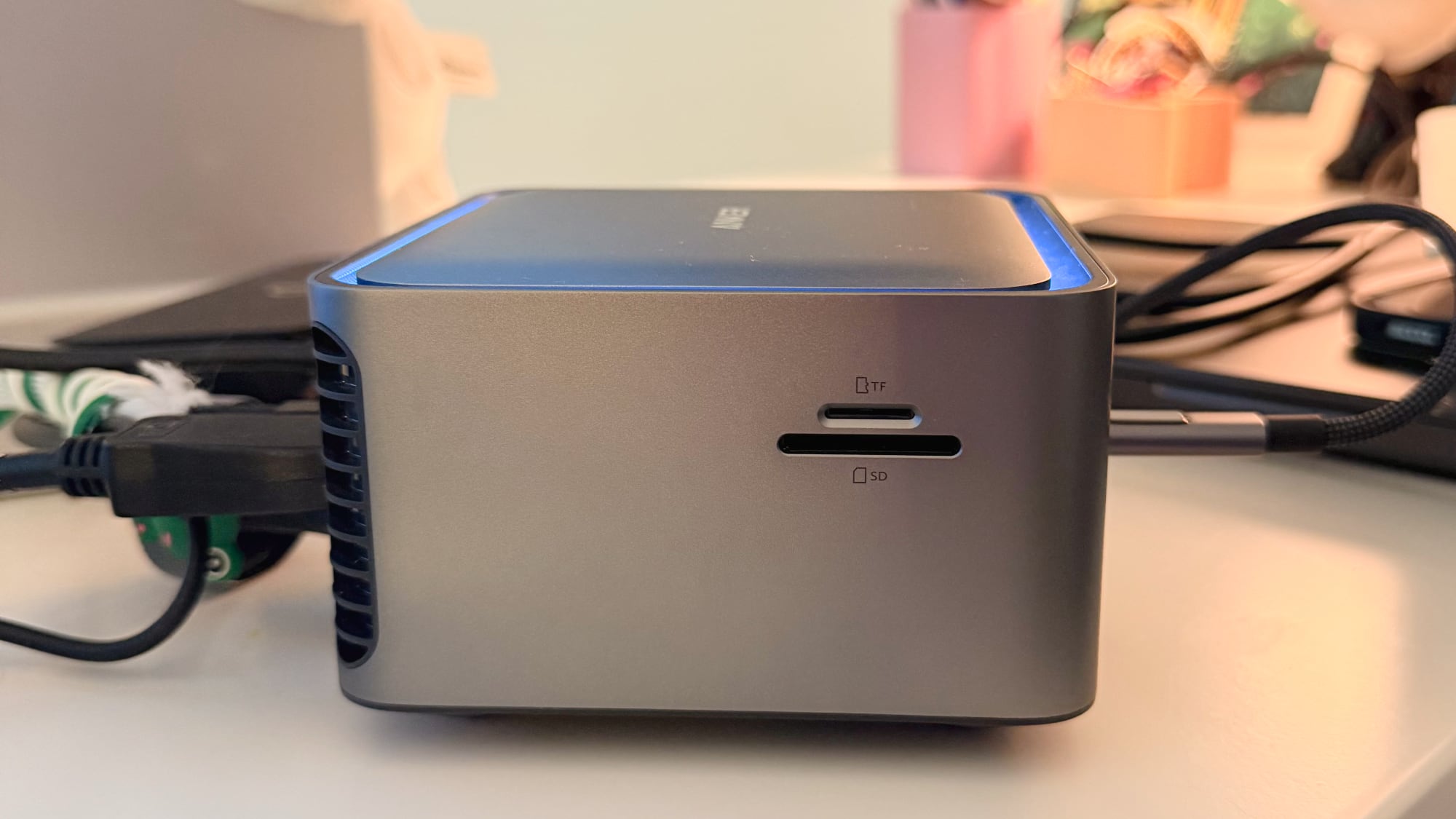
The left side features SD and microSD card readers (UHS-1, limited to 104MB/s transfer speeds). Photographers should note that this is not UHS-II speed.
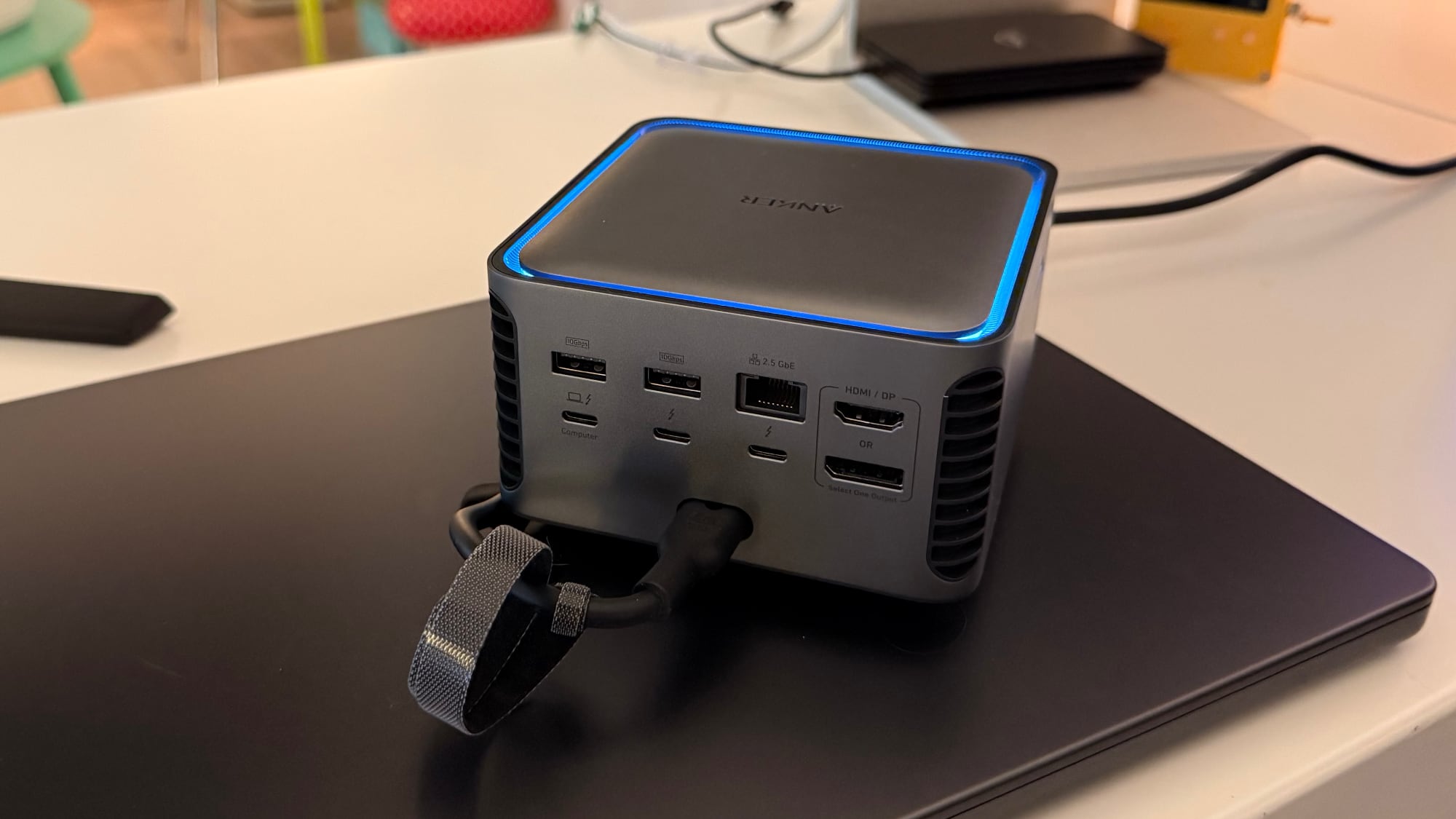
The rear panel houses the majority of the ports: AC input, an upstream Thunderbolt 5 port for connecting to your Mac (with up to 140W charging), two downstream Thunderbolt 5 ports (with 15W bus power), two 10Gb/s USB-A ports, a 2.5Gb/s Ethernet port, an HDMI 2.1 port, and a DisplayPort 2.1 port. Note that only one of the HDMI or DisplayPort ports can be used simultaneously.
While the 2.5Gb/s Ethernet port is adequate for most users, the lack of a 10GbE option might be a limitation for those requiring higher network speeds.
Display Capabilities
Anker advertises support for up to two 6K displays at 60Hz. This means you can connect two Pro Display XDRs, two Studio Displays, or a combination of 6K/5K/4K displays (limited to one 4K display at 240Hz on Macs). PCs support three displays, but Macs are limited to two displays via a single Thunderbolt 5 port.
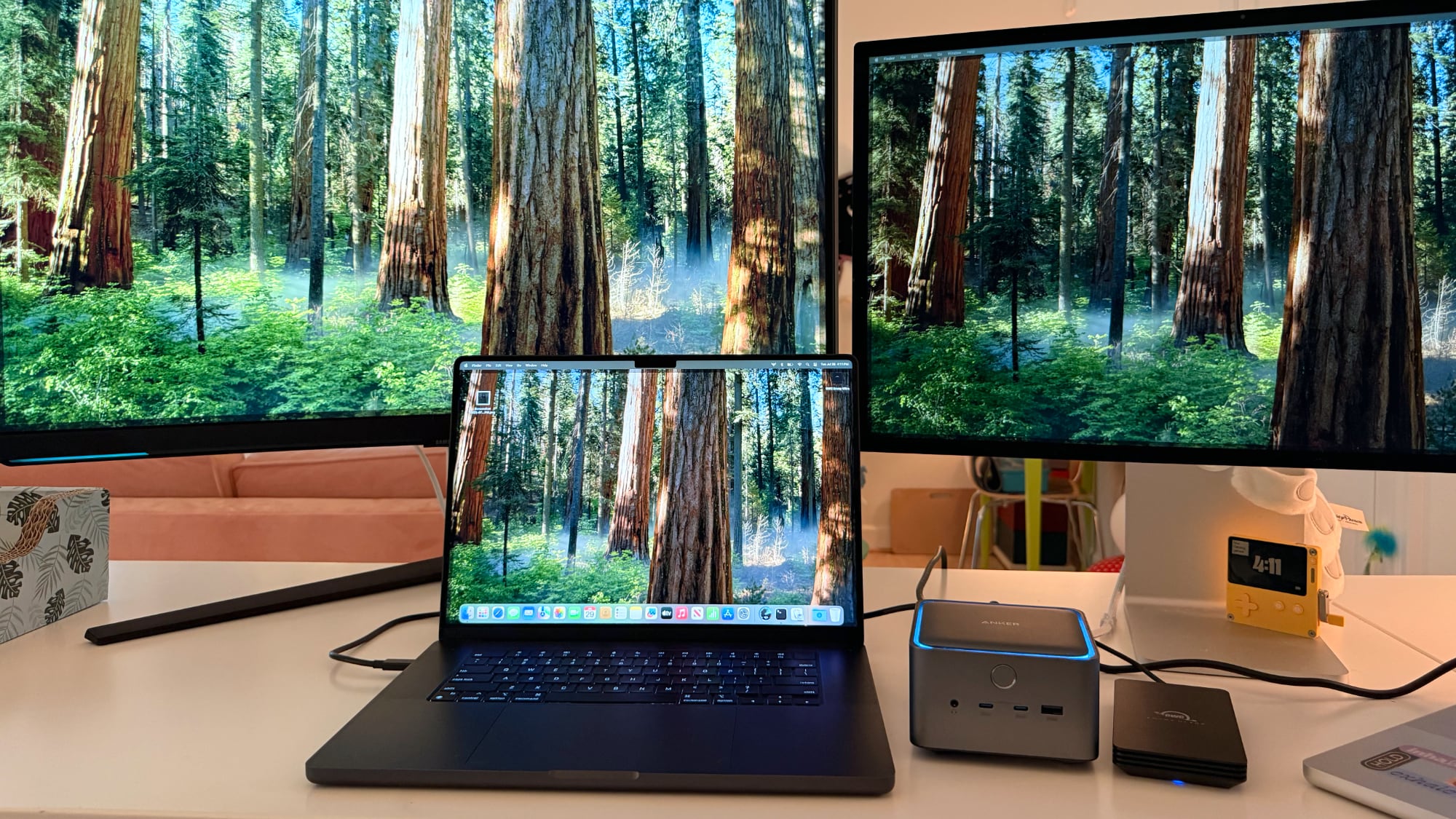
While Apple states that the M4 Max supports up to two 8K displays at 60Hz (M4 Pro supports one), Anker doesn't explicitly list 8K support for Macs. Testing with 8K displays wasn't conducted for this review.
The HDMI and DisplayPort ports are mutually exclusive. You can use two Thunderbolt 5 displays, or one Thunderbolt 5 display and one via HDMI or DisplayPort.
Testing with an M4 Pro MacBook Pro, a 5K Studio Display via Thunderbolt, and a 4K 144Hz Samsung display via DisplayPort proved flawless and stable over several days of use with various accessories connected.
Backward compatibility with previous Thunderbolt generations is a plus. M1, M2, M3 Pro/Max, and standard M4 Macs with Thunderbolt 4 will support dual 6K 60Hz displays with the Anker Prime. The same dual-display setup also worked perfectly with an M1 Max MacBook Pro. However, a Thunderbolt 5 machine is recommended for optimal performance and to fully utilize the dock's capabilities. Users with 5K Thunderbolt 3 displays should carefully check the specifications as dual 5K Thunderbolt 3 displays or combinations of 5K and Thunderbolt 4 displays may not work in screen mirroring mode.
SSD Speed Test Results
Using an OWC Thunderbolt 5 SSD with an M4 Pro MacBook Pro, the Anker Prime delivered write speeds of around 4,675MB/s and read speeds of approximately 5,140MB/s. This is slightly lower than the SSD's advertised 6,000MB/s. Direct connection to the MacBook Pro's Thunderbolt 5 port yielded faster speeds (5,250MB/s write, 5,350MB/s read). These real-world speeds will naturally vary based on the Mac's workload. Despite the slight speed difference, everyday tasks like transferring 50GB of photos were incredibly fast (around 20 seconds).
Software and Firmware Updates
Anker provides Dock Manager software for firmware updates and configuration of dock settings, including the ability to disable the LED indicator light.
Final Verdict
The Anker Prime TB5 Docking Station offers excellent value for its price. Its compact design, extensive port selection, and impressive performance make it suitable for most users with a Thunderbolt 5 Mac. If you need to connect multiple displays, SSDs, and various peripherals, the Anker Prime delivers.
Even users with Thunderbolt 4 Macs will find the Anker Prime a valuable investment, offering future-proofing for a Thunderbolt 5 upgrade. However, for professional users or those requiring top-tier performance, some limitations exist, such as the 2.5GbE Ethernet, lack of UHS-II support, and only two additional USB-C ports.
Purchasing Information
The Anker Prime TB5 Docking Station is available for $400 from the following retailers:
Note: MacRumors received an Anker Prime for review purposes. No other compensation was received.
This article, "Review: Anker Prime Thunderbolt 5 Dock Pairs Compact Design With 14 Ports" first appeared on MacRumors.com
Discuss this article in our forums
from MacRumors
-via DynaSage

Post a Comment