iOS 26: Silence Wallet App Promo and Offer Notifications
Stop Unwanted Apple Wallet Ads: A Simple Guide
Are you tired of your iPhone's Wallet app bombarding you with unwanted promotional alerts? You're not alone! Many iPhone users experienced frustration this summer when Apple pushed unsolicited notifications, particularly about F1 movie ticket offers, directly through the Wallet app. This caused a significant backlash, especially since the Wallet app handles sensitive financial information, making the complete disabling of notifications impractical.
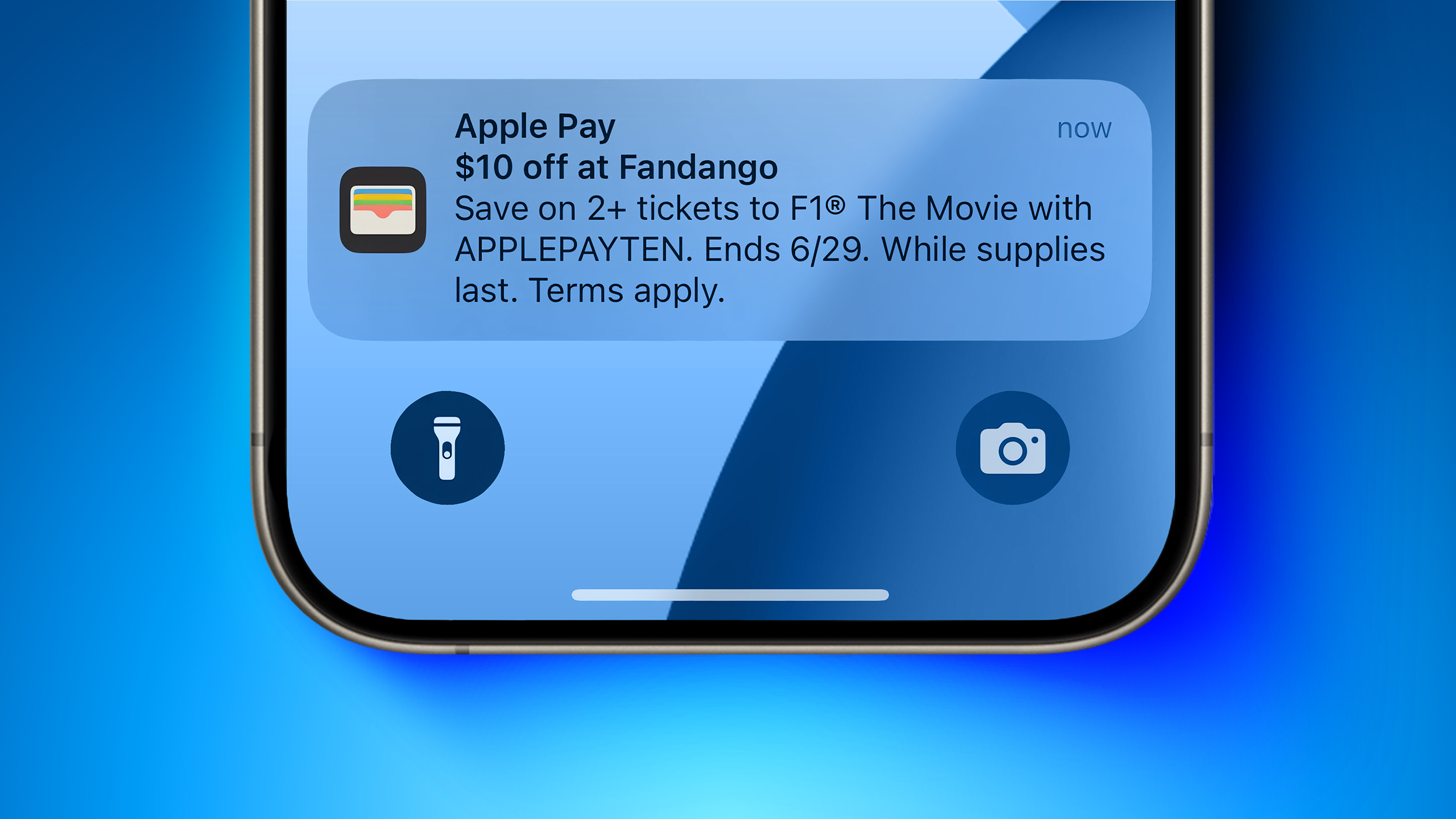
The criticism was widespread, with many users pointing out the irony of Apple seemingly violating its own App Store guidelines. These guidelines generally prohibit push notifications for promotional purposes unless users explicitly opt-in. The situation highlighted a double standard: Apple promoting its F1 movie partnership with Fandango through a method it prohibits for other apps. You can read more about the initial reaction online: MacRumors coverage of the initial backlash and see the social media conversation on X (formerly Twitter).
Good News: iOS 26 Brings a Simple Solution
Responding to the considerable user feedback, Apple has introduced a welcome addition to iOS 26 (currently in beta): a simple toggle switch to silence these marketing messages. This offers a much-needed level of control, allowing users to manage their notification preferences without having to resort to completely disabling all Wallet notifications.
How to Turn Off Wallet Offers and Promotions in iOS 26
Disabling promotional notifications is straightforward. Follow these steps:
- Open the Wallet app: Locate the Wallet app icon on your iPhone's home screen and tap it to open the application.
- Access the More Menu: Look for the "More" button. It's usually represented by three vertical dots located in the top-right corner of the Wallet app screen. Tap this button.
- Navigate to Notifications: A pop-up menu will appear. In this menu, you should see an option labeled "Notifications." Tap on it.
- Disable Offers & Promotions: Inside the Notifications settings, you'll find a toggle switch next to "Offers & Promotions." Simply toggle this switch to the "off" position. This will immediately disable promotional notifications from Apple and its partners.

After completing these steps, you will no longer receive unwanted special offers and discount notifications via the Wallet app. Importantly, this change only affects promotional content; you will still receive essential notifications related to transactions and payments.
Managing Other Wallet Notifications
While you're in the Wallet app's Notifications settings, take a moment to review the other available controls. You have the power to customize your notification preferences for various Wallet features:
- Order Notifications: Manage notifications for tracking your shipments and deliveries. You can choose to receive updates on order status or opt out if you prefer.
- Pre-authorized Payments: Control notifications for recurring charges and subscriptions. This allows you to stay informed about upcoming payments without being overwhelmed by alerts.
- Wallet Feature Updates: Decide whether you want to be notified about new Wallet features and app improvements as they are released by Apple.
This granular control over notifications ensures you receive only the information you need, keeping your Wallet app useful and free from unwanted interruptions.
Conclusion
The addition of the "Offers & Promotions" toggle in iOS 26's Wallet app settings marks a significant improvement in user experience. It directly addresses the concerns raised earlier this year and empowers users to control what kind of notifications they receive. By following the simple steps outlined above, you can regain control of your notification settings and enjoy a less cluttered, more efficient Wallet app experience.
This article, "iOS 26: Silence Wallet App Promo and Offer Notifications" first appeared on MacRumors.com
Discuss this article in our forums
from MacRumors
-via DynaSage

Post a Comment