iOS 26: Eight New Features in Apple Music
Eight Awesome New Features in Apple Music with iOS 26
Apple Music has received a significant upgrade with the release of iOS 26. Along with the sleek "Liquid Glass" redesign shared across Apple's apps, several exciting new features enhance the listening experience. This post highlights eight of the most noteworthy additions, transforming how you interact with and enjoy your favorite music.
These improvements range from clever automatic mixing to helpful translation tools and convenient organizational features. Let's dive in and explore what makes Apple Music in iOS 26 so much better!
AutoMix: Your Personalized DJ
One of the most popular additions to Apple Music in iOS 26 is AutoMix. Think of it as an advanced crossfade feature on steroids. Instead of simply blending songs together at the end, AutoMix seamlessly transitions between tracks using sophisticated time-stretching and beat-matching algorithms. The result is a smooth, almost imperceptible shift between songs, creating a continuous, DJ-like mix of your music.
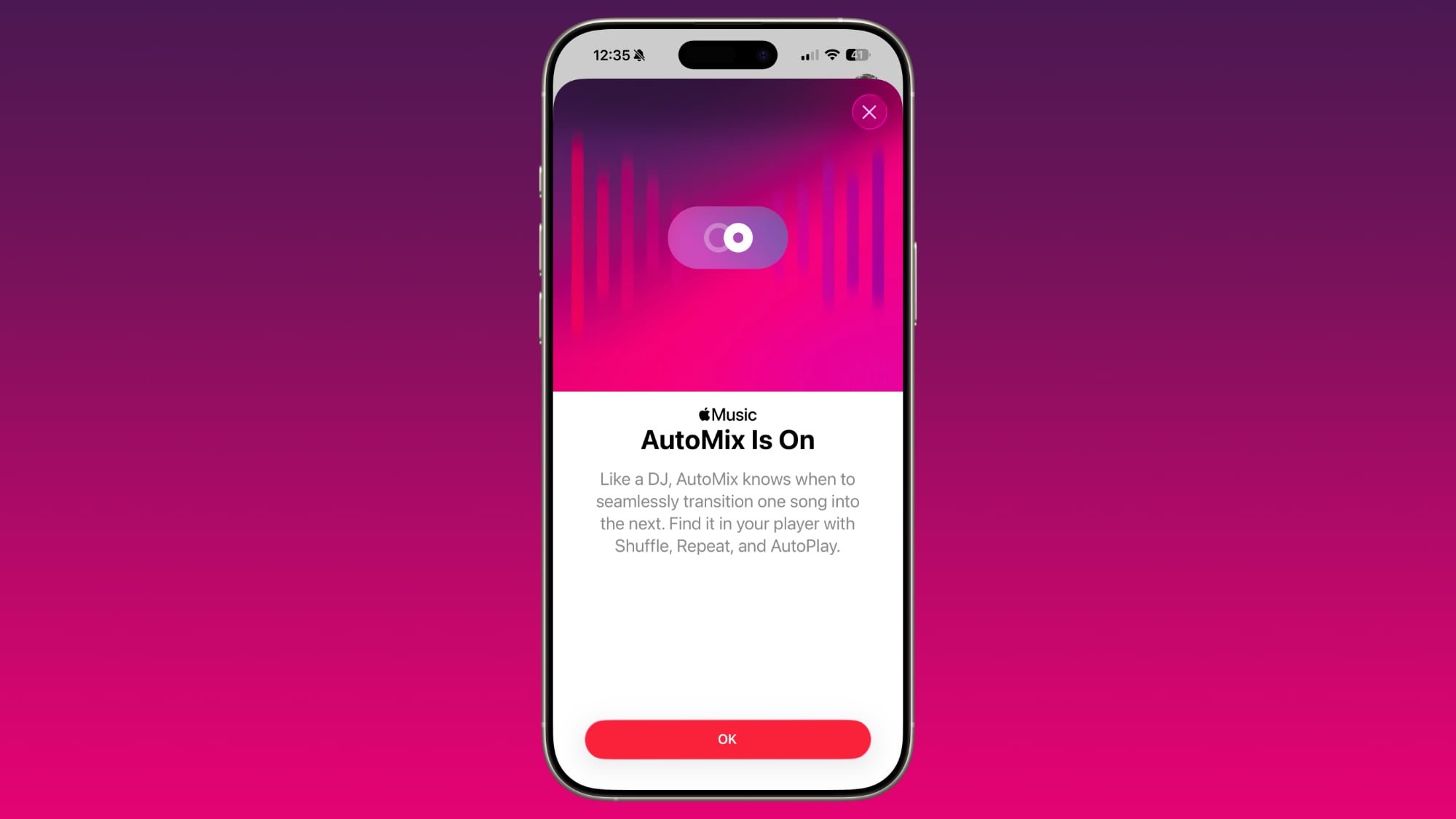
Apple boasts that AutoMix intelligently analyzes the key and tempo of each song to determine the "perfect moment" for the transition. This happens entirely on your device, ensuring a smooth experience without relying on external servers. While it works exceptionally well with many genres, remember that it's a constantly evolving feature and may perform better with some music styles than others. It's important to note that while impressive, AutoMix is not powered by Apple Intelligence; however, an Apple Music subscription is required.
AutoMix is usually enabled automatically when you first open the Apple Music app after updating to iOS 26.
Lyric Translation: Break Down Language Barriers
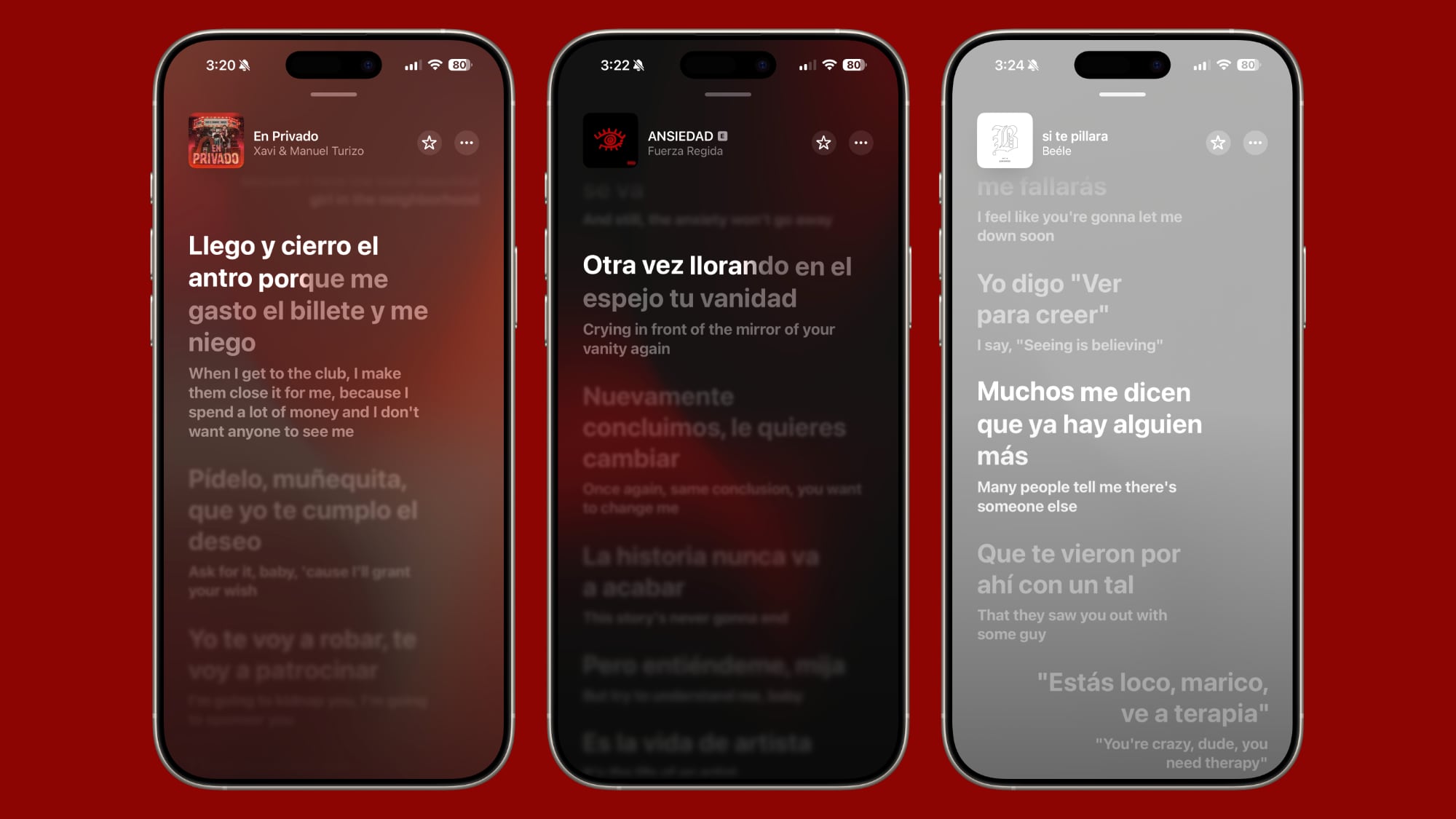
Ever wanted to understand the lyrics of a song in a foreign language? Now you can! Apple Music in iOS 26 introduces real-time lyric translation. While listening to a song in another language, simply access the lyrics view, and a translated version will appear alongside the original. This feature significantly enhances the appreciation of music from various cultures, making it accessible to a wider audience.
Lyric Pronunciation: Sing Along with Confidence
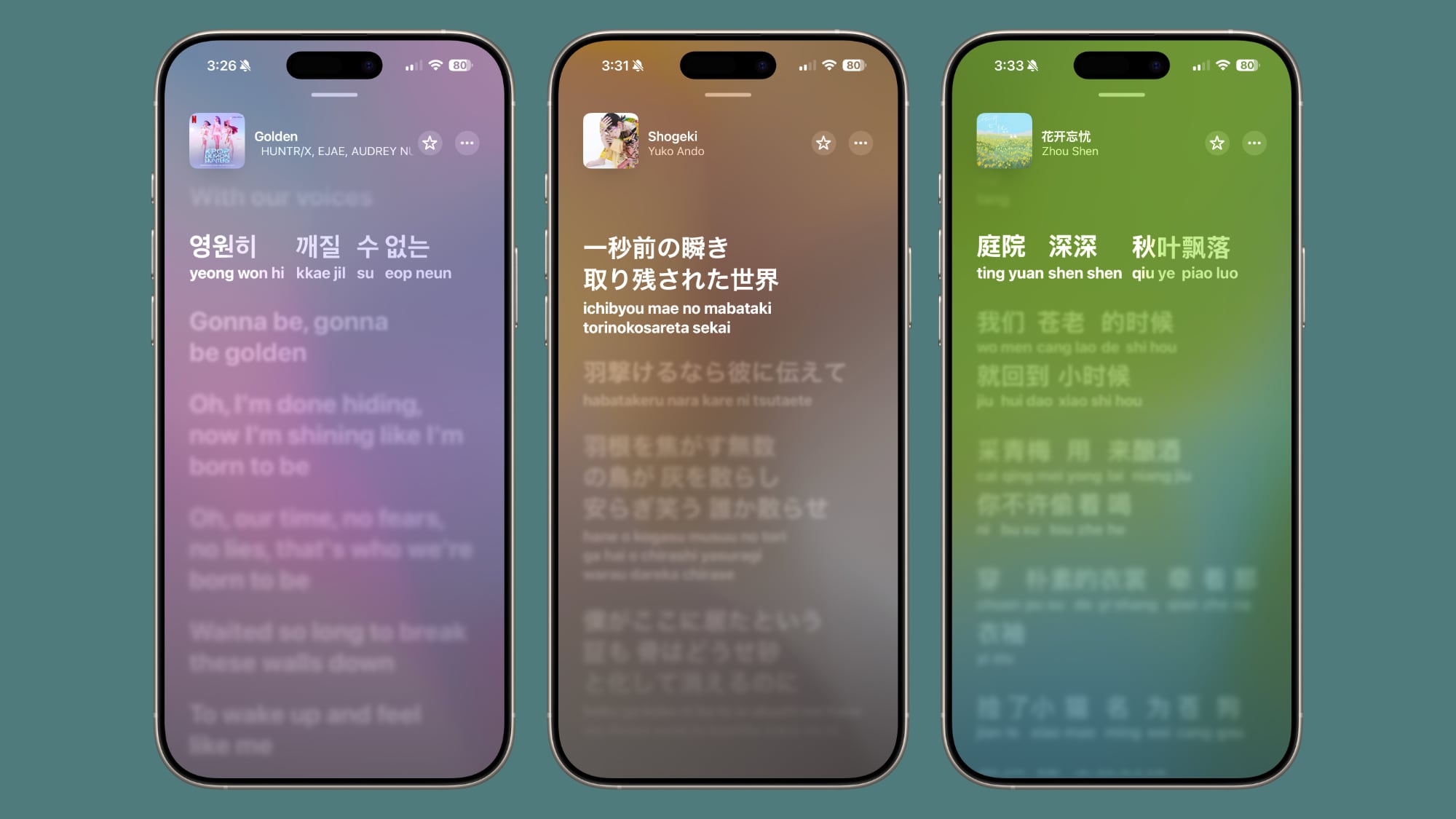
Building on the lyric translation feature, iOS 26 also provides phonetic pronunciation guides for songs in other languages. This is particularly useful for those using Apple Music Sing, the karaoke feature. With the pronunciation guide, you can confidently sing along to songs even if you don't know the language, improving your karaoke performance and enhancing your understanding of the song's nuances.
Pinned Favorites: Quick Access to Your Go-To Tracks
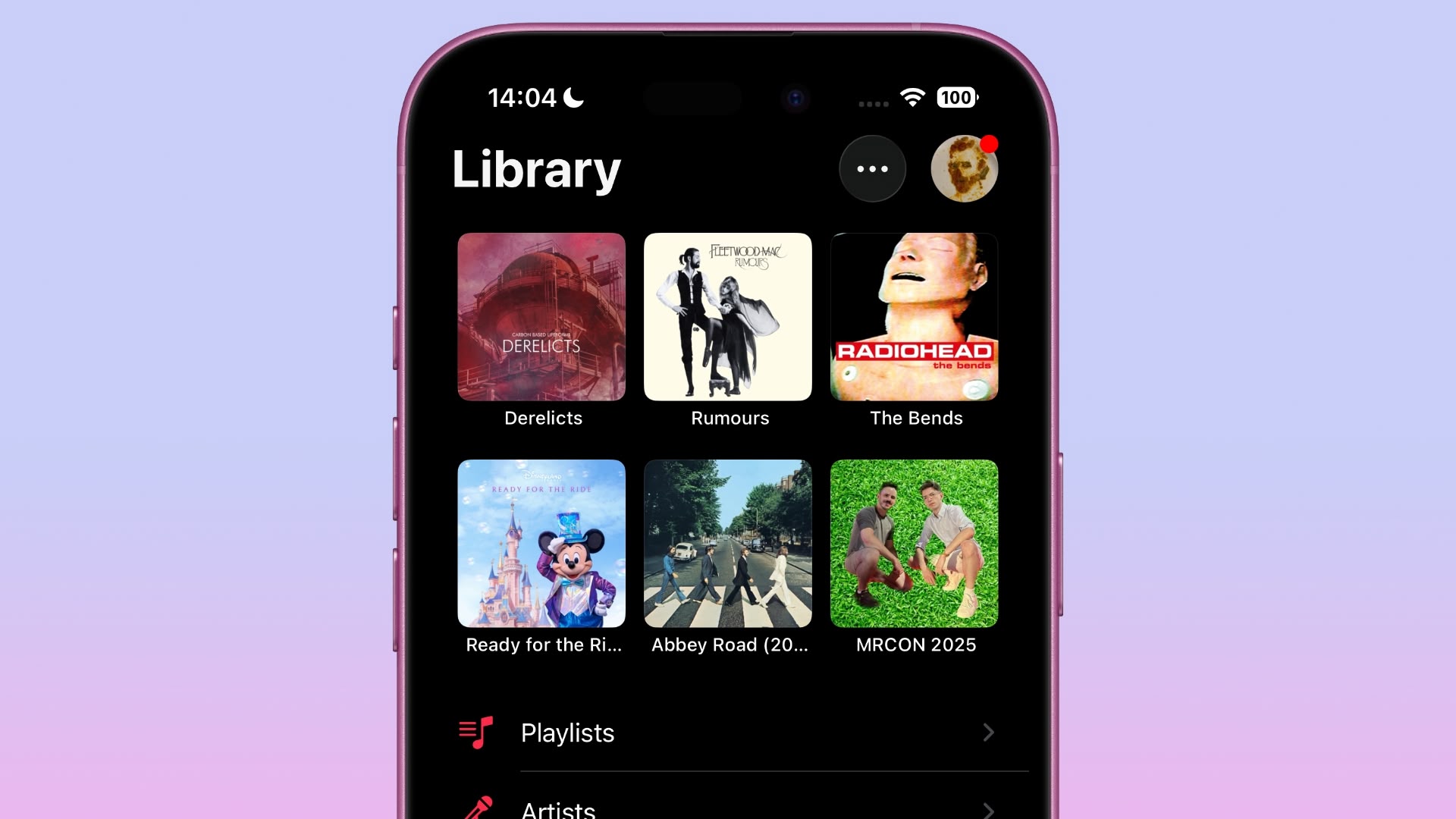
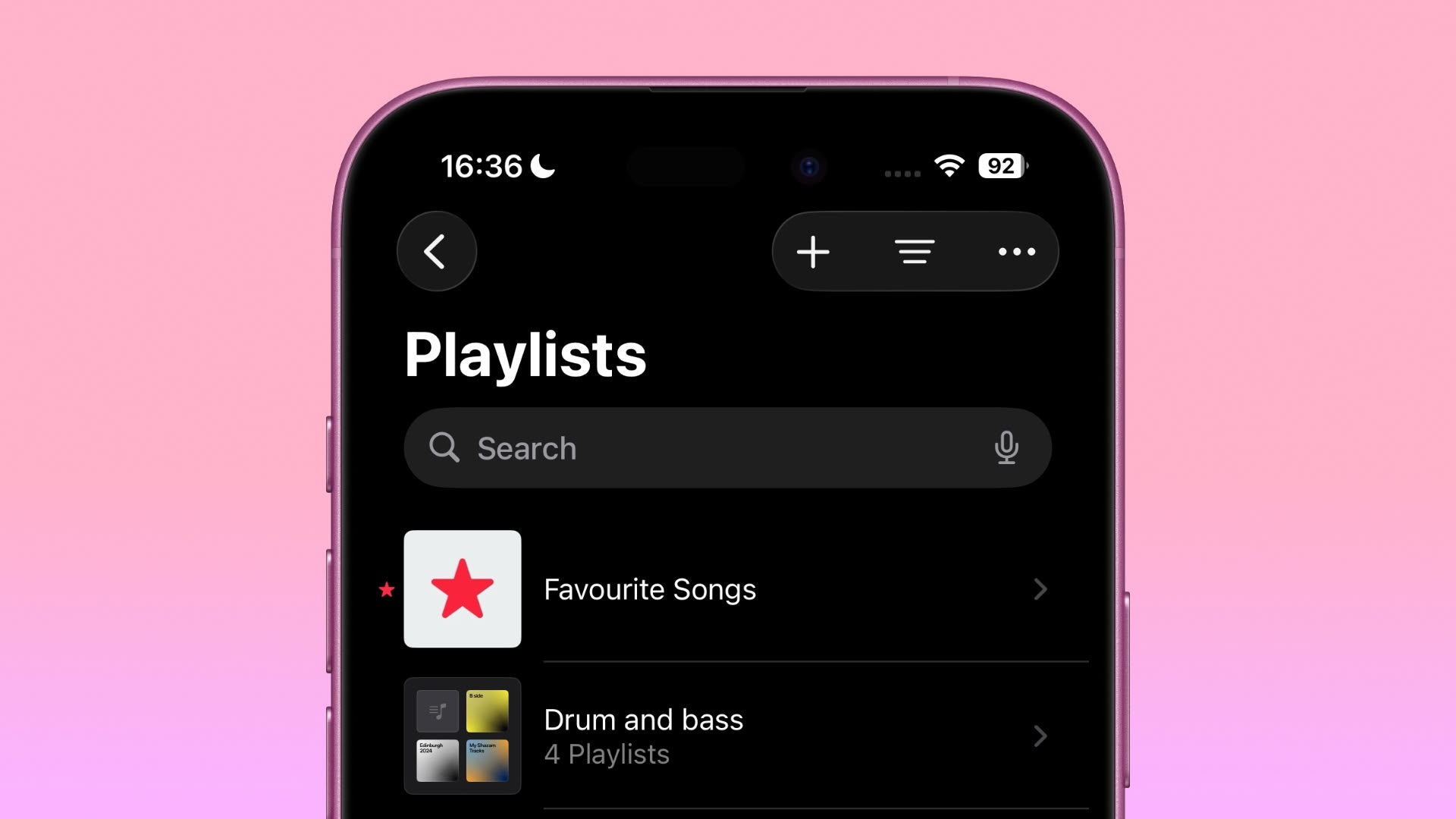
Organizing your Apple Music library just got easier. iOS 26 allows you to pin up to six of your favorite playlists, albums, artists, or individual songs directly to the top of your library. This ensures that your most frequently accessed content is always readily available, saving you time and effort spent searching through your collection.
Playlist Folders: Tidy Up Your Music
Previously a Mac-only feature, playlist folders are now available on iOS. Organize your numerous playlists into logical folders, making it much easier to navigate and find exactly what you're looking for. This feature adds a significant layer of organization, especially helpful for users with extensive music libraries.
Home Screen Widgets: Music at a Glance
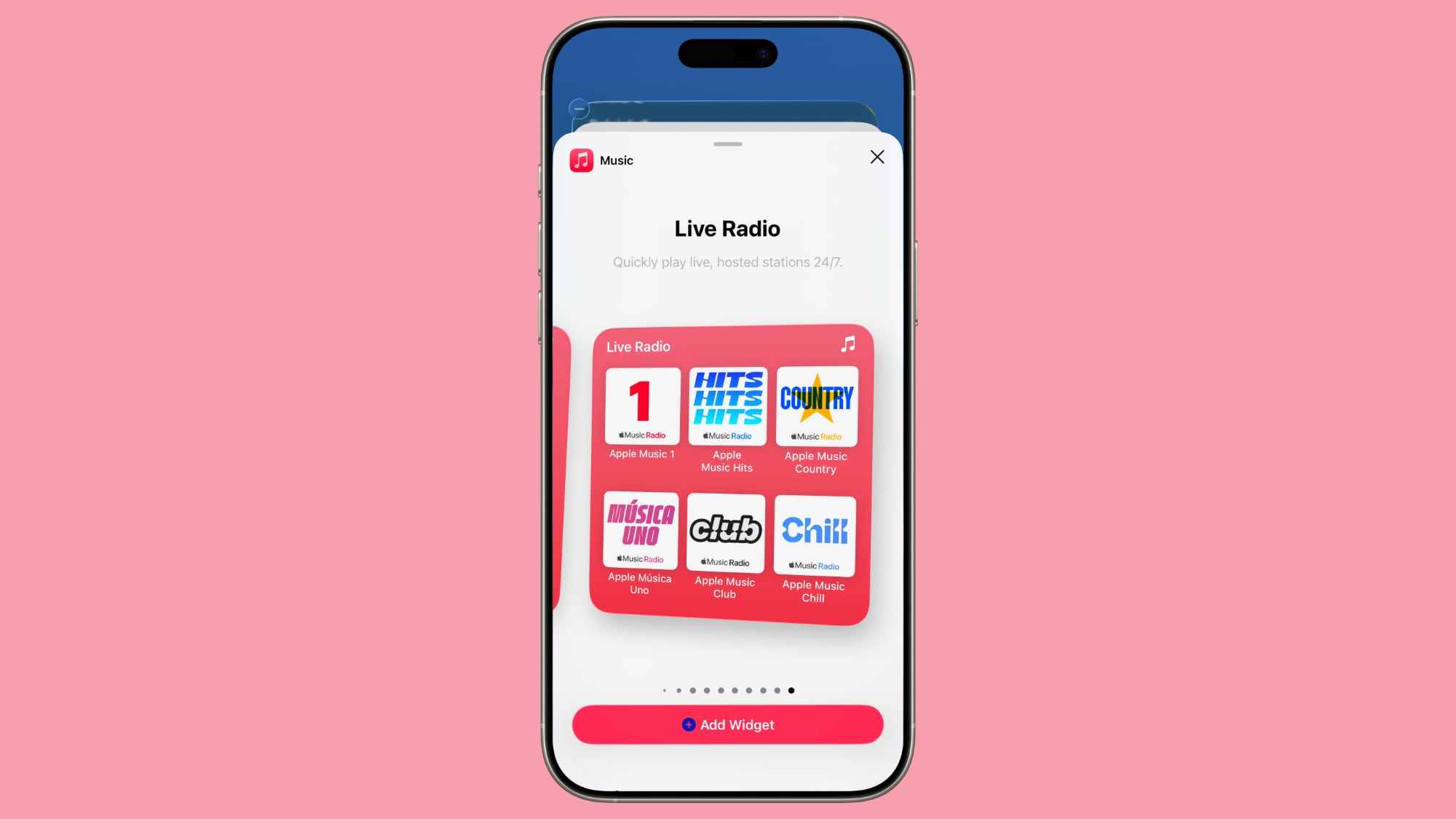
iOS 26 introduces new Apple Music widgets for your Home Screen, providing quick access to your pinned content. Choose from a medium or large widget to display your pinned playlists, albums, artists, or songs. A new large Live Radio widget is also available, keeping you updated on your favorite radio stations directly from your Home Screen.
Animated Lock Screen Artwork: Immersive Visuals
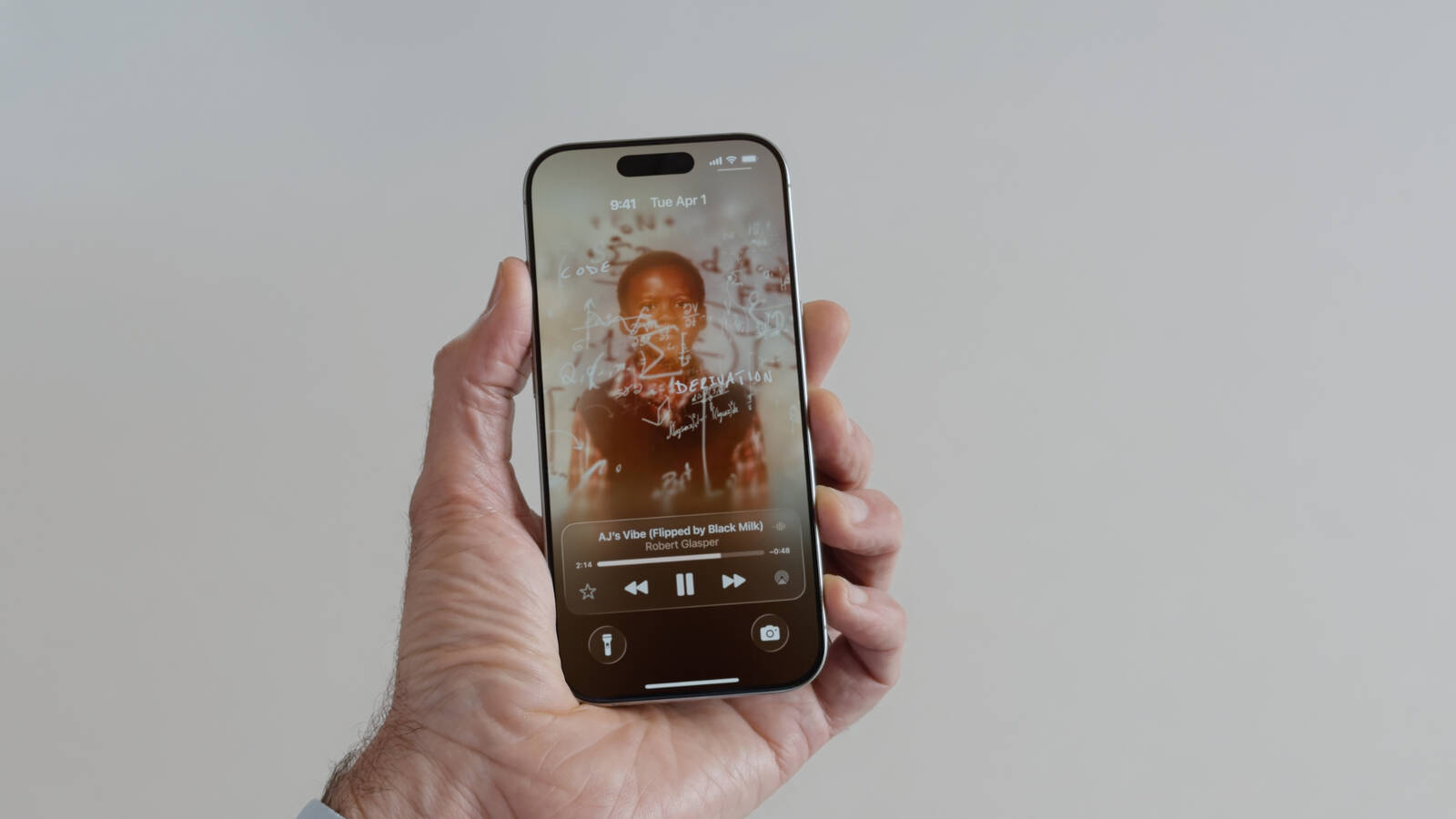
While listening to music, the Lock Screen now boasts full-screen animated artwork for the Now Playing widget. This provides a visually engaging experience that adds another dimension to your music listening, bringing your favorite album art to life.
Karaoke Microphone: iPhone as Wireless Mic
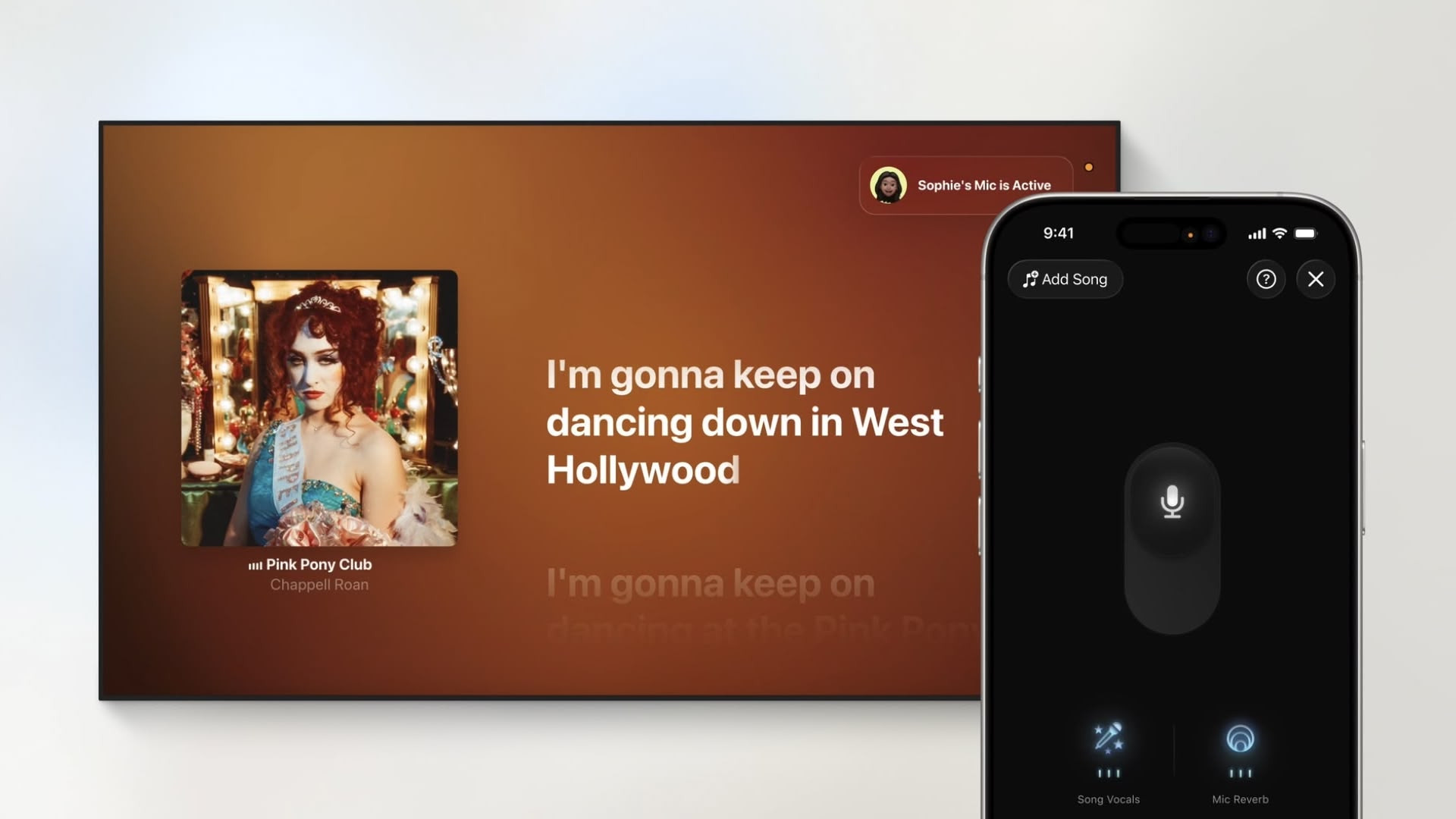
iOS 26 and tvOS 26 transform your iPhone into a wireless microphone for Apple Music Sing on Apple TV. This allows multiple participants to sing karaoke simultaneously, each using their iPhone. The feature also allows users to queue up songs and share emoji reactions, enhancing the collaborative karaoke experience.
Learn More
This overview covers some of the most exciting new features in Apple Music within iOS 26. For a more comprehensive look at all the new features and updates in iOS 26, check out our detailed roundup:
iOS 26 is expected to launch in September.
Related Roundups: iOS 26, iPadOS 26
Related Forum: iOS 26
This article, "iOS 26: Eight New Features in Apple Music" first appeared on MacRumors.com
Discuss this article in our forums
from MacRumors
-via DynaSage

Post a Comment