iOS 26: 5 New Features in the Wallet App
iOS 26: Five Amazing Wallet App Updates
iOS 26 brings a wave of exciting improvements to the iPhone's built-in Wallet app. This update significantly enhances the app's functionality, adding features designed to streamline your daily life. Let's dive into the five key updates:
Order Tracking: Keep Tabs on Your Packages
Gone are the days of manually tracking online purchases! iOS 26's Wallet app now offers enhanced order tracking, extending beyond Apple Pay purchases. This means you can track *all* your online orders, regardless of how you paid. 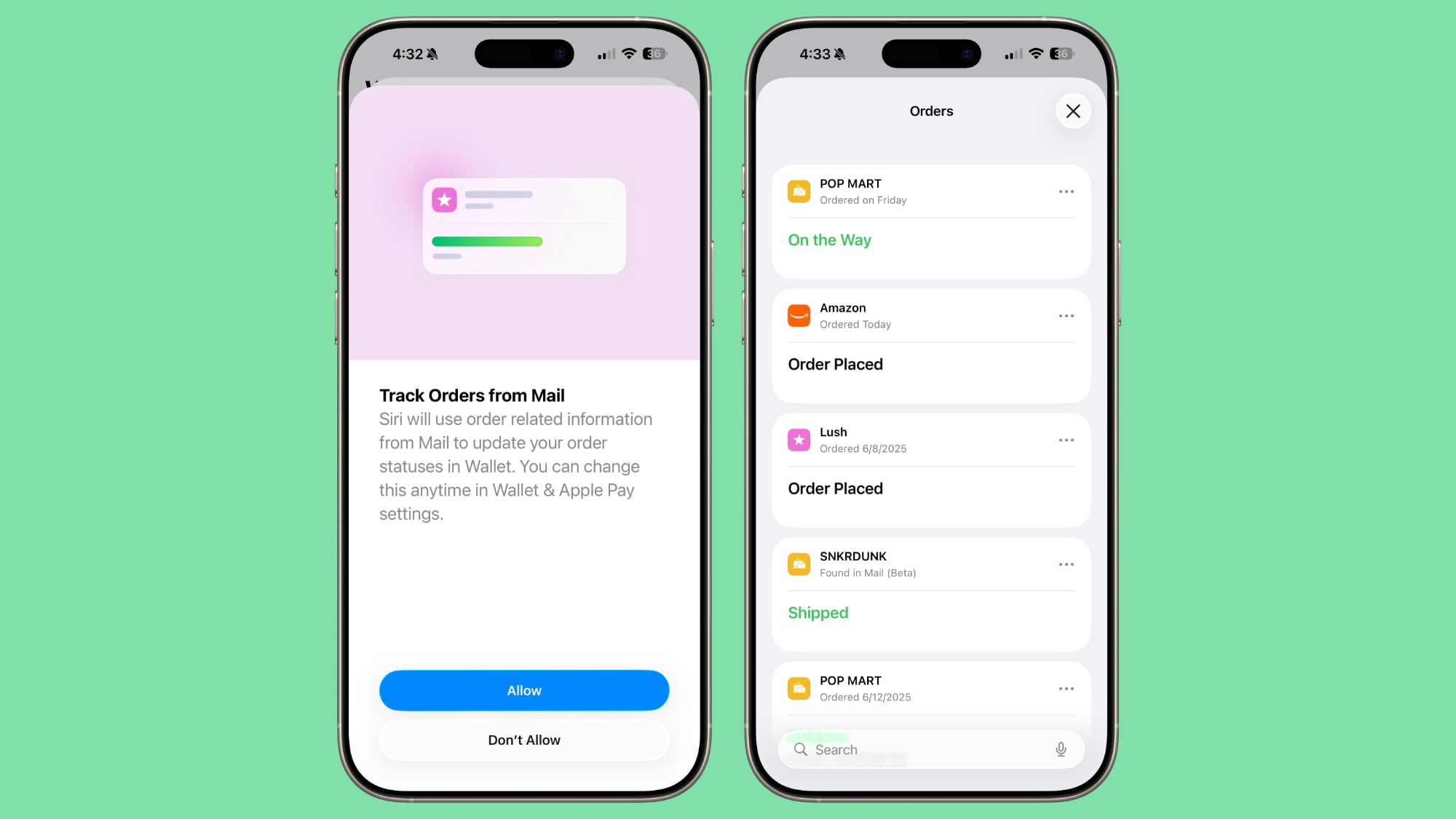
Leveraging the power of Apple Intelligence, the iPhone cleverly extracts order information from your email, automatically identifying tracking and order numbers. The app then updates the status of your packages as they progress from order placement to final delivery, providing a centralized, convenient view of your shipments. Access this feature by tapping the "..." button in the Wallet app and selecting "Orders."
Important note: This feature is opt-in and requires a device with Apple Intelligence capabilities. Apple acknowledges that the order tracking is currently in beta, so some orders might require manual completion or may not appear in the app at all. They're continuously working to improve accuracy and reliability.
Digital IDs: Your Passport, Digitally
iOS 26 introduces the ability to store a digital version of your U.S. passport directly in your Wallet app. 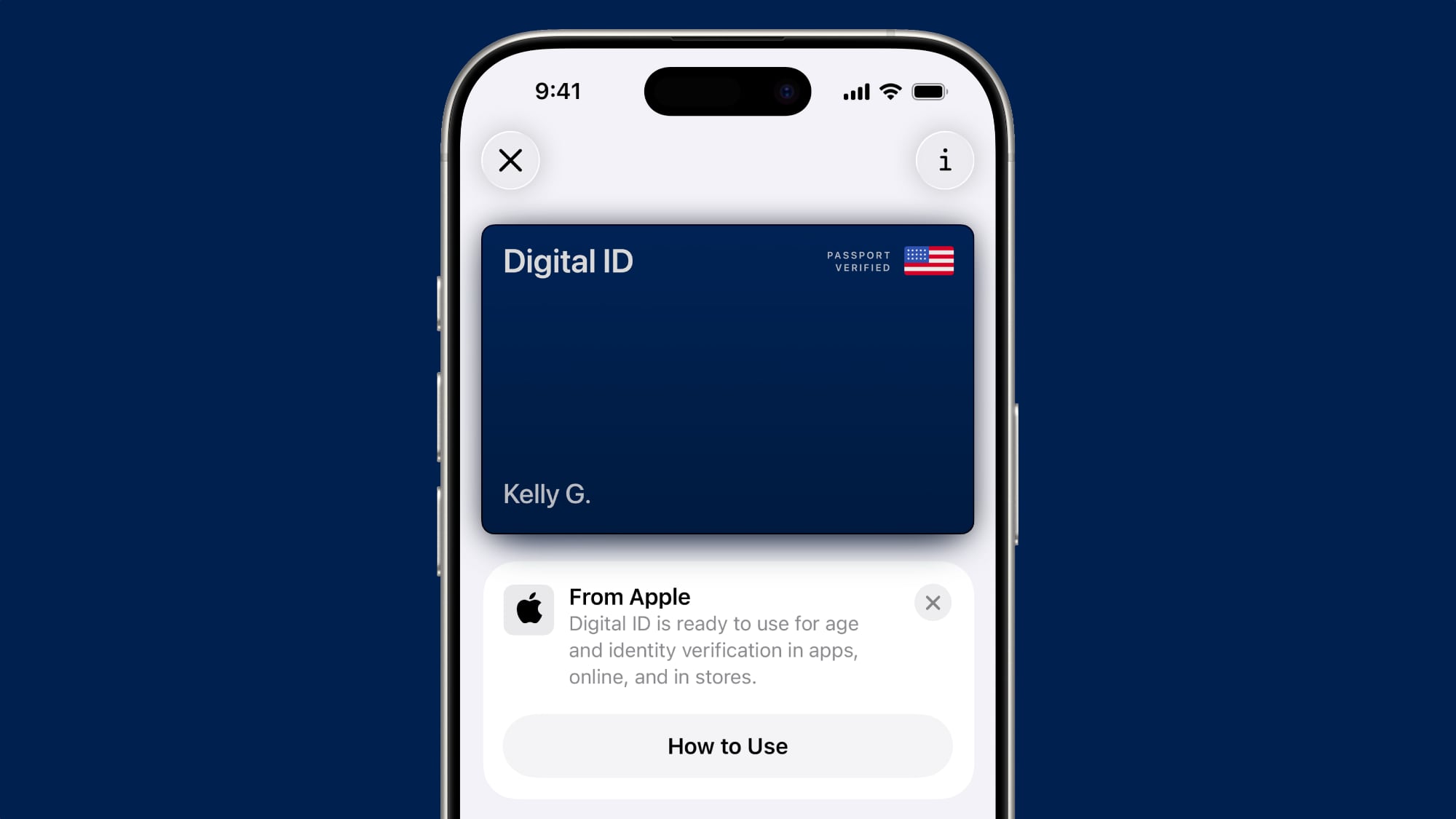
This digital ID, stored securely on your iPhone or Apple Watch, can be used at select Transportation Security Administration (TSA) checkpoints across the United States for domestic travel. It complies with Real ID requirements, meaning it serves as a valid alternative to a physical Real ID for domestic flights. Remember, this is for domestic travel *only*; international travel still requires a physical passport for border crossings.
Beyond TSA checkpoints, your digital passport also works for age and identity verification in various apps, retail stores, and—new in iOS 26—websites. While providing convenience and speed for domestic travel, it's crucial to understand that this digital ID doesn't replace the need for a physical passport in all situations.
Enhanced Boarding Passes: Airport Navigation and More
Boarding passes stored in your Wallet app have received a significant upgrade. iOS 26 now displays more helpful information, including airport maps to guide you through the terminal. 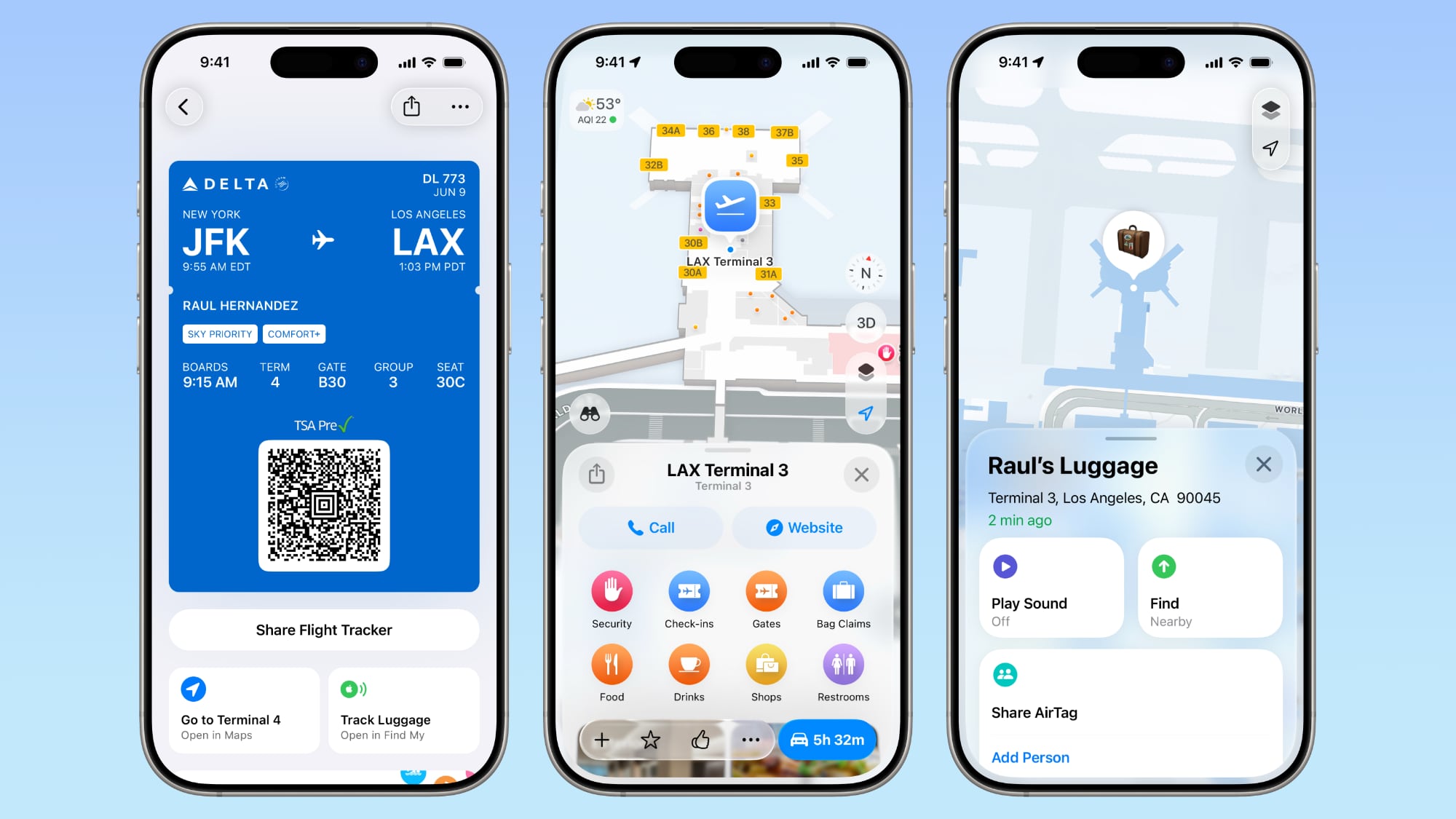
A particularly useful addition is direct access to Find My integration with airlines. If your bag goes missing, you can easily report it or track its location via this direct link from your boarding pass.
Live Activities Support: Real-Time Flight Updates
Keep a close eye on your flight status with Live Activities support directly within the Wallet app. Flight information, including real-time updates, is conveniently displayed on your Lock Screen and the Dynamic Island. 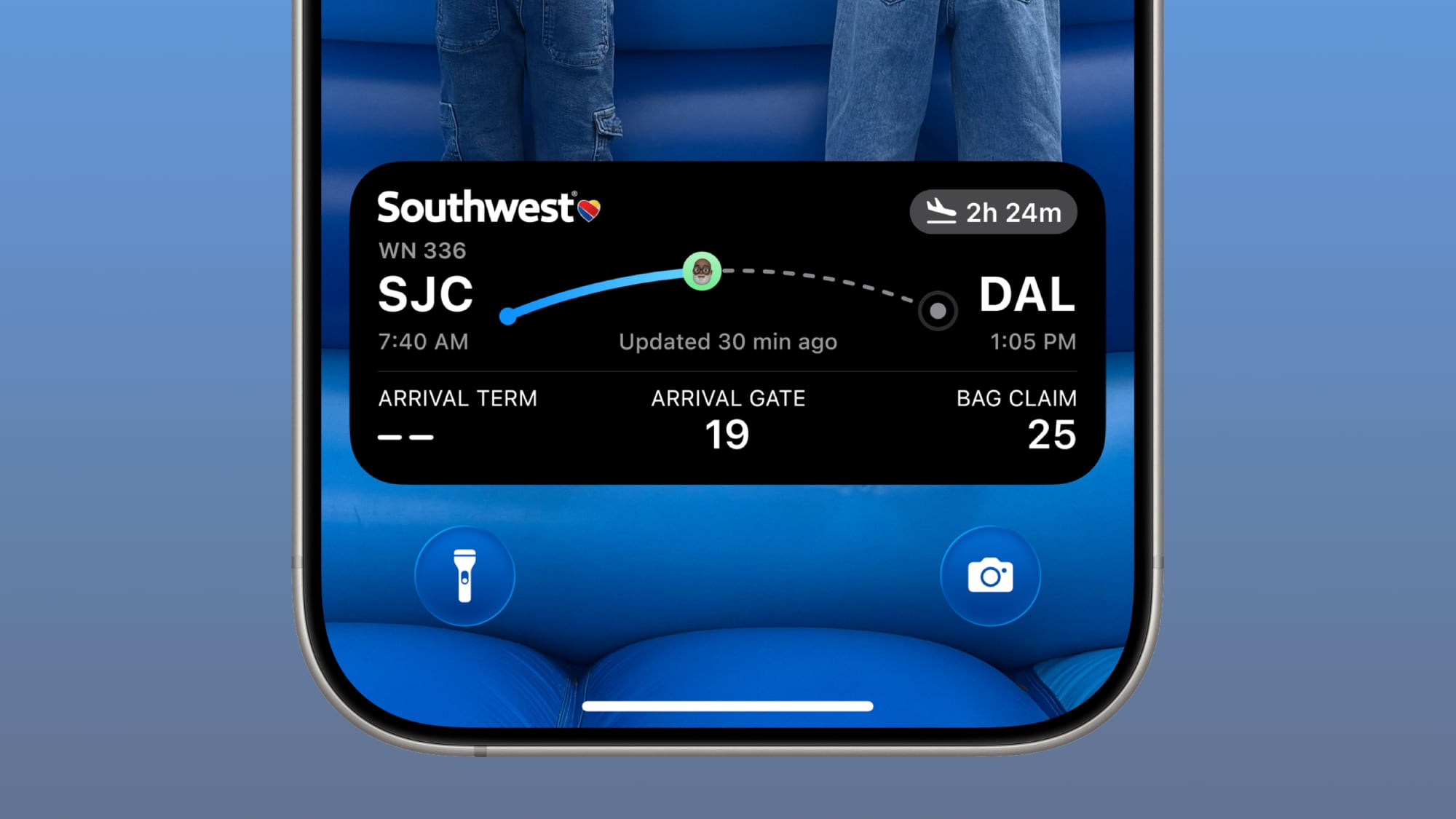
And if you want to share the flight status with others, you can now easily share the Live Activity, ensuring everyone is on the same page.
Credit Card Information: AutoFill Convenience
Managing credit card details just got easier. The Wallet app settings now feature an "AutoFill" section where you can conveniently view and store complete credit card information, including the card number, expiration date, and security code. 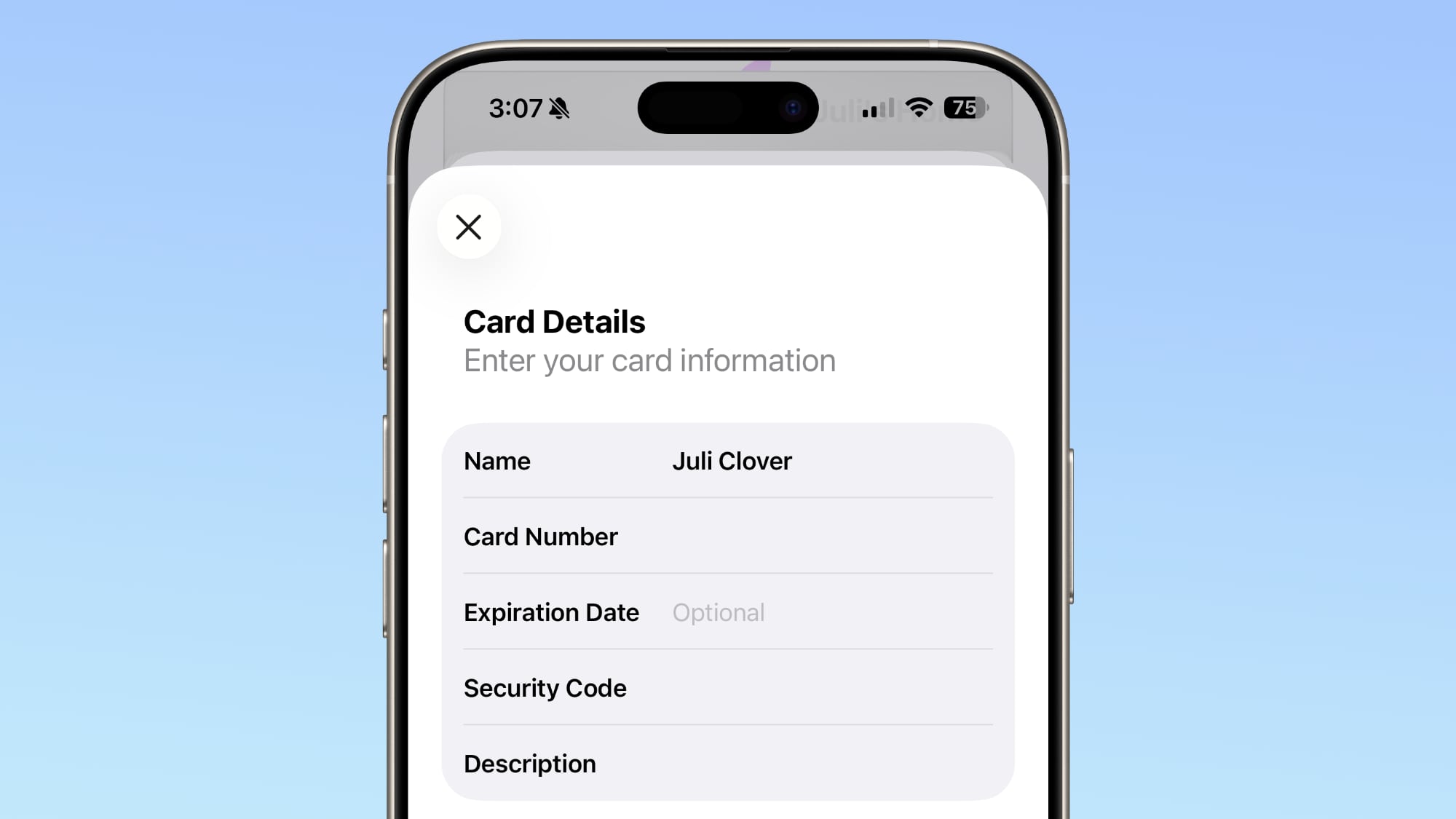
This streamlined approach enhances the overall user experience when filling out online forms, making transactions quicker and more efficient.
Ad Controls: Take Back Your Wallet
In response to user feedback, Apple has added the ability to disable promotional offers and ads within the Wallet app. 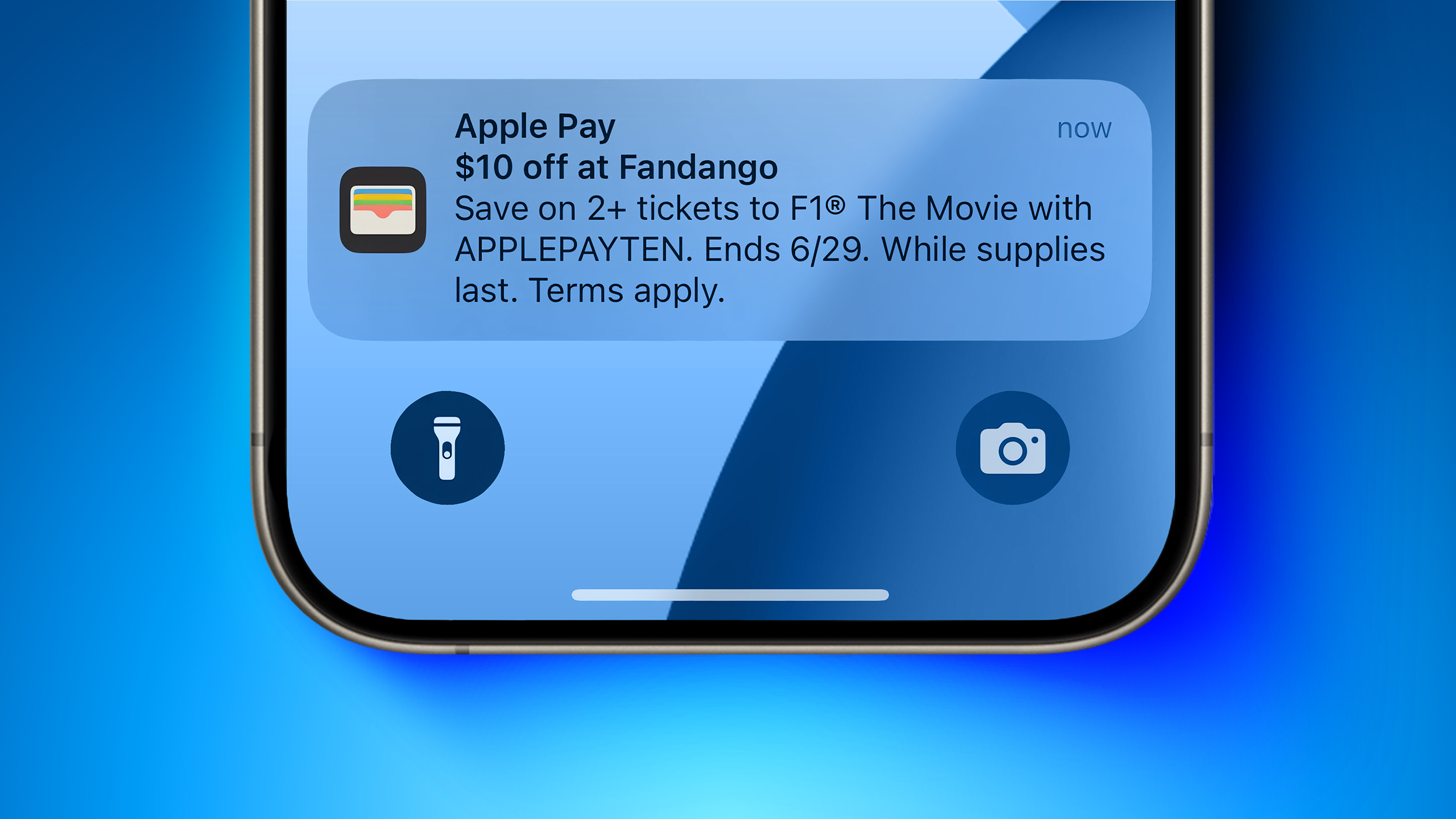
This means you can easily opt out of unwanted advertising, such as the previously criticized F1 promotional offer. To disable ads, open the Wallet app, tap the three dots in the upper right corner, and toggle off "Offers and Promotions."
Learn More About iOS 26
For a comprehensive overview of all the new features included in iOS 26, be sure to check out our dedicated iOS 26 roundup. iOS 26 is scheduled for release in September.
This article, "iOS 26: 5 New Features in the Wallet App" first appeared on MacRumors.com
Join the discussion in our forums!
from MacRumors
-via DynaSage

Post a Comment