CalDigit TS5 Plus Dock Review: Maximum Ports, Maximum Power
CalDigit TS5 Plus Dock: A Deep Dive Review
CalDigit's TS5 Plus is a Thunderbolt 5 dock specifically designed for Apple's latest Thunderbolt 5-equipped Macs. This review will delve into its features, performance, and overall usability, comparing it to similar products on the market.
Design and Build
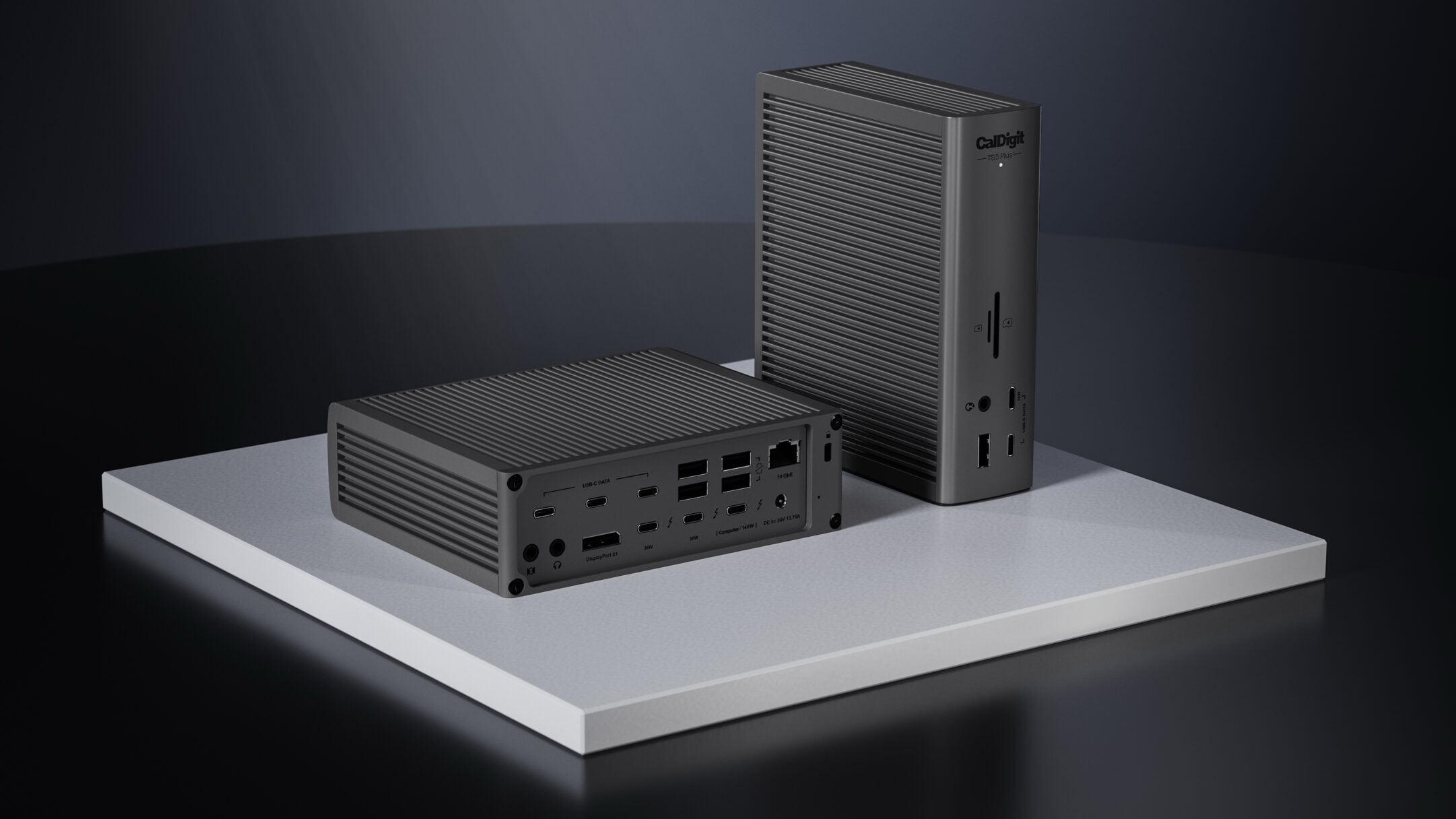
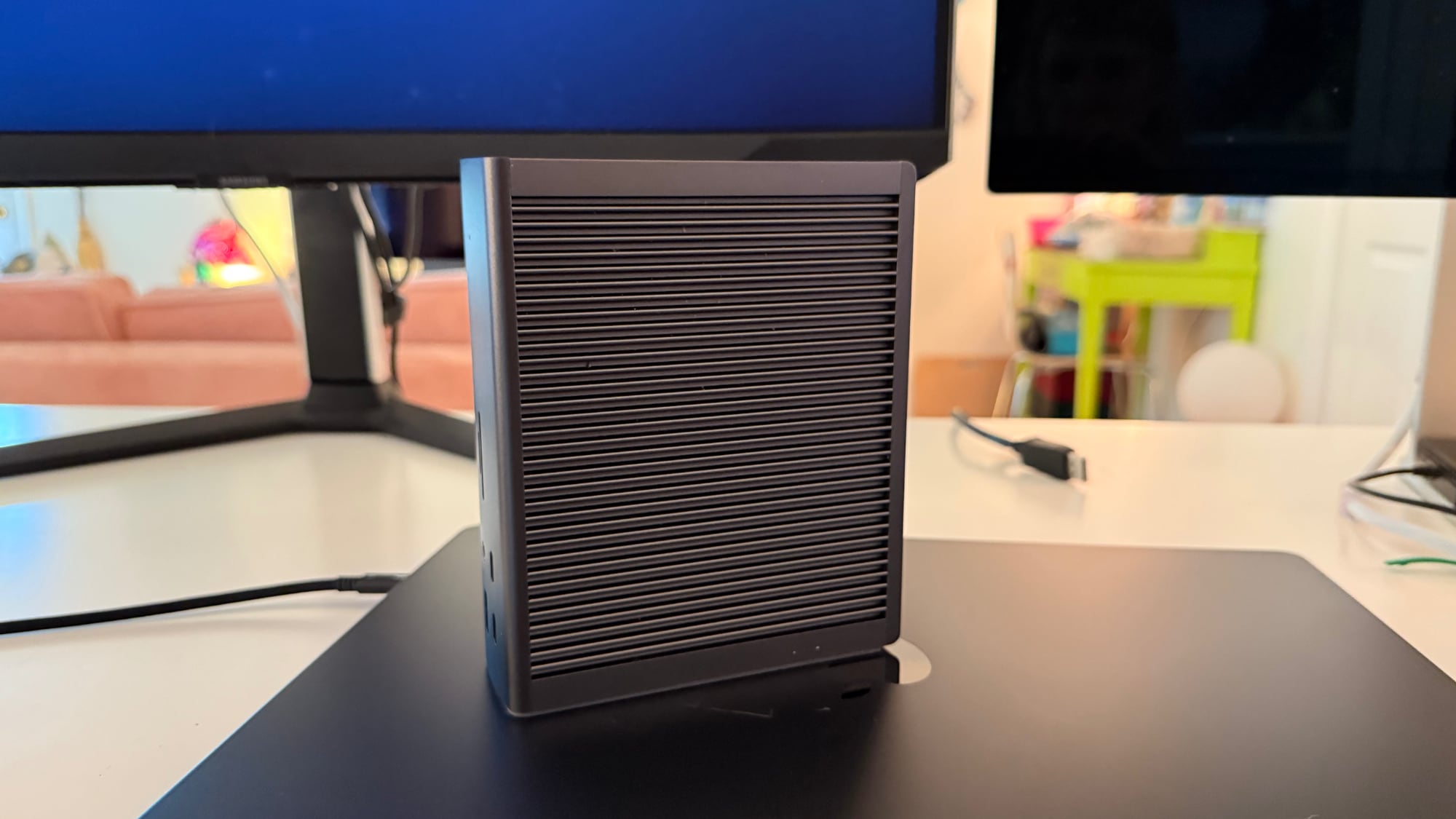
The TS5 Plus maintains CalDigit's signature minimalist aesthetic. Its rectangular aluminum body, with subtle ridging on the top, bottom, and sides, offers a sleek, professional look while also aiding in heat dissipation. The black aluminum finish complements Apple's Space Gray MacBook Pros, creating a cohesive desktop setup.
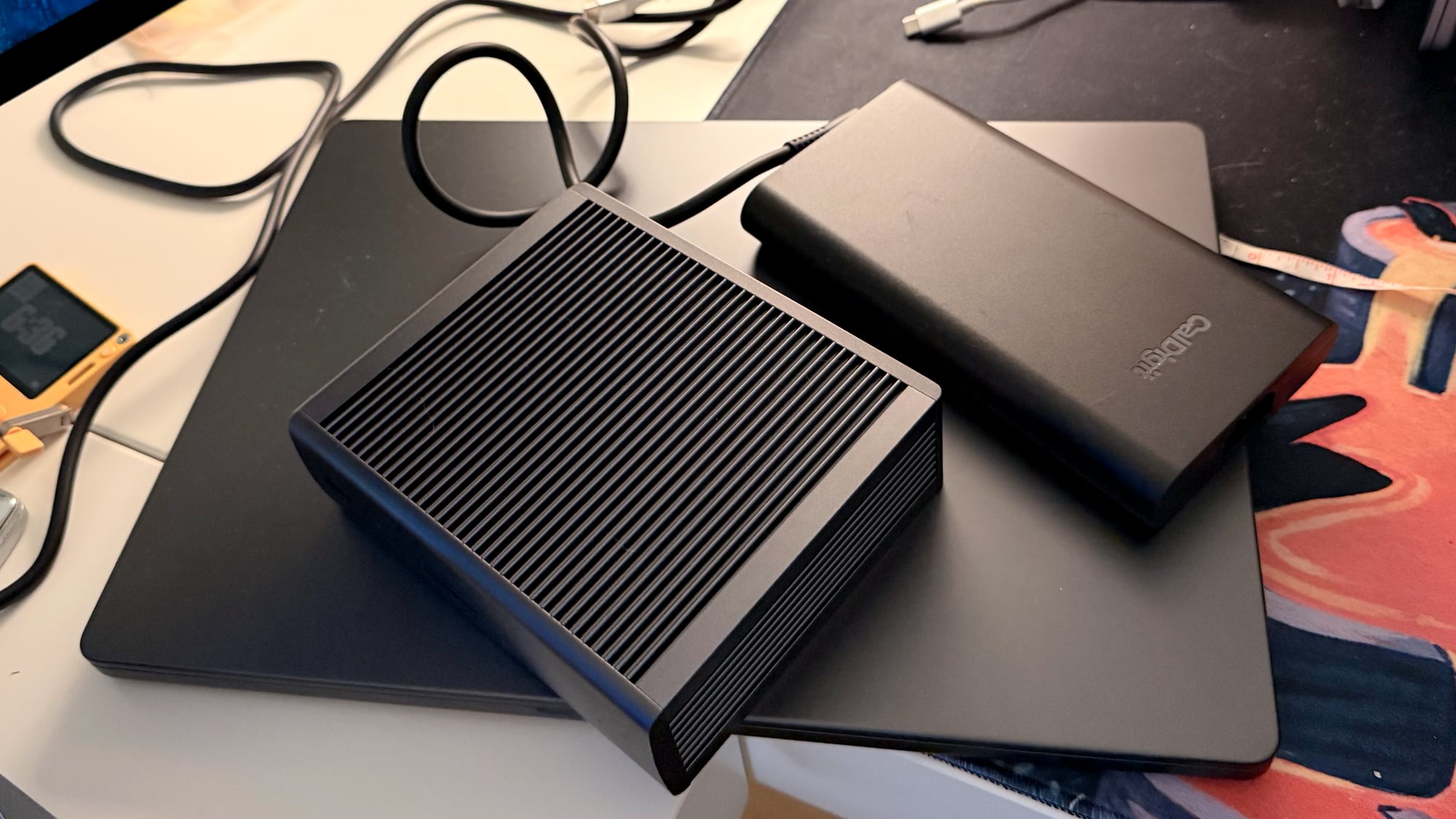
The dock's dimensions are 6 inches long, 5 inches wide, and 1.8 inches thick. However, the included 330W power brick is noticeably larger – 7 inches long, 3.5 inches wide, and just under an inch thick. While the brick is longer than the dock itself, its flat design allows for easy placement under a desk.
Compared to Anker's more compact Thunderbolt 5 dock with integrated power supply, the TS5 Plus's separate power brick might seem bulky. The power delivery system consists of a cable connecting the brick to the dock, requiring two separate cables for complete setup. Despite this, CalDigit includes a high-quality, braided 3.3ft Thunderbolt 5 cable and rubber feet for stability.
Port Selection and Functionality
The TS5 Plus boasts an impressive array of ports, significantly more than its competitors like the Anker Prime. Let's break down the port layout:
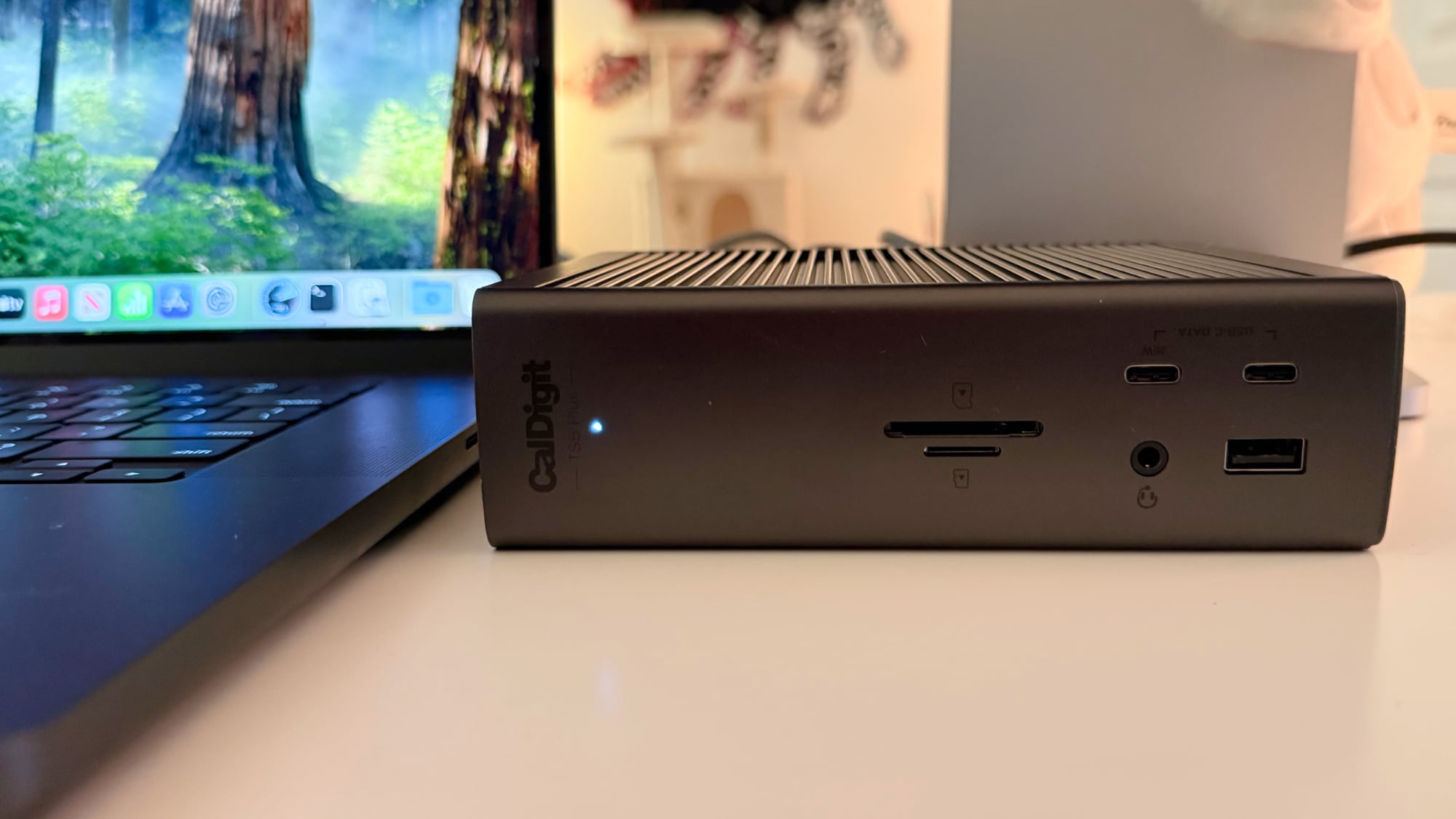
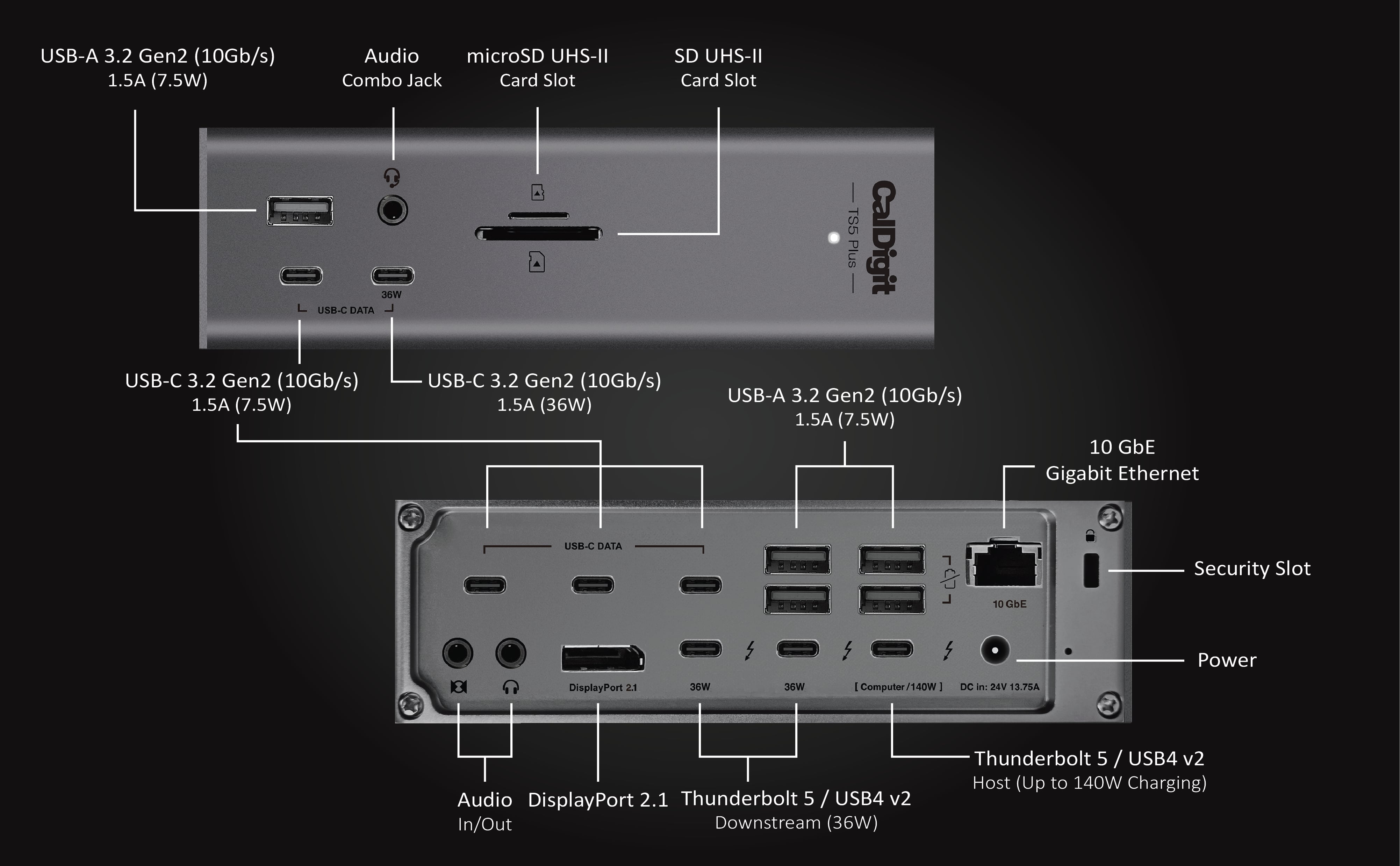
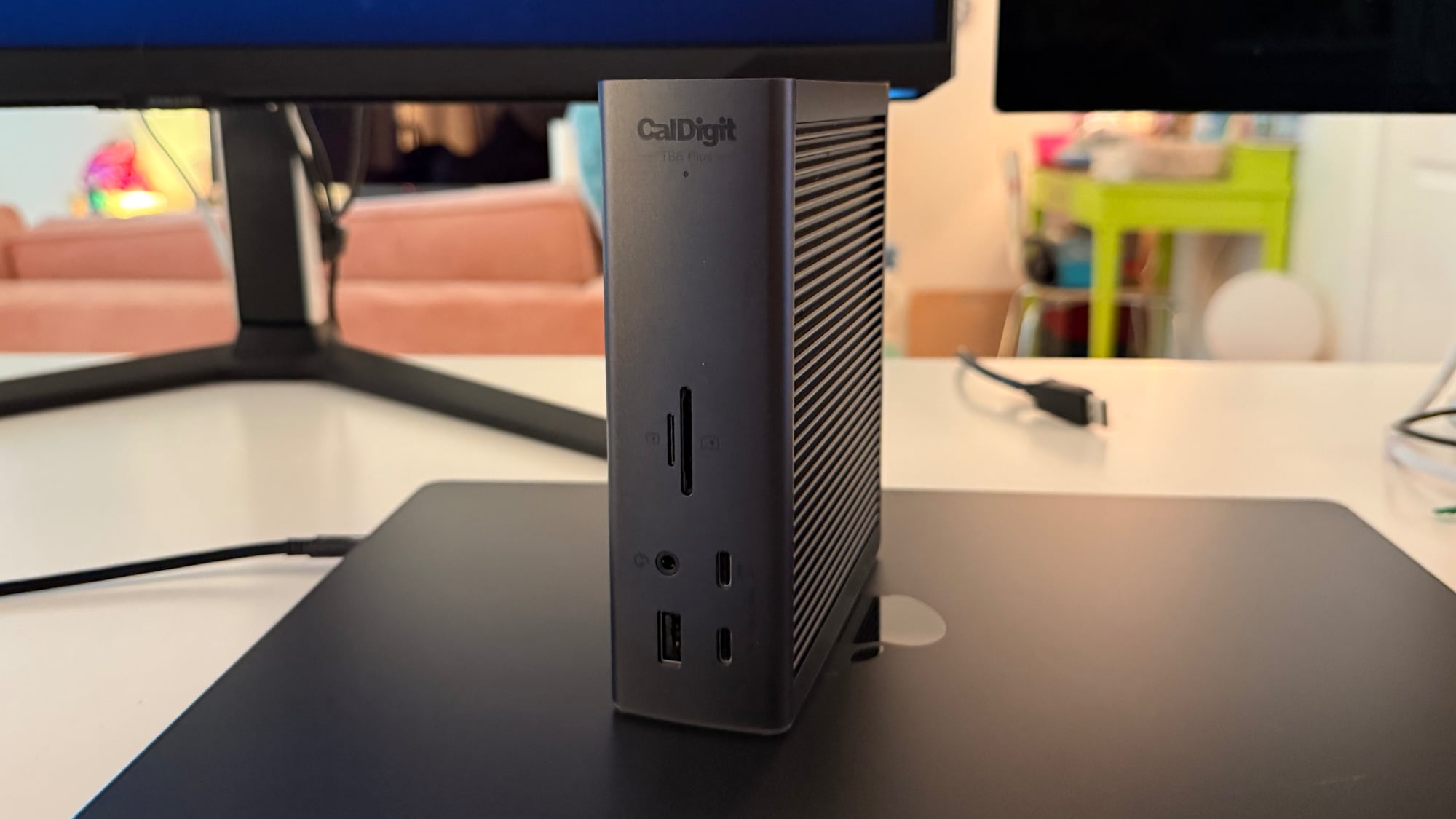
Front Ports:
- One 10Gb/s USB-A port (7.5W charging)
- Two 10Gb/s USB-C ports (one 7.5W, one 36W charging)
- SD card slot (UHS-II, up to 312MB/s)
- microSD card reader (UHS-II, up to 312MB/s)
- Audio combo jack (headphone/microphone)
- Power LED
The placement of the 36W USB-C port on the front is incredibly convenient for quickly charging devices like iPhones, iPads, and even MacBook Airs. The front-facing SD and microSD card slots streamline photo and video transfer from cameras.
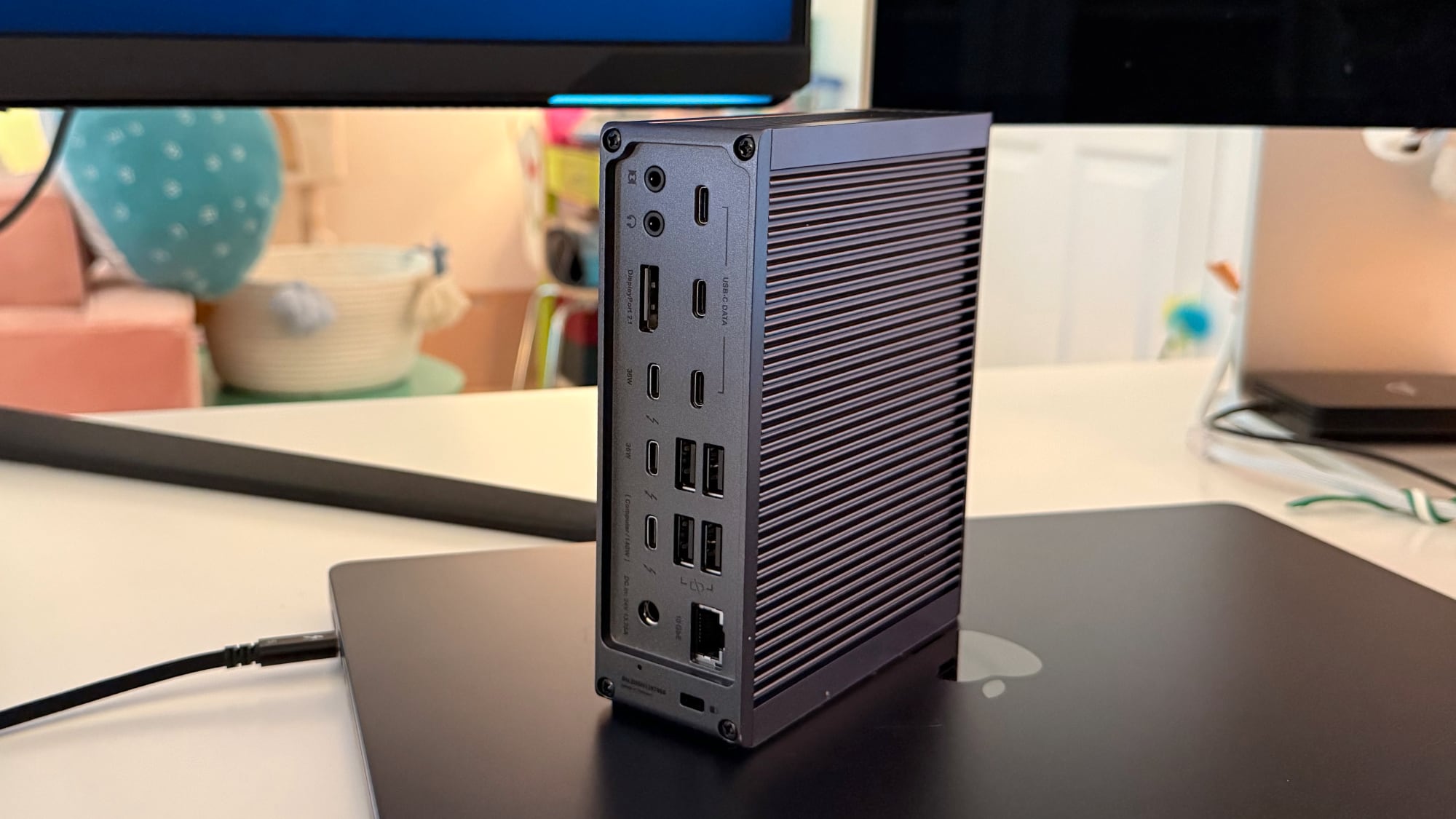
Rear Ports:
- Three 10Gb/s USB-C data ports (7.5W charging)
- Four 10Gb/s USB-A ports (7.5W charging)
- 10GbE Ethernet port
- Audio in
- Audio out
- DisplayPort 2.1
- Two downstream 80Gb/s Thunderbolt 5 ports (36W charging)
- One upstream Thunderbolt 5 port (140W power delivery to the host)
- Security slot
- DC in
The abundance of ports caters to users with numerous peripherals and multiple displays. While it lacks an HDMI port, a DisplayPort to HDMI adapter provides a simple solution for HDMI-dependent devices. The port arrangement is well-considered, placing frequently used ports at the front for easy access.
Performance and Testing
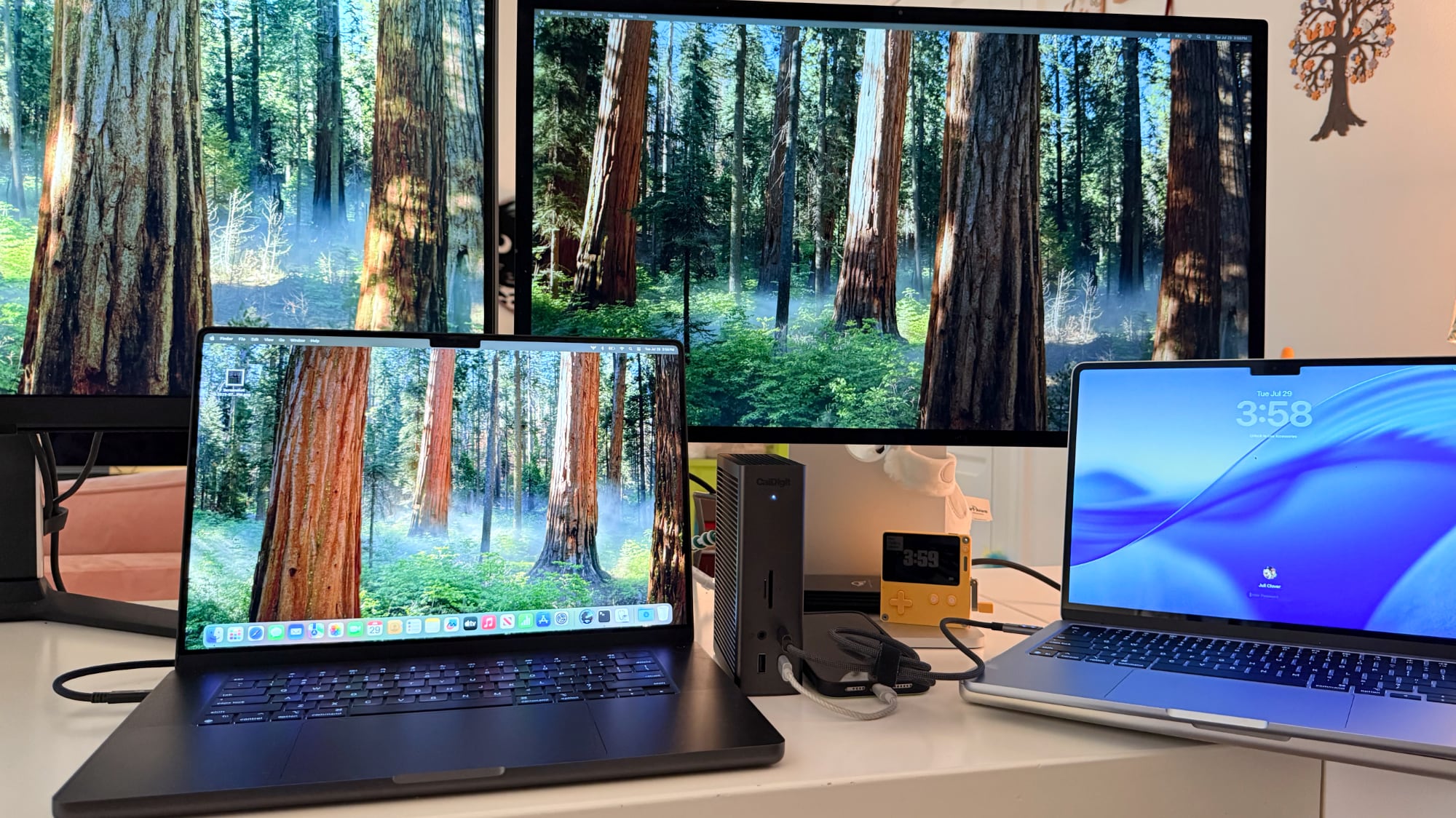
The TS5 Plus excels in performance, particularly in data transfer speeds. With its dual USB controllers (one for front, one for rear), it handles multiple devices and simultaneous data transfers without throttling. Testing with a Thunderbolt 5 SSD and two additional USB-C SSDs showed no significant performance degradation compared to direct connection to the MacBook Pro.
Using the TS5 Plus with the OWC Thunderbolt 5 Envoy Ultra SSD, read speeds reached 5,154 MB/s and write speeds hit 4,647 MB/s, only slightly slower than direct connection to the MacBook Pro. This showcases the high-bandwidth capabilities of the dock.
Charging performance is equally impressive. The three 36W USB-C ports effortlessly power an iPhone, iPad Pro, Apple Watch, AirPods, and a MacBook Air concurrently, without impacting the charging speed of the connected MacBook Pro.
Heat and Noise
Due to the lack of a fan, the TS5 Plus generates some heat during operation. While not excessively hot, it becomes noticeably warm to the touch. The aluminum casing and its ridged design help dissipate heat, but it doesn't run as cool as fan-equipped docks like the Anker Prime. The trade-off is silent operation.
Display Support
Thunderbolt 5's high bandwidth allows for impressive display capabilities. The TS5 Plus supports a variety of display configurations, though Mac limitations remain a factor.
While Thunderbolt 5 theoretically supports up to three displays on PCs, Macs are currently limited to two displays via a single Thunderbolt 5 connection due to GPU limitations. With the TS5 Plus, users can connect two 8K displays at 60Hz, two 6K displays at 60Hz, a 5K and a 6K display, or two 4K displays at 240Hz, among other combinations. The specific display configurations depend on the Mac model and its supported capabilities.
M4 Pro/Max Macs can potentially support four displays using two Thunderbolt 5 docks or a combination of Thunderbolt and HDMI ports on the Mac itself. However, for higher resolutions like dual 8K, users might encounter bandwidth limitations if additional devices (like SSDs) are connected. In such cases, using one 8K display with the dock and the other with a separate Thunderbolt port is recommended for optimal performance.
Testing with a 5K and a 4K display simultaneously presented no issues, even with numerous peripherals connected. Users with similar setups or plans to upgrade to higher-resolution displays in the future will find the TS5 Plus more than adequate.
It's crucial to note some display compatibility caveats. For instance, dual LG UltraFine 5K displays aren't supported; dual 5K monitors require Thunderbolt 4 or Apple Studio displays, and 6K monitors must be Pro Display XDR or Thunderbolt 4 displays. Prospective buyers should carefully review CalDigit's compatibility specifications before purchasing.
Compatibility
While primarily tested with an M4 Pro MacBook Pro, the TS5 Plus is backward compatible with Thunderbolt 4 Macs. It worked flawlessly with an M1 Max MacBook Pro and an M4 MacBook Air, as well as Thunderbolt-compatible iPads (like the M4 iPad Pro). Older Macs with base M1, M2, or M3 chips are limited to a single external display, while M1/M2/M3 Max or Pro chips support dual displays without issue.
Conclusion
Bottom Line
For users with Thunderbolt 5 Macs needing top-tier data transfer speeds and high-resolution display support, the CalDigit TS5 Plus is an excellent choice. Its comprehensive port selection suits almost any configuration. The dock's backward compatibility with Thunderbolt 4 devices makes it a future-proof investment. The high charging wattage also eliminates the need for multiple charging bricks.
While pricier than some alternatives like the CalDigit TS5 and Anker Prime, the TS5 Plus's extensive port selection and high-performance capabilities justify the extra cost for professional setups demanding high-resolution displays and fast transfer speeds.
How to Buy
The CalDigit TS5 Plus is available for purchase at CalDigit's website and Amazon for $500.
Note: CalDigit provided MacRumors with a TS5 Plus for the purpose of this review. No other compensation was received.
This article, "CalDigit TS5 Plus Dock Review: Maximum Ports, Maximum Power" first appeared on MacRumors.com
Discuss this article in our forums
from MacRumors
-via DynaSage

Post a Comment