Worried About iPhone Privacy? Do This With Control Center
Boost Your iPhone Privacy: Control Center Security
The Control Center on your iPhone or iPad is incredibly handy. It lets you quickly access essential functions like taking photos, creating notes, adjusting brightness, controlling your Apple TV, and a whole lot more. The best part? You don't even need to unlock your device to use it. Just a simple swipe, and it's there.
Discover the full potential of Control Center and learn how to customize it.
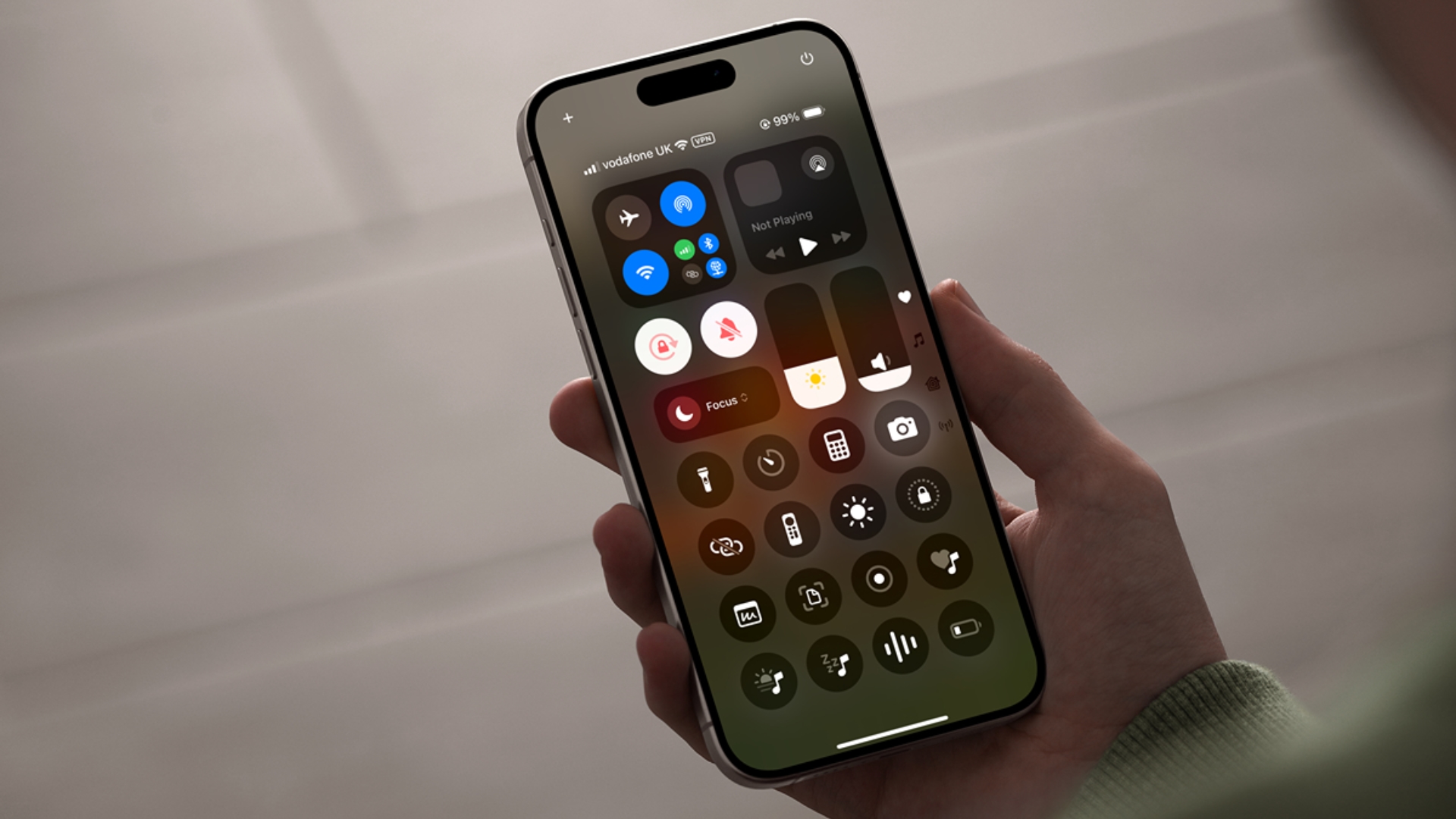
However, this convenience can pose a privacy risk. Imagine someone picking up your locked iPhone and accessing your Control Center. They could potentially create Instant Notes or access other functionalities without your permission. If this thought makes you uneasy, rest assured – there's a simple solution.
iOS offers a setting to disable Control Center access from the Lock screen, adding an extra layer of security to your device. While it might seem hidden, it's easy to find and activate. Here's a step-by-step guide:
Disabling Control Center Access on the Lock Screen
- Open the Settings app on your iPhone or iPad.
- Tap Face ID & Passcode (or Touch ID & Passcode if your device uses Touch ID).
- Enter your passcode when prompted.
- Scroll down until you see the Control Center toggle. Turn it off.
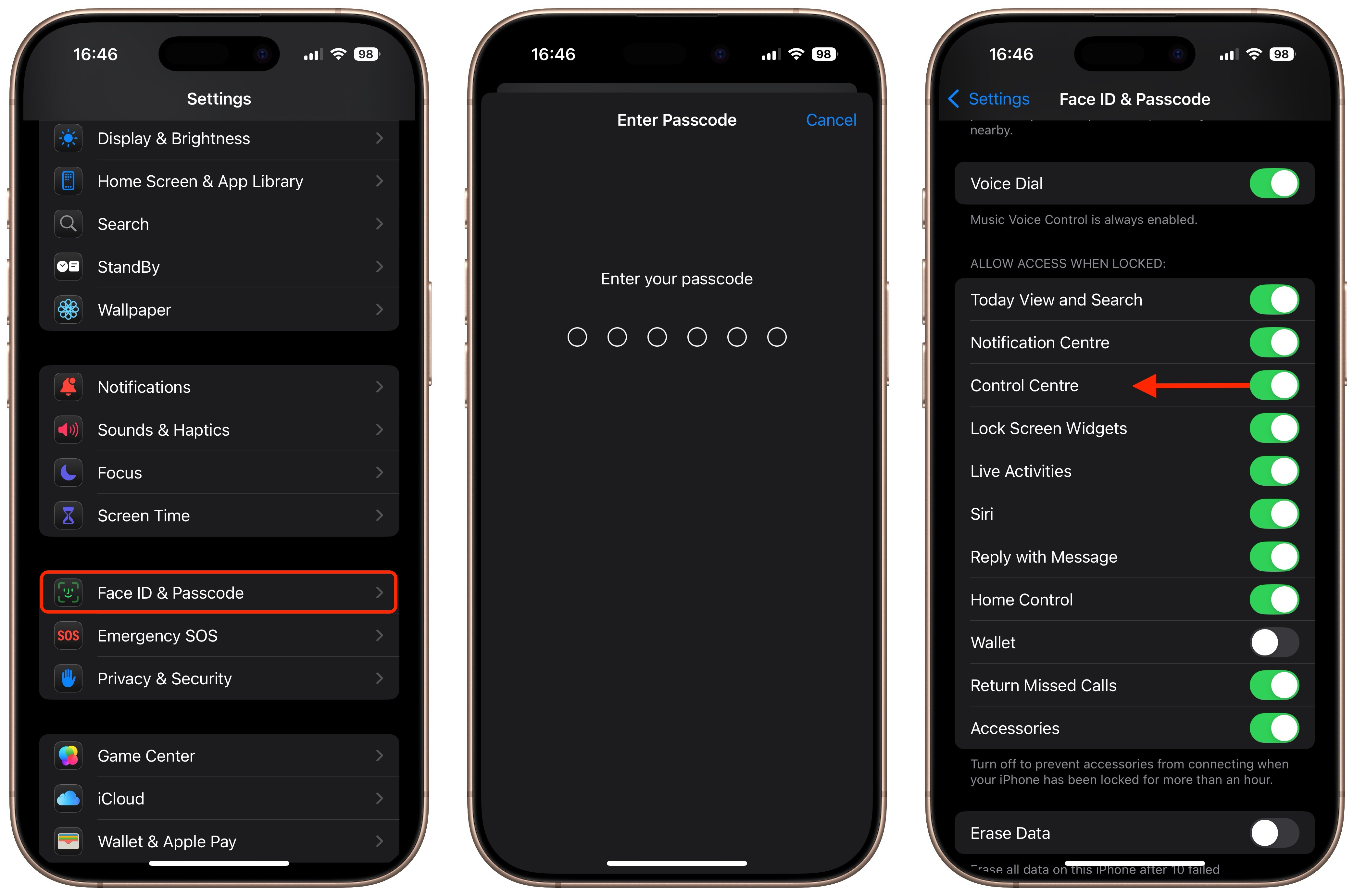
Now, even if someone has physical access to your locked device, they won't be able to swipe up and access your Control Center. This simple action can significantly enhance your privacy.
Balancing Convenience and Security
Finding the right balance between convenience and security is a personal choice. Disabling Control Center access on the Lock screen might seem like a small inconvenience, but it significantly strengthens your device's security. With Face ID becoming the standard on most new iPhones, unlocking your phone is as easy as glancing at it. This seamless unlocking experience minimizes the impact of disabling Control Center access for the owner while keeping unauthorized users out.
Ultimately, the choice is yours. If you're concerned about unauthorized access to your device and its quick actions, disabling Control Center on the Lock screen provides a valuable layer of protection without significantly impacting usability, especially for those with Face ID.
This article, "Worried About iPhone Privacy? Do This With Control Center" first appeared on MacRumors.com
Discuss this article in our forums
from MacRumors
-via DynaSage

Post a Comment