Keebin’ with Kristina: the One Where We Embrace the Jank
Keebin' with Kristina: Embracing the Jank
While not strictly keyboards, let's talk about something closely related: the quest for the perfect mouse. Why settle for ordinary clicks when you can have satisfying *thocks* from all your peripherals?
My Quest for the Perfect Clicky Mouse
I've been using a Logitech Ergo M575 trackball for a couple of years. It has two extra buttons, pre-programmed for forward and back, which I find practically useless. So, using AutoHotKey, I reprogrammed them for copy (Ctrl+C) and paste (Ctrl+V).
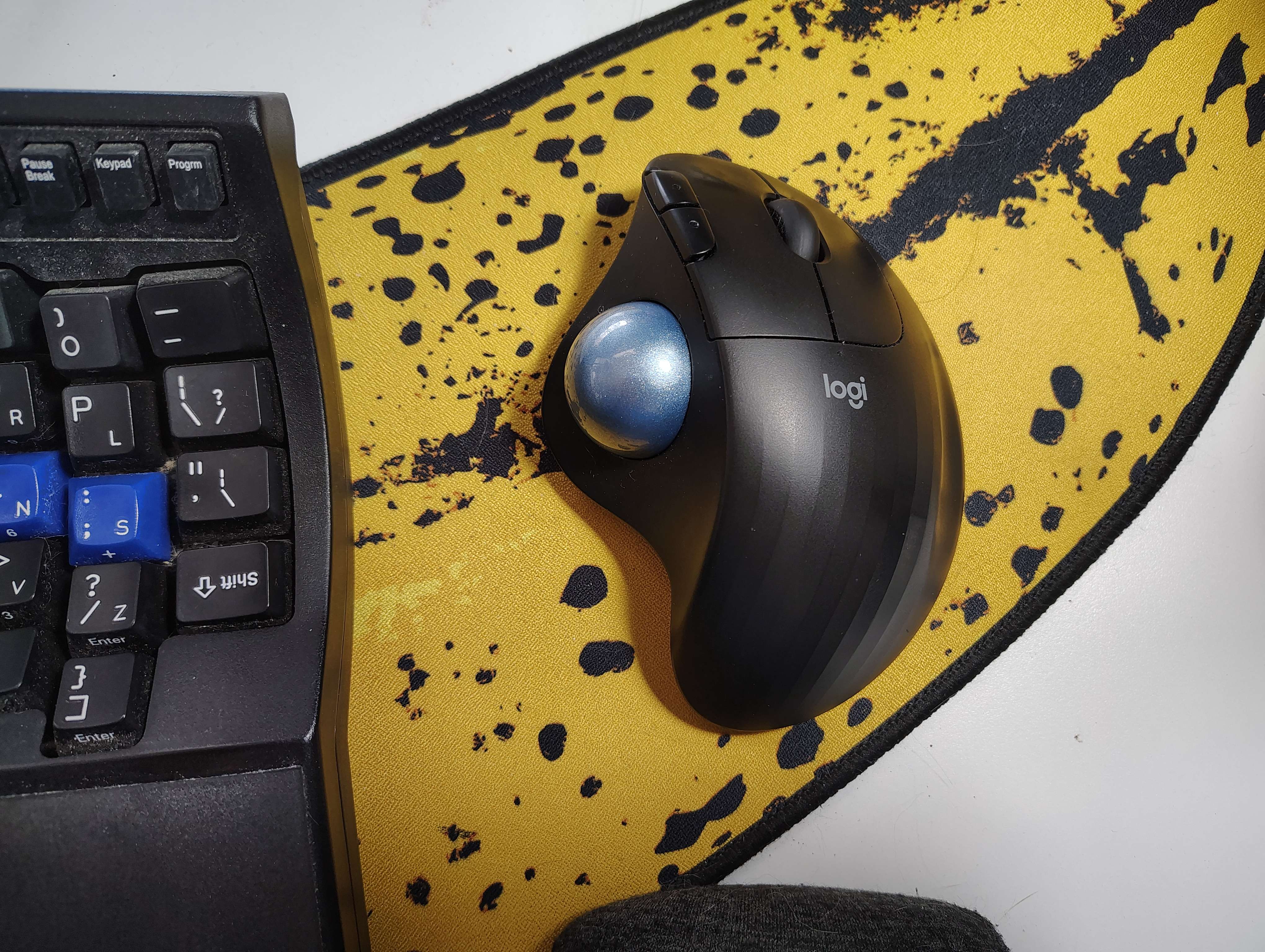
A reader, Aknup, mentioned "MMO mice" (multi-button mice). I'm now on the hunt for a trackball MMO mouse, but hesitant to spend a lot on something I might not like. One intriguing option uses two fingers on the trackball instead of the thumb, a significant change that I'm curious to try. This Elecom model is currently at the top of my list.
Embrace the Jank: A $30 Keyboard Build
Reddit user VideoPuzzleheaded884 built a keyboard for about $30 AUD (approximately $18 USD) as a soldering practice project. Using a Corne mini layout, an acrylic plate modified with a Dremel and hand tools, an ESP32-C3 microcontroller, and Gateron Silver switches, they created a functional keyboard on a budget.
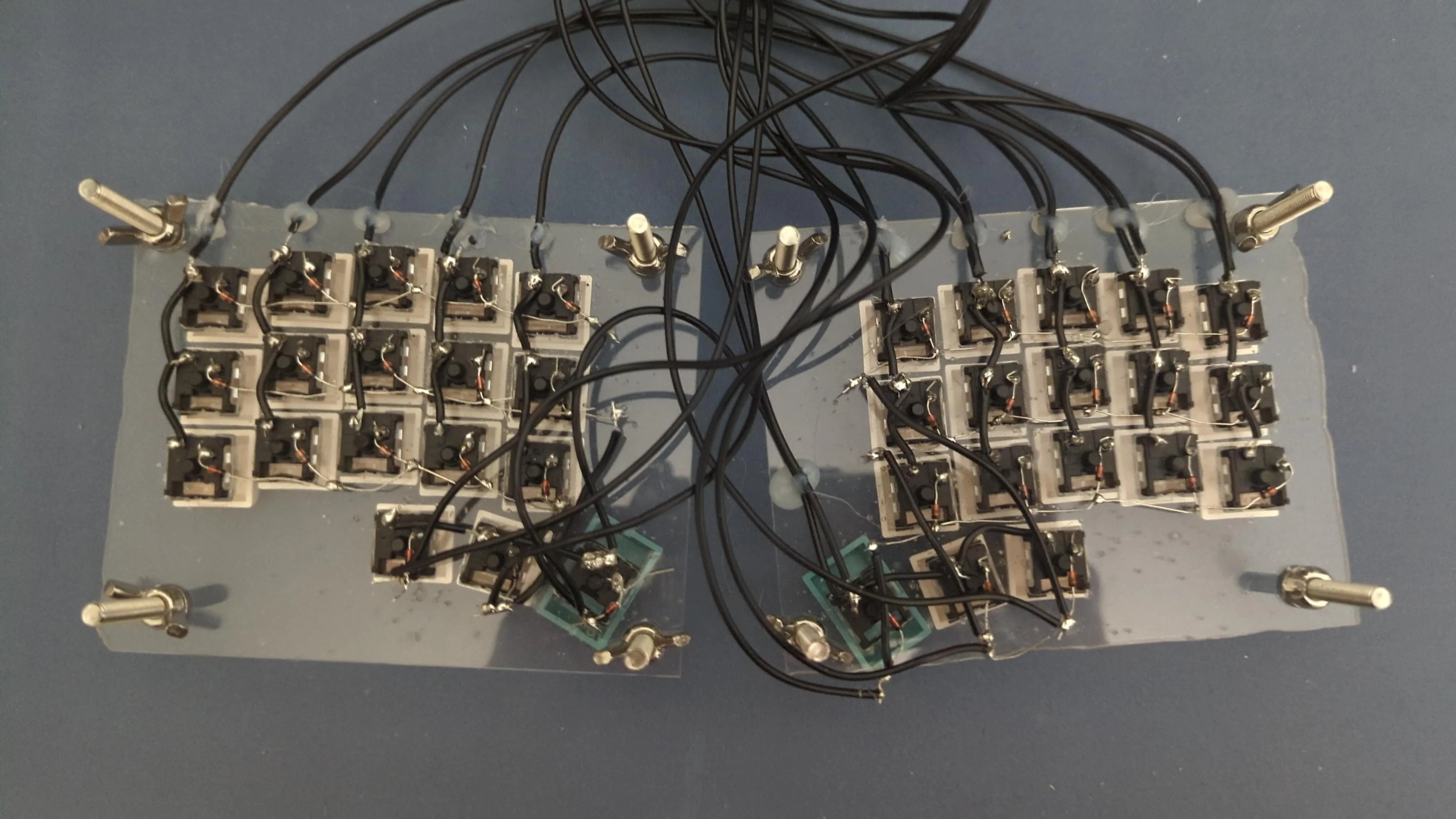
While the builder calls it "janky," the result is impressive, especially considering the use of readily available parts and the builder's limited soldering experience. The all-black wiring is a nice touch.
Battlestation Showcase: Cozy Vibes
This week's featured battlestation emphasizes comfort and aesthetics. While the keyboard and mouse are standard, the comfortable wrist rests and desk padding create a cozy workspace. The moon lamp and fill light contribute to the overall ambiance, perfect for working from home while enjoying some death metal.
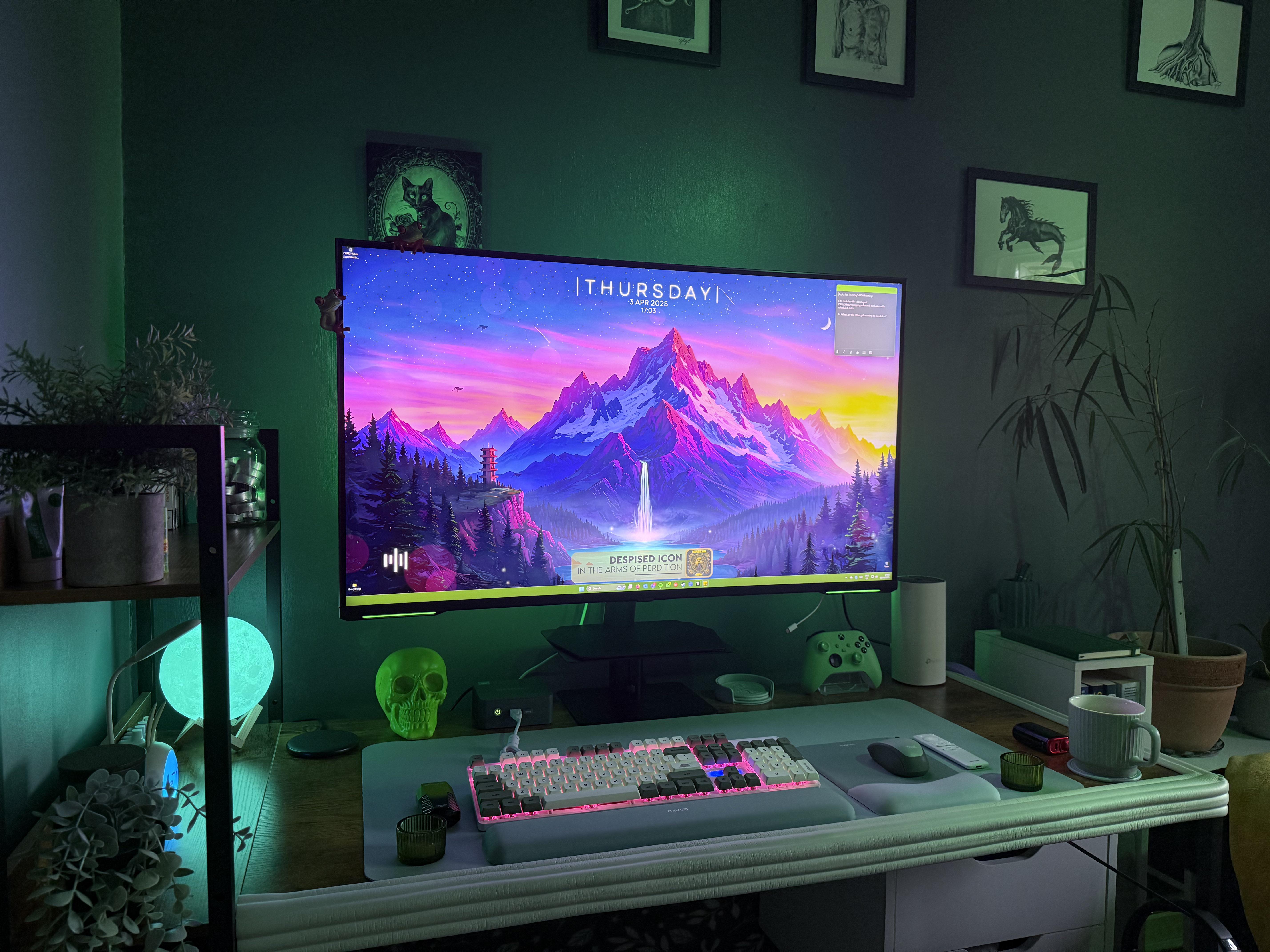
Check out the full setup here.
Historical Clackers: The Maskelyne Typewriter
What happens when magicians need a side hustle? Apparently, they sell typewriters. That's the story of John Nevil Maskelyne (both father and son), a pair of illusionists who introduced the Maskelyne typewriter at the 1889 Paris World's Fair.
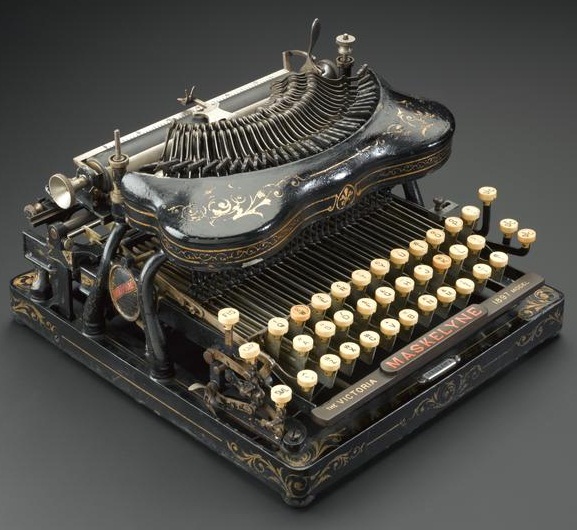
The Maskelyne's key feature was differential spacing – each character occupied a different amount of space, unlike the uniform spacing of most typewriters. This resulted in a more visually appealing document. However, the Maskelyne's complex mechanism proved fragile under heavy use, leading to malfunctions and ultimately, the demise of the company by 1899. Read more about this fascinating piece of typewriter history. And for more on the inventor, check out his Wikipedia entry.
ICYMI: DIY Split Keyboard with a Saw
User nomolk took a perfectly good mechanical keyboard, sawed it in half, and rewired it to create a true split keyboard. This impressive feat of engineering involved reconnecting approximately 50 wires and resolving issues like unregistered keys and double character inputs. The project took nearly three weeks to complete, with the final wiring neatly managed using zip ties and spiral wire wrap.
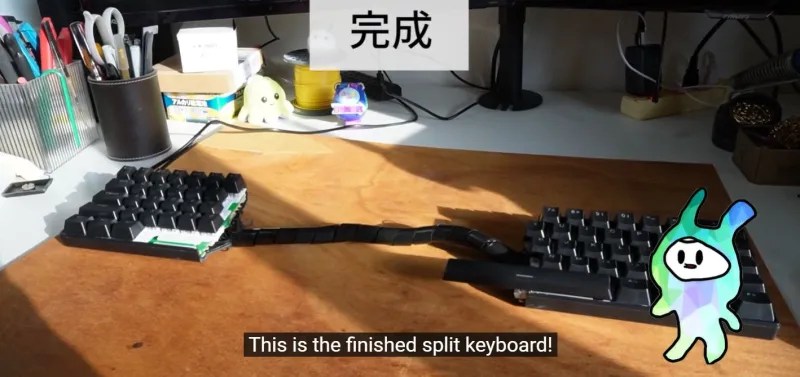
Learn more about the project here and be sure to watch the video!
Have any keyboard-related news or tips? Send them to Hackaday or email me directly.
from Hackaday
-via DynaSage

Post a Comment