iOS 18.4: Stop Your Recent Searches Showing in New Safari Tabs
iOS 18.4: How to Hide Recent Searches in Safari
Apple's iOS 18.4 update introduced a new Safari feature that, while potentially convenient, might raise some privacy concerns. Now, when you open a new tab in Safari and tap the search bar, your recent search history is automatically displayed.
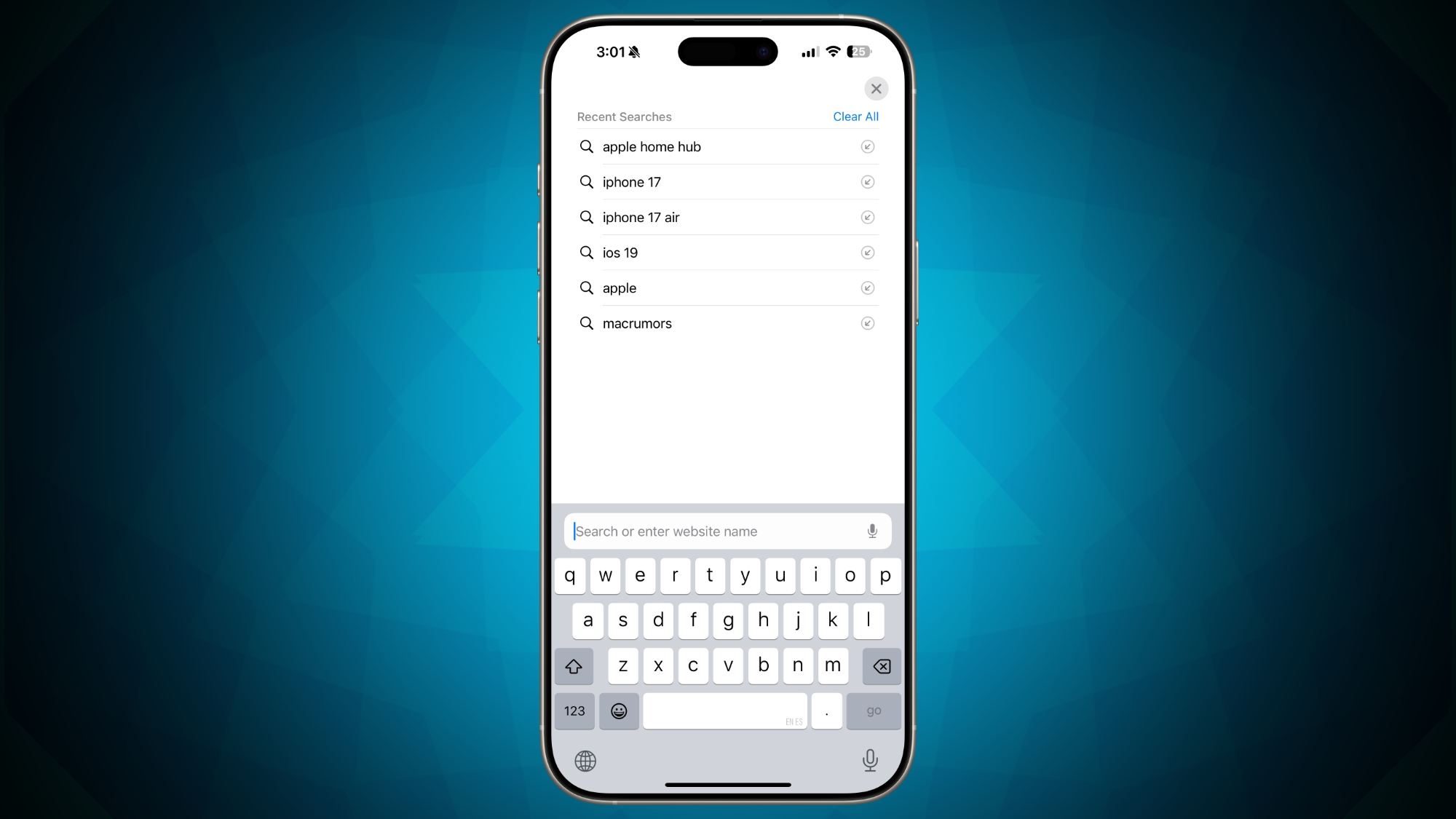
Previously, tapping the search bar in a new Safari tab simply brought up the keyboard, keeping your personalized Safari homepage visible. This change in iOS 18.4 means anyone glancing at your screen when you open a new tab could see your recent searches. This could be problematic if you're sharing your device with family, friends, or colleagues, or simply searching for something sensitive in a public setting.
Why is this a privacy concern?
This change might be alarming for privacy-conscious users. Imagine handing your phone to a friend to show them a photo, and when they open a new tab to search for something, your recent search history is on full display. This could reveal personal information, browsing habits, or searches you'd rather keep private.
Disabling the "Show Recent Searches" Feature
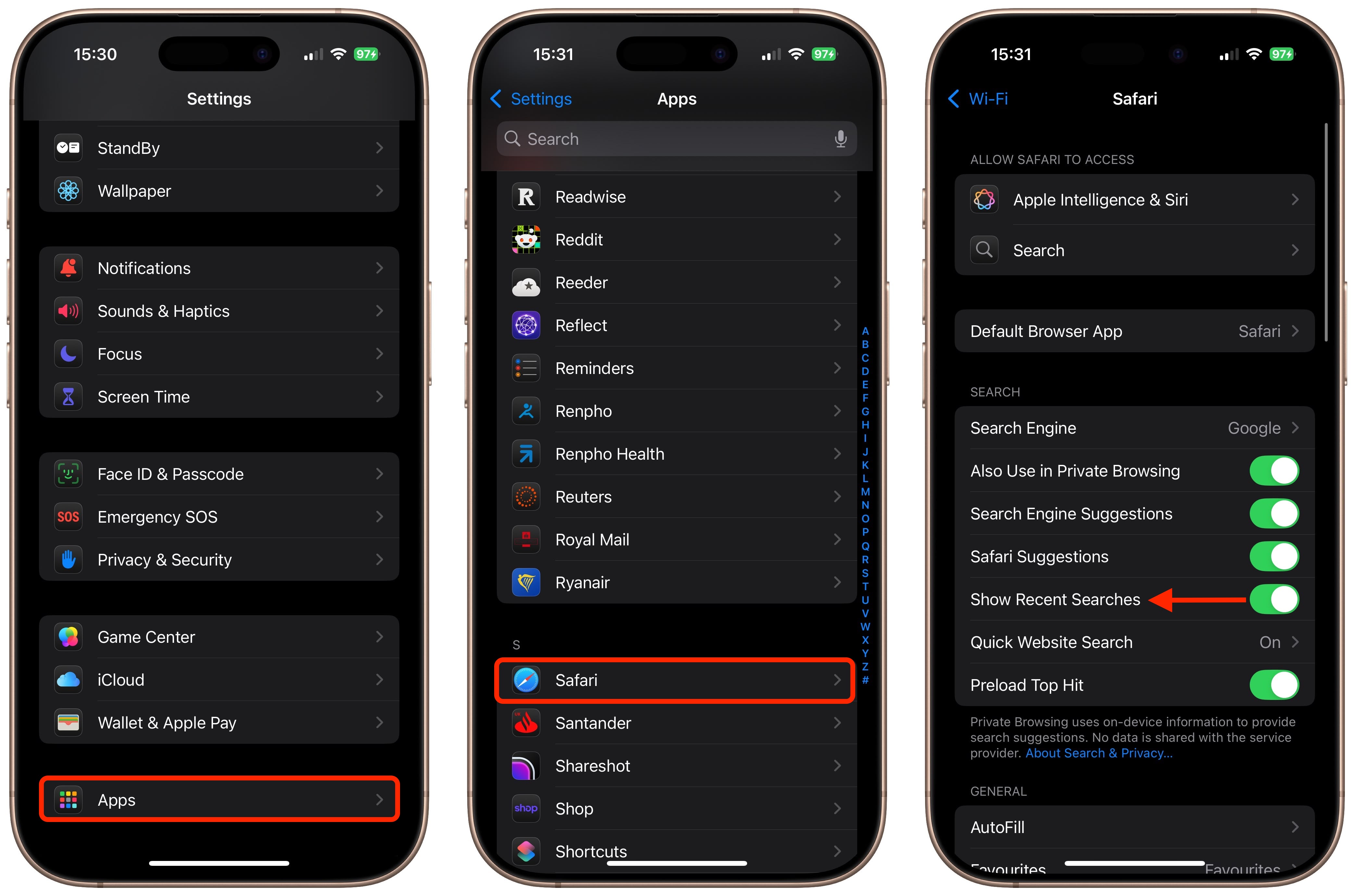
Thankfully, Apple provides an easy way to disable this new feature and restore the previous behavior. Here's how to turn off the display of recent searches in Safari:
- Open the Settings app on your iPhone.
- Scroll down and tap Apps.
- Locate and tap Safari in the alphabetical list.
- Toggle off the switch labeled Show Recent Searches.
Weighing Convenience vs. Privacy
While this new feature might be inconvenient from a privacy perspective, it does offer some benefits. Having your recent searches readily available can save time, especially if you frequently search for similar topics or revisit websites. It streamlines the search process and makes it easier to access previously searched information.
However, this convenience comes at the cost of reduced privacy. Ultimately, whether or not you choose to enable this feature depends on your personal preferences and how you balance the convenience factor against your privacy concerns. If you regularly share your device or are concerned about others seeing your search history, disabling this feature is likely the best option.
Making an Informed Decision
The decision to display or hide your recent searches in Safari is a personal one. By understanding the implications of this new feature and knowing how to control it, you can make an informed choice that best suits your needs and priorities. Consider your typical usage scenarios and how comfortable you are with others potentially seeing your search history.
This article, "iOS 18.4: Stop Your Recent Searches Showing in New Safari Tabs" first appeared on MacRumors.com
Discuss this article in our forums
from MacRumors
-via DynaSage

Post a Comment