Firefox Browser Gets Tab Groups
Firefox Finally Adds Long-Awaited Tab Groups
Mozilla has answered the prayers of countless Firefox users by finally introducing tab groups to its popular browser. This much-anticipated feature, a top request on the Mozilla Connect community platform since its launch in 2022, allows for a more organized and manageable browsing experience.

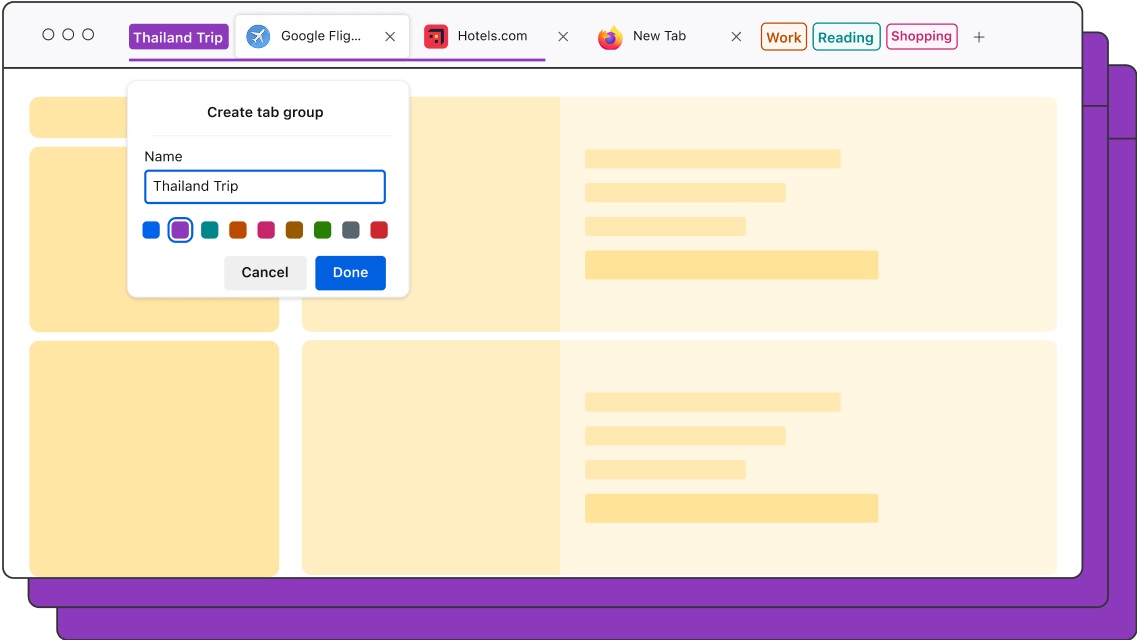
With tab groups, you can now wrangle those unruly open tabs into neat, labeled groups. Simply drag and drop tabs into groups, and give each group a descriptive name or assign it a color for easy identification. These groups are conveniently located in the right side of Firefox's top menu, putting organization just a click away.
This feature started rolling out with Firefox version 137 and should be available to all users by May 6th. If you haven't seen it yet, make sure your Firefox is up to date.
Joining the Tab Group Club
Firefox isn't the first browser to embrace tab groups. Safari users have enjoyed this functionality for some time, using it to save collections of open tabs for later use. This proves incredibly helpful for various tasks, from planning vacations and comparing prices while shopping to conducting in-depth research for projects.
The Future of Tab Groups: AI-Powered Organization?
Mozilla isn't just content with bringing basic tab groups to Firefox. They're already looking towards the future with "smart tab groups." This experimental feature leverages the power of AI to suggest group names and automatically organize your tabs based on their content. While still under development, smart tab groups hold the promise of a truly intelligent and effortless browsing experience.
Getting Started with Firefox Tab Groups
Ready to tame your browsing chaos? Mozilla provides detailed instructions on how to create and manage tab groups on their support website. You'll find step-by-step guides and helpful tips to get you started.
Learn how to use Tab Groups in Firefox
Why Tab Groups Matter
Tab groups are more than just a neat organizational trick. They represent a significant improvement in how we interact with our web browsers. By allowing us to group related tabs together, we can:
- Reduce clutter: Say goodbye to an overwhelming sea of tabs and hello to a streamlined, organized browsing experience.
- Improve focus: By grouping tabs by project or topic, you can minimize distractions and stay focused on the task at hand.
- Save time: Easily find and switch between related tabs without having to sift through dozens of unrelated pages.
- Enhance productivity: With a more organized browsing workflow, you can accomplish more in less time.
The addition of tab groups to Firefox is a welcome change that will undoubtedly improve the browsing experience for millions of users. Whether you're a casual browser or a power user juggling dozens of tabs, this feature is sure to make your online life a little easier.
This article, "Firefox Browser Gets Tab Groups" first appeared on MacRumors.com
Discuss this article in our forums
from MacRumors
-via DynaSage

Post a Comment