Keebin' with Kristina: Building, Crafting, and Cleaning Keyboards
Keebin' with Kristina: Building, Crafting, and Cleaning Keyboards
Dip Your Toes into Keyboard Design with a Macro Pad
Want to explore the exciting world of custom keyboards but feel overwhelmed by the complexity of a full-sized build? Start small with a macro pad! It's a perfect entry point for beginners. Think of it like learning to surf – you wouldn't jump on a massive wave right away. Instead, you'd start with smaller waves and a smaller board. A macro pad offers a similar learning curve, allowing you to grasp the fundamentals before tackling larger projects.Image by Robert Feranec via Hackaday.IORobert Feranec provides an excellent series of hour-long videos guiding you through each step of building a macro pad. He covers everything from creating the schematic and designing the PCB and enclosure to assembling the final product. This hands-on approach will introduce you to the world of macros, knobs, and boosted productivity.
Simpler designs are generally easier to build. Robert utilizes the versatile Raspberry Pi 2040, which offers ample I/O pins for expanding upon his basic design. If you prefer reading over watching videos, the schematic and 3D files are available on GitHub. Building a macro pad is a fantastic way to learn multiple skills while creating something genuinely useful for your workspace. Who knows where this new hobby might take you? You can find Robert's resources here: Hackaday.IO Project and GitHub Repository.
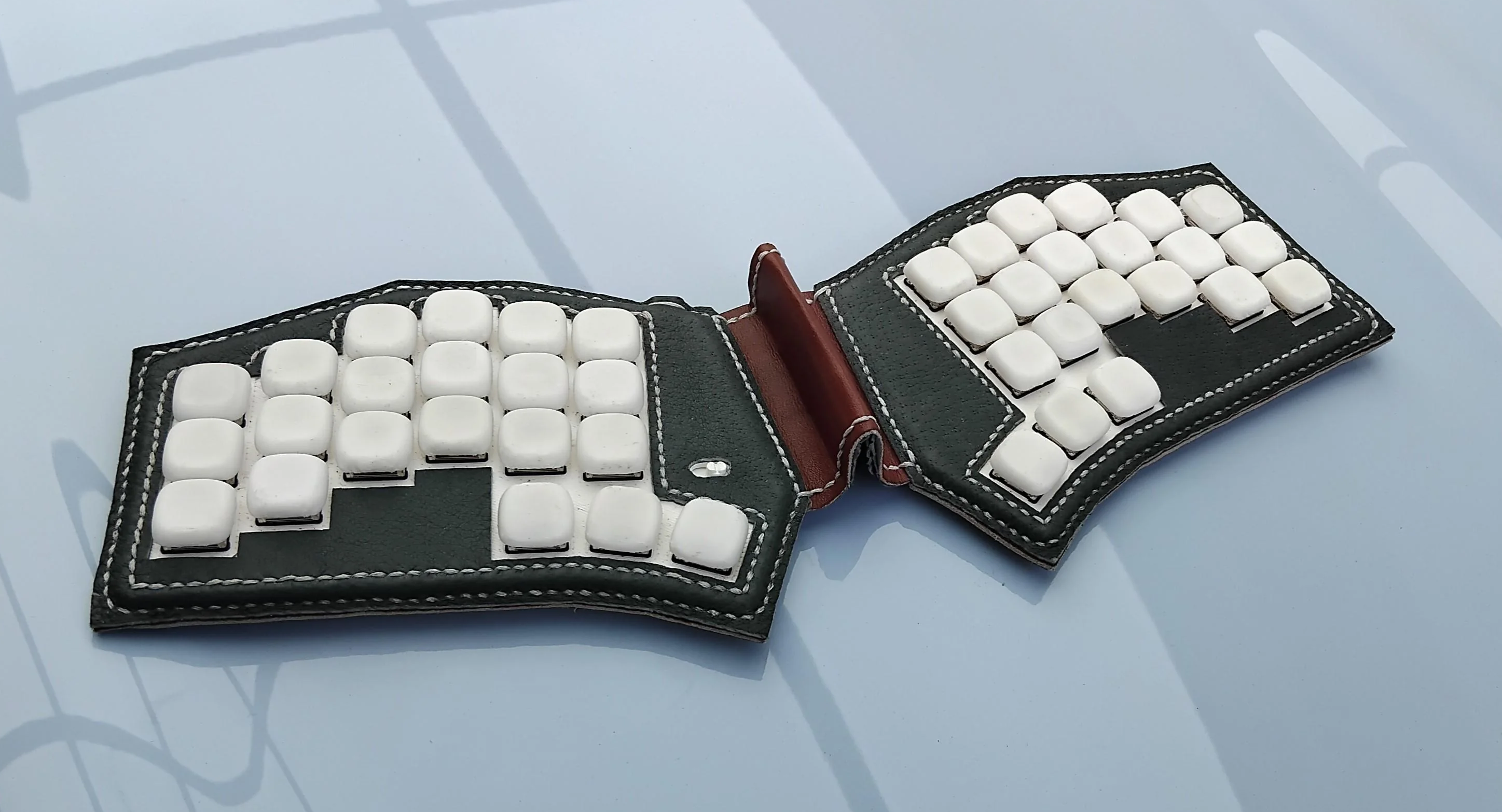
A Keyboard Crafted from Leather: The Wallet42
[Notxtwhiledrive], a leatherwork enthusiast, combined his passion for crafting with his desire to design a keyboard. Inspired by his leatherwork, he envisioned a portable keyboard designed like a wallet, resulting in the impressive Wallet42.Image by [Notxtwhiledrive] via redditThis durable and portable keyboard is based on the FFKB layout by Fingerpunch. It features a hand-wired unibody split design, powered by the Supermini nRF52840 microcontroller and running ZMK firmware. Encased in 2mm-thick chrome-tanned leather in chocolate and grey, the Wallet42 boasts a unique aesthetic. It utilizes Otemu low-profile red switches and TPU keycaps. [Notxtwhiledrive] plans to develop a hot-swappable version and may open-source the design or accept commissions. He also documented the build process and intends to share a video showcasing the creation of this beautiful keyboard. Learn more about the inspiration and design on reddit and the FFKB layout on Fingerpunch's website.
A Glimpse into the Future: The Levels Prototype
Redditor [timbetimebe] has unveiled Levels, a captivating keyboard prototype with a distinct 80s vibe. While details are scarce, the design, featuring a split layout and dual trackballs, is visually striking. Keep an eye on the GitHub repository for updates on this intriguing project. More information and discussions can be found on reddit.Image by [timbetimbe] via reddit
Show Off Your Keyboard Setup!
Have a fantastic keyboard setup you're proud of? Share a picture with us! Send your photo, username, and all the juicy details to kristinapanos@hackaday.com, and you might be featured!
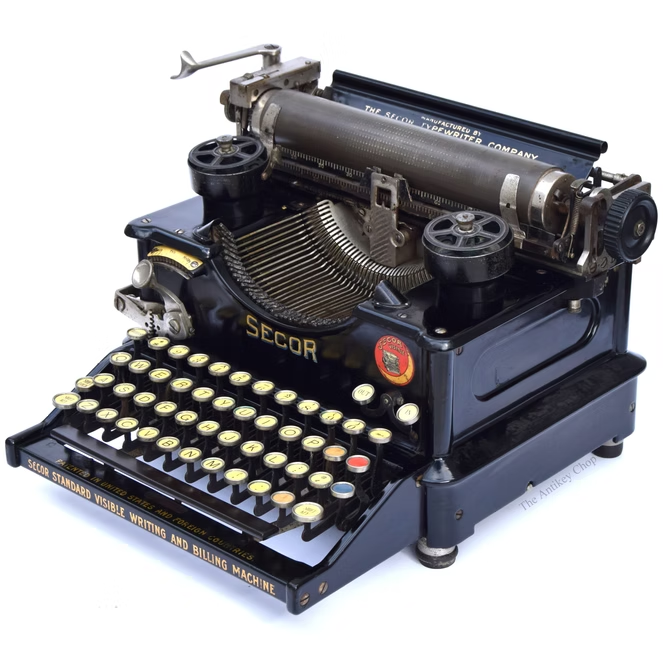
Historical Clackers: The Secor Typewriter
Following our previous look at the Williams typewriter with its unusual grasshopper-like type bars, we now explore the Secor typewriter. The Williams Typewriter Company was acquired by Jerome Burgess Secor, a former superintendent at Williams and an inventor himself.Image via The Antikey ChopSecor joined Williams in 1899 and began filing patents for frontstrike typewriters by 1902. These designs differed significantly from the Williams grasshopper typewriter. He took over the failing company in 1910. While different, the Secor typewriters weren't significantly better than their predecessors. The removable, interchangeable escapement was its main selling point. The Secor Company produced approximately 7,000 machines across three models before closing in 1916 due to various factors, including the impending war, competition, and alleged labor issues. Learn more about the Secor typewriter at The Antikey Chop and Secor's patents at Google Patents. Interestingly, Secor's mechanical toys and sewing machines are more highly sought after by collectors than his typewriters.
A Quick Guide to Cleaning Your Keyboard
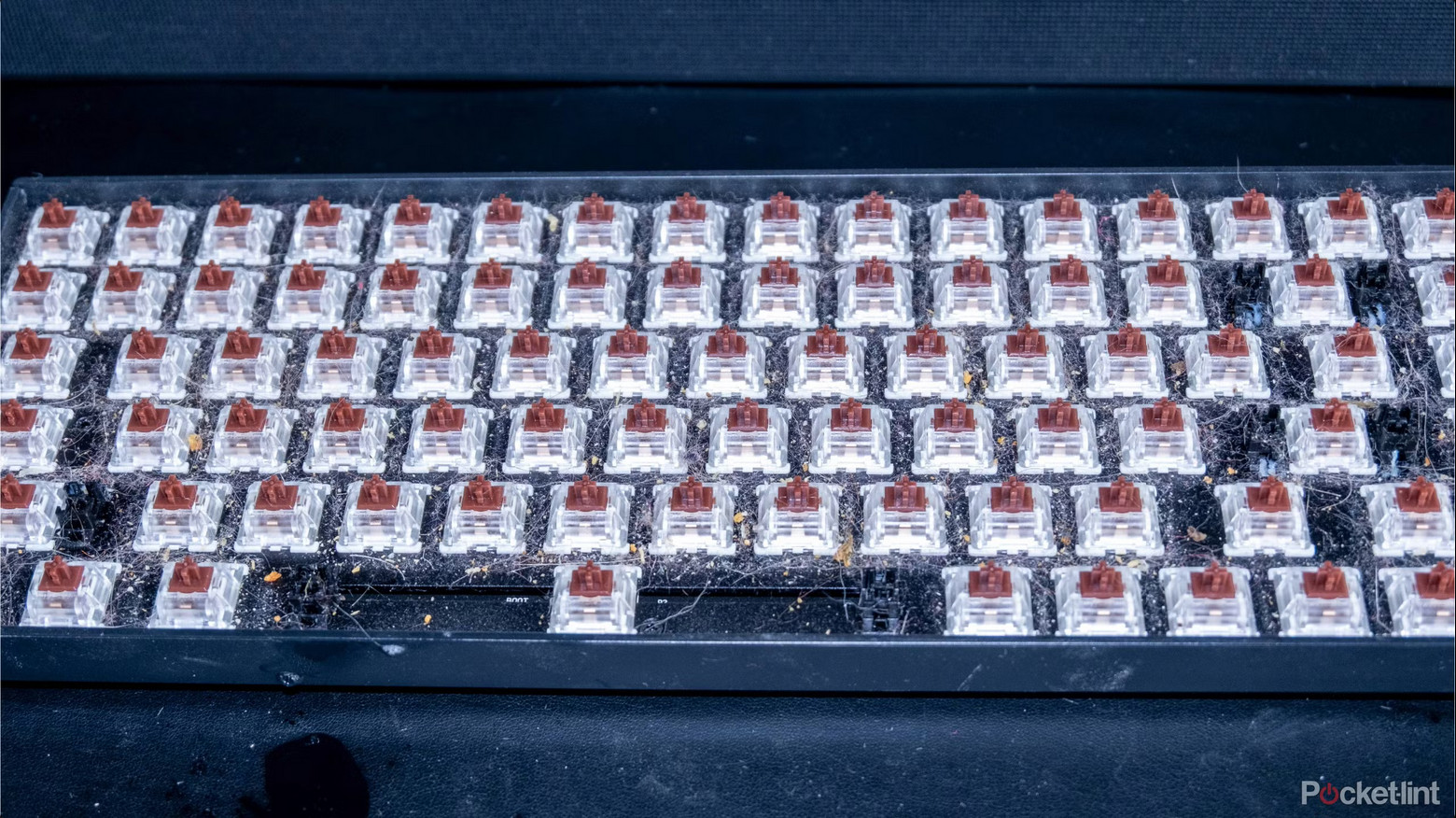
Let's be honest, keyboards can get grimy. Ben Smith provides a comprehensive guide to deep cleaning your keyboard on Pocket-lint. The process takes around 30 minutes to an hour, plus additional drying time if you soak the keycaps. Ensure you have a backup keyboard while yours is out of commission.
Click to judge [Ben] for his dirty keyboard. Then go de-cap yours, ya filthy animal. Image by [Ben Smith] via Pocket-lint
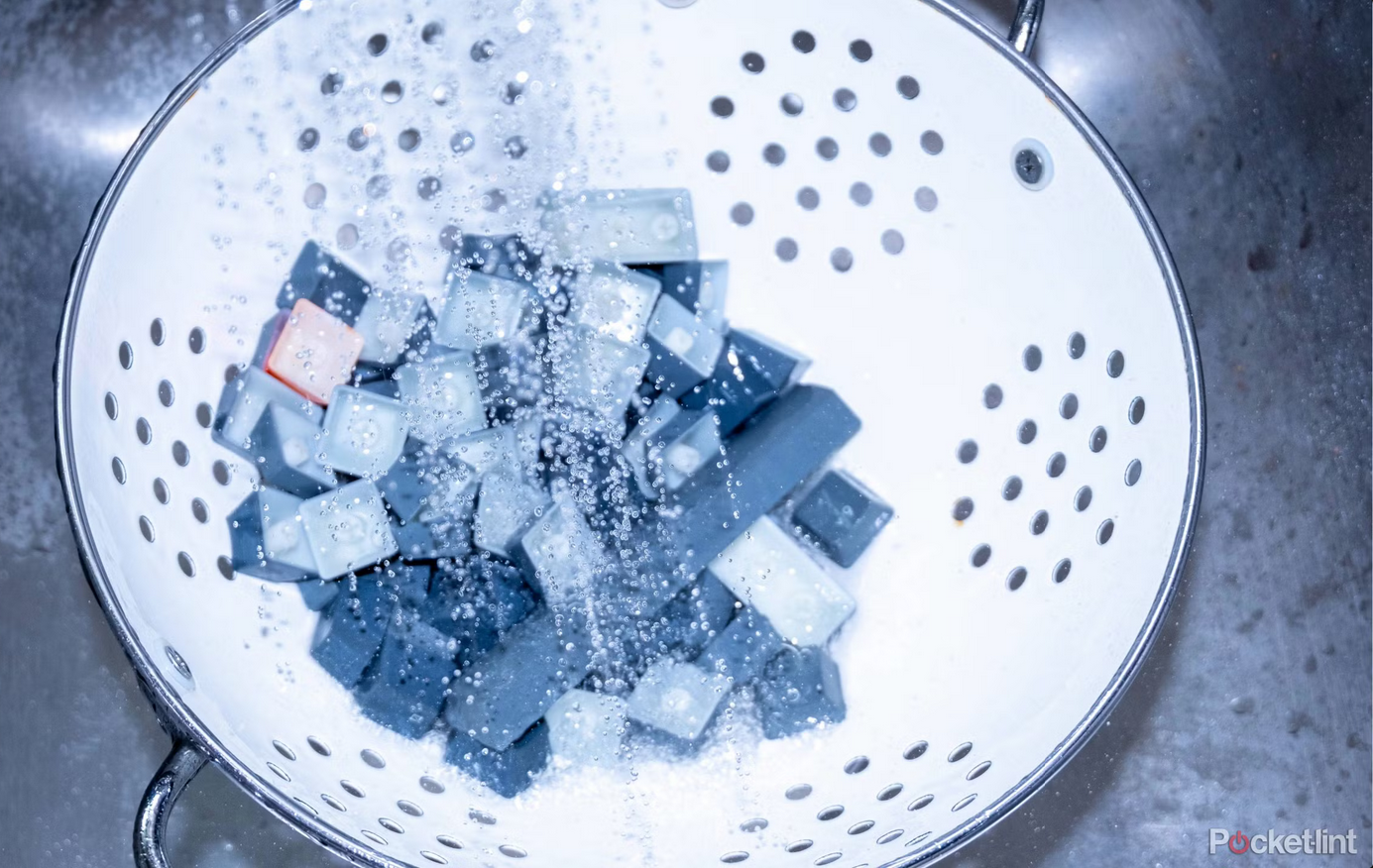
Start by taking a picture of your keyboard layout for easy reassembly. Unplug or power down the keyboard, then remove the keycaps. Use canned air, a vacuum cleaner, or an air compressor to remove dust and debris. A toothbrush can help dislodge stubborn dirt. Soak the keycaps in warm, soapy water for about 30 minutes. Rinse and dry the keycaps thoroughly before reassembling your keyboard.Everyone enjoys a nice shower now and then. Image by [Ben Smith] via Pocket-lintEnjoy the clean feel and improved sound of your refreshed keyboard!




Post a Comment